
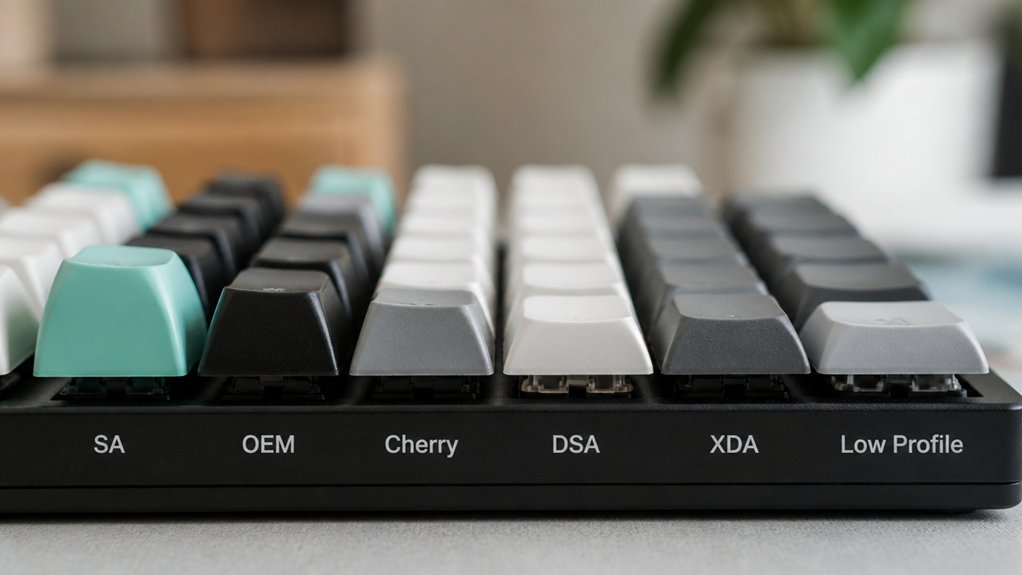
Keycap thickness shapes your typing by affecting sound, feel, and comfort. Thicker keycaps (1.5mm or more) provide a solid, cushioned press with deeper, softer thock sounds and better durability. Thinner keycaps (1.2mm–1.4mm) offer lighter, crisper feedback but can feel less stable and wear faster. If you type a lot or want satisfying feedback, thicker PBT keycaps are ideal. Keep exploring to discover which thickness best suits your typing style and needs.
Why Keycap Thickness Matters for Sound and Feel
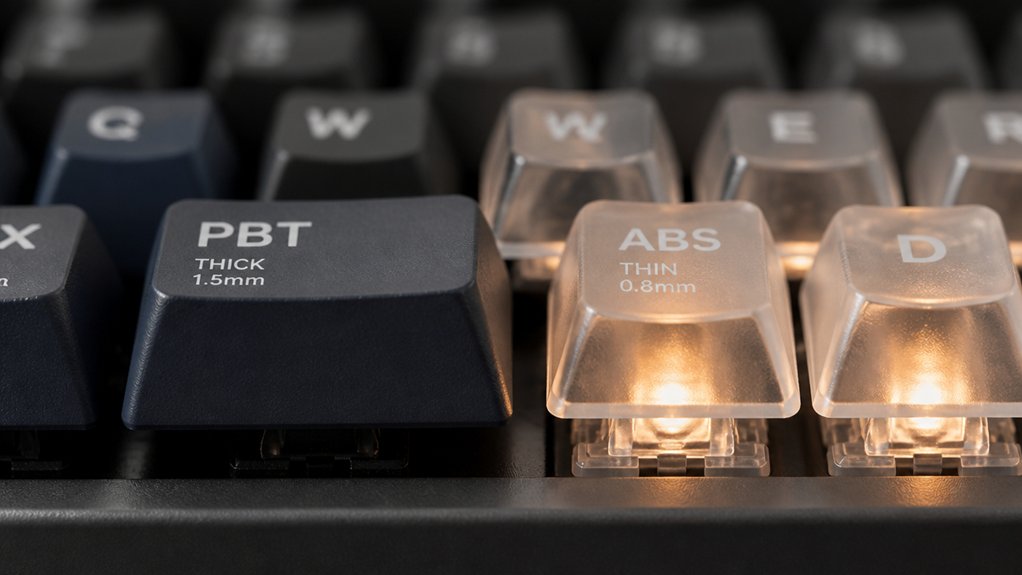
Although keycap thickness might seem like a small detail, it greatly influences both the sound and feel of your typing. Thick keycaps, usually 1.5mm or more, offer a solid typing feel by cushioning each keystroke. This extra material mass dampens vibrations, producing a deeper, softer thocky sound that many find satisfying.
In contrast, thinner keycaps, around 1.2mm to 1.4mm, result in sharper, higher-pitched clack sounds, creating a livelier typing experience. Whether you choose PBT keycaps or ABS keycaps, thickness impacts durability too—thick keycaps resist wear, cracking, and shiny finger marks better than thinner ones.
Ultimately, keycap thickness shapes your keyboard sounds and overall typing feel, balancing your preferences for sound quality and long-lasting use.
Typing Comfort and Feedback: The Role of Keycap Thickness
When you type for hours, keycap thickness plays an essential role in your comfort and feedback. Thick keycaps, often made from durable material PBT, provide keystroke cushioning that reduces typing fatigue with a solid, satisfying keypress feel.
Their added mass stabilizes each press, enhancing tactile feedback and delivering a premium typing experience. On the other hand, thin keycaps offer a lighter touch, requiring less force, which some people prefer for speed but may cause quicker typing fatigue due to less cushioning.
If you prioritize typing comfort and consistent feedback over extended sessions, thick keycaps are preferable. They balance moderate effort with ergonomic support, helping you maintain precision and enjoy your keyboard’s responsiveness longer without discomfort.
How Keycap Thickness Affects Keyboard Sound
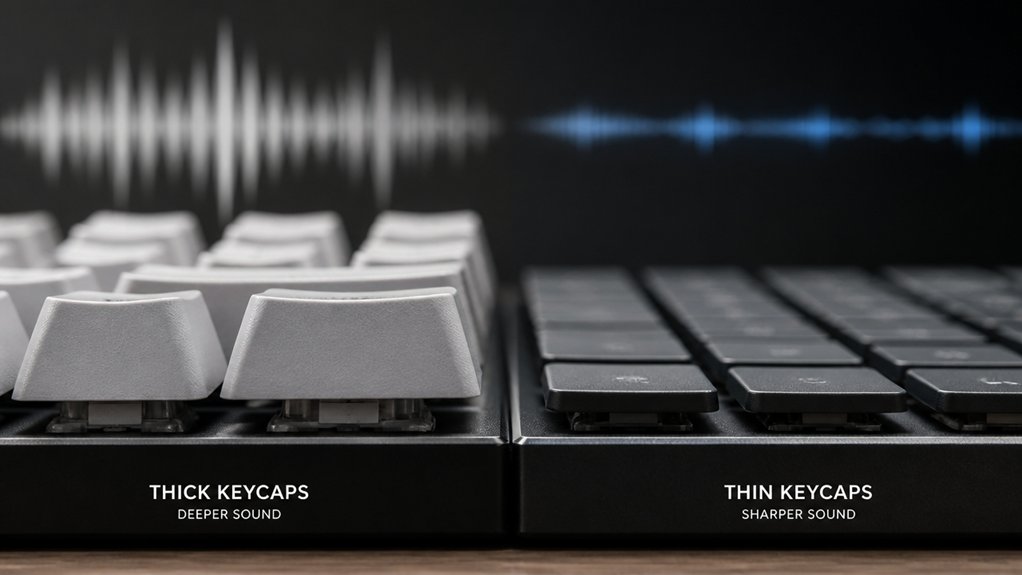
Because keycap thickness directly influences how your keyboard sounds, choosing the right thickness helps shape the audio feedback you get from each keystroke.
Thick keycaps, typically 1.5mm or more, create a deeper, softer typing sound by dampening vibrations and reducing hollow resonance. When paired with PBT keycaps, this thickness enhances a warm, dense keyboard sound favored for a pleasant sound profile.
On the other hand, thin keycaps, usually 1.2mm to 1.4mm, produce sharper, higher-pitched clacks, especially with ABS keycaps, which tend to sound brighter and more brittle.
How Keycap Thickness Impacts Durability and Longevity
If you want your keyboard to last through heavy use, choosing thicker keycaps is a smart move. Thick keycaps, typically between 1.5mm and 2mm or more in thickness, boost durability by resisting cracks and chips better than thinner ones.
PBT keycaps with added thickness excel in resisting wear, surface shine, and fading caused by finger oils, unlike thinner ABS keycaps which tend to develop shine and brittleness faster. This extra thickness minimizes breakage and deformation, extending the longevity of your keycaps during prolonged typing sessions.
Besides durability, thick keycaps provide improved grip and consistent typing comfort over time. So, when durability and longevity matter, investing in thick keycaps—especially PBT—ensures your keyboard stays reliable and comfortable through heavy use.
How to Pick the Right Thickness for Your Typing Style and Needs
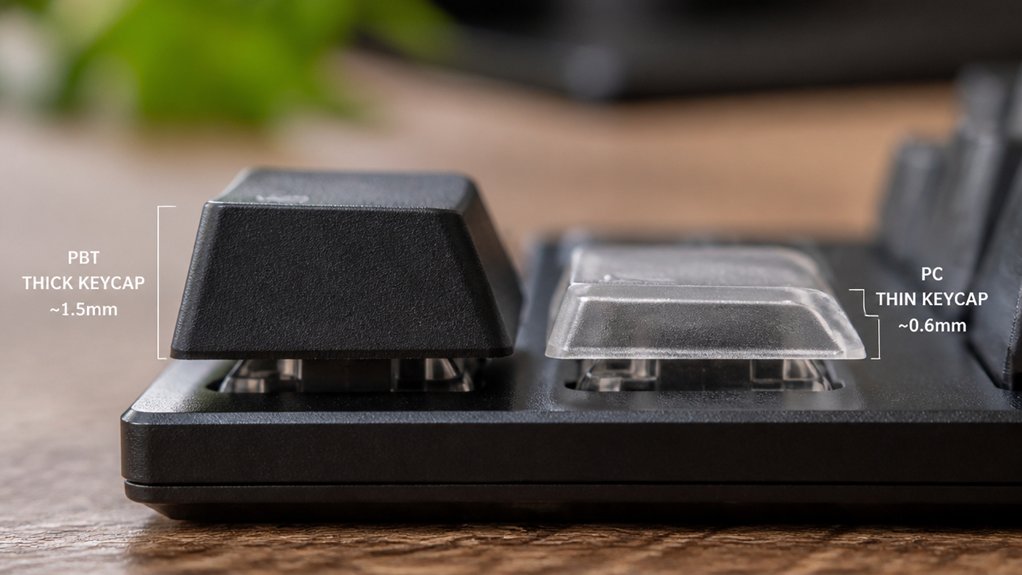
Although keycap thickness might seem like a minor detail, it greatly influences your typing experience and comfort. To pick the right thickness for your typing style and needs, consider how you type and what you value most.
If you’re a fast typist who loves a light, responsive typing feel, thin keycaps around 1.2mm to 1.4mm—often ABS keycaps—might suit you best despite their lower durability.
On the other hand, if you prioritize ergonomics and long sessions, thick keycaps over 1.5mm, especially PBT keycaps, provide cushioned feedback, reduce fatigue, enhance durability, and offer a satisfying thock sound.
Frequently Asked Questions
Is 84 Keys 75%?
Yes, an 84-key keyboard is typically considered 75%. You’ll enjoy a compact layout that keeps essential keys, including arrow and function keys, giving you a perfect balance between space-saving design and full functionality.
How Thick Should Keycaps Be?
You should choose keycaps around 1.5 to 2mm thick for a solid, comfortable typing feel with reduced vibrations and a satisfying “thock” sound. Thicker keycaps last longer but pick what suits your typing style best.
Why Do People Like 75% Keyboards?
You like 75% keyboards because they save space while keeping essential keys, feel familiar, and enhance portability. You trade minimal gaps for comfort and enjoy customizing your typing experience without losing function or convenience.
Do Keycaps Affect Typing Sound?
Yes, keycaps definitely affect typing sound. You’ll notice thicker caps produce deeper, softer thocks, while thinner ones create sharper, higher-pitched clacks. Your choice shapes both the feel and the auditory feedback of your typing experience.
In Summary
Choosing the right keycap thickness can truly transform your typing experience. Thicker keycaps offer a satisfying, solid feel and richer sound, while thinner ones provide a lighter, quicker response. By understanding how thickness affects comfort, feedback, sound, and durability, you can pick keycaps that match your personal style and needs. In the end, finding the perfect balance will make typing more enjoyable and tailored just for you.



