

To feel the difference in keyboards, consider switch types, key travel, and build materials. Shorter travel and lighter switches often make typing faster and more comfortable, while stiffer keys can cause fatigue. Hot-swap builds let you experiment easily with switch feel, whereas soldered ones offer more stability. Rigid cases transmit more vibration, affecting sound and responsiveness. Your choices impact comfort, durability, and overall feel—keep exploring to find out how to optimize your typing experience for your needs.
What Are Hot-Swap and Soldered Keyboards?
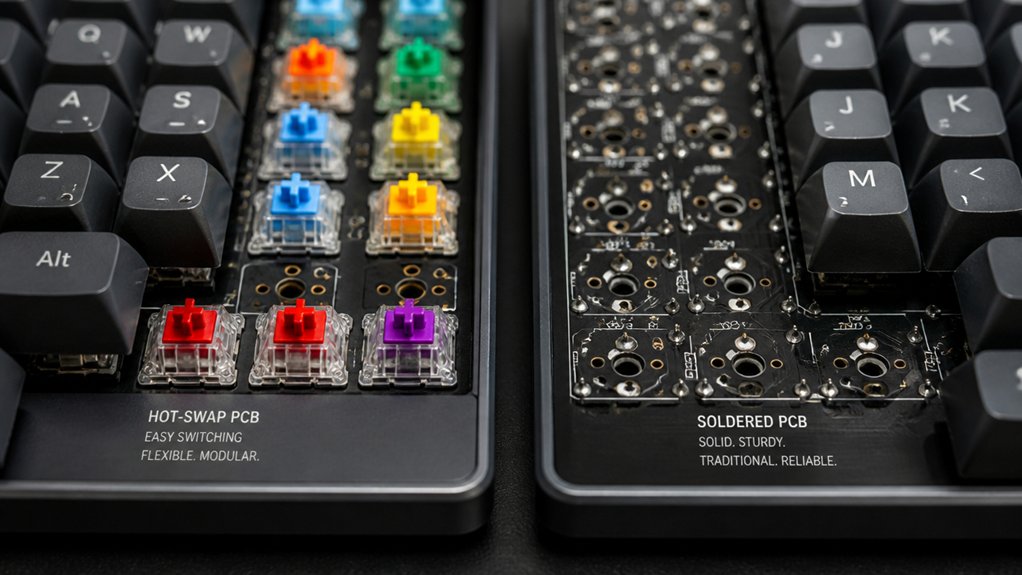
Have you ever wondered how different mechanical keyboards allow for switch changes? On a hot-swap keyboard, you can quickly remove and replace switches thanks to special sockets. This means you don’t need soldering skills or tools—just a gentle press of the key on the switch to pull it out and a new one to snap in.
Hot-swap keyboards offer flexibility so you can try different switch types, from tactile to linear, without permanent modifications. Compatibility considerations ensure that you select the right sockets and switches for your specific keyboard build, making customization straightforward and reliable.
In contrast, soldered keyboards have switches soldered directly onto the PCB, making switch changes more complicated. You need desoldering tools and skills to replace switches on soldered models. This difference impacts your ability to customize your typing feel easily and cost-effectively over time.
How Does Each Build Feel During Typing and Affect Responsiveness?
You’ll notice that key travel and sensation greatly influence how responsive and comfortable your typing feels. Lighter actuation forces and stable keys improve responsiveness and reduce fatigue, while short travel can speed up your typing but might lower feedback.
The build material also impacts response, with high-quality switches providing smoother, more consistent keystrokes.
Key Travel and Sensation
Key travel greatly influences how a keyboard feels and responds during typing. When keys have shorter travel, you can press them faster, boosting your typing speed and efficiency. Mechanical keyboards with switches like Cherry MX Blues provide tactile feedback and audible cues, making each keystroke more precise and satisfying.
Laptops with low-profile keys and scissor switches feature shorter key travel and less wobble, offering smoother, lighter feels but sometimes less tactile response. However, excessive key travel or stiff keys can lead to fatigue, slowing you down and requiring more force for each stroke.
The design of key edges and relief influences tactile differentiation, helping you feel the boundaries between keys and reducing mistakes during rapid typing. Ultimately, the right key travel balances responsiveness and comfort. Additionally, switch characteristics such as click sound sharpness and tactile bump can significantly enhance or detract from the overall typing experience.
Build Material and Response
The materials used in a keyboard’s construction can greatly influence how it feels and responds during typing. Rigid plastic cases reduce flex, providing a stable platform that makes pressing a key feel more precise, enhancing your overall responsiveness.
Mechanical switches like Cherry MX or Topre offer tactile or clicky feedback that helps your fingers detect actuation points, potentially increasing typing speed and accuracy. Low-profile keyboards with scissor switches give a quicker, smoother response, as keys return faster, ideal for rapid typing.
Conversely, stiff or heavy springs require more force, which can slow your fingers and cause hand and wrist fatigue over time. The surface texture and shape of keycaps also influence response, affecting how smoothly your fingers glide and your overall comfort during long typing sessions.
Additionally, the choice of aluminum cases can impact the rigidity and overall feel, contributing to a premium, stable typing experience.
Which Keyboard Build Is More Comfortable for Long Hours?
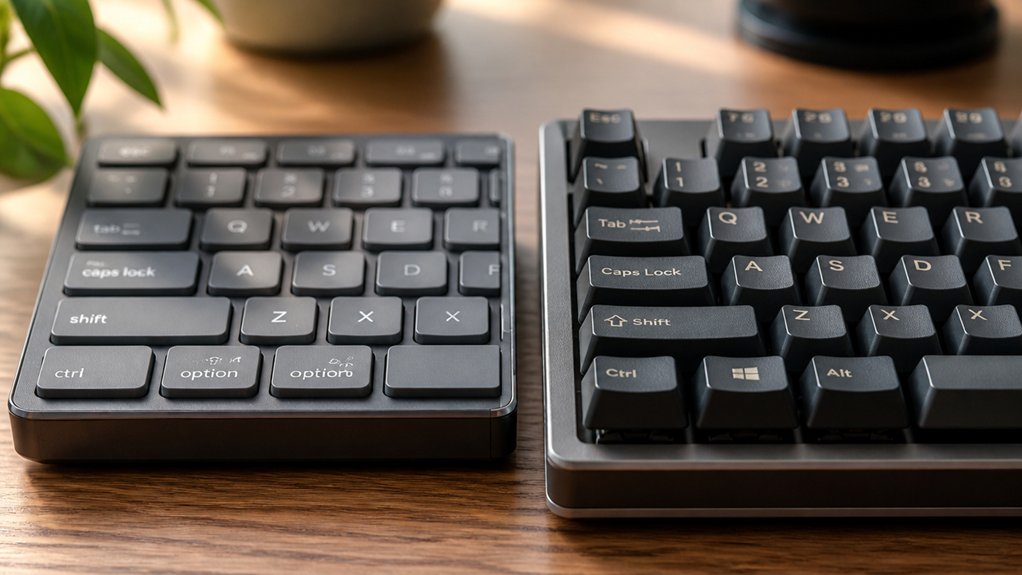
When it comes to long hours of typing, selecting a keyboard that feels comfortable is essential to reduce fatigue and prevent strain. For extended sessions, mechanical keyboards with light actuation forces (35g-50g) and tactile feedback help reduce finger fatigue. Low-profile keyboards with short key travel and smooth scissor switches, like laptops, minimize finger movement. An ergonomic build promotes a neutral wrist position, helping you keep wrists straight and avoid unnecessary strain. Keep fingers curved and relaxed and make certain your hands stay centered on the home row keys. Choose a keyboard with stable key positions to improve accuracy and reduce effort. The table below highlights key features for comfortable long-term use:
How Do Hot-Swap and Soldered Builds Impact Customization and Maintenance?
Choosing between hot-swap and soldered keyboard builds greatly influences how easily you can customize and maintain your keyboard over time. With hot-swap keyboards, you can quickly change switches without soldering, making customization straightforward and maintenance minimal.
This is ideal if you like experimenting with different switch types for feel or sound. Soldered keyboard builds, however, require desoldering to swap switches, which is more time-consuming and technical. They provide a more stable electrical connection, favored for durability and consistent key response.
- Easy switch changes without soldering
- Reduced risk of damaging the PCB
- Suitable for frequent customization
- More durable, stable connection
- Hot-swap compatibility allows for versatile switch options, making it easy to try out various typing experiences without technical hurdles.
How Does Build Type Influence Sound and Vibration While Typing?
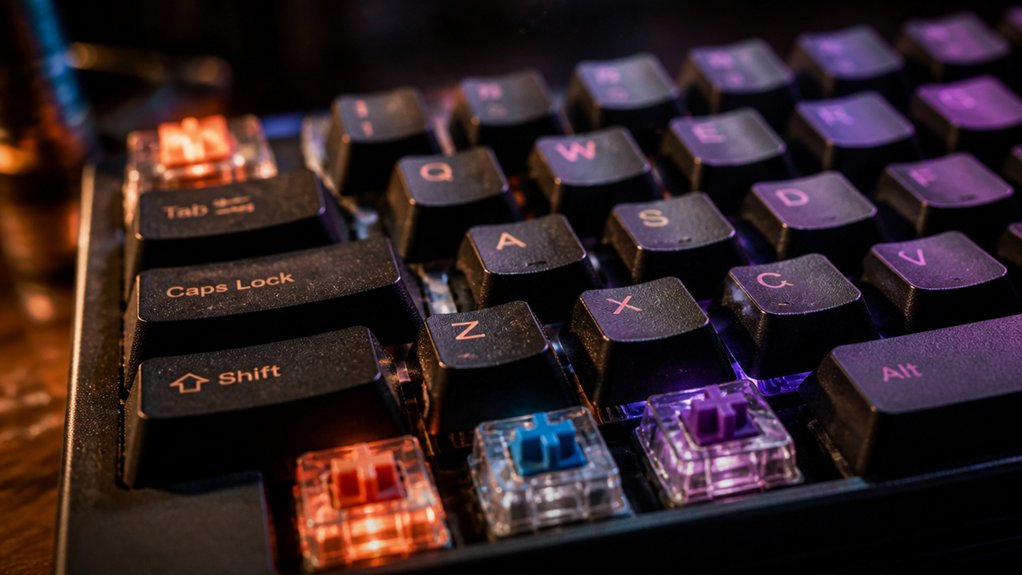
Ever wonder how the type of keyboard build influences the sounds and vibrations you experience while typing? When you press any key, the build type dictates how loud or quiet your typing feels. Mechanical keyboards produce louder sounds and stronger vibrations because each switch actuates individually, offering tactile feedback that can be satisfying but noisy. Conversely, membrane and rubber dome keyboards generate softer, quieter keystrokes with less vibration, ideal for quieter environments. Key travel distance and keycap material also matter; longer travel or thicker caps amplify sound and vibration. A rigid build transmits vibrations more efficiently, increasing rattling, while a flexible or loose frame dampens noise. Switch type and actuation force further influence feedback, highlighting how build choices shape your overall typing sound and vibration experience. For enhanced sound dampening and vibration control, some keyboard kits incorporate vibration-dampening cores or insulating layers.
How Do Build Quality and Materials Change Your Keyboard’s Feel?
The quality of your keyboard’s build greatly shapes how it feels during use, influencing key stability, wobbling, and noise levels. A sturdy frame minimizes flex, providing a firmer, more consistent typing surface.
The materials used, like ABS or PBT plastics, impact keycap texture and durability; PBT tends to resist shine and maintain tactile quality longer. Higher build quality also includes quality stabilizers and springs, which help reduce rattling and guarantee even key travel. The choice of stabilizer material and design directly influences noise and rattle reduction, enhancing overall typing experience. The keycap profile and thickness further affect your experience by shaping finger comfort and speed.
Should You Switch Between Hot-Swap and Soldered Keyboards?
Deciding whether to switch between hot-swap and soldered keyboards depends on your priorities for customization and durability.
Hot-swap keyboards let you easily replace switches without soldering, making it simple to experiment with different typing feels to find the ideal tactile feedback or actuation force. They’re perfect if you like customizing your keyboard regularly.
Hot-swap keyboards allow easy switch replacements, perfect for frequent customization and experimenting with different typing experiences.
Soldered keyboards, on the other hand, usually offer more stable electrical connections, which can improve long-term durability and consistent key response. They tend to be lighter and more compact since they don’t need the additional socket components.
If you prefer hassle-free modifications, hot-swap boards are ideal. However, if you prioritize long-term reliability and solid build, soldered keyboards are the better choice.
Your decision ultimately hinges on whether ease of switch replacement or durability matters most to you. Additionally, understanding the soldering process and mastering PCB assembly can significantly influence your preference for one type over the other.
Frequently Asked Questions
Is 84 Keys 75%?
No, an 84-key keyboard isn’t considered a 75%, but it’s closely related, often called an 84-key or 75%+ layout. The main difference lies in the additional keys, which don’t materially change the size.
What Is the 10 Finger Rule for Typing?
The 10 finger rule means you use all ten fingers to type, assigning specific keys to each finger. It helps improve speed, accuracy, and develop muscle memory by reducing hand movement and encouraging touch typing.
Why Does My Keyboard Feel Different?
Your keyboard feels different because of switch type, key travel, actuation force, keycap design, layout, and wear over time, all affecting resistance, tactile feedback, and overall comfort, making each keyboard unique in feel and responsiveness.
How to Get Better Consistency in Typing?
To get better consistency, focus on daily practice for 10-15 minutes, emphasize accuracy over speed, use proper finger placement, maintain ergonomic posture, and regularly track your progress with online typing tests to reinforce steady, reliable keystrokes.
In Summary
Choosing between hot-swap and soldered keyboards depends on your preferences and needs. Hot-swap builds offer easy customization and quick swaps, making maintenance simple and flexible. Soldered keyboards, however, often provide a more solid feel with potentially better durability. Consider how each type influences sound, vibration, and comfort during long sessions. Ultimately, trying both can help you find the perfect match for your typing style and comfort, ensuring an enjoyable typing experience.



