
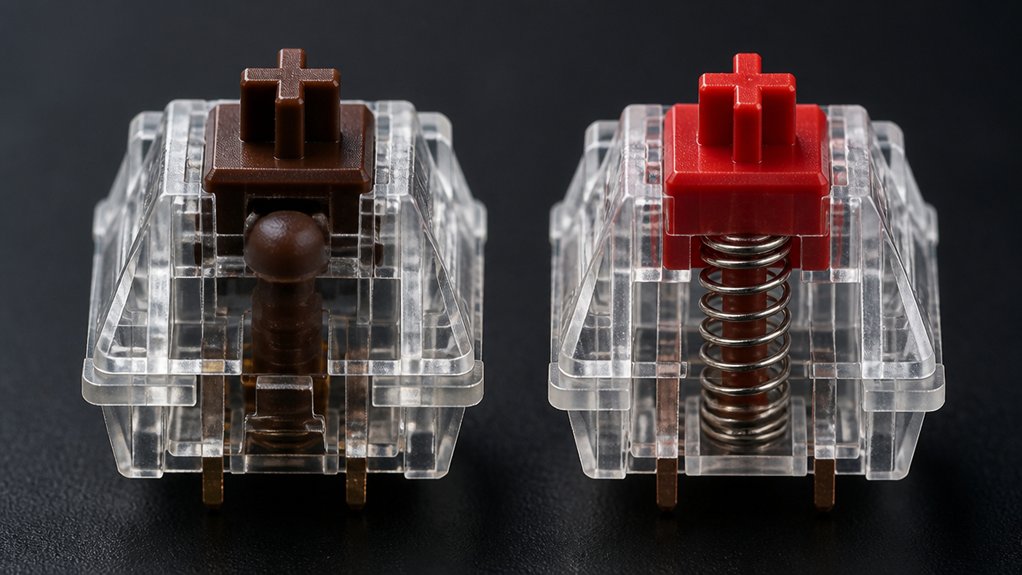
You’ll notice tactile switches give a perceptible bump that helps you type accurately and avoid accidental double‑taps, while linear switches glide smoothly with a constant force for faster, quieter keystrokes. Both typically need around 55 cN, but linear variants can be slightly lighter and quieter, especially silent models. Tactile feedback reduces finger fatigue during long typing sessions, whereas linear switches shine in rapid gaming and noise‑sensitive environments. Budget‑friendly options like Akko CS Silver or Cherry MX Brown let you test the feel before committing, and a simple decision matrix can match your typing, gaming, and noise preferences—keep going to discover the full ten tips.
Tactile vs Linear Switches: Key Feel Differences

When you press a linear switch, the key travels smoothly from top to bottom with no bump, so the force feels consistent all the way down. You notice a steady actuation force that never changes, giving a fluid, smooth keystroke.
The tactile switch, by contrast, delivers a tactile bump halfway through the key press, providing immediate feedback that confirms actuation before you bottom out. That bump helps you gauge the exact moment of activation, boosting typing accuracy and preventing accidental key presses.
Linear switches excel when you want speed and quietness, while tactile switches reward you with deliberate feedback that feels more precise. Choosing between them hinges on whether you value uninterrupted motion or a perceptible cue during each key press.
Tactile vs Linear: Actuation Force & Travel Impact
Although both linear and tactile switches hover around the same actuation force—roughly 55 cN—their travel profiles differ enough to shape your typing experience.
Linear switches deliver a smooth pull with a constant force, so you feel no interruption from the tactile bump. This consistency lets you fire keys quickly, boosting typing speed. In contrast, tactile switches insert a subtle bump halfway through the pre‑travel distance, giving you a physical cue that the actuation point is reached.
Cherry MX Speed Silver exemplifies a short pre‑travel distance (1.2 mm) for rapid response, while Cherry MX Brown offers about 2.0 mm pre‑travel and that bump, balancing speed with feedback.
The bump’s extra resistance can curb finger fatigue and prevent bottom‑out, but it may slightly slow rapid successive presses compared to the uninterrupted glide of linear switches.
Tactile vs Linear Noise Levels: Quiet vs. Click

You’ll notice that linear switches keep the sound level low thanks to their smooth travel and lack of a tactile bump.
Tactile switches add a modest “thump” at actuation, giving you audible feedback without the loud click of clicky switches. This makes linear keys ideal for quiet offices, while tactile ones fit environments where a bit of confirmation noise is acceptable.
Quiet Mechanical Design
If you’re after the quietest keystroke, linear switches win because their smooth travel lacks any tactile bump or audible click. Their design keeps the sound level low, making them ideal for noise‑sensitive environments.
Silent linear switches, like Cherry MX Silent Red, add dampening pads that cut bottom‑out noise, delivering an even quieter experience without sacrificing the smooth feel you expect from linear switches.
Tactile switches, on the other hand, introduce a tactile bump that creates a modest audible cue—still quieter than clicky types but louder than pure linear. This moderate sound gives you tactile feedback while staying relatively unobtrusive.
If you need a balance of quiet operation and feedback, consider silent linear variants or tactile switches with reduced noise profiles.
Tactile Bump Acoustics
When a tactile switch hits its bump, it emits a modest “click‑like” pop that confirms actuation without the loud snap of a clicky switch, whereas a linear switch glides silently until the key bottoms out, producing only the faint thud of the overall impact.
The tactile bump creates acoustic feedback that signals the actuation point, letting you feel and hear the key register before the bottom‑out. This subtle sound reduces typing noise compared to clicky switches while still giving tactile feedback.
Linear switches lack that bump, so their noise comes mainly from the final bottom‑out thud. Silent tactile switches mute the pop but preserve the actuation cue, offering a balanced, quieter typing experience.
Environment Noise Suitability
Because office cubicles and shared co‑working spaces demand low‑profile typing, linear switches—especially silent variants like Cherry MX Silent Red—are the go‑to choice; they produce barely any audible cue, only a faint thud when the key bottoms out.
You’ll notice that linear switches keep the ambient level low, making them perfect for noise‑sensitive, shared environments. Tactile switches, while still quieter than clicky types, generate a moderate sound at the bump, which can be distracting in quiet rooms.
If you need minimal sound, prioritize silent linear options; they dampen both bottom‑out and actuation noises.
- Linear switches → minimal sound, ideal for open offices
- Cherry MX Silent Red → silent linear, extra dampening
- Tactile switches → moderate sound, noticeable bump in quiet spaces
Tactile vs Linear for Gaming Performance
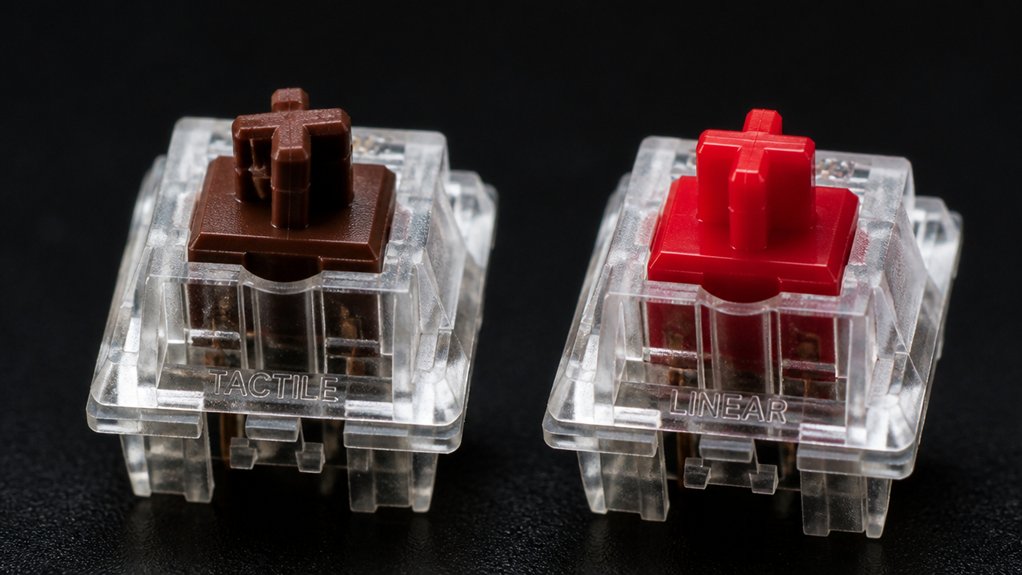
When you prioritize raw speed, linear switches let you fire off keystrokes with minimal resistance, giving you a quick edge in fast‑paced shooters.
If you need precise, deliberate inputs—like timing abilities in an RTS or MOBA—the tactile bump helps you avoid accidental presses and stay accurate.
And because linear keys are quieter, they’re a better fit for noise‑sensitive setups, while tactile switches add a subtle click that can be useful for feedback but may be louder.
Speed Advantage
Looking for the fastest response in a high‑octane match? Linear switches give you that speed advantage. With Cherry MX Red or Speed Silver, actuation force is low and the travel is smooth, letting you fire rapid key presses without a tactile bump.
Competitive gamers rely on this uninterrupted feel to shave milliseconds off reaction time, especially in FPS and battle‑royale titles where every split second counts.
- Smooth actuation → faster double‑tap and combos
- Lower actuation force → less finger fatigue during marathon sessions
- No tactile bump → consistent timing for high‑speed gaming
In contrast, tactile switches add a bump that can slightly delay actuation, so you’ll feel a modest drop in raw speed. Choose linear if you prioritize sheer velocity over tactile feedback.
Precision Control
While linear switches win the speed race, tactile switches shine when you need exact input control. You’ll feel the tactile bump at actuation, giving finger feedback that confirms each press without bottoming out. That tactile cue boosts precision control in RTS and MMO games, letting you avoid accidental keystrokes while still delivering rapid response when needed.
Linear switches, with lower actuation force and shorter pre‑travel, let you fire off keys faster, but they lack the tactile bump that tells you the key has registered.
If you prioritize deliberate, accurate inputs for complex combos, tactile switches like Cherry MX Brown provide balanced force and feedback. For pure speed‑driven shooters, linear switches such as MX Red or Speed Silver give the fastest gaming experience.
Noise Considerations
If you game in a shared room or a quiet house, the noise a keyboard makes becomes a real factor. Linear switches let you type with minimal clack, so they shine in quiet environments and noise‑sensitive gaming.
Tactile switches add a bump that creates moderate sound, giving you sound confirmation without shouting.
For the quietest setup, consider Cherry MX Silent Red, a linear option that damps clicks while keeping a smooth feel.
- Linear switches: low profile, ideal for shared spaces.
- Tactile switches: moderate sound, useful for key‑press feedback.
- Silent linear (e.g., Cherry MX Silent Red): ultra‑quiet, perfect for noise‑sensitive gaming.
Tactile vs Linear Typing Accuracy Benefits
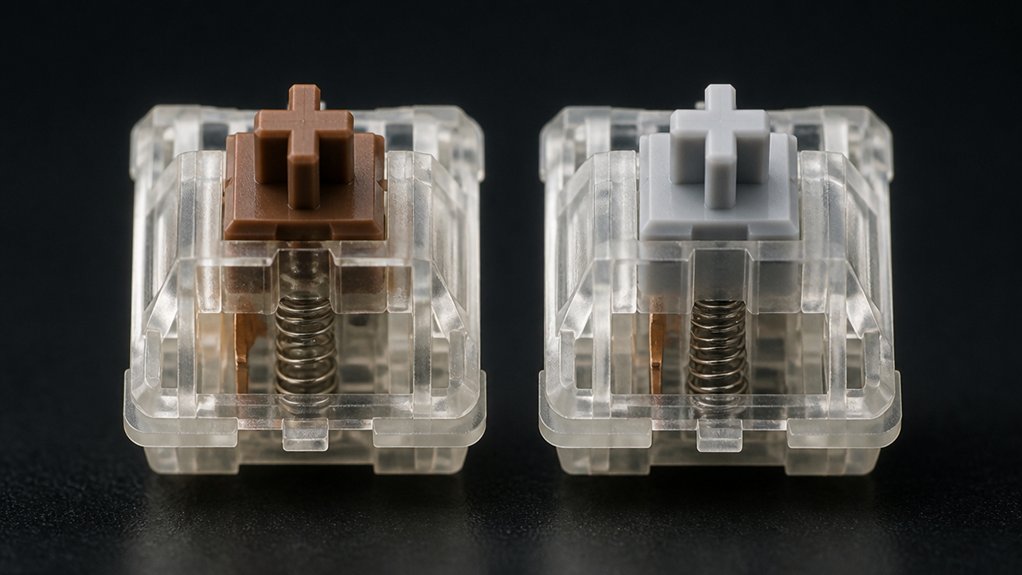
Because tactile switches give you a distinct bump at the actuation point, they let you confirm a keypress without fully bottom‑out, which boosts typing accuracy. The tactile feedback from Cherry MX Brown (55 cN actuation force) signals activation early, so you can correct mistakes before the key hits the board. This reduces finger fatigue during long typing sessions and helps beginners develop consistent habits.
In contrast, linear switches like Cherry MX Red (45 cN) lack that bump, offering smooth travel but relying on visual confirmation alone. Without tactile cues, you’re more likely to bottom‑out or double‑tap unintentionally, which can lower typing accuracy, especially when you’re typing quickly or learning a new layout.
Choose the switch type that matches your need for precision versus pure speed.
Tactile vs Linear Durability & Lifespan
Even though tactile and linear switches feel different, their durability is fundamentally the same: both types are rated for over 50 million keystrokes.
You’ll find that the lifespan of tactile switches matches that of linear switches because they share high‑quality springs and contacts. Brands like Cherry MX Brown and Cherry MX Red illustrate how manufacturing quality drives longevity more than feel. Even specialty tactile models such as Glorious Panda hit the 50 million keystroke mark, proving that robust design isn’t exclusive to linear options.
In practice, regular cleaning and avoiding excessive force keep your keyboard performing at peak for years.
- Durability rating: >50 million keystrokes for both types
- Lifespan hinges on manufacturing quality, not feel
- Cherry MX Brown (tactile) and Cherry MX Red (linear) exemplify reliable, long‑lasting switches
Tactile vs Linear Compatibility Guide
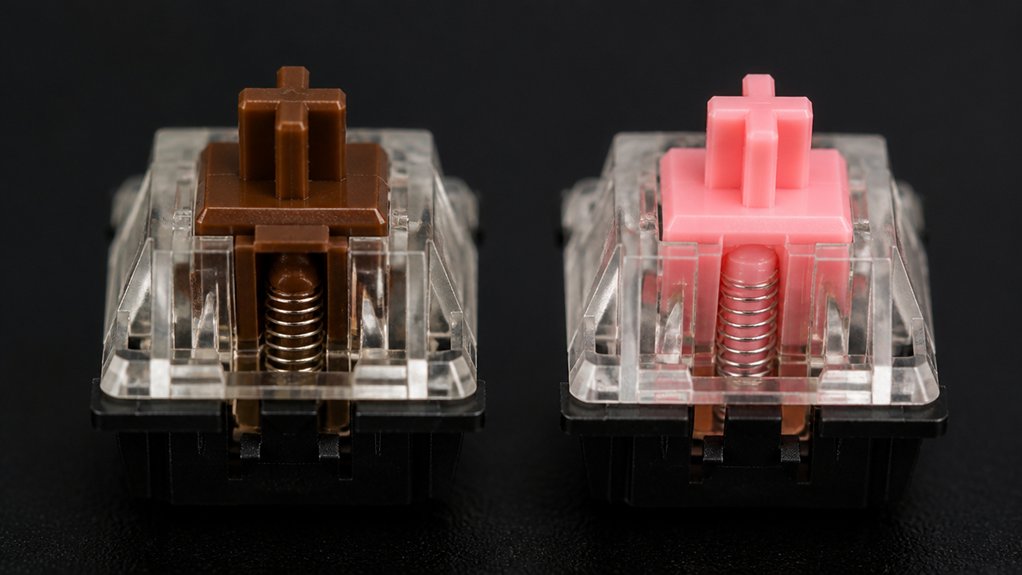
When you pair a keyboard with a specific keyboard layout or keycap profile, choose switches that match the feel you need—linear for smooth, rapid strokes and tactile for a noticeable bump.
Consider your hardware, like mechanical keyframes or low‑profile boards, because some designs favor one switch type over the other. This compatibility guide helps you align your gaming or typing goals with the right switch choice.
Compatibility Guide Choose
Which switch type fits your gaming or typing style?
If you crave fast, quiet keypresses for FPS titles, lean toward Linear switches like Cherry MX Red; they glide without a bump, keeping noise low and reaction time razor‑sharp.
For MMO, MOBA, or RTS play, Tactile switches such as Cherry MX Brown give you a subtle bump that prevents accidental hits and sharpens command accuracy.
When you type for hours, that tactile feedback eases finger fatigue and boosts precision, while silent linear options (e.g., Cherry MX Silent Red) let you stay quiet without sacrificing smoothness.
- Test both switch families with a sampler before committing.
- Match the switch’s feel to your primary activity: gaming vs. typing.
- Consider noise level and feedback intensity for your environment.
Hardware Pairing Tips
If you want your keyboard to feel just right, pair tactile switches with thicker keycaps and a sound‑dampening mat, while matching linear switches with lightweight keycaps and a slim plate.
For tactile switches, choose stabilizers that dampen rattle; a solid bar reduces unwanted vibration and lets the mid‑press bump shine through. Linear switches thrive on frames that limit vibration, so a minimal‑mass plate and a tight case keep the feel smooth and silent.
Hot‑swappable keyboards let you swap between tactile and linear switches quickly, testing different keycaps and stabilizer setups without soldering. Experiment with various sound‑dampening mats and lightweight keycaps to fine‑tune each switch type, ensuring consistent performance across typing and gaming sessions.
Tactile vs Linear Budget Comparison
Although budget linear switches like Akko CS Silver deliver a lightweight, smooth feel comparable to premium Cherry MX Speed Silver, they do it at a fraction of the price. You’ll notice the smooth keystroke and quick actuation that make fast‑paced gaming feel effortless, while the cost stays low.
If you prefer feedback, budget tactile switches such as Cherry MX Brown give you a noticeable tactile bump without breaking the bank. Affordable tactile switches sit around 55 cN, offering typing accuracy and modest noise.
Silent linear switches like Outemu Silent Peach keep the sound down for shared spaces, still delivering the same smooth response.
- Akko CS Silver vs. Cherry MX Speed Silver: price vs. performance
- Cherry MX Brown: classic tactile bump at a budget price
- Outemu Silent Peach: quiet linear feel for cost‑conscious users
Tactile vs Linear Switch‑Sampling Tips
Wondering how to tell tactile from linear when you’re testing switches? Grab a sample pack—Glorious is a solid choice—and start by hitting Cherry MX Brown and Cherry MX Red.
Feel the bump on tactile switches; it gives you a clear actuation cue that boosts typing accuracy. Notice the smooth, uninterrupted keystroke feel on linear switches, which translates into faster gaming responsiveness.
Compare actuation force and travel distance side‑by‑side, noting that tactile switches emit a subtle click at the actuation point while linear ones stay quiet.
Test each switch under real typing and gaming scenarios to see which feedback matches your comfort level and performance needs. This direct comparison lets you decide which switch type fits your workflow best.
Tactile vs Linear Decision‑Matrix Checklist
When you’re deciding between tactile and linear switches, a simple decision‑matrix checklist can cut through the confusion.
First, rank your primary use: typing accuracy benefits from Tactile switches with a noticeable bump, while competitive gaming thrives on Linear switches for smooth, rapid actuation.
Choose tactile for precise typing, linear for fast, smooth gaming performance.
Next, compare actuation force—Cherry MX Brown tactile switches (55 cN) give moderate resistance, whereas Linear switches like Cherry MX Red (45 cN) feel lighter and reduce finger fatigue.
Finally, assess sound tolerance; tactile provides quiet feedback, while Linear offers a quieter profile for noise‑sensitive environments.
- Typing vs. gaming priority
- Preferred actuation force and bump
- Noise level and feedback needs
Frequently Asked Questions
Should I Go for Linear or Tactile Switches?
You should pick linear if you crave fast, quiet keystrokes for gaming, but go tactile if you want a noticeable bump for typing accuracy and feedback during long sessions. Choose based on speed versus precision.
Do Pro Gamers Use Linear or Tactile?
You’ll find most pros gravitate toward linear switches—Cherry MX Speed Silver, for example—because the smooth, light actuation speeds up keystrokes. Tactile options appear only when feedback outweighs the need for raw speed.
What’s Better, 60% or 75% Keyboard?
You’ll find a 75% keyboard better if you need function keys and arrows handy; a 60% saves space and travels easier, but you’ll sacrifice dedicated shortcuts and navigation convenience.
Why Do Gamers Prefer Linear Switches?
You love linear switches because they’re smooth, low‑force, and quiet, letting you fire off rapid, uninterrupted keystrokes without tactile bumps, which boosts reaction speed, reduces fatigue, and keeps distractions to a minimum.
In Summary
Now you’ve seen how tactile and linear switches differ in feel, force, noise, gaming edge, typing precision, compatibility, price, and testing. Use these insights to match a switch to your priorities, whether you crave a satisfying bump or a smooth glide. We the decision matrix to weigh each factor, and you’ll land on the perfect key switch for your setup.



