
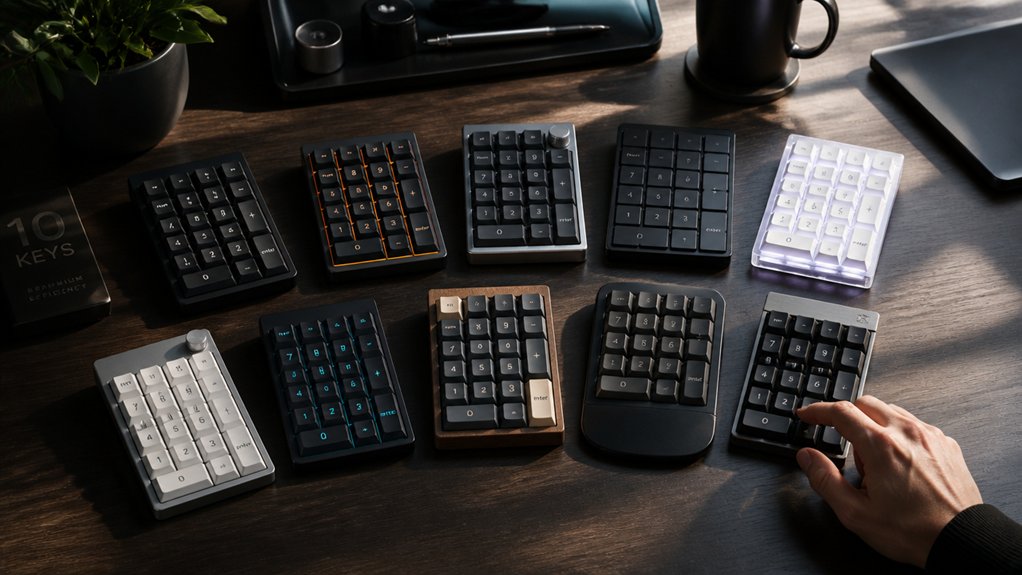
You know how critical speed and accuracy are when crunching numbers all day. Choosing the right numpad keyboard makes all the difference—whether you’re after a wireless model for portability or advanced customization for complex workflows. Top options in 2026 blend ergonomic design, reliable connectivity, and clever shortcuts. If you’re wondering which features truly matter most for efficiency, there’s a lot you’ll want to evaluate before settling on your next keypad.
| Macally Bluetooth Wireless Numeric Keypad for Laptops |  | Best for Mac Users | Connectivity Type: Bluetooth wireless | Number of Keys: 22 | Compatible Operating Systems: Mac, iOS, Windows, Android | CHECK ON AMAZON | Read Our Analysis |
| TechGarden Wired USB Numeric Keypad (19-Key) Black |  | Plug-and-Play Pick | Connectivity Type: Wired USB | Number of Keys: 19 | Compatible Operating Systems: Windows, Android, Amazon Fire tablets | CHECK ON AMAZON | Read Our Analysis |
| Lekvey Bluetooth Rechargeable Wireless Numeric Keypad 34-Keys | 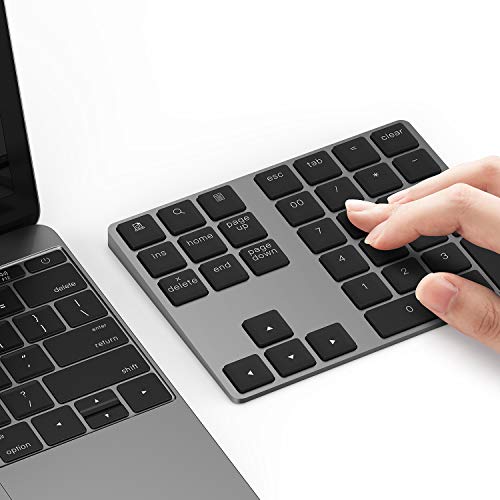 | Productivity Powerhouse | Connectivity Type: Bluetooth wireless (rechargeable) | Number of Keys: 34 | Compatible Operating Systems: Windows, Mac, Android, iMac, Surface, (not compatible with Chromebook) | CHECK ON AMAZON | Read Our Analysis |
| iClever Bluetooth Wireless Numeric Keypad (34-Key) |  | Dual-Device Pro | Connectivity Type: Bluetooth wireless | Number of Keys: 34 | Compatible Operating Systems: Windows, Mac, iOS, Android, Chrome OS | CHECK ON AMAZON | Read Our Analysis |
| Havit Bluetooth Wireless Numeric Keypad (26 Keys) |  | Feature-Packed Value | Connectivity Type: Bluetooth wireless (rechargeable) | Number of Keys: 26 | Compatible Operating Systems: Windows, Amazon Fire tablets, iPad (not Mac OS) | CHECK ON AMAZON | Read Our Analysis |
| Kensington Wired Numeric Keypad with USB (K79820WW) |  | Reliable Wired Option | Connectivity Type: Wired USB | Number of Keys: 21 | Compatible Operating Systems: Windows, Mac, Chrome OS | CHECK ON AMAZON | Read Our Analysis |
| Keychron V0 Wireless Custom Number Pad (RGB Backlit) |  | Ultimate Customization | Connectivity Type: Bluetooth 5.3, 2.4 GHz wireless, USB-C wired | Number of Keys: Not specified; custom/programmable, standard numpad size with knob | Compatible Operating Systems: Windows, macOS, Linux, Chrome OS | CHECK ON AMAZON | Read Our Analysis |
| Keychron K0 Max Wireless Programmable Number Pad |  | Programmable Innovation | Connectivity Type: Bluetooth 5.3, 2.4 GHz wireless, USB-C wired | Number of Keys: 27 | Compatible Operating Systems: Windows, macOS, Linux (with QMK) | CHECK ON AMAZON | Read Our Analysis |
| NOOX Wireless Numeric Keypad for Laptops & Desktops |  | Compact Essential | Connectivity Type: 2.4 GHz wireless (USB receiver) | Number of Keys: 10 | Compatible Operating Systems: Windows, Chrome OS, Android, Linux, macOS (partial) | CHECK ON AMAZON | Read Our Analysis |
| Rapoo K50 Wireless 2.4G Numeric Keypad |  | Fastest Wireless Choice | Connectivity Type: 2.4 GHz wireless (USB receiver) | Number of Keys: 22 | Compatible Operating Systems: Windows, Linux | CHECK ON AMAZON | Read Our Analysis |
More Details on Our Top Picks
Macally Bluetooth Wireless Numeric Keypad for Laptops
If you need a wireless, reliable numpad that syncs seamlessly with Apple devices, the Macally Bluetooth Wireless Numeric Keypad makes data entry fast and frustration-free. You’ll enjoy 22 full-size keys, including arrow keys, with tactile scissor switches and quiet keycaps for a comfortable, silent workflow. Pair instantly with MacBooks, iPads, iPhones, Windows laptops, or Android devices—no drivers required. Its Bluetooth connection reaches up to 30 feet, while the single AAA battery powers up to 400 hours. The ergonomic, slim aluminum design is easy to carry, minimizes wrist strain, and offers true portability, perfect for demanding professionals on the go.
- Connectivity Type:Bluetooth wireless
- Number of Keys:22
- Compatible Operating Systems:Mac, iOS, Windows, Android
- Power Source:1 x AAA battery
- Key Switch Type:Scissor-switch
- Primary Material:Aluminum enclosure
- Additional Feature:Automatic sleep mode
- Additional Feature:Arrow keys included
- Additional Feature:Aluminum enclosure design
TechGarden Wired USB Numeric Keypad (19-Key) Black
Spreadsheet warriors will appreciate the TechGarden Wired USB Numeric Keypad’s plug-and-play design—just connect via USB and start crunching numbers instantly. You get 19 full-size, big-print keys that make data entry fast and accurate, whether you’re at home, in the office, or on the go. The compact, durable plastic body fits comfortably alongside your laptop or PC and won’t weigh down your bag. Its ergonomic tilt reduces wrist strain, and quiet, soft-touch keys keep the noise down. Compatible with Windows, Android, Fire and Kindle tablets, the TechGarden keypad delivers efficient, stable numeric input anytime you need reliable performance.
- Connectivity Type:Wired USB
- Number of Keys:19
- Compatible Operating Systems:Windows, Android, Amazon Fire tablets
- Power Source:USB (powered via wired connection)
- Key Switch Type:Not specified (quiet tactile/soft)
- Primary Material:Plastic
- Additional Feature:Big print letters
- Additional Feature:Integrated ergonomic tilt
- Additional Feature:Plug and play setup
Lekvey Bluetooth Rechargeable Wireless Numeric Keypad 34-Keys
Meticulous data entry professionals will appreciate the Lekvey Bluetooth Rechargeable Wireless Numeric Keypad, a true productivity powerhouse for those who demand speed and accuracy. You’ll get a sturdy yet stylish keypad with its slim aluminum build and ergonomic tilt, ensuring hours of comfortable, quiet typing thanks to low-profile scissor-switch keys. With Bluetooth 5.0, you’ll enjoy seamless wireless use across various devices—Windows, Mac, Android, and more—though some keys won’t work on Mac OS and Chromebook compatibility is absent. The built-in lithium battery lasts long, recharges via USB-C, and features efficient auto-sleep. Its 34-key layout and ambidextrous design further boost your productivity.
- Connectivity Type:Bluetooth wireless (rechargeable)
- Number of Keys:34
- Compatible Operating Systems:Windows, Mac, Android, iMac, Surface, (not compatible with Chromebook)
- Power Source:Rechargeable lithium battery (USB-C)
- Key Switch Type:Scissor-switch
- Primary Material:Aluminum
- Additional Feature:Shortcut keys included
- Additional Feature:USB-C rechargeable battery
- Additional Feature:Aluminum keyboard plate
iClever Bluetooth Wireless Numeric Keypad (34-Key)
For those who balance work between two devices, the iClever Bluetooth Wireless Numeric Keypad makes switching seamless while boosting your productivity. You get 34 essential keys—calculator, PgUp, PgDn, Insert—all optimized for speed and accuracy, whether you’re crunching numbers, processing orders, or handling assignments. The keypad connects to any combination of laptops, tablets, or phones across Windows, Mac, iOS, Android, and Chrome OS. Its stainless steel base, ABS top, and smooth scissor switches deliver comfort and durability up to 5 million keystrokes. With USB-C fast charging, you’ll work 100 hours per charge. iClever includes a warranty and ongoing support.
- Connectivity Type:Bluetooth wireless
- Number of Keys:34
- Compatible Operating Systems:Windows, Mac, iOS, Android, Chrome OS
- Power Source:Rechargeable battery (USB-C)
- Key Switch Type:Scissor-switch
- Primary Material:Stainless steel base, ABS top
- Additional Feature:Dual-device switching
- Additional Feature:Stainless steel base
- Additional Feature:Calculator shortcut key
Havit Bluetooth Wireless Numeric Keypad (26 Keys)
Data entry professionals seeking a feature-packed value will appreciate the Havit Bluetooth Wireless Numeric Keypad’s versatile 26-key layout and ergonomic tilt. You get essential keys like NumLock, ESC, Delete, plus a calculator shortcut and quick access to three currency symbols with easy Fn combos. The scissor-switch keys deliver fast, quiet, tactile feedback, all in a slim, ambidextrous, non-slip ABS enclosure. Bluetooth 3.0 pairing is simple and stable, working with most Windows PCs and Amazon Fire tablets, but not Mac OS. Its rechargeable battery lasts up to two months, and it’s easy to charge via USB-C. An 18-month warranty offers peace of mind.
- Connectivity Type:Bluetooth wireless (rechargeable)
- Number of Keys:26
- Compatible Operating Systems:Windows, Amazon Fire tablets, iPad (not Mac OS)
- Power Source:Rechargeable lithium battery (USB-C)
- Key Switch Type:Scissor-switch
- Primary Material:ABS plastic
- Additional Feature:Currency symbol switching
- Additional Feature:Ultra-slim, non-slip design
- Additional Feature:Calculator shortcut key
Kensington Wired Numeric Keypad with USB (K79820WW)
If you’re looking for a reliable wired option to streamline number crunching, the Kensington Wired Numeric Keypad with USB (K79820WW) stands out for data entry professionals and frequent spreadsheet users. You’ll find its plug-and-play USB-A connection—no batteries or software needed—quite convenient. The 21-key layout includes a responsive scissor-switch numeric pad, four handy shortcut keys, and a convenient Num Lock indicator. It’s compatible with Windows, Mac, and Chrome OS, so it’ll fit seamlessly into nearly any workspace. Anti-slip foot pads keep it steady, and with a sturdy build and a three-year warranty, you’re set for long-term, comfortable productivity.
- Connectivity Type:Wired USB
- Number of Keys:21
- Compatible Operating Systems:Windows, Mac, Chrome OS
- Power Source:USB (powered via wired connection)
- Key Switch Type:Scissor-switch
- Primary Material:Plastic
- Additional Feature:Four shortcut keys
- Additional Feature:Num Lock indicator
- Additional Feature:Anti-slip foot pads
Keychron V0 Wireless Custom Number Pad (RGB Backlit)
Efficiency meets ultimate customization with the Keychron V0 Wireless Custom Number Pad (RGB Backlit), making it a powerhouse choice for serious data entry professionals. You’ll enjoy ultra-responsive performance with an 8000 Hz polling rate on both wired and 2.4 GHz connections, and seamless switching between up to three devices via Bluetooth 5.3. The numpad’s hot-swappable Silk POM switches feel incredibly smooth, while durable OSA-profile PBT keycaps resist wear. Customize layouts, macros, and per-key RGB backlighting directly in Keychron’s web-based Launcher. Lasting up to 360 hours per charge (backlight off), the V0 also features NKRO, a versatile knob, and robust compatibility.
- Connectivity Type:Bluetooth 5.3, 2.4 GHz wireless, USB-C wired
- Number of Keys:Not specified; custom/programmable, standard numpad size with knob
- Compatible Operating Systems:Windows, macOS, Linux, Chrome OS
- Power Source:Rechargeable battery
- Key Switch Type:Keychron Silk POM linear red (hot-swappable)
- Primary Material:Plastic (PBT keycaps)
- Additional Feature:Programmable RGB backlighting
- Additional Feature:Hot-swappable switches
- Additional Feature:Customizable knob control
Keychron K0 Max Wireless Programmable Number Pad
With its programmable innovation and low-profile 27-key layout, the Keychron K0 Max shines for professionals needing efficient, customizable data workflows. You benefit from advanced connectivity—tri-mode Bluetooth 5.3, 2.4 GHz, or Type-C wired—seamlessly switching between three devices with zero lag. QMK-powered programmability lets you remap, record macros, and set shortcuts through an intuitive web-based configurator, all without downloads. The hot-swappable Keychron Milk POM switches, plus layered acoustic foams, deliver a deep, satisfying sound and rapid response. Top it off with 22 dynamic RGB effects—fully adjustable—and you’re ready to tackle data entry with both performance and flair.
- Connectivity Type:Bluetooth 5.3, 2.4 GHz wireless, USB-C wired
- Number of Keys:27
- Compatible Operating Systems:Windows, macOS, Linux (with QMK)
- Power Source:Rechargeable battery (USB-C)
- Key Switch Type:Keychron Milk POM switches (hot-swappable)
- Primary Material:Not specified, but likely plastic with acoustic foams
- Additional Feature:Rotary macro knob
- Additional Feature:Full QMK firmware support
- Additional Feature:22 dynamic RGB effects
NOOX Wireless Numeric Keypad for Laptops & Desktops
For professionals who value portability, the NOOX Wireless Numeric Keypad stands out as a compact essential for efficient data entry on the go. You’ll appreciate its sleek, lightweight design—perfect for mobile work or remote setups. The scissor-switch keys feel responsive, keeping long sessions comfortable while minimizing fatigue. Its wireless USB receiver lets you plug and play across laptops, desktops, Chromebooks, and tablets running most major operating systems. Whether you’re an accountant, educator, or gamer, this device delivers reliable performance for numbers and macros alike. Just pop in one battery and enjoy a tidy, cable-free workspace wherever you work next.
- Connectivity Type:2.4 GHz wireless (USB receiver)
- Number of Keys:10
- Compatible Operating Systems:Windows, Chrome OS, Android, Linux, macOS (partial)
- Power Source:1 x battery (type not specified)
- Key Switch Type:Scissor-switch
- Primary Material:Plastic
- Additional Feature:Ultra-compact 10-key design
- Additional Feature:USB receiver storage
- Additional Feature:Plug and play operation
Rapoo K50 Wireless 2.4G Numeric Keypad
Anyone seeking the fastest wireless choice for reliable, lag-free data entry will appreciate the Rapoo K50 Wireless 2.4G Numeric Keypad. You’ll enjoy zero input lag thanks to its 1000Hz polling rate—eight times faster than Bluetooth. The 22 low-profile, quiet keys include dedicated calculator and email shortcuts for rapid productivity. Use it left, right, or center—its ergonomic, lightweight design suits both left- and right-handed users. Setup’s easy: plug in the USB-A receiver and go. The keypad works with Windows and Linux, runs on a single AAA battery, and travels well with built-in receiver storage. Rapoo covers it with a one-year warranty.
- Connectivity Type:2.4 GHz wireless (USB receiver)
- Number of Keys:22
- Compatible Operating Systems:Windows, Linux
- Power Source:1 x AAA battery
- Key Switch Type:Low-profile, quiet tactile keys
- Primary Material:Plastic
- Additional Feature:Dedicated calculator key
- Additional Feature:Low-profile tactile keys
- Additional Feature:Receiver compartment for travel
Factors to Consider When Choosing Numpad Keyboards for Data Entry Power Users
When picking a numpad keyboard for serious data entry, you’ll want to focus on key layout and size, how it connects to your devices, and battery life. Don’t overlook ergonomics and overall build quality, as these affect both comfort and durability. Let’s look at why each factor matters for power users.
Key Layout and Size
A thoughtfully designed key layout can make all the difference in a numpad keyboard, especially if you handle large volumes of numeric data. You should look for a layout featuring all standard number keys, arithmetic operators, and extra functions like PgUp, PgDn, Insert, and calculator shortcuts to maximize your efficiency. Choosing a model with full-size keys and ample spacing helps reduce finger fatigue and enables quicker, more accurate entries. If you work for extended periods, ergonomic touches—such as ambidextrous or angled layouts—support better wrist posture. Compact and slim designs, particularly those with low-profile or scissor-switch keys, offer quiet and comfortable typing and are easy to carry. Integrated arrow keys and navigation shortcuts further streamline editing without requiring you to switch devices.
Connectivity and Compatibility
Whether you prefer plugging in or going wireless, the right numpad keyboard should connect seamlessly with your primary devices. Choose a numeric keypad offering Bluetooth, USB wired, or 2.4 GHz wireless options—whichever best fits your workflow and hardware. Always check compatibility with your operating system, whether it’s Windows, macOS, Android, iOS, or Linux, to guarantee every key and shortcut works as intended. If you’re hopping between devices, look for multi-device pairing and quick-switching features for added efficiency. Assess the wireless range—anywhere from 10 to 30 feet—to match your workspace layout and mobility needs. Finally, verify if you’ll need to install special drivers or if a plug-and-play setup lets you start working quickly, with no extra steps.
Battery Life Considerations
Since battery life can make or break your workflow, you’ll want a numpad keyboard that keeps pace with your data entry demands. Battery life directly affects your productivity—long-lasting power minimizes frustrating interruptions for recharging or swapping out batteries during intensive sessions. Wireless keypads often rely on either rechargeable lithium batteries or replaceable AAA batteries, with operational times ranging from hours to several months.
Look for models with power-saving features like auto sleep modes, which conserve energy when you’re not actively entering data. Charging options matter, too—USB-C fast charging lets you bounce back from low power quickly, so you’re never left waiting. If you’re often on the move, make battery capacity and type a priority to guarantee your device stays powered all day.
Ergonomics and Comfort
Even if speed is your top priority, proper ergonomics shouldn’t take a back seat when choosing a numpad keyboard for data entry. An ergonomic numpad usually features a tilted slope or angled design to reduce wrist strain and support a natural hand position throughout long data entry sessions. You’ll appreciate compact, low-profile layouts with tactile keys—like scissor-switch mechanisms—that minimize finger fatigue and deliver satisfying feedback. Lightweight keypads with non-slip foot pads help you maintain stability and ideal placement, lowering your risk of repetitive strain injuries. Quiet, comfortable key operation matters too, reducing hand stress and distractions during lengthy tasks. Look for adjustable tilt angles and ambidextrous layouts so you can customize for your specific hand orientation and comfort preferences. Prioritize ergonomics to optimize both comfort and performance.
Build Quality Materials
When you’re selecting a numpad keyboard for intensive data entry, build quality materials should be a top consideration that directly impacts the device’s feel, lifespan, and performance. A plastic chassis may make a numpad lighter and easier to carry, but it can compromise durability and wear resistance over long sessions. If you want something sturdy and stable for daily work, opt for models with aluminum or stainless steel bodies—they offer a solid typing feel and resist flexing. Pay attention to the keycaps, too. High-quality PBT or ABS materials withstand fading and oily buildup far better than cheaper plastics. Additionally, the combination of robust chassis and scissor-switch keys under durable surfaces dampens noise and boosts tactile comfort, letting you work efficiently and comfortably.
Shortcut and Macro Features
Although most standard numpads handle basic calculations, advanced shortcut and macro features can transform your workflow if you handle intensive data entry. Look for numpad keyboards that offer programmable shortcut keys for frequently used functions such as calculator, delete, or currency symbols. Dedicated keys for page navigation, insert, and screenshot tasks further minimize the time you spend reaching for your main keyboard or mouse.
Macro programming elevates your efficiency by letting you set up custom key sequences—imagine automating repetitive data entry steps with a single press. Some models even support multi-device switching via shortcuts, allowing seamless toggling between systems. Opt for numpads that let you customize layouts and macros in software or firmware so you can tailor functions to your precise workflows and maximize productivity.
Portability and Device Support
Since data entry often happens on the move or across multiple workstations, you should prioritize portability and device support when choosing a numpad keyboard. Look for models with a compact, lightweight build—ideally under half a pound—and ergonomic touches like tilted slopes to keep your wrists comfortable during long hours. Wireless connectivity, such as Bluetooth or 2.4 GHz options, lets you ditch the cables and move easily between devices. Make sure your number pad works flawlessly with Windows, macOS, iOS, Android, and Chrome OS, so you aren’t held back by compatibility issues. Rechargeable batteries with auto sleep mode minimize downtime and disruptions. For maximum productivity, pick a keypad that can connect to multiple devices at once and allows quick switching between them.
Frequently Asked Questions
Can Numpad Keyboards Be Used With Tablets or Smartphones?
Yes, you can use numpad keyboards with tablets or smartphones if your device supports USB OTG or Bluetooth connectivity. Just pair or plug in the numpad, and you’ll input numbers much more efficiently on your mobile devices.
Are There Numpads With Built-In Fingerprint Readers for Security?
Yes, you can find numpads with built-in fingerprint readers for added security. They let you quickly log in or authorize actions with a touch, making data entry both safer and more efficient for your workflow.
How Do You Clean and Maintain a Numpad Keyboard?
You should unplug the numpad, gently shake out debris, and use compressed air to clear dust. Wipe keys with a damp microfiber cloth. If needed, remove keycaps for deep cleaning. Don’t use harsh chemicals or excess moisture.
What Are Common Troubleshooting Steps for Pairing Wireless Numpads?
Start by checking your numpad’s battery, then confirm Bluetooth is enabled on your device. Put the numpad in pairing mode, remove old pairings, and reconnect. If issues persist, restart your device or update drivers/firmware.
Can Numpad Keyboards Be Mapped for Gaming or Macros?
Yes, you can map numpad keyboards for gaming or macros. Just use key remapping software to customize the keys for in-game actions or complex macros, giving you a versatile tool for enhanced gameplay and productivity.



