

To prevent keyboard dust buildup, regularly clean your workspace and wipe surfaces to cut down dust settling on your keyboard. Use dust covers or shields when idle, and store your keyboard in dust-proof containers after use. Incorporate weekly or monthly cleaning with compressed air and soft brushes, and maintain good personal hygiene. Limit pet access and avoid eating near your keyboard. For more tips, you’ll find ways to keep your keyboard in top shape longer.
Why Dust Buildup Can Damage Your Keyboard and How to Prevent It
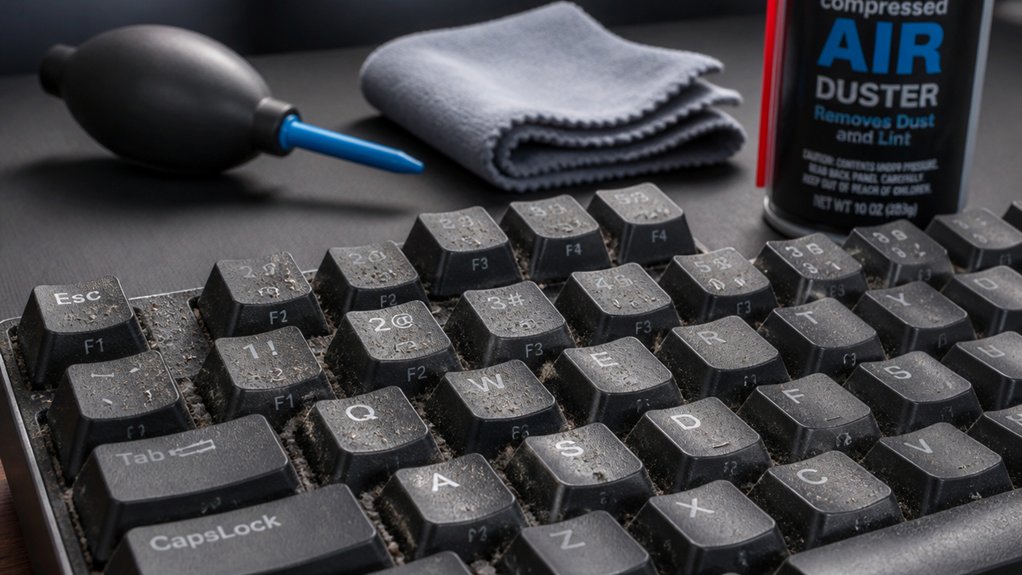
Dust buildup can cause serious damage to your keyboard if left unchecked. When dust and debris accumulate, they can clog key mechanisms and internal components, leading to unresponsive keys and long-term damage. Using ozone-safe compressed air helps ensure thorough cleaning while protecting the environment. Fine dust particles act as abrasives and insulators, increasing wear and heat retention, which shortens your keyboard’s lifespan. To prevent this, regularly use compressed air to remove dust from between keys and inside the device. Soft brushes can also help dislodge stubborn particles before they settle deeply. Keeping dust at bay not only maintains your keyboard’s responsiveness but also extends its life. Taking these simple steps guarantees your keyboard stays clean and functions smoothly, avoiding costly repairs or replacements caused by debris buildup over time.
Create a Clean Workspace to Keep Dust at Bay
Creating and maintaining a tidy workspace is one of the simplest ways to prevent dust from settling onto your keyboard. Regularly wiping down your desk surface reduces dust buildup that can eventually settle on your keys. Keeping clutter to a minimum prevents dust traps and makes cleaning easier. Utilizing anti-static brushes can also help remove dust without generating static electricity that might harm sensitive electronics. Using a clean cloth or a dust-proof keyboard cover when not in use stops airborne dust from settling between keys, helping you maintain a clean keyboard. Additionally, maintain good ventilation with air filters or purifiers to lower circulating dust particles. Avoid placing your workspace near open windows or woodstoves, as outdoor debris can easily land on your keyboard. Prioritizing a tidy environment enhances your efforts to keep dust at bay, prolonging your keyboard’s lifespan and ensuring smoother functionality.
Protect Your Keyboard With Covers and Dust Shields
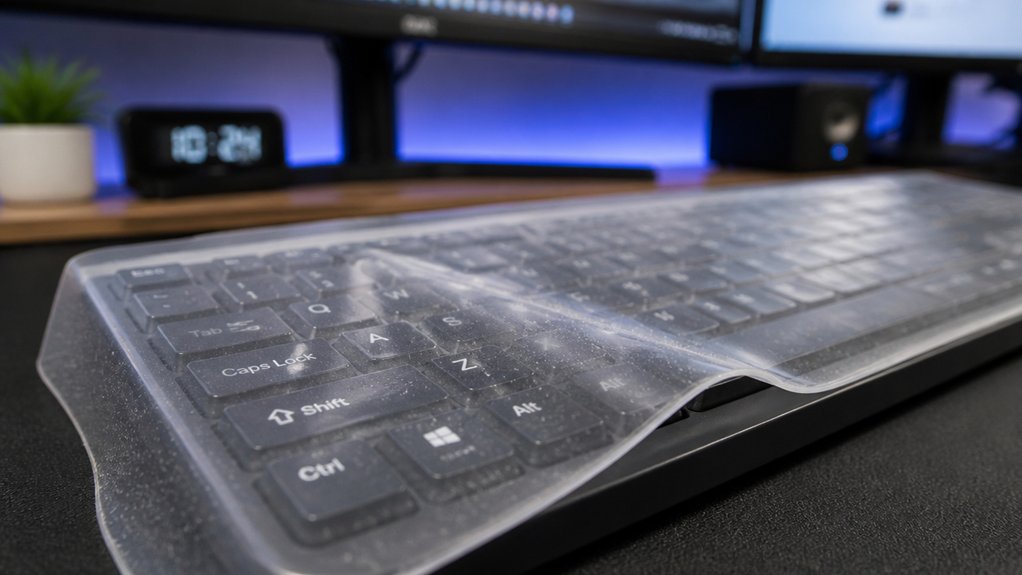
Using the right keyboard covers and dust shields helps keep your workspace cleaner and your keyboard functioning smoothly.
Removable silicone covers and fitted dust shields are easy to maintain and protect against debris.
Choosing the correct type and regularly cleaning them guarantees peak protection without sacrificing comfort.
Types of Keyboard Covers
When it comes to protecting your keyboard from dust and debris, choosing the right cover can make a big difference. Keyboard covers primarily come in silicone and fabric types, designed for specific models like Apple and Dell chiclet keyboards.
Silicone keyboard covers offer effective protection against dust, spills, and debris, plus they’re removable and washable for easy maintenance. Fabric covers can shield from dust but might feel bulkier and slightly impact typing accuracy.
Consider these options:
- Silicone keyboard covers for a slim, adaptable fit
- Fabric covers for extra dust protection, though bulkier
- Removable, washable designs for convenience
- Fits specific keyboard models for peak protection
The right cover depends on your priorities — protection, feel, or ease of cleaning. Using microfiber cloths can help keep your covers and keyboards free of smudges and dust, ensuring ongoing cleanliness and optimal performance.
Proper Cover Usage
To effectively protect your keyboard from dust and debris, it’s essential to properly utilize covers and dust shields. Keyboard covers, usually made of silicone or fabric, act as a barrier against dirt, spills, and pet hair, helping prevent my keyboard from accumulating debris. Choosing a cover tailored to your specific model guarantees a perfect fit, maintaining key responsiveness and a comfortable typing feel. Regularly removing and washing keyboard covers prevents dirt buildup underneath and extends your keyboard’s lifespan. When not in use, employing dust shields or cloth covers greatly reduces dust entry and protects internal components. Proper compatibility considerations ensure that the covers fit securely and do not interfere with key functions. Consistent use of these covers, combined with routine cleaning, is the best strategy to keep your keyboard clean and fully functional, effectively preventing dust from penetrating gaps and causing damage.
Benefits of Dust Shields
Dust shields play an essential role in maintaining a clean and functional keyboard by acting as an effective barrier against dust, pet hair, and debris. Using a dust shield or keyboard cover helps keep your workspace tidy and protects your keyboard’s internal components.
A removable dust shield extends your keyboard’s lifespan by minimizing internal dust buildup that can cause mechanical wear and hinder key performance. Keyboard covers are washable and reusable, making cleaning quick and easy without removing individual keys or disassembling your device.
Benefits include:
- Preventing dust from settling between and under keys
- Reducing the frequency of deep cleanings
- Protecting against pet hair and debris
- Maintaining a professional, clean appearance
- Employing anti-static sprays can further enhance static control and dust prevention, ensuring your keyboard stays dust-free and reducing static buildup that attracts more dust.
Regularly Clean Your Keyboard Using Air Dusters and Soft Brushes

Regularly cleaning your keyboard with air dusters and soft brushes is an effective way to keep dust and debris at bay. Use compressed air or an electric air duster in short bursts, holding the keyboard upright and sweeping in a zigzag pattern to dislodge dirt from hard-to-reach spots. Soft-bristled brushes, like small paintbrushes or toothbrushes, gently sweep away debris from between and around keys without damaging delicate components. Combining air dusting with brushing weekly or monthly prevents buildup that can hinder key function and accuracy. After cleaning, lightly wipe the surface with a microfiber cloth to remove any remaining dust and maintain a clean appearance. Additionally, utilizing anti-static brushes helps prevent electrostatic damage during cleaning.
Use Effective Tools Like Compressed Air and Microfiber Cloths
Using the right tools is key to keeping your keyboard clean and dust-free. Choose proper air dusters that deliver short, controlled bursts and check them regularly for peak performance.
Pair these with gentle, lint-free microfiber cloths to effectively lift surface dust without causing damage. Aiming for tools with abrasion resistance ensures you avoid damaging delicate keys or finishes during cleaning.
Choose Proper Air Dusters
Choosing the right air duster is essential for effective keyboard cleaning without damaging your device. Whether you opt for compressed air cans or rechargeable electric air dusters, selecting the proper tool guarantees thorough cleaning and longevity for your keyboard.
Electric air dusters provide reusable, eco-friendly cleaning power, making them a great choice for frequent maintenance.
When using compressed air, hold the can upright and spray short bursts in a zigzag pattern to prevent moisture buildup.
Important tips include:
- Opt for electric air dusters for eco-friendly cleaning
- Use canned air in short, controlled bursts
- Avoid shaking the can to prevent propellant leakage
- Always hold cans upright for safe, residue-free cleaning
- Consider cleaning safety features like anti-static design when selecting products to prevent static damage during cleaning
Choose the right tool to keep your keyboard dust-free efficiently and safely.
Use Gentle Cleaning Cloths
To effectively clean your keyboard without risking damage, opt for gentle cleaning cloths like microfiber wipes, which are designed to remove dust and smudges safely. Use a thin microfiber cloth, such as those made for cleaning glasses, to gently wipe the surface, avoiding scratches or lint. For debris between keys, use compressed air or rechargeable electric dusters in short bursts to dislodge dust without touching delicate components. Lightly dampen your microfiber cloth with a mix of distilled water and isopropyl alcohol—never spray directly onto the keyboard. Additionally, cotton swabs dipped in isopropyl alcohol help reach tight spaces. Moreover, selecting anti-static tools like ESD-safe tweezers can prevent static discharge damage when working on sensitive keyboard electronics. Stick to these gentle tools to keep your keyboard clean while preventing dust buildup and damage over time.
Maintain Regular Tool Checks
Regularly checking your cleaning tools guarantees they remain effective and safe for your keyboard. By maintaining and replacing supplies as needed, you guarantee your efforts keep your keyboard clean and dust-free.
Keep microfiber cloths and canned or electric air dusters accessible so you can perform quick, regular maintenance. For thorough cleaning, use compressed air in short bursts, held upright and moved in a zigzag pattern, to dislodge dust trapped between keys. Combine this with soft-bristled brushes to reach tight spaces and edges around your mechanical keyboard.
Remember, schedule checks at least monthly—or weekly if you use your keyboard heavily—to prevent stubborn dust buildup. This routine helps preserve your keyboard’s performance and longevity. Incorporating tools with flexible arms and adjustable clamps, such as Helping Hands tools, can also assist in detailed cleaning tasks around your keyboard and workspace.
- Keep microfiber cloths and air dusters within reach
- Replace or refill compressed air cans regularly
- Use soft brushes on tight spaces
- Schedule consistent cleaning sessions
Manage Pet Dander and Environmental Dust Sources in Your Home or Office
Pet dander and environmental dust can quickly accumulate on your keyboard, especially if you have pets or live in a dusty area. To keep dust from settling, regularly vacuum and dust using HEPA-filter vacuums, and keep pets groomed to reduce shedding. Limit their access to your workspace to prevent hair and dander from settling on your keyboard.
Use air purifiers with HEPA filters to clean around the air and capture airborne dust particles, lowering what collects on your keyboard. Frequently wipe down your keyboard and desk with a soft microfiber cloth to remove dust and pet hair before it infiltrates key areas.
Maintaining clean HVAC filters and routinely cleaning air ducts also helps reduce the amount of dust circulating indoors, minimizing grime buildup on your keyboard surfaces.
Keep Your Hands and Surroundings Clean Before Using Your Keyboard
Ensuring your hands and surroundings are clean before using your keyboard is essential for preventing dust and grime buildup. When you wash your hands beforehand, you reduce the transfer of dirt, oils, and grime onto the keys and surfaces.
Additionally, keeping your workspace tidy helps minimize airborne particles settling on your keyboard. To optimize cleanliness, remember:
- Wash your hands thoroughly before typing
- Avoid eating or drinking near your keyboard
- Regularly wipe down your desk and keyboard surface
- Keep pets away from your workspace
These habits help lower the chances of crumbs, grease, hair, and dander contaminating your keyboard. By maintaining clean hands and surroundings, you prolong the life of your device and keep dust accumulation at bay.
Store Your Keyboard Properly When Not in Use to Avoid Dust Accumulation
When you’re not using your keyboard, cover it with a protective cloth or store it in a dust-proof container to keep particles out.
Keep it away from pets and dust-prone environments, like near a woodstove, to prevent buildup. Storing your keyboard upside down or at an angle can also help reduce dust accumulation on the keys.
Use Protective Keyboard Covers
Using protective keyboard covers is an effective way to prevent dust and debris from settling between your keys. Silicone or fabric covers keep your keyboard in top condition, hygienic, and efficient by blocking dirt and pet hair.
To maximize their effectiveness, remove and wash covers regularly, maintaining peak hygiene. When your keyboard isn’t in use, store it under a dust-proof cloth or in a closed drawer, limiting exposure to environmental dust. This simple step helps prevent buildup that can damage internal components and extend your keyboard’s lifespan.
Remember, a well-covered keyboard stays cleaner longer, reducing maintenance and keeping your device functioning smoothly.
- Use covers made of silicone or fabric
- Wash covers frequently for hygiene
- Keep your keyboard in a dust-proof environment when idle
- Replace covers when worn or damaged
Store in Dust-Free Environment
Storing your keyboard properly when it’s not in use is one of the most effective ways to prevent dust buildup. To keep it in top condition for years, always cover it with a dust-proof cloth, silicone cover, or store it in dedicated dust-proof containers.
Place your keyboard in a clean, dry drawer or cabinet to limit exposure to airborne dust and pet dander, especially if your environment includes woodstoves or pets. Avoid leaving it exposed on your desk for extended periods, as dust quickly accumulates even in tidy spaces.
Make sure everything is completely dry before storing, preventing moisture damage. Regularly clean the storage area to prevent dust transfer. Proper storage guarantees your keyboard stays clean, functional, and dust-free over time.
Keep Away From Pets
Pets can quickly turn your clean workspace into a dusty mess; their hair, dander, and skin flakes settle on and between your keyboard keys, speeding up dust buildup. To keep your keyboard from getting clogged with pet-related debris, store it properly when not in use.
Use a dust-proof cover, or keep it inside a drawer, ideally upside down and gently placed to prevent dust from settling on the keys. Avoid placing your keyboard on the floor or low surfaces where pet hair and dust are more concentrated.
Additionally, keep pets out of your workspace or use physical barriers. This minimizes dust transfer, ensuring your keyboard stays cleaner longer.
Regularly wipe surfaces around your keyboard and adopt these storage habits to maintain a dust-free environment.
Establish Routine Maintenance Habits for Long-Term Dust Prevention
Establishing regular maintenance routines is key to preventing long-term dust buildup on your keyboard. Start by gently shaking your keyboard once a day—invert it slightly and tap to dislodge loose debris. Use a small brush weekly to sweep away dust settled between the keys before it becomes compacted.
At least once a month, clean your keyboard with compressed air and a microfiber cloth to remove stubborn dust. For mechanical keyboards, remove and clean keycaps every 1-2 months to clear trapped particles underneath.
When you’re not using your keyboard for extended periods, store it under a dust cover or cloth. These habits promote consistent cleanliness and help prevent dust from accumulating, keeping your keyboard functioning smoothly and looking great over time.
Monitor Your Setup and Adjust Cleaning Practices as Needed
To keep your keyboard in ideal condition, it’s important to regularly evaluate your workspace environment for dust sources that can accelerate buildup. Notice if pets, open windows, or woodstoves contribute to increased dust.
Regularly assess your workspace for dust sources like pets or open windows to prevent keyboard buildup.
Adjust your cleaning frequency accordingly—weekly during heavy dust periods or nearby construction. Track your keyboard’s performance and cleanliness monthly; if keys start sticking or typing accuracy drops, a deeper clean might be needed.
Use dust-proof covers or cloths during inactivity, especially in dusty, high-traffic areas, to minimize debris. When cleaning, switch tools based on dust type—heavy particles may require a soft brush, while fine dust benefits from compressed air.
A cotton swab dipped in cleaning gel can efficiently clean around keys, ensuring thorough removal of dust buildup.
Tips for Choosing the Best Dust Prevention Products for Keyboards
Looking for the best dust prevention products for your keyboard? If you have mechanical keyboards or place your keyboard upside down, choosing the right protection is key.
Opt for keyboard covers made from high-quality silicone or TPU materials that are thin enough to preserve your typing feel while blocking dust and debris. Make certain these covers are specifically designed for your keyboard model or layout for a snug, effective fit.
Consider washable and reusable options, which make cleaning easy without losing their dust-blocking capabilities. Transparency is important too—it maintains key visibility while preventing dirt accumulation.
Additionally, select dust prevention solutions that offer spill resistance, providing extra safety against liquid damage and prolonging your keyboard’s lifespan. Proper product choice keeps your keyboard cleaner and functional longer.
Final Tips for Maintaining a Dust-Free, Healthy Keyboard Environment
Maintaining a dust-free, healthy keyboard environment requires consistent cleaning habits and careful workspace management.
Regularly using a soft-bristled brush or compressed air helps remove dust from all surfaces and between keys, preventing buildup. For thorough cleaning, consider deep cleaning with isopropyl alcohol—dampening a microfiber cloth to disinfect and sanitize without moisture damage.
Use a removable keyboard cover to protect keys from dust, spills, and pet hair, and clean it frequently. To keep airborne dust and dander to a minimum, wipe desk surfaces often and limit pet access near your workspace.
When not in use for extended periods, store your keyboard under a protective cloth or cover.
Adopt these practices to guarantee a consistently clean, dust-free environment and extend your keyboard’s lifespan.
Frequently Asked Questions
What Is Grandmas’ Simple Trick to Eliminate Dust?
Grandma’s simple trick is to cover your keyboard with a clean cloth when not in use, preventing dust from settling. She also uses gentle tools like a soft brush or handheld vacuum, and shakes it upside down to dislodge debris.
How to Prevent Gunk Buildup on Keyboard?
You can prevent gunk buildup on your keyboard by washing your hands before use, avoiding food and drinks nearby, using a silicone cover, cleaning daily with a microfiber cloth and alcohol wipes, and keeping your workspace dust-free.
What Is a 96% Keyboard Missing?
A 96% keyboard is missing a dedicated number pad and separate navigation keys like Home, End, Page Up, and Page Down. It integrates some functions into layers, making it more compact but less distinct for those keys.
Can I Spray WD40 on Keyboard?
You shouldn’t spray WD40 on your keyboard because it’s a lubricant that leaves greasy residue, risks damage from moisture, and won’t clean or disinfect effectively. Instead, use isopropyl alcohol and a microfiber cloth for safe cleaning.
In Summary
Keeping your keyboard dust-free is essential for its longevity and your comfort. By creating a clean workspace, using protective covers, and maintaining regular cleaning routines with the right tools, you can prevent dust buildup effectively. Stay vigilant and adjust your habits as needed to guarantee your keyboard stays in top shape. With consistent effort, you’ll enjoy a healthier, more reliable typing experience — free from dust distractions.



