

Steam cleaning your mechanical keyboard may seem effective, but it’s risky due to high heat and moisture that can damage internal components, warp keycaps, and cause corrosion. While it might remove dirt on the surface, the danger of water infiltration and internal damage outweighs the benefits. Safer cleaning methods exist, and if you keep cautious, you can maintain your keyboard’s performance. Continuing further will show you how to clean safely and protect your investment.
Is Steam Cleaning Safe or Dangerous for Mechanical Keyboards?
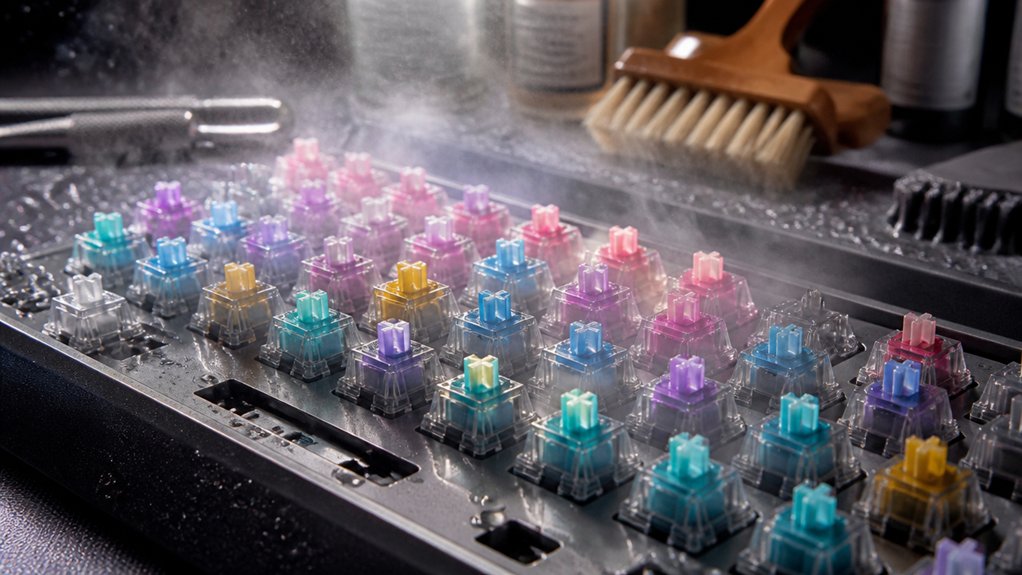
Is steam cleaning safe for mechanical keyboards? Generally, no. Steam cleaning involves high heat and moisture, which can damage the delicate internal components of mechanical keyboards. Water vapor can seep into the keyboard’s internal circuitry, risking corrosion or electrical shorts that may disable your device. Unlike cleaning with water or Isopropyl alcohol, steam introduces excessive moisture that can penetrate beneath keys and into the switches. This exposure can cause key switch malfunctions and long-term damage. Proper cleaning methods involve controlled application of high-purity IPA, which evaporates quickly and leaves no residue, reducing the risk of moisture-related harm. Professional guides and manufacturers advise against using steam cleaners entirely. Instead, safe methods like surface cleaning with controlled dampening of Isopropyl alcohol help preserve the integrity of your keyboard’s internal components. Avoid steam cleaning to maintain your mechanical keyboard’s function and longevity.
How Does Steam Cleaning Work, and Why Isn’t It Recommended?
Steam cleaning works by releasing high-temperature vapor that loosens dirt, kills bacteria, and sanitizes surfaces. When used on mechanical keyboards, the heat and moisture can penetrate vulnerable areas like the PCB and switches. This excess moisture risks causing corrosion or short-circuiting your electronics, damaging critical components. Additionally, the fast-drying, low-odor formulas in many cleaning products are designed to minimize residual moisture, making steam cleaning particularly unsuitable. Unlike more controlled cleaning methods, such as using isopropyl alcohol or soaking keycaps separately, steam cleaning can’t target just the surface; the vapor spreads throughout the device. Manufacturers warn against it because prolonged exposure to steam can warp keycaps, ruin stabilizers, and compromise internal parts. While it might seem effective for cleaning, the high temperature and moisture involved make steam cleaning unsafe for delicate mechanical keyboards, risking irreversible damage to your device’s electronics and structure.
What Are the Risks of Using Steam on Your Keyboard?
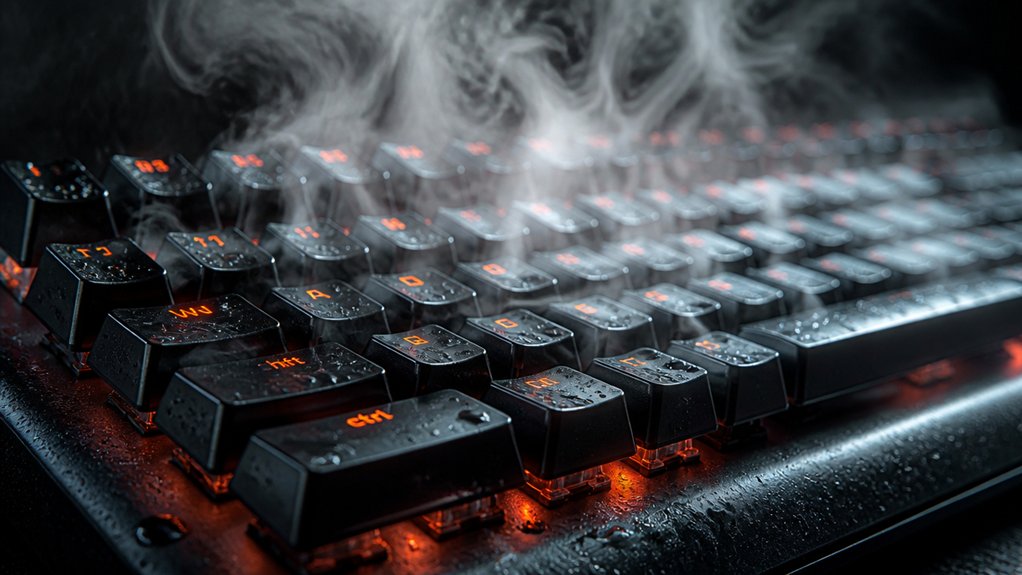
Using steam on your keyboard can introduce moisture and heat that may lead to corrosion and permanent damage inside the switches and electronics.
The excess humidity can warp keycaps and leave residual moisture trapped, increasing the risk of electrical shorts. This method also voids most warranties, as it risks switch failure, plastic degradation, and other internal issues.
Potential Water Damage
Applying steam to your mechanical keyboard can lead to serious water damage because the high moisture and heat easily seep into its delicate electronic components. During steam cleaning, water can infiltrate beneath keycaps, switches, and into the keyboard’s electronic components, increasing the risk of short circuits and permanent damage. Unlike controlled methods like using damp cloths or isopropyl alcohol, steam can’t be precisely directed, making water infiltration more likely. Mechanical keyboards contain sensitive switch housings and PCB boards that aren’t built to withstand moisture, heightening the risk of failure. Additionally, the excessive heat from steam can warp or deform plastic keycaps and stabilizers, especially those made from heat-sensitive materials. Proper temperature regulation is crucial to prevent damage during cleaning, but steam’s uncontrollable heat makes this nearly impossible. This process voids most warranties and risks irreversible damage to your keyboard’s internal parts.
Internal Component Risks
Because high heat and moisture can easily seep into your keyboard’s delicate internal electronics, there’s a significant risk of damaging sensitive components like mechanical switches and PCB boards. Steam cleaning introduces moisture that can cause corrosion and create short circuits, risking malfunction or permanent failure. The condensation from steam is unpredictable and can linger inside, damaging internal components over time. Alloy composition, when compromised by moisture exposure, can weaken solder joints, further reducing the lifespan of your keyboard. Mechanical switches and stabilizers aren’t designed to withstand steam exposure, making them vulnerable to warping or breakdown. Unlike careful cleaning with isopropyl alcohol, steam can’t be precisely applied and dries slowly, trapping moisture that accelerates deterioration. Using steam on your keyboard not only risks damaging internal components but also voids most warranties, potentially shortening your device’s lifespan.
Can Steam Damage Electronic Parts, Warp Keycaps, or Discolor Components?
Wondering if steam can harm your mechanical keyboard? During steam cleaning, high heat and moisture can penetrate electronic parts, risking short circuits or corrosion.
The intense heat can warp plastic keycaps, especially those made from sensitive materials like ABS or PBT, causing deformation that’s hard to reverse. Additionally, excess moisture may interact with dyes or coatings, leading to discoloration of keycaps and the keyboard surface. These effects can result in permanent stains or faded components, diminishing your keyboard’s appearance.
Because steam bypasses the safety of controlled liquid cleaning, it increases the likelihood of damaging internal PCBs or switches. Given these risks, steam cleaning is generally discouraged for mechanical keyboards, with safer methods like gentle manual cleaning or isopropyl alcohol recommended instead, especially considering the importance of residue-free formulas for ensuring the longevity of electronic surfaces.
How Effective Is Steam Cleaning at Removing Dirt and Grime?

Steam cleaning can quickly loosen and lift surface dirt and grime from your mechanical keyboard’s keycaps thanks to its heat and moisture. It’s effective at removing visible dirt from the key surfaces but falls short for thorough cleaning of internal keyboard components. The high temperature and moisture risk damaging sensitive electronics if steam reaches switches or the PCB.
| Effectiveness | Risks | Precision |
|---|---|---|
| Loosens surface dirt | Potential internal damage | Less precise than manual methods |
| Removes visible grime | Condensation concerns | Difficult to target specific areas |
| Boosts surface cleanliness | Corrosion if uncontrolled | Not ideal for deep cleaning |
| Quick, surface-level | Risk of water-related issues | Better suited for external cleaning |
What Are Better, Safer Alternatives to Steam for Cleaning Your Keyboard?
If you want to clean your mechanical keyboard safely and effectively, there are several better alternatives to steam cleaning that avoid moisture and heat risks.
Using isopropyl alcohol with a microfiber cloth or cotton swabs disinfects and removes grime without damaging electronics. Compressed air dislodges dust and debris from switches and crevices safely, without introducing liquids or heat. Removing keycaps and soaking them in warm water with mild dish soap is gentle and keeps moisture away from sensitive components. Additionally, a soft-bristle brush combined with isopropyl alcohol can clean the keyboard board and stabilizers accurately.
These methods prevent warping of keycaps, damage to switch mechanisms, and short circuits caused by moisture, making them safer and more efficient options for your cleaning routine.
What Do Experts Say About Cleaning Mechanical Keyboards Safely?
What do experts say about cleaning mechanical keyboards safely? They emphasize avoiding steam cleaning because moisture can seep into switches and electronics, risking damage.
Instead, safe methods include using 90%+ isopropyl alcohol to disinfect surfaces and compressed air to remove debris without water.
For a deep clean, experts recommend removing the keycaps and washing them with warm, soapy water, ensuring they dry completely before reassembly.
Mechanical keyboards should remain unplugged during cleaning, and heat or excessive moisture should be avoided to prevent corrosion or short circuits.
Professionals stress that steam cleaning offers no real cleaning advantage and poses significant risks, so it’s best to stick with proven, safe methods that protect your device’s sensitive components.
Additionally, using anti-static brushes and appropriate cleaning tools from keycap cleaning kits can help maintain your keyboard’s shine and longevity without risking damage.
Step-by-Step: How to Clean Your Keyboard Safely Without Steam
Cleaning your mechanical keyboard safely without steam is straightforward when you follow a proper step-by-step process. First, unplug your keyboard to avoid electrical issues. Use a keycap puller to carefully remove the keycaps, then wash them with warm water and mild dish soap.
Unplug, remove keycaps, and wash them with warm water and mild soap for safe keyboard cleaning.
While keycaps dry, gently clean the keyboard surface and switches with a microfiber cloth or cotton swabs dipped in 90%+ isopropyl alcohol to disinfect without risking liquid damage. Use compressed air to blow out debris between the keys, avoiding any liquid.
Once everything is clean, allow all parts to dry completely for several hours before reassembling.
- Remove keycaps with a keycap puller before cleaning
- Gently clean surfaces with isopropyl alcohol
- Make certain all parts are completely dry before reassembling
How to Recognize If Steam Cleaning Has Already Caused Damage?
Wondering whether steam cleaning has damaged your mechanical keyboard? If your keys feel sticky or unresponsive, it could be a sign of internal moisture damage caused by steam cleaning.
Look closely at the keycaps—warped or discolored ABS plastic indicates excessive heat exposure. Check under the keycaps for visible residue or water droplets inside the switches; these suggest water has infiltrated the internal components.
If keys become mushy or stop registering keystrokes entirely, it’s likely that internal components like switches or the PCB have corroded or been damaged. Persistent malfunctions, such as double key presses or keys failing to respond, are clear signs that steam cleaning has already caused harm inside the keyboard. Proper residue/cleanliness, including residue from moisture or cleaning agents, directly affects the long-term integrity of the solder joints and internal electronics. Recognizing these issues early can save you from further damage.
Tips for Maintaining Your Keyboard’s Performance and Longevity
To keep your mechanical keyboard performing at its best and extend its lifespan, establishing a regular cleaning routine is essential. Every 1–2 months, you should clean a mechanical keyboard by removing keycaps and thoroughly wiping the board. Always unplug your keyboard before cleaning, and make certain all components are dry before reassembly to prevent electrical damage. Use 90%+ isopropyl alcohol and microfiber cloths to disinfect keycaps and the board, maintaining hygiene without harming electronics. For sticky switches, apply 1–2 drops of isopropyl alcohol, then gently actuate to clear resistance. To maximize performance and durability, follow these tips: – Regularly dust and wipe down your keyboard weekly – Deep clean every 6–12 months – Ensure all parts are dry before plugging back in. Incorporating detailed keyboard cleaning brushes into your routine can help reach tight crevices and maintain thorough cleanliness.
When Should You Call a Professional for Keyboard Cleaning?
Have you ever tried to fix stubborn, unresponsive keys on a mechanical keyboard despite repeated home cleaning efforts? If so, it’s time to contemplate calling a professional.
Mechanical keyboards need expert attention if alcohol or basic cleaning doesn’t resolve issues like sticky, unresponsive keys. When liquids, especially sugary or corrosive substances, spill onto your keyboard, internal damage can occur, making professional repair necessary.
Expert repair is essential if cleaning doesn’t fix sticky, unresponsive keys after liquid spills.
If your keyboard requires switch replacements or soldering, DIY efforts risk causing more harm. Additionally, for high-end or warranty-covered keyboards, professional cleaning avoids voiding warranties and guarantees thorough maintenance of internal components.
Trusting professionals helps safeguard your investment and guarantees proper care, especially when internal parts need careful handling beyond simple cleaning techniques. Understanding the specific soldering processes and safe handling involved in electronics repair underscores the importance of expert intervention.
Final Verdict: Is Steam Cleaning a Safe and Effective Option?
Most experts agree that steam cleaning isn’t a safe or effective method for maintaining your mechanical keyboard. The moisture and heat from steam can damage internal electronics and key switches, risking long-term harm. Unlike soaking keycaps in warm soapy water, steam introduces uncontrolled humidity, which may seep beneath keycaps and damage the PCB. Additionally, high temperatures can warp plastic keycaps, degrade stabilizers, and shorten your keyboard’s lifespan. Safer alternatives include removing keycaps and soaking them in warm soapy water, wiping the surface with a dampen a microfiber cloth, or using alcohol to clean stubborn grime. Furthermore, silicone fillers are designed to resist water and heat, making them more suitable for sound dampening without risking moisture damage. Additionally, compressed air can effectively remove dust without risking damage.
Frequently Asked Questions
What Are the Pros and Cons of Steam Cleaning?
Steam cleaning can loosen grime and sanitize surfaces without harsh chemicals, but it risks moisture damage, warping keycaps, and damaging electronics. You lack control over moisture, and deep cleaning isn’t possible, making it less safe than traditional methods.
What Are the Benefits of Cleaning Keyboards?
Cleaning your keyboard removes dirt, dust, and grime, which boosts responsiveness and typing comfort. It prolongs your keyboard’s lifespan, enhances hygiene by reducing bacteria, and keeps your workspace or gaming setup looking professional and tidy.
What Is the Best Way to Clean a Mechanical Keyboard?
The best way to clean a mechanical keyboard is to unplug it, remove keycaps with a puller, soak them in soapy water, blow out dust, and carefully clean the board with isopropyl alcohol, always letting parts dry completely before reassembling.
How Often Should a Mechanical Keyboard Be Cleaned?
You should clean your mechanical keyboard weekly if heavily used, every 1-2 months for surface wiping, and every 6-12 months with deep cleaning. Adjust frequency based on environment and usage to keep it in top shape.
In Summary
While steam cleaning might seem like a quick fix, it’s generally risky for your mechanical keyboard. The potential for damage to electronic parts, warped keycaps, and discoloration outweighs the benefits. To keep your keyboard in top shape, stick to gentle cleaning methods and regular maintenance. If you’re unsure or notice issues after cleaning, don’t hesitate to consult a professional. The safest choice is to avoid steam cleaning and protect your investment.



