
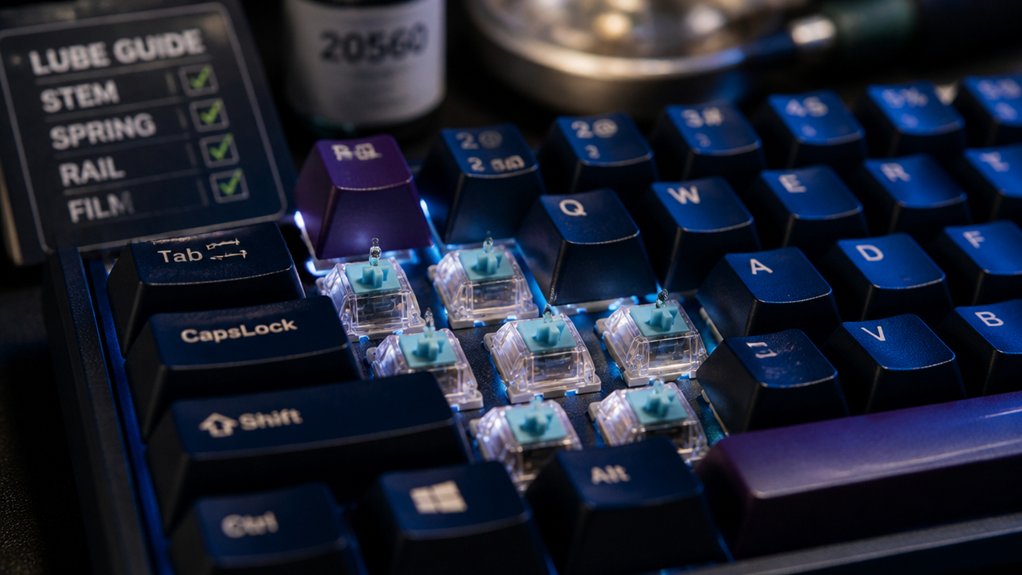
To boost your mechanical keyboard switch durability, keep your switches clean by regularly using compressed air and soft brushes, and lubricate moving parts with silicone-based lubricants to reduce wear. Avoid excessive key force to prevent damage and protect your keyboard from spills and moisture. Use high-quality soldering techniques if you solder switches, or choose hot-swap options for easier upgrades. With proper care and maintenance, you can greatly extend your keyboard’s lifespan—learn more for best results.
What Are Soldered and Hot-Swap Mechanical Keyboard Switches?

Have you ever wondered what sets soldered and hot-swap mechanical keyboard switches apart? Soldered switches are permanently attached to the PCB with solder, making switch replacement more complex and requiring desoldering tools. This process demands some skill but results in a stable, durable connection that can enhance performance over time if properly maintained.
In contrast, hot-swap switches plug directly into the PCB, allowing you to change or customize switches without soldering—it’s completely tool-free. Although hot-swap sockets make switch replacement easier and faster, they may wear out sooner due to repeated insertions. Additionally, socket durability is an important factor to consider for long-term use.
Both types serve different needs: soldered for durability and stability, hot-swap for convenience and customization, ultimately influencing your maintenance choices and switch longevity.
Benefits of Hot-Swap Sockets for Easy Customization and Repairs
Hot-swap sockets make it simple to customize or repair your mechanical keyboard without soldering, saving you time and effort.
With hot-swap sockets, you can easily replace or upgrade mechanical switches without soldering, making maintenance straightforward. This feature reduces the risk of damaging the PCB during switch replacements and enhances keyboard longevity. It also allows for effortless testing of different switch types, so you can customize your typing experience.
When switches become worn or fail, quick switch swaps enable timely repairs, extending the keyboard’s useful life. Hot-swap sockets make regular switch maintenance accessible, helping you keep your keyboard in top condition. Additionally, using reliable hot-swap PCB sockets ensures durability and consistent electrical performance during switch replacements.
Which Is More Durable: Soldered or Hot-Swap Switches?
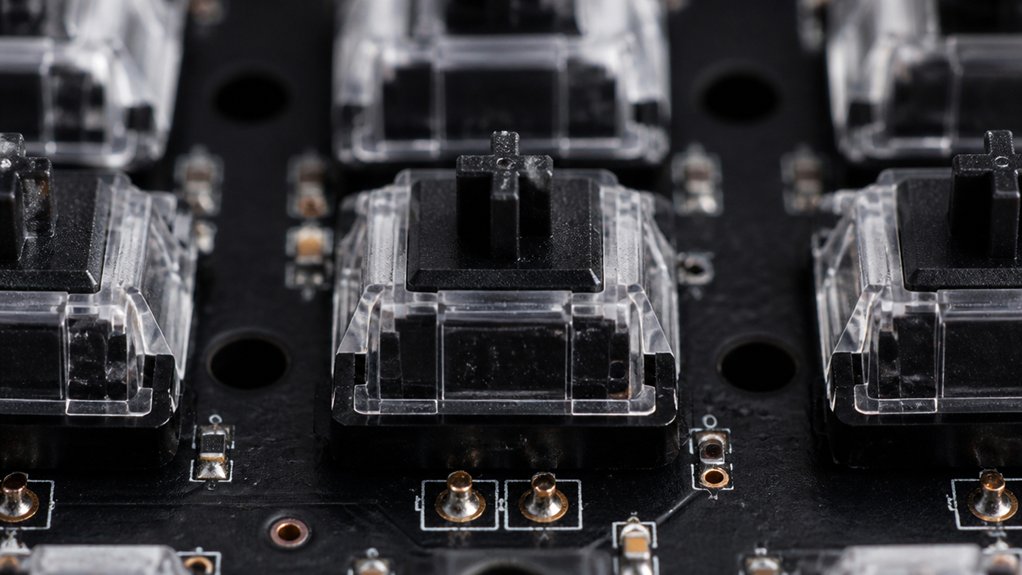
When it comes to durability, soldered switches usually offer a more secure electrical connection that can last longer. Hot-swap switches provide easier replacement, but socket wear from repeated insertions may cause issues over time. Ultimately, your choice depends on whether you prioritize long-term stability or ease of maintenance. For beginners, soldered switches generally offer better reliability, especially when paired with quality PCBs that have pre-tinned plated-through holes.
Ease of Switch Replacement
Switch replacement ease is a key factor when choosing between soldered and hot-swap switches, as it directly impacts your maintenance experience and the long-term durability of your keyboard.
Hot-swap switches allow you to replace switches quickly and easily without soldering, making switch replacement straightforward and reducing the risk of damage. This flexibility encourages frequent swaps to optimize performance, though it may wear out socket contacts over time, potentially impacting lifespan.
Soldered switches require desoldering tools and more skill, making switch replacement more complex and time-consuming. While soldered switches often provide a more secure connection, hot-swap switches offer convenience without sacrificing durability when high-quality sockets and switches are used. Switch longevity can be influenced by the quality of the sockets and switches you choose.
Your choice will depend on balancing ease of maintenance with long-term reliability.
Connection Durability Factors
Soldered switches tend to provide more stable and durable electrical connections over time, making them a preferred choice for those seeking long-term reliability. Quality switches last longer when properly soldered, as solid solder joints guarantee strong mechanical and electrical bonds that withstand extensive keystrokes.
Soldered switches, especially with gold-plated contacts, enhance connection reliability by resisting corrosion and wear. In contrast, hot-swap sockets offer convenience but may suffer from contact pin wear or oxidation over time, reducing switch last and risking intermittent issues.
Repeatedly swapping in hot-swap sockets can loosen contacts, lowering long-term connection quality. For maximum durability, soldered switches with gold-plated contacts are ideal, whereas hot-swap sockets lean toward ease-of-use with slightly compromised connection longevity. Proper stabilization and mounting, such as with high-quality clip-in stabilizers, can also contribute to maintaining consistent performance over time.
Repair and Maintenance Ease
Hot-swap switches make maintenance and repairs much simpler since you can replace individual switches without soldering or specialized tools. This ease of switch replacement reduces repair time and minimizes the risk of PCB damage compared to soldered switches, which require desoldering skills and tools. A variety of high-quality keyboard switch openers are available, designed to facilitate quick and safe switch removal, further supporting durability and convenience. While soldered switches offer a more secure connection, frequent replacements can wear out solder pads, potentially shortening keyboard longevity if not done carefully. Hot-swap sockets are designed for thousands of switch swaps, maintaining durability with proper use. Although hot-swap switches are slightly more prone to socket wear over time, they generally make cleaning and maintenance easier, ultimately supporting longer overall durability. This convenience encourages regular upkeep, helping maintain peak performance and prolonging your keyboard’s lifespan.
The Impact of Soldering Quality on Long-Term Switch Reliability
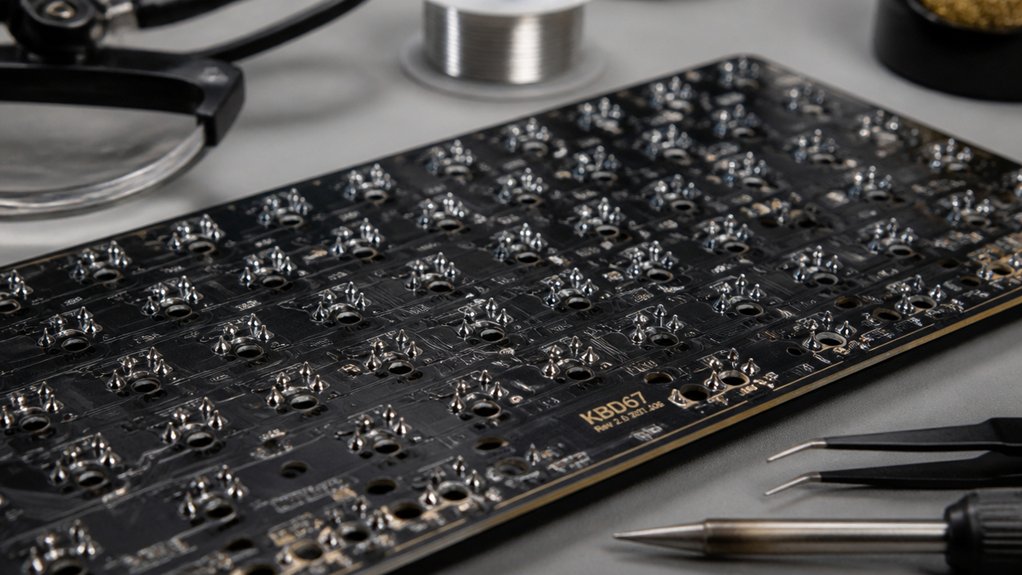
Soldering precision directly affects your keyboard’s long-term reliability, so using proper techniques is essential. Poor solder jobs with excess heat or unclean joints can cause switch failures and reduce durability. For optimal results, selecting the right solder wire alloy composition ensures strong, reliable connections that withstand repeated use.
Soldering Precision Matters
Because precise soldering creates a solid electrical connection, it plays a critical role in the long-term reliability of mechanical switches. Using an appropriate soldering iron temperature, around 350°C, and fine-tipped tools guarantees you avoid PCB damage and cold solder joints that compromise switch performance. Controlling heat transfer is essential to prevent thermal damage to sensitive components during soldering. Proper technique results in clean, well-formed solder joints, reducing oxidation and corrosion risks that can lead to failure. Consistent soldering minimizes mechanical stress on switch pins, preventing bent or broken pins that diminish durability. High-quality solder and controlled soldering duration help maintain PCB integrity and prevent thermal damage. By focusing on soldering precision, you boost switch durability and guarantee long-term reliability, ensuring your keyboard remains responsive and functional over time.
Proper Techniques Prevent Damage
Maintaining proper soldering techniques is essential to prevent damage to your mechanical switch and PCB over time. Using quality solder and controlling the temperature (around 320°C to 350°C) avoids overheating and protects switch pins and PCB pads. A fine-tipped soldering iron guarantees precise application, reducing mechanical stress and preventing cold solder joints or excess solder buildup that can cause contact failures.
Implementing adjustable grip mechanisms and ensuring a stable workstation setup can further improve soldering consistency and reduce accidental damage. Proper techniques also help preserve the integrity of PCB pads during desoldering or maintenance, avoiding damage to switch mounts. Consistent, professional soldering practices create stable electrical connections, which are crucial for reliable switch performance and longevity. By following these guidelines, you extend the lifespan of your mechanical switches, ensuring smoother operation and reducing the need for frequent replacements.
Tools and Skills Needed for Switch Replacement: Soldering vs. Hot-Swap
Replacing switches on your mechanical keyboard involves different tools and skills depending on the method you choose. For soldering, you’ll need a soldering iron with adjustable temperature control, a desoldering pump or braid, and steady hand skills to safely remove and replace switches on the PCB. A common choice for complex repairs like PCB fixes and joystick drift is a soldering kit that provides precision tips, tweezers, and essential accessories to improve repair accuracy. Proper technique involves knowledge of solder joint formation and PCB handling to prevent damage. Hot-swap keyboards, on the other hand, allow you to remove and install switches easily without soldering, using a switch puller designed for mechanical switches. Both methods require essential tools like a keycap puller and good workspace organization. Hot-swap sockets only work with compatible switches designed for PCB mounting, while soldered keyboards support all solderable switches. Each method demands specific skills for successful switch replacement.
Should You Solder or Use Hot-Swap Sockets? Making the Right Choice
Choosing between soldering your switches and using hot-swap sockets ultimately depends on what you prioritize most in your keyboard setup. Soldering mechanical switches creates a secure, permanent connection that enhances long-term durability and resists contact issues during heavy use. Hot-swap sockets, however, provide convenience for switch replacement and customization without soldering, making maintenance easier. But, with frequent switch swapping, these sockets may degrade over time due to mechanical stress, potentially affecting contact consistency. Consider the table below:
| Aspect | Soldering | Hot-Swap Sockets |
|---|---|---|
| Durability | High; resists wear over time | Moderate; may degrade with frequent use |
| Maintenance | More involved; requires desoldering | Easy; switch replacement on the fly |
| Long-term use | Ideal for heavy use or extended lifespan | Suitable for customization, but may need socket replacement |
How to Keep Your Switches and Keyboard Working Longer
To extend the lifespan of your switches and keyboard, regular cleaning is essential. Dust and debris can accumulate around mechanical switches, impairing their function and causing switch wear and tear. Remove keycaps and use compressed air or soft brushes to clear out debris.
Regular cleaning with compressed air and soft brushes helps keep switches functioning smoothly and extends keyboard lifespan.
Proper lubrication with silicone-based lubricants reduces friction and prevents unnecessary switch wear, keeping keys smooth and responsive. Avoid applying excessive force or bottoming out keys, as this accelerates spring and contact damage.
Prevent spills and moisture exposure to protect metal contacts and switch housing. If a switch malfunctions, replace it promptly—especially with hot-swappable designs that simplify repairs.
Regular maintenance guarantees you maximize the lifespan of a mechanical and keep your keyboard working longer.
Frequently Asked Questions
How Long Should Mechanical Keyboard Switches Last?
Mechanical keyboard switches typically last between 50 and 100 million keystrokes. If you type around 6,000 keystrokes daily, expect them to last over 20 years, though usage, environment, and maintenance can influence their actual lifespan.
Is 84 Keys 75%?
Yes, an 84-key keyboard is considered a 75% layout. You’ll find it offers a compact design that retains most essential keys, including navigation and function keys, fitting well on your desk while maintaining full functionality.
Can I Use WD40 on Keyboard Switches?
You shouldn’t use WD40 on keyboard switches. It’s a solvent that can cause residue buildup, damage components, and lead to malfunction. Instead, use specialized lubricants like Krytox for safe, effective switch lubrication and durability.
What Is a 96% Keyboard Missing?
A 96% keyboard is missing a dedicated numeric keypad, making it more compact. However, it retains most other keys, including navigation and function keys, providing a good balance between full-size features and desk space.
In Summary
By understanding the differences between soldered and hot-swap switches, choosing quality components, and practicing proper maintenance, you can greatly extend your mechanical keyboard’s lifespan. Whether you prefer easy upgrades with hot-swap sockets or the durability of soldered switches, your careful care and the right tools make a big difference. Keep your switches clean, handle replacements carefully, and stay informed to enjoy a reliable, long-lasting keyboard experience.



