
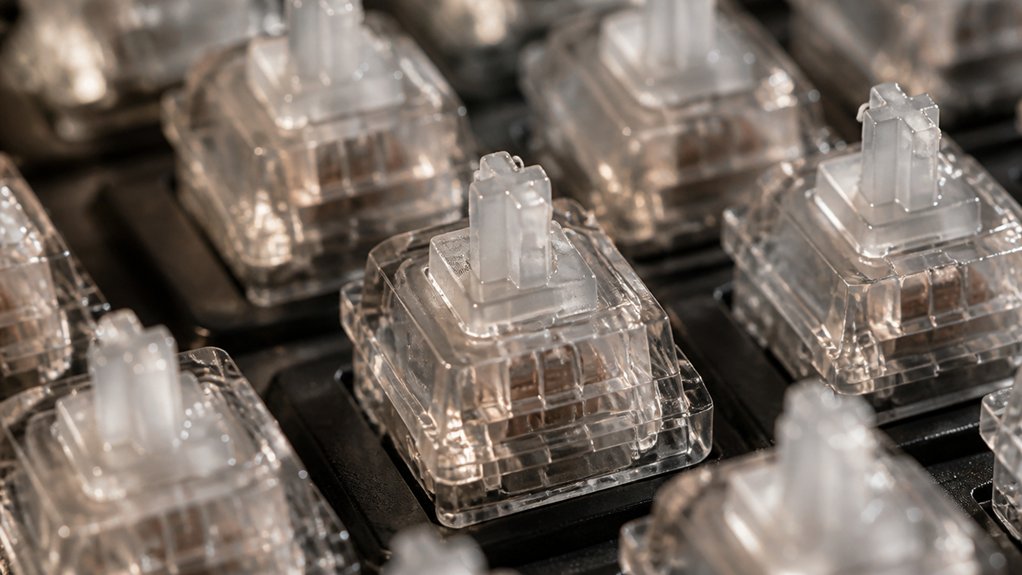
Lubing your mechanical keyboard switches helps make your typing experience smoother and quieter by reducing friction and eliminating scratchy sounds. It also enhances tactile consistency and increases the lifespan of the switches. Proper lubrication can prevent issues like rattling or pinging, ensuring your keys feel and sound just the way you want. If you want to learn how to do it right and customize your switches, keep exploring—there’s more to discover for the perfect setup.
Why Lubing Your Mechanical Keyboard Switches Matters
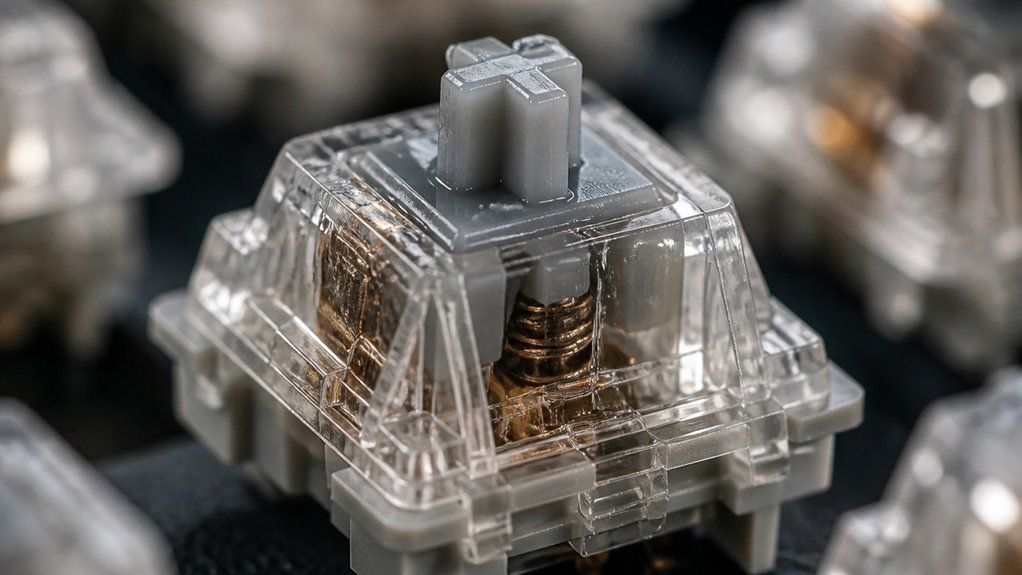
Have you ever wondered why many keyboard enthusiasts prioritize lubing their switches? It’s because mechanical keyboard switches can feel rough or scratchy right out of the box. Applying keyboard switch lube smooths the keystroke by reducing friction and filling in mechanical imperfections.
Most switches come unlubed from manufacturers, so lubing becomes essential for peak performance. Proper lubrication also cuts down on background noise, rattling, and unwanted sound, making your keyboard quieter and more pleasant to use.
Besides enhancing performance, lubing helps balance tactility, ensuring consistent actuation and minimizing tactile bumps. Many enthusiasts find lubing to be a satisfying, therapeutic process that personalizes their typing experience.
Benefits of Lubing Your Switches for Smoothness and Sound
Lubing your switches makes keystrokes feel smoother by reducing friction and easing mechanical imperfections. It also quiets rattling sounds and improves the overall acoustic quality of your keyboard. A properly lubricated switch can also enhance longevity by decreasing wear on internal components. Lube accuracy is crucial to ensure consistent performance without over-application.
Enhances Smooth Keystrokes
When you apply lubricant to your mechanical switches, you dramatically improve their smoothness, making keystrokes feel much more effortless. By lubing switches, you reduce friction between components, smoothing out tactile bumps and scratchiness.
When you spread the lube, focus on the switch stem, rails, and springs to guarantee even coverage. This process minimizes rattling sounds and enhances responsiveness, giving you a more seamless typing experience.
Most factory switches are unlubed, so applying lube is essential for peak smoothness. Choosing the right lubricant viscosity, like Krytox 205g0 for linear switches, maximizes fluidity. Using a proper lubricant also ensures compatibility and durability, extending the lifespan of your switches.
Proper lubing not only creates smoother keystrokes but also helps maintain consistent performance over time, making your keyboard more enjoyable to use every day.
Improves Acoustic Quality
Applying lubricant to your switches can greatly enhance their acoustic quality by reducing various noises that occur during keystrokes. By lubing the stem, you minimize scratchiness and rattling sounds, resulting in quieter, more refined keystrokes.
The amount of lube used is vital; too little may not dampen noise effectively, while too much can affect responsiveness. Proper lubrication smooths the keystroke actuation, reducing harsh sounds like spring ping and friction noise.
Using quality lubricants like Krytox 205g0 guarantees consistent sound dampening without compromising switch responsiveness. This process produces a muted, ear-soothing sound that enhances the overall typing experience.
Reduces Mechanical Rattle
Reducing mechanical rattle greatly improves the overall feel and sound of your keyboard. Making sure you lubricate your switches properly smooths out the friction points between the stem, housing, and spring.
During the lubing process, applying lubricant to switch rails and spring coils minimizes scratchiness and reduces noise caused by loose or uneven parts. Properly lubed switches also lead to quieter keystrokes, as the lube dampens vibrations and harsh contact sounds from inside the switch.
Making sure the coils are coated helps lessen the metal-on-metal ping often heard in unlubed switches. By reducing these mechanical noises, the lubing process enhances keyboard acoustics, providing a smoother, more enjoyable, and less distracting typing experience overall.
Choosing the Right Lubricant for Your Switch Type
Knowing which lubricant to choose for your switch type is essential for achieving peak performance and feel. For linear switches, thicker lubes like Krytox 205g0 provide smooth keystrokes without sacrificing speed or tactile feedback.
A versatile lubrication station can streamline the process, organize components, and improve precision during application.
Tactile switches, on the other hand, benefit from low viscosity lubricants such as Tribosys 3203 or Carbon GS1, which help reduce scratchiness while preserving the bump.
Clicky switches usually require minimal lubrication; if you choose to lube them, a light lubricant like Krytox 105 should be applied sparingly to maintain their click sound.
Picking the right lubricant viscosity is vital—too thick, and you’ll dampen tactility; too thin, and friction won’t be sufficiently reduced.
Different switch parts, like spring coils and stem legs, may need specific lubricants for peak performance.
Step-by-Step Guide to Lube Your Keyboard Switches
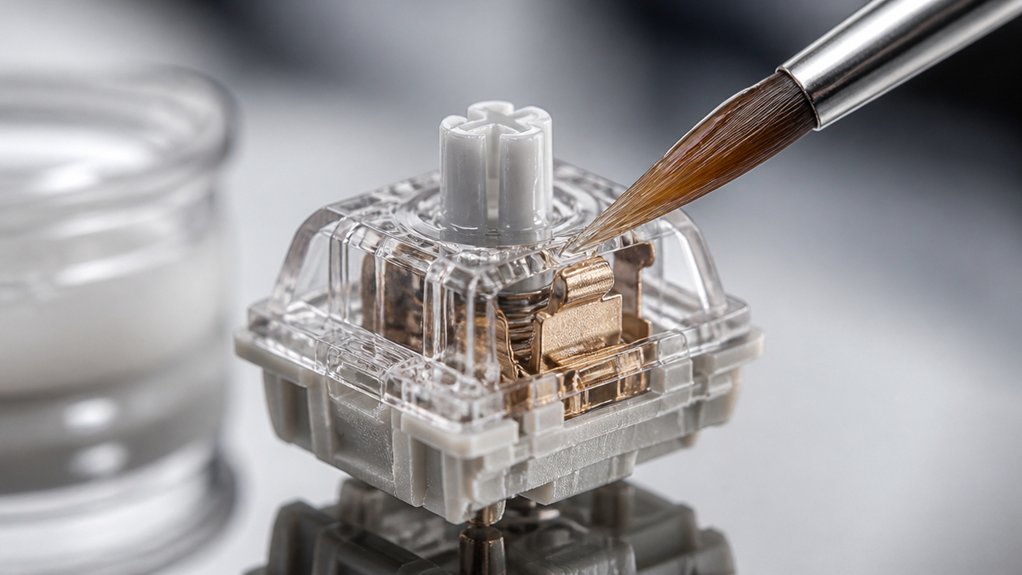
Before you start lubing your switches, gather all the necessary tools and components. You’ll need a keycap puller, switch puller, switch opener, fine lube brush, and your chosen lubricant.
Gather tools like a keycap puller, switch puller, switch opener, brush, and lubricant before lubing switches.
Follow these steps:
- Use the keycap puller and switch puller to remove keycaps and extract switches.
- Carefully disassemble each switch with a switch opener, separating the upper housing, stem, spring, and bottom housing into organized containers.
- Apply thin, even coats of lubricant on the stem sides, slider rails, spring coils, and friction points in the bottom housing using your brush.
- Reassemble the switch by aligning and snapping together the stem, spring, upper housing, and bottom housing, making sure the stem legs and crosspoint contact are undamaged.
- Pre-lubed switches like those listed can significantly reduce scratchy friction and noise, making the process easier and your typing smoother.
How to Reassemble and Test Your Lubed Switches
After lubricating your switches, the next step is to carefully reassemble them to guarantee they function smoothly.
To reassemble the switch, place the stem back onto the spring, making sure the stem legs align with the leaf inside the bottom housing. Then, snap the top housing firmly onto the bottom housing, taking care not to bend the crosspoint contact (leaf), which is crucial for reliable electrical signals.
Once reassembled, test the switch’s smoothness by pressing the stem to confirm proper lubrication and correct assembly. Reinsert the fully assembled switches into the keyboard plate, secure all keycaps, and use key tester software to verify each key registers accurately and feels consistent.
If issues occur, check for excess lubricant and adjust accordingly.
Additionally, considering the use of switch films can further reduce wobbling and improve overall feel after reassembly.
Common Mistakes and Troubleshooting Tips
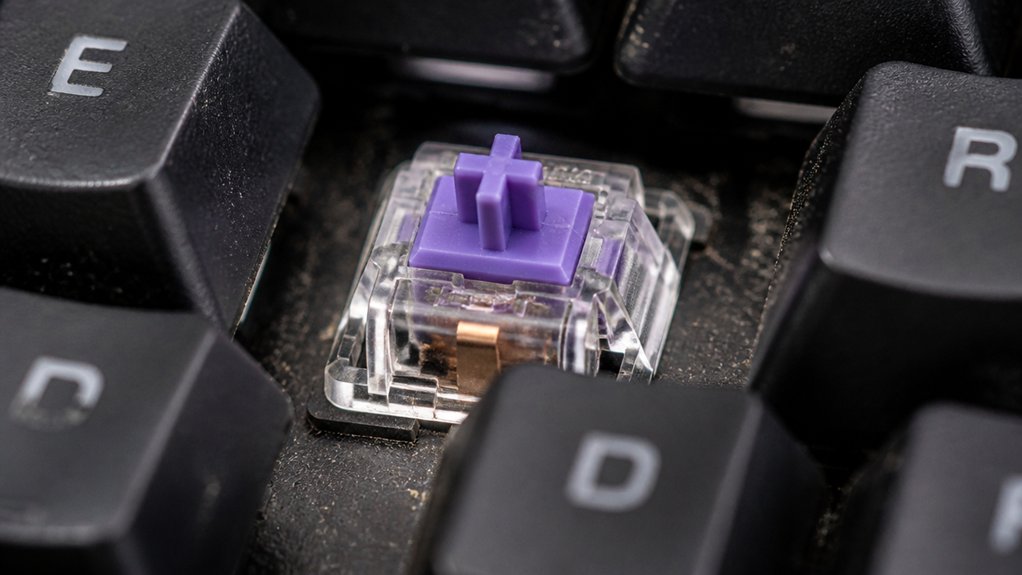
Overlubing your switches can lead to reduced tactility and unresponsive keys, so be sure to apply lubricant sparingly and evenly. Keep the lubricant away from the crosspoint contacts to avoid signal issues, and double-check your reassembly to prevent misaligned parts. Testing your switches after reassembly helps catch problems early and guarantees smooth, consistent keypresses. Additionally, understanding the actuation force and ensuring it remains within ideal ranges can help maintain optimal performance.
Overlubing Causes Issues
Applying too much lubricant to your mechanical switches can lead to a range of performance issues. When overlubing, you risk making keys feel mushy, reducing tactile feedback, and causing sluggish keystrokes. Excess lubricant on stem legs or leaf contacts can interfere with electrical signals, resulting in unresponsive keys. To avoid this, always make sure everything, right tools at hand, and apply sparingly. Additionally, overapplying lubricant can damage the switches and make future repairs more difficult. Here’s what can happen with overlubing:
- Tactile feedback diminishes, making your keys less satisfying.
- Keys become sluggish or feel sticky due to increased resistance.
- Electrical contact interference causes unregistered presses.
- Cleaning becomes necessary, often requiring disassembly to restore performance.
Proper Reassembly Techniques
Guaranteeing proper reassembly of your mechanical switches is essential for peak performance and consistency. Use a stem holder to align the stem legs precisely with the leaf in the bottom housing, preventing bent contacts that cause unresponsive keys.
When snapping the top housing onto the bottom, align visual markers like logos or curved sides to avoid misfits that can lead to scratchiness or rattling. Check for smooth stem depression before fully reassembling to catch any misalignments or excess lube, which can impair function.
Be careful not to trap excess lubricant on the leaf contacts, as this reduces tactile feedback or causes unregistered presses. Maintain a consistent reassembly process across switches to guarantee uniform feel and sound, preventing batches with inconsistent responsiveness in your mechanical keyboards. Proper material selection is crucial for ensuring durability and optimal performance over time.
Customizing Your Lubbing Technique for Better Performance
To optimize your lubing technique, focus on customizing how much and what type of lubricant you use based on your switch preferences. This makes it easier for a keyboard enthusiast to fine-tune feel and sound. A proper understanding of material density and composition can help you select the most suitable lubricant and application method for your specific switches.
Here’s how:
- Use low viscosity lubes like Tribosys 3203 for tactile switches, preserving tactility.
- For linear switches, Krytox 205g0 maximizes smoothness without dulling feedback.
- Apply lubricant sparingly and evenly on stem legs, slider rails, and spring coils, avoiding over-lubrication that can dull tactility or cause sluggish keys.
- Experiment by lubing springs through brushing or shaking them in lubricant bags to improve flexibility and reduce noise.
Consistency in your process helps, so try batching switches and comparing to replicate your ideal feel reliably.
Frequently Asked Questions
Do I Need to Lube Mechanical Keyboard Switches?
You don’t necessarily need to lube your mechanical keyboard switches, but doing so can make typing smoother, quieter, and extend their lifespan. If you’re after a refined experience, lubing is worth considering, though it’s not mandatory.
Can I Use WD-40 on Keyboard Switches?
You shouldn’t use WD-40 on keyboard switches because it’s a solvent that can damage plastics, cause stickiness, attract dust, and ultimately reduce switch lifespan. Instead, opt for proper lubricants like Krytox or Tribosys designed for switches.
Why Do People Lube Switches?
You lube switches to make your typing smoother, quieter, and more responsive, reducing friction and noise. It also helps eliminate scratchiness, enhances comfort, and extends switch lifespan, giving you a more satisfying and personalized typing experience.
What Happens if You Don’t Lube Your Keyboard?
If you don’t lube your keyboard, your typing feels scratchier and less smooth, and the noise becomes louder and harsher. Friction increases, causing faster wear, reduced responsiveness, and a less comfortable, less refined typing experience.
In Summary
Lubing your mechanical keyboard switches enhances your typing experience by providing smoother keystrokes and quieter operation. It also helps prolong the life of your switches and can improve sound quality. If you follow the right steps and use the appropriate lubricant, you’ll enjoy a more satisfying and personalized typing feel. Don’t rush the process—patience pays off. With some practice, you’ll master the art of lubing, making your keyboard truly yours. Happy typing!



