

If you want a split keyboard that fits your skill level, start with the no-solder Iris SE kit for easy assembly and reliable performance. For more customization and a hot-swap option, Sofle MX is perfect as a beginner-friendly upgrade. If you’re confident soldering, the Nyquist kit offers advanced layouts and full customization. These kits blend ergonomic design and build quality to suit your needs. Keep exploring to find the best features for your perfect build.
Our Recommended Products on Amazon


As an Amazon Associate we earn from qualifying purchases.
How to Choose the Right DIY Split Keyboard Kit for Your Skill Level and Needs
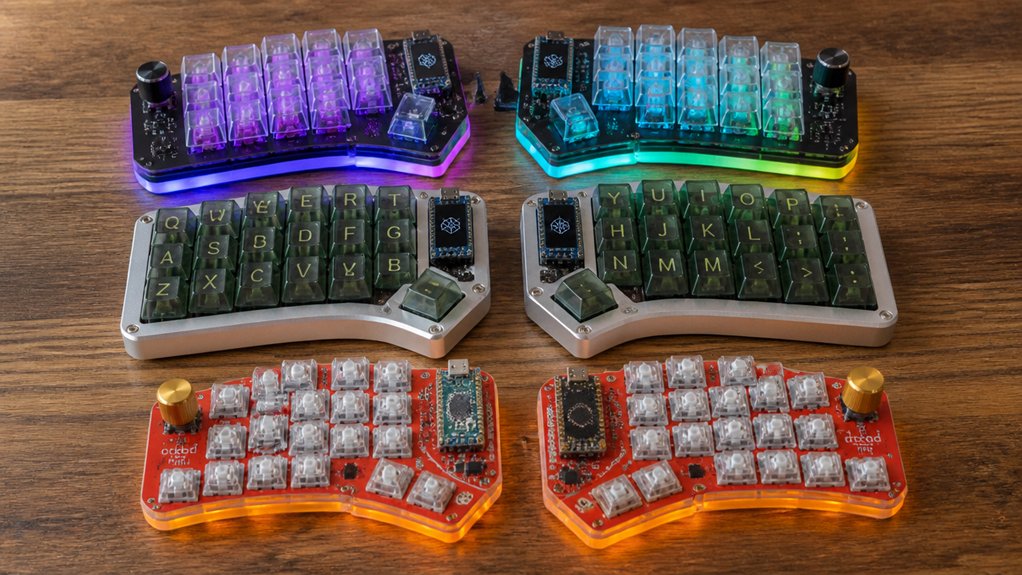
How can you find the perfect DIY split keyboard kit that matches your skill level and needs? Start by evaluating whether soldering needed fits your comfort level.
If you’re new to DIY split keyboards, choose no-solder or partial hot-swap kits like the Iris SE or Sofle MX for easier assembly and learning. For a split mechanical keyboard that offers more customization and you’re confident with soldering, full DIY kits such as Nyquist/Levinson or Sinc PCB kits work best.
Also, consider if you want a low-profile kit like Iris LM for better portability and ergonomics.
Don’t forget kit expandability and software options like VIA support, which enhance typing comfort. Finally, check build guides, community support, and warranties to guarantee a smooth, long-term DIY experience tailored to your skills and needs.
Top DIY Split Keyboard Kits for Beginners and Experts
Which DIY split keyboard kit suits you best depends largely on your experience level and preferences. If you’re new to building custom split keyboards, the Iris SE Kit is ideal with its no-solder assembly and user-friendly design. You’ll find its solid reputation and beginner-friendly approach valuable.
For experts, the Sinc Rev. 4 PCB Kit offers a full split 75%/TKL layout with advanced features like a rotary dial, perfect if you want a feature-rich setup. The Nyquist/Levinson Rev. 5 PCB Kit strikes a balance, supporting ortholinear layouts favored by both beginners and experienced builders.
Low-profile switch users should check the Iris LM and CE Kits, offering chirality-friendly layouts and top ratings. Don’t overlook B stock kits—they provide affordable options without compromising quality, making them great for any skill level.
Customization Features and Build Quality That Make These Kits Stand Out
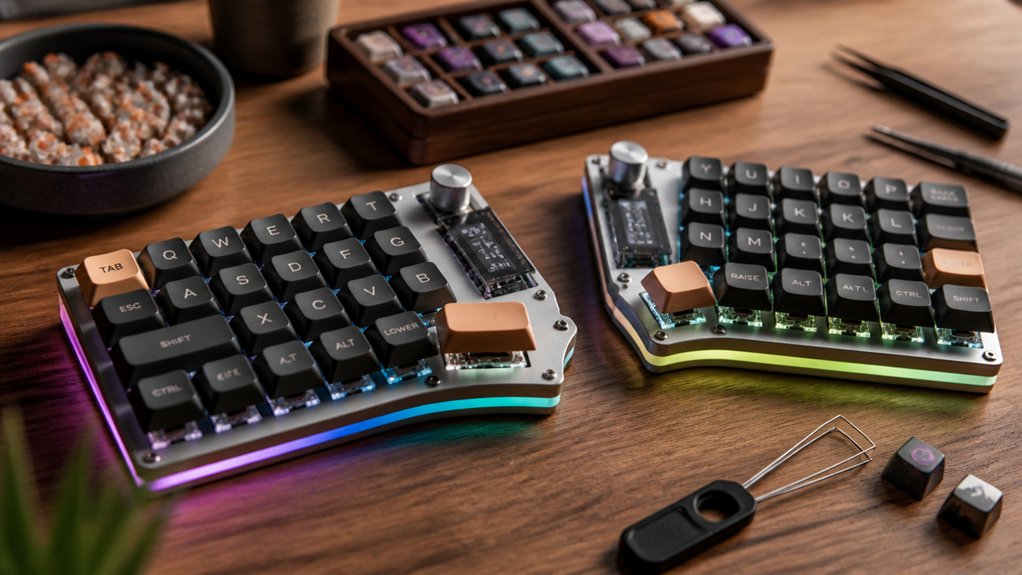
After choosing a kit that matches your experience and layout preference, you’ll want to explore the features that make these split keyboards truly stand out. Many kits use high-quality materials like aluminum frames and durable Kailh Choc or Jade switches, delivering a satisfying typing experience with robust build quality.
These custom, ergonomic keyboards offer modular designs with magnetic cable attachments, protecting USB-C ports and enabling easy upgrades. Support for hot-swap switches means you can tailor your typing feel without soldering. VIA software integration lets you remap keys, program macros, and create layers for a layout that fits your workflow perfectly. Plus, customizable LED lighting adds both style and functional feedback to enhance your typing sessions.
Frequently Asked Questions
How Do I Troubleshoot Connectivity Issues With Wireless Split Keyboards?
You should first check if your keyboard’s batteries are charged and properly inserted. Next, verify the Bluetooth on your device is on, and try reconnecting. Restart both devices and update firmware if available to fix connectivity issues.
What Is the Typical Battery Life for Wireless DIY Split Keyboards?
You can expect wireless DIY split keyboards to last anywhere from a few days to several weeks on a single charge, depending on battery size, usage, and power-saving features. Charging habits also play a big role.
Can I Program Macros Without External Software?
You can program macros without external software if your keyboard’s firmware supports on-device programming, like QMK or VIA. Just use the built-in features to record and assign macros directly on your keyboard itself.
Are Replacement Parts Readily Available for Common DIY Kits?
Yes, you’ll find replacement parts easily for popular DIY kits since many components use standard sizes and connectors. Vendors and online communities often offer switches, PCBs, and cases, so you won’t struggle to keep your keyboard in top shape.
How Do I Properly Maintain and Clean Assembled Split Keyboards?
You should unplug your keyboard, use compressed air to remove dust, and gently clean keycaps with a soft cloth or isopropyl alcohol. Regularly check connections and avoid eating near it to keep your split keyboard working smoothly.
In Summary
Choosing the right DIY split keyboard kit comes down to your skill level and what you need from your keyboard. Whether you’re just starting or you’re an expert looking for customization options, the kits we’ve covered offer excellent build quality and features that stand out. By picking a kit that matches your experience and preferences, you’ll enjoy a rewarding assembly process and end up with a keyboard that’s truly yours. Jump in and start building!



