
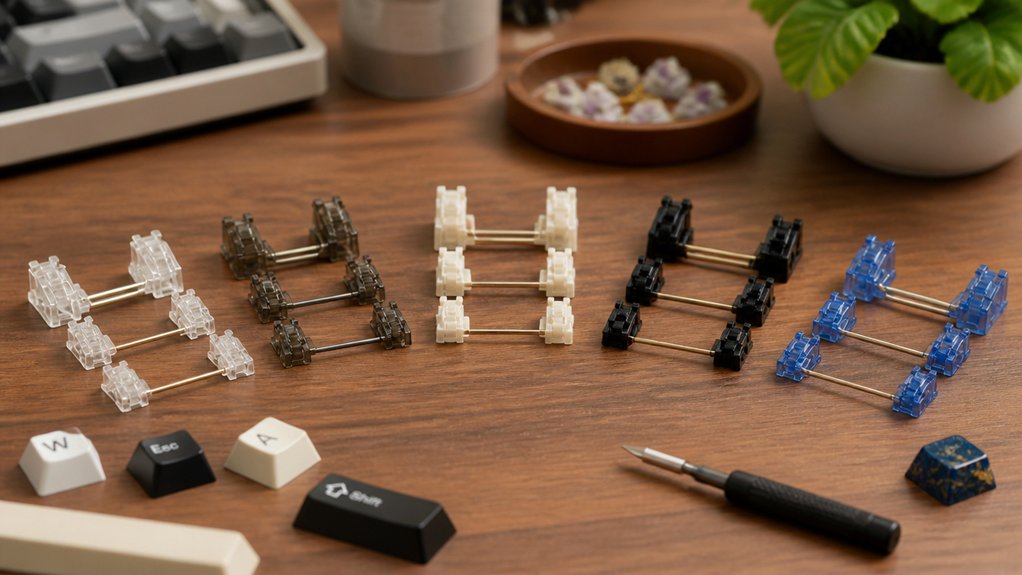
If you’re building your first mechanical keyboard, choosing the right stabilizers matters more than you might expect. With a growing number of budget-friendly options in 2026, you can find stabilizers that are quiet, reliable, and easy to install—even if you’re just starting out. But not all options are created equal. Before you make a decision, let’s look at which stabilizers actually deliver on their promises.
| DUROCK V3 Screw-In Stabilizers for Mechanical Keyboards |  | Best Overall | Mounting Style: PCB screw-in | Supported Key Sizes: 2u, 6.25u, 7u | Material: Polymer nylon, stainless steel, gold-coated hardware | CHECK ON AMAZON | Read Our Analysis |
| Costar Plate-Mounted Stabilizers Kit for MX Keyboards |  | Classic Choice | Mounting Style: Plate-mounted | Supported Key Sizes: 2u, 6.25u (Kit 1), 2u, 6.25u (Kit 2), 2u, 6.25u, 7u (Kit 2) | Material: Metal wire, plastic | CHECK ON AMAZON | Read Our Analysis |
| Keyboard Stabilizer Switch Pads and EVA Set |  | Best for Tuning | Mounting Style: PCB (switch pads for PCB stabilizers) | Supported Key Sizes: Not explicit (pads for 2u, 6.25u, 7u satellite wires implied) | Material: Teflon, EVA foam, (transparent silicone variant) | CHECK ON AMAZON | Read Our Analysis |
| WS Stupid TPU Snap-in Stabilizers for Keyboards |  | Easiest Installation | Mounting Style: PCB snap-in | Supported Key Sizes: 2u, 6.25u, 7u | Material: POM housing, PC stem, TPU silicone | CHECK ON AMAZON | Read Our Analysis |
| GATERON Crystal Stabilizer RGB Set for Keyboards |  | Most Stylish | Mounting Style: PCB screw-in | Supported Key Sizes: 2u, 6.25u, 7u | Material: Alloy steel, transparent plastic | CHECK ON AMAZON | Read Our Analysis |
More Details on Our Top Picks
DUROCK V3 Screw-In Stabilizers for Mechanical Keyboards
If you’re seeking a high-performing stabilizer that excels in value and reliability, the DUROCK V3 Screw-In Stabilizers uniquely stand out for build quality and ease of use. You get PCB-mount, screw-in stabilizers with patented hooks that stop wire popping and pre-clipped stems for quick installation. Premium polymer nylon and stainless steel wires guarantee durability, while the gold hardware resists oxidation. The kit suits 80% keyboards, supporting both 6.25u and 7u spacebars, and works with Cherry MX-compatible switches. Included washers and tuning kit boost PCB compatibility. DUROCK V3 offers smooth, stable performance—making your beginner build look and sound professional.
- Mounting Style:PCB screw-in
- Supported Key Sizes:2u, 6.25u, 7u
- Material:Polymer nylon, stainless steel, gold-coated hardware
- Switch Compatibility:Cherry MX, Gateron, Kailh
- Installation Method:Screw-in with included hardware
- Included Pieces (Kit Size):26 pieces (stabilizers, wires, hardware, tuning kit)
- Additional Feature:Patented wire hooks
- Additional Feature:Pre-clipped stem design
- Additional Feature:Soulmate Tuning Kit
Costar Plate-Mounted Stabilizers Kit for MX Keyboards
For beginners who want reliability and a classic choice, the Costar Plate-Mounted Stabilizers Kit delivers proven performance without frills. You’ll find the raised wire design, which enhances tactile feel compared to flat wire stabilizers, beneficial. The kit comes in two options: one for GH60 and 87 Tenkeyless keyboards, and another for 96 and 104 layouts—both compatible with MX switches and Filco boards. Each kit includes the necessary 6.25u and 2u stabilizers to cover most key layouts. Built from durable metal, it’s backed by a one-year warranty. If you value straightforward function and tactile response, Costar stabilizers won’t disappoint.
- Mounting Style:Plate-mounted
- Supported Key Sizes:2u, 6.25u (Kit 1), 2u, 6.25u (Kit 2), 2u, 6.25u, 7u (Kit 2)
- Material:Metal wire, plastic
- Switch Compatibility:MX mechanical switches, Filco
- Installation Method:Plate-mount clip-in installation
- Included Pieces (Kit Size):Kit 1: 5 stabilizers, Kit 2: 8 stabilizers (plus wires, puller)
- Additional Feature:Raised wire design
- Additional Feature:Built-in keycap puller
- Additional Feature:Waterproof level indicated
Keyboard Stabilizer Switch Pads and EVA Set
Teflon PCB satellite switch buffer pads and EVA pads offer new builders an easy way to tune stabilizers for a smoother, quieter typing experience. With the YIMAGUJRX RJ-344 set, you’ll get 20 Teflon or silicone buffer pads and 12 EVA pads, ensuring compatibility with most mechanical PCB satellite switches. Teflon pads give you a satisfying, crisp sound, while silicone gives a softer, duller note. Using both pads prevents steel wire issues, especially in transparent satellite switches. They’re perfect for 104-key QWERTY boards with water resistance and USB support. Plus, you’re covered by a 365-day warranty for peace of mind.
- Mounting Style:PCB (switch pads for PCB stabilizers)
- Supported Key Sizes:Not explicit (pads for 2u, 6.25u, 7u satellite wires implied)
- Material:Teflon, EVA foam, (transparent silicone variant)
- Switch Compatibility:Mechanical keyboard PCB stabilizers (MX compatible)
- Installation Method:Adhesive pad placement
- Included Pieces (Kit Size):32 pieces (pads and buffers)
- Additional Feature:Teflon/silicone buffer pads
- Additional Feature:Friction-reducing pads
- Additional Feature:Dual sound options
WS Stupid TPU Snap-in Stabilizers for Keyboards
Beginners seeking the easiest installation will appreciate how the WS Stupid TPU Snap-in Stabilizers simplify the keyboard building process. These stabilizers are compatible with most mechanical keyboards, including custom and factory-built boards—matching both 1.2mm and 1.6mm PCB sizes. Their snap-in design eliminates the need for specialized tools, letting you upgrade stability in minutes. Crafted with Pom housing, a PC stem, and TPU silicone, they minimize key wobble and deliver a smoother typing experience. You’ll find support for 2u, 6.25u, and 7u sizes, cover popular layouts, and enhance performance without breaking your budget. Plus, you get a one-year warranty.
- Mounting Style:PCB snap-in
- Supported Key Sizes:2u, 6.25u, 7u
- Material:POM housing, PC stem, TPU silicone
- Switch Compatibility:Mechanical keyboards (MX compatible)
- Installation Method:Snap-in (tool-less)
- Included Pieces (Kit Size):Not specified explicitly (fits 2u/6.25u/7u layouts; likely for full size)
- Additional Feature:TPU silicone enhancement
- Additional Feature:Snap-in installation
- Additional Feature:Precision-machined construction
GATERON Crystal Stabilizer RGB Set for Keyboards
If you want the most stylish stabilizer set for your keyboard build, GATERON’s Crystal Stabilizer RGB Set stands out. You’ll get a sleek, transparent look thanks to the high gloss crystal housings and polished silver wires. This screw-in set is designed specifically for 60% MX mechanical keyboards and includes four 2U stabilizers, one 6.25U, one 7U wire, plus a backup wire—everything you need for a complete build. The alloy steel wires offer both durability and smooth keypresses, while the Phillips drive and fully threaded flat screws guarantee secure mounting. GATERON delivers a great budget option for beginners who value aesthetics.
- Mounting Style:PCB screw-in
- Supported Key Sizes:2u, 6.25u, 7u
- Material:Alloy steel, transparent plastic
- Switch Compatibility:Cherry MX compatible
- Installation Method:Screw-in with included screws
- Included Pieces (Kit Size):7 pieces (4x 2U, 1x 6.25U, 1x 7U, 1 backup wire)
- Additional Feature:High gloss finish
- Additional Feature:Backup wire included
- Additional Feature:Fully threaded screws
Factors to Consider When Choosing Budget Stabilizers for Beginner Keyboard Builds
When picking budget stabilizers, you’ll want to check if they fit your keyboard layout and pay attention to how they install. Material quality, wire design, and how easily you can tune or modify them all play a big role in performance. Let’s look at each factor so you can make the right choice for your build.
Compatibility With Keyboard Layout
Compatibility plays a crucial role in selecting budget stabilizers for your keyboard build, ensuring everything fits and works together seamlessly. First, you need to match the stabilizer layout with your keyboard’s size—be it 60%, 80%, or full-size—to fit the right key spacing and stabilizer lengths like 2u, 6.25u, or 7u. Always check that the stabilizer mounting style—PCB mount, plate mount, or snap-in—aligns with your keyboard’s design for secure placement. Make sure stabilizer wires are the correct length for each key they’ll support, especially larger keys like the spacebar. Also, confirm compatibility with your PCB’s thickness, commonly between 1.2mm and 1.6mm. Finally, verify the stabilizers work with your chosen switch type and stem, such as Cherry MX style.
Installation Method Differences
While exploring budget stabilizers for your first keyboard build, you’ll notice two main installation types: screw-in (PCB mount) and snap-in (plate mount). Screw-in stabilizers secure tightly to the PCB with screws, which gives your keyboard increased stability and less wobble over time. However, you’ll need to make certain your PCB is compatible with this method—especially its thickness, usually between 1.2mm and 1.6mm. Sometimes, washers or tuning kits are needed for an ideal fit.
On the other hand, snap-in stabilizers simply clip into the keyboard plate, meaning you won’t need tools and can swap or maintain them easily—ideal for first-time builders who want to avoid complicated steps. However, snap-in versions usually offer less stability compared to screw-in types.
Material Quality Matters
After considering how you’ll install your stabilizers, it’s just as important to pay attention to the quality of materials they’re made from. High-quality stabilizers typically feature durable polymer nylon housings and stems, which give you lasting stability while reducing annoying key wobble. Look for stabilizers with precision-molded components, as these tend to fit together seamlessly and minimize the chance of wire dropout. Materials like TPU silicone or EVA pads are excellent for cushioning; they cut down on friction and noise, giving you a smoother, quieter typing experience. Opting for stabilizers that use premium materials means you’ll spend less time tuning and more time enjoying solid performance right out of the box. For beginners, this boosts reliability and ease of use.
Wire Design Features
As you evaluate budget stabilizers for a beginner keyboard build, pay close attention to the wire design—it’s a make-or-break detail for overall typing feel and sound. Look for stabilizers with patented hooks or secure retention features, as these prevent wire popping and guarantee long-term stability. Tight wire gaps and elastic support bases effectively reduce wobble, cutting down on unwanted noise with every keystroke. Raised or balanced wire designs can enhance tactile feedback, making key presses more satisfying than traditional flat wire versions. Prioritize wires made from stainless steel or coated materials to gain durability and resistance to oxidation, extending your stabilizer’s life. Finally, make sure the wire lengths fit your layout; stabilizers come in different sizes like 2u, 6.25u, and 7u.
Tuning and Modification Ease
Because many keyboard enthusiasts prioritize a smooth and quiet typing experience, it’s important to choose budget stabilizers that are easy to tune and modify. Look for pre-clipped stabilizer stems; you won’t have to manually clip them, saving you valuable time during installation. Stabilizers with secure wire hook designs help maintain wire alignment, so you’ll spend less effort on adjustments and less time worrying about wire popping or wobble. Quality materials, like nylon housings and well-coated metal wires, offer smoother performance out of the box, making mods simpler or sometimes unnecessary. Kits that include tuning accessories—like washers and lubrication—let you customize your stabilizers efficiently without needing expert skills or extra purchases. Also, kits with multiple sizes and wide PCB compatibility further streamline the tuning process.
Noise and Rattle Reduction
When you’re building your first keyboard, minimizing noise and rattle from your stabilizers should be a top priority. Choose stabilizers with wire hooks or clips that secure the wire firmly—these prevent wire popping and unwanted rattling. Look for housings and stems made from premium polymer nylon or silicone, as these materials absorb vibrations, keeping keystrokes quieter. Pre-clipped or pre-lubricated stabilizer stems further reduce mechanical friction, leading to smooth, noise-free key presses. Pay attention to designs with minimal gaps between stabilizer wires and their support bases, along with elastic components, because they help reduce wire wobble and the noise that comes with it. Adding Teflon or EVA buffer pads under the stabilizers can dramatically dampen friction sounds and rattling as you type.
Durability Over Time
Although budget stabilizers might seem like a temporary choice for your first keyboard, paying attention to their durability makes a big difference in long-term performance. You’ll want stabilizers that aren’t easily worn out after just a few months. Look for models that use tough materials like polymer nylon housings and stainless steel wires—they’re far more resistant to daily wear and tear. A gold or silver finish on the wires can ward off oxidation, preserving smooth movement over time. Pre-clipped or snap-in stabilizers are less likely to break during installation, while patented hooks or robust retention systems keep wires from popping out. Consistent build quality and precise molding also matter, as they help prevent wobble and maintain stability with frequent typing.
Value for Money
Choosing budget stabilizers isn’t just about finding the cheapest option—it’s about getting the most value for your money. When you compare options, look for quality materials like premium polymers or metals, since these increase durability and long-term performance. Kits that include different stabilizer sizes and useful extras such as tuning tools or washers add flexibility and let you experiment with various layouts. Prioritize designs that minimize noise and key wobble straight out of the box—less tuning means more time typing and less frustration. Compatibility also matters: if your stabilizers work with different PCB thicknesses and switch types, you can use them in multiple builds. Finally, clear instructions and included hardware make assembly smoother and save you money on extra supplies.
Frequently Asked Questions
How Can I Reduce Stabilizer Rattle Without Lubing?
You can reduce stabilizer rattle by clipping the stabilizer legs, applying band-aid or tape mods under the stabilizers, and ensuring a snug fit. Swap out poorly fitting wires or housings if rattling persists after these mods.
Are Stabilizers Necessary for All Keyboard Sizes?
No, you don’t need stabilizers for all keyboard sizes. You’ll only use them for keys wider than a single unit, like the spacebar, enter, and shift keys. Smaller keyboards sometimes skip stabilized keys altogether.
Will Using Different Keycap Profiles Affect Stabilizer Compatibility?
Yes, different keycap profiles can affect stabilizer compatibility. You’ll need to guarantee your stabilizers fit the stem height and width of your chosen keycaps, otherwise you might experience interference, odd feel, or even installation issues.
Can I Reuse Stabilizers From Old Keyboards?
Yes, you can reuse stabilizers from old keyboards if they’re in good condition and compatible with your new PCB or plate. Just make sure they’re not damaged or overly worn, and clean them before reinstalling.
What Tools Do I Need to Install Stabilizers Safely?
You’ll need a keycap puller, switch puller, small Phillips screwdriver, and tweezers. Use a brush or compressed air to clean dust. Don’t forget lubricant and a steady hand to install stabilizers smoothly and safely.



