

You’re probably wondering how a simple switch can change your game. The right choice tailors actuation speed, feedback, and sound to your playstyle, whether you chase split‑second reactions or crave precise control. Linear switches fire instantly for fast shooters, tactile ones give you a bump that confirms each press, and clicky types add audible cues that can sharpen timing. Understanding these nuances will help you match hardware to strategy, and the next section shows exactly which switch fits each genre.
How to Choose the Right Gaming Switch for Your Playstyle
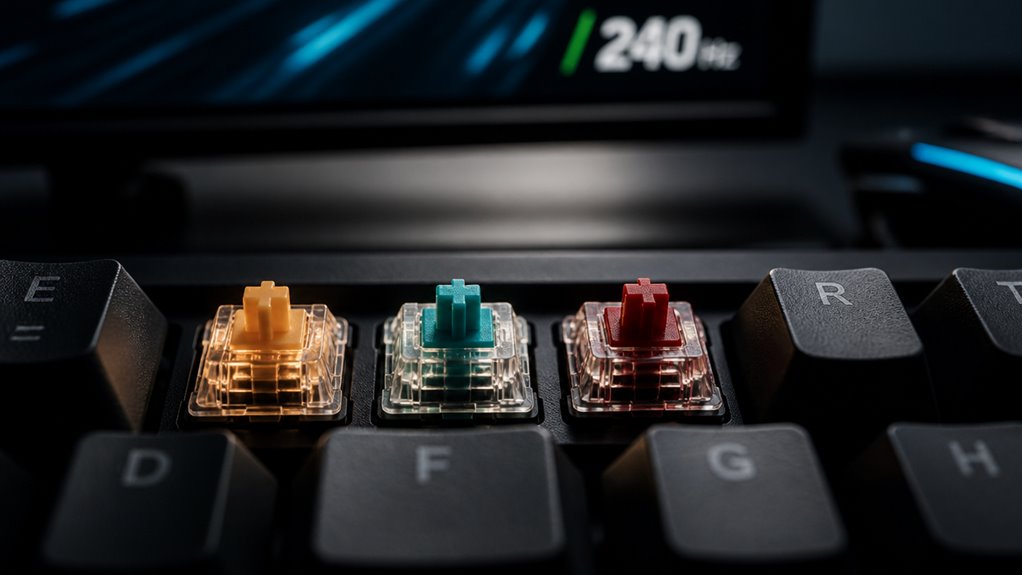
Wondering which switch type will best match your gaming style? Start by mapping your play priorities: speed, precision, or tactile feedback.
If you chase rapid combos, lean toward low‑actuation, linear switches that fire with minimal travel. For shooters demanding accurate clicks, tactile or clicky switches give you a physical cue at the actuation point, helping prevent accidental presses.
Consider actuation force—light (45 g) feels effortless, while heavier (60 g+) offers resistance that can reduce fatigue during marathon sessions. Test key travel distance; shorter strokes (≈2 mm) boost responsiveness, whereas longer travel (≈4 mm) can feel more deliberate.
Finally, match the switch’s durability to your usage frequency; high‑rated switches endure millions of keystrokes without performance loss.
Why Linear Gaming Switches Are a Powerhouse for Speed‑Focused Games
When you need split‑second reactions, linear switches give you a smooth, uninterrupted keystroke that translates directly into faster inputs. Their consistent actuation force means you never have to fight a tactile bump, so your fingers glide from key to key without hesitation.
This uniform resistance lets you develop muscle memory quickly, essential for rapid fire and combo execution. Because there’s no audible click, you can maintain focus in noisy environments and keep your reaction time low.
Linear switches also tend to have lower latency, as the electrical contact closes the once the stem passes the actuation point. Pair them with a high‑polling rate keyboard, and you’ll shave precious milliseconds off every move, giving you a decisive edge in speed‑focused games.
Why Tactile Gaming Switches Boost Accuracy in Fast‑Paced Games

You’ll feel the tactile bump timing give you a clear cue for each keypress, so you can fire accurately without second‑guessing.
The consistent actuation force means your fingers don’t have to adjust pressure on the fly, keeping your rhythm steady.
Plus, the reduced finger fatigue lets you stay sharp through marathon matches.
Tactile Bump Timing
A tactile bump delivers a distinct, momentary resistance that tells you exactly when the key registers, letting you time your presses with millisecond precision. You’ll feel the cue instantly, so you can sync your actions to in‑game events without guessing.
This feedback shortens the decision‑to‑action loop, letting you execute combos or dodge maneuvers faster than with linear switches. When you can trust that the bump marks the exact actuation point, your muscle memory aligns perfectly with the game’s rhythm, boosting consistency and reducing mis‑fires.
- Immediate tactile confirmation
- Millisecond‑level timing control
- Enhanced muscle‑memory synchronization
Consistent Actuation Force
The tactile bump you just felt also guarantees that the force needed to actuate the key stays the same every time you press it.
When you fire a rapid sequence of attacks, your muscle memory relies on a predictable resistance; consistent actuation force lets you hit the exact spot without over‑ or under‑pressing. This steadiness eliminates micro‑variations that could otherwise cause missed combos or unintended keystrokes.
In fast‑paced shooters, each millisecond counts, and a uniform force lets you shift between keys fluidly, keeping reaction times low. You’ll notice smoother streaks of movement, because your fingers no longer need to adjust grip strength on the fly.
Ultimately, that reliability translates into higher accuracy and tighter control during intense gameplay.
Reduced Finger Fatigue
Because tactile switches give you a clear, consistent bump, your fingers don’t have to hunt for the right actuation point, which means you can keep a relaxed grip even during marathon sessions.
The tactile feedback tells you exactly when a key registers, so you avoid over‑pressing and can maintain a light, natural hand posture. This reduces strain on tendons and muscles, letting you play longer without cramping.
You’ll notice steadier aim and quicker reaction times because your brain isn’t busy guessing actuation.
- Consistent feedback eliminates unnecessary finger movement.
- Lower actuation force keeps muscles from tiring.
- Predictable bump lets you maintain a relaxed grip throughout intense gameplay.
When Clicky Gaming Switches Provide an Edge in Competitive Play

While you’re chasing split‑second reactions, clicky switches give you tactile and auditory cues that cut down hesitation, letting you confirm each keystroke without looking at the screen. The click’s sharp sound signals actuation instantly, so you can trust your muscle memory and keep your eyes on the battlefield. In fast‑paced shooters or rhythm games, that feedback reduces mis‑fires and lets you chain combos with confidence. You’ll also notice steadier timing because the audible click masks ambient noise, helping you stay locked in during tournament pressure.
| Feature | Competitive Benefit |
|---|---|
| Tactile bump | Immediate physical confirmation |
| Audible click | Reinforces timing under stress |
| Consistent actuation | Predictable response across rapid presses |
How Does Actuation Force Impact Reaction Time and Fatigue?
Ever wondered how the force you need to press a key reshapes your split‑second decisions? A lighter actuation reduces the distance your finger travels before registering, cutting the micro‑seconds between intent and output. That speed boost translates into faster reaction times, especially in fast‑paced shooters or rhythm games.
Conversely, a heavier switch can increase muscle fatigue during long sessions, slowing your responses as your hand tires. Balancing force and comfort is key to maintaining peak performance.
- Low‑force (45‑55 g) – fastest actuation, minimal fatigue.
- Medium‑force (60‑70 g) – balanced speed and tactile feedback.
- High‑force (75‑85 g) – strong feedback, higher endurance cost.
Choose the level that matches your play style and stamina.
Choosing the Ideal Actuation Force for Your Game Genre
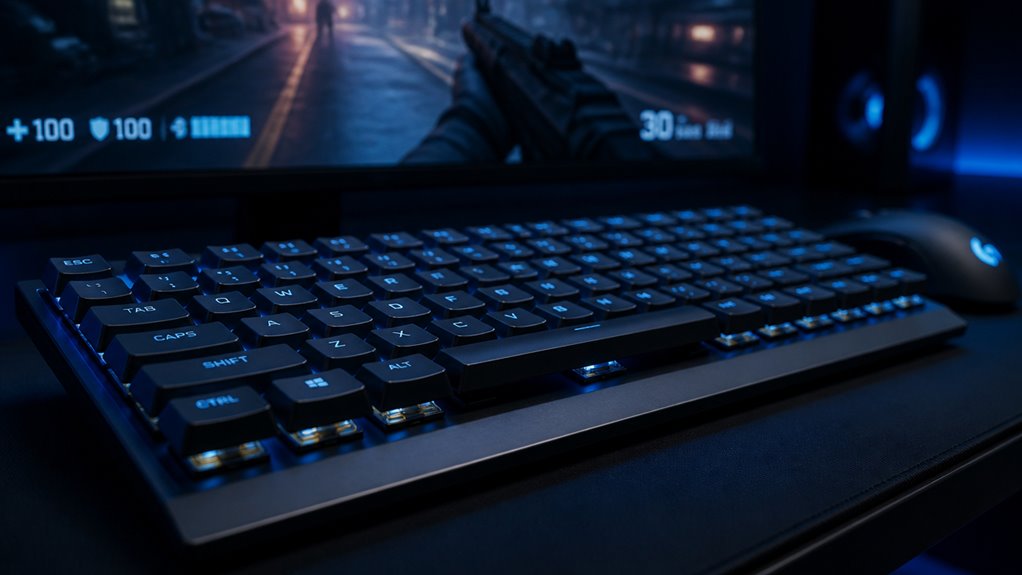
When you match actuation force to your game’s demands, you’ll notice a direct impact on both speed and endurance.
Light switches (45‑55 g) excel in fast‑paced shooters and MOBAs, letting you flick keys without fatigue, while medium force (55‑65 g) offers a balance for strategy titles where deliberate inputs matter. Heavy switches (65‑80 g) suit rhythm or simulation games that benefit from tactile resistance and precise timing.
Consider your typical keystroke rhythm: rapid, repetitive taps call for lower force, whereas occasional, deliberate presses can handle higher resistance.
Test a few options on‑site; feel the click, gauge the rebound, and see how long you stay comfortable during marathon sessions. The right force matches your genre’s tempo and keeps performance consistent.
How Does Actuation Distance Influence Rapid Key Presses?
How far a key must travel before it registers—its actuation distance—directly shapes your ability to execute rapid presses. Shorter distances mean less finger travel, letting you fire off more keystrokes per second with less fatigue.
They also reduce the window for missed actuations, which is essential in fast‑paced shooters or rhythm games. However, ultra‑short distances can feel too “tappy,” making precise timing harder.
Balance is key: pick a distance that matches your hand size and play style.
- 1.0 mm or less – maximizes speed, ideal for competitive FPS.
- 1.0 – 1.5 mm – offers a sweet spot between speed and control.
- 1.5 mm+ – favors accuracy, suited for strategy or MMO key.
Pre‑Travel vs. Post‑Travel: Which Gives More Consistent Timing?
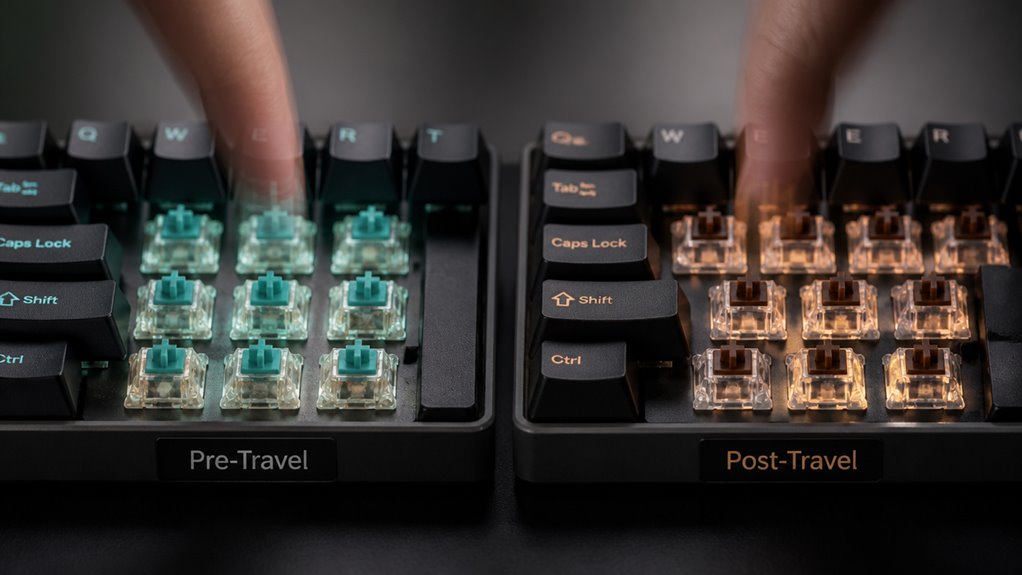
Short actuation distances boost speed, but the timing consistency of each keystroke also hinges on how the switch moves before and after it registers. Pre‑travel is the distance the stem travels before hitting the actuation point; the‑travel is the distance it continues after actuation until it bottoms out.
When you press a key, a shorter pre‑travel reduces the window for variance caused by finger placement or force differences, giving you a tighter, more repeatable timing. However, a longer post‑travel can absorb inconsistencies in release speed, stabilizing the rebound and preventing “double‑trigger” errors.
In practice, switches with balanced pre‑ and post‑travel—typically around 1 mm pre‑travel and 1–2 mm post‑travel—deliver the most consistent timing for rapid gaming sequences.
Why Does Switch Noise Affect Team Communication?
Ever notice how a clicky keyboard can drown out your teammates’ callouts? You’re in a high‑stakes match, and every second counts. When your keys clang, you add auditory clutter that competes with voice chat, in‑game sounds, and enemy cues.
The brain struggles to separate essential information from background noise, so reaction times slip and miscommunication rises. Reducing that noise gives your team a clearer audio channel, letting you hear critical callouts without distraction.
- Focus – Cleaner sound lets players concentrate on strategy.
- Speed – Faster comprehension of voice commands improves reaction time.
- Cohesion – Fewer misunderstandings strengthen teamwork and morale.
Choosing quieter switches isn’t just about comfort; it’s a tactical advantage that keeps communication crisp and effective.
Which Gaming Switches Suit Different Game Genres?
You’ll find that fast‑response switches give you the edge in action games, while precise tactile switches let you execute strategic moves with confidence.
Silent linear switches keep your MMO raids quiet, so you won’t distract teammates. Choosing the right switch type for each genre can boost both performance and comfort.
Fast‑Response Action Games
When you plunge into fast‑response action games—shooters, battle royales, and arena fighters—every millisecond counts, and the right keyboard switch can be the difference between a clean headshot and a missed opportunity.
You need switches that reset instantly, register each tap without debounce, and provide a smooth linear feel so you can spam combos without fatigue.
- Linear, low‑actuation switches (e.g., Cherry MX Red, Gateron Yellow) – minimal travel, no tactile bump, perfect for rapid fire.
- Speed‑optimized tactile switches (e.g., Kailh Speed Silver, TTC Gold Pink) – short actuation point, slight bump for feedback without slowing you down.
- Optical switches (e.g., Razer Optical, LK Libra) – light‑based actuation eliminates contact bounce, delivering the fastest response times.
Choose one of these to keep your reactions razor‑sharp and your scores climbing.
Precise Tactile Strategy Titles
What makes a strategy game feel effortless is the tactile feedback that tells you each command landed precisely when you need it. You’ll want a switch that offers a distinct bump and a short actuation distance so you can place units, issue orders, and toggle menus without hesitation.
Tactile switches like Cherry MX Brown or Zealios V2 give you that crisp “click‑feel” while keeping the travel low enough for rapid macro execution. Their audible cue confirms each input, reducing mis‑clicks during intense micro‑management.
For titles that rely on precise timing—such as turn‑based tactics or real‑time strategy—choose a switch with a 45‑cN actuation force and a 2 mm pre‑travel. This balance lets you stay focused on board positioning rather than finger fatigue.
Silent Linear MMO Play
Even if you prefer a whisper‑quiet setup, linear switches can keep MMO sessions smooth and silent. Their consistent actuation lets you spam abilities, chat, and macro keys without audible clicks, so you stay immersed and your teammates aren’t distracted.
Because MMOs demand long‑haul typing and rapid skill chains, a silent linear feel reduces fatigue and keeps your rhythm steady.
Why silent linear switches excel in MMOs:
- No tactile bump – you can press keys back‑to‑back without feeling resistance, perfect for combo‑heavy raids.
- Low actuation force – lighter travel lets you execute hundreds of actions per minute with minimal strain.
- Quiet keystroke – muted sound preserves a calm environment, ideal for late‑night guild runs or shared spaces.
Choose a silent linear switch and experience uninterrupted, fluid gameplay across sprawling virtual worlds.
Can Your Favorite Gaming Keycaps Fit These Switches?
Ever wondered if your favorite gaming keycaps will actually snap onto the new switches? You’ll be relieved to know most modern switches retain the standard MX stem, so the vast majority of aftermarket keycaps fit without hassle.
Check the stem type—whether it’s a Cherry MX‑compatible, Kailh Box, or Gateron variant—then verify the cap profile (OEM, SA, DSA, etc.) matches your aesthetic and ergonomics.
If you own a custom set, measure the stem’s width and height; a 1.5 mm square stem is the norm. Some low‑profile switches use a different mounting style, so double‑check the specifications before buying.
In short, as long as the switch adheres to the MX standard, your favorite keycaps will slot in perfectly.
Customizing Gaming Switches With Lubrication or Springs for Optimal Performance
You can boost your keystroke feel by applying a thin, even coat of lubricant to the stem and housing, which cuts friction and smooths actuation.
If you prefer a snappier response, swapping in a lighter spring reduces actuation force, while a heavier spring gives you more resistance and control. Experimenting with both techniques lets you fine‑tune each switch to match your gaming style.
Optimized Lubrication Techniques
When you apply the right amount of lubrication to a gaming switch, you instantly reduce friction, smooth out actuation, and eliminate unwanted scratch, which together boost responsiveness and consistency.
Pick a thin, high‑viscosity grease like Krytox 205g0 for linear switches; it fills microscopic gaps without slowing down the stem.
Use a fine‑tipped brush to coat only the contact points—avoid over‑coating the housing, which can cause mushy feel.
Let the lube settle for a few hours before testing, then fine‑tune by adding a second thin layer if you notice any remaining roughness.
- Choose the right lube – match viscosity to switch type.
- Apply precisely – target stems, springs, and housing pockets.
- Test and iterate – play a quick game, feel the change, adjust as needed.
Spring Weight Adjustment Options
A well‑lubricated switch still depends on the spring’s mass to deliver the feel you want, so swapping or modifying springs is the next step after greasing.
When you choose a lighter spring, the actuation force drops, giving you quicker keystrokes that feel airy—perfect for fast‑paced shooters. Heavier springs raise the threshold, providing a sturdier, more deliberate press that can reduce accidental triggers in RPGs.
You can buy pre‑graded springs ranging from 35 g to 70 g, or experiment with mixed sets to fine‑tune each row. Installing a new spring is as simple as opening the housing, removing the old coil, and snapping the replacement in place.
Remember to test the feel after each change, because even a 5‑gram shift can alter your reaction time and overall comfort.
In Summary
Pick the switch that matches your playstyle, and you’ll feel the difference instantly. Linear keys give you lightning‑fast actuation for shooters, tactile switches add the feedback you need for strategy and RPGs, and clicky models deliver audible cues that sharpen timing in competitive matches. Adjust actuation force, travel, and noise to stay comfortable and communicative. With a little lubrication or spring swap, you can fine‑tune any switch for peak performance and dominate every game.



