

The ideal lubricant viscosity for switches depends on your preferred feel. For tactile switches, you want low to medium viscosity oils that reduce friction while preserving tactility. Linear switches benefit from medium to high viscosity greases for extra smoothness. Avoid overly thick lubes, which can dull feedback, or thin oils that don’t reduce noise effectively. If you keep exploring, you’ll discover how to choose and apply the perfect lubricant for your switches.
What Is Lubricant Viscosity and Why Does It Matter in Switch Lubing?
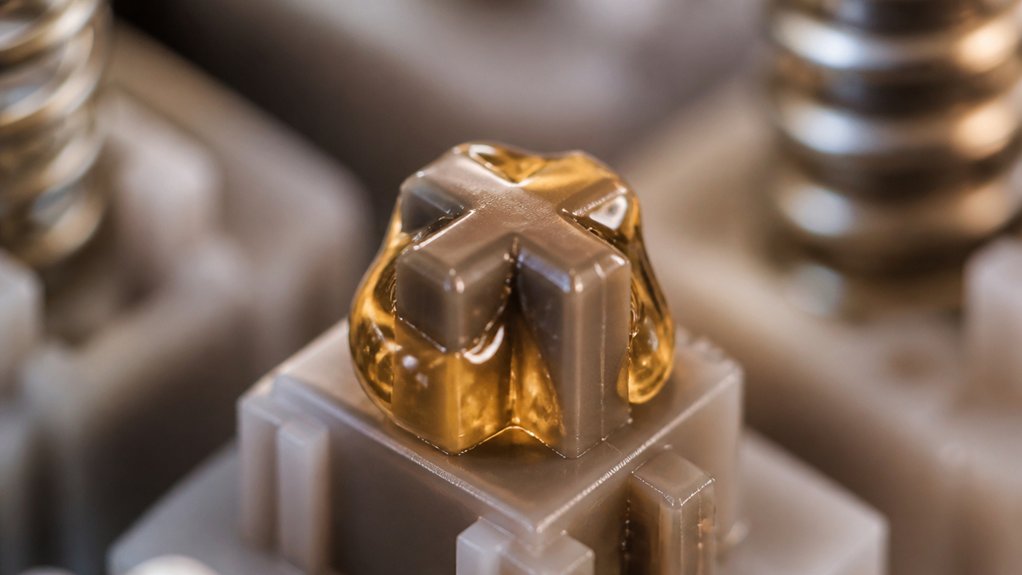
Have you ever wondered why some switch lubes make your keyboard feel smoother while others don’t? It all comes down to viscosity—the thickness or flow resistance of the lubricant.
Krytox is a popular switch lube because it provides control over viscosity, ensuring proper coating inside your mechanical keyboard switches. If the lube is too thin, it won’t reduce friction enough or dampen noise effectively, especially around tactile bumps.
Krytox offers adjustable viscosity for optimal switch lubrication, balancing smoothness, noise reduction, and consistency.
Conversely, a thicker, higher viscosity lube creates more friction reduction and smoothness, ideal for linear switches. Picking the right viscosity means the lube stays in place without dripping or pooling, maintaining consistent performance.
Proper viscosity balances tactility, smoothness, and sound dampening, making your switch feel just right every time you press. Additionally, selecting lubricants with the appropriate thermal and chemical stability ensures long-lasting and reliable lubrication over time.
How Does Lubricant Viscosity Affect Switch Feel and Performance?
Ever wonder how lubricant viscosity directly influences the way your keyboard switches feel and perform? The viscosity of the lubricant impacts switch behavior greatly.
- Lower viscosity maintains the tactile bump in tactile and clicky switches by reducing friction without softening feedback.
- Higher viscosity offers smoother keystrokes for linear switches, but can soften tactile feedback or make switches sluggish if overapplied.
- Medium viscosity strikes a balance, slightly reducing friction while preserving tactile feel.
Using the right viscosity affects switch performance and sound dampening. Too thick, and switches may respond slowly or mask feedback; too thin, and friction reduction could be insufficient.
Adjusting viscosity helps optimize switch feel for your preferences.
How to Choose the Right Lubricant Viscosity for Different Switch Types?
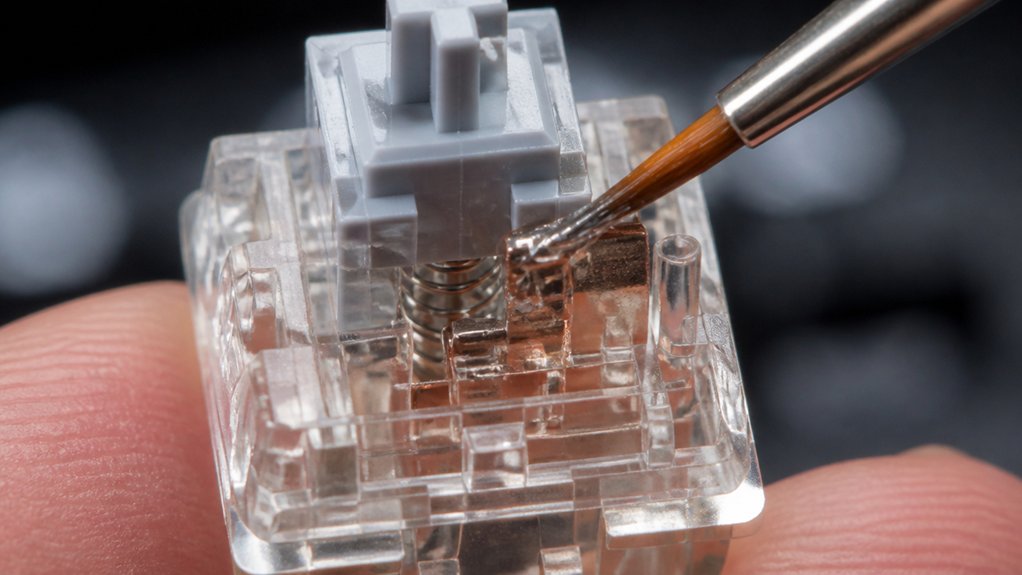
Choosing the right lubricant viscosity depends on the switch type and your preferred feel. For tactile switches, low viscosity lubes like Krytox 105 oil or Tribosys 3203 preserve tactility while reducing friction. Mechanical linear switches often benefit from medium viscosity greases such as Tribosys 3204, offering smoothness without losing responsiveness. Linear switches aiming for extra smooth keystrokes may use high viscosity lubes like Krytox 205g0, but overapplication can soften tactility. Clicky switches tend to prefer low viscosity oils to minimize spring noise without compromising the click. Heavier lubricants, such as greases, are best suited for springs to dampen ping and noise. When applying lubricants, consider the pre-lubed aspect of switches to ensure optimal performance. Use the guide below to match switch type and lube viscosity.
Tips for Applying Lubricant Viscosity Effectively in Switch Lubing
Applying lubricant effectively hinges on precision and consistency. Use a fine brush (size 00) to guarantee thin, even layers, stopping when no visible whitish residue remains. A temperature-resistant lubricant ensures sustained performance across varying environmental conditions.
Use a fine brush to apply thin, even lubricant layers until no residue is visible.
For switches, apply low viscosity oils like Tribosys 3203 or 203 to tactile switch legs to preserve tactility, while medium viscosity switch lubes improve smoothness.
When lubing springs, bag lubing with around 0.1–0.15 mL per 100 springs guarantees even noise dampening without excess buildup.
For linear switches, use higher viscosity greases like Krytox GPL 205g0, applying light coats to sliders and springs to boost smoothness without sluggishness.
Common Mistakes to Avoid When Selecting and Applying Lubricants
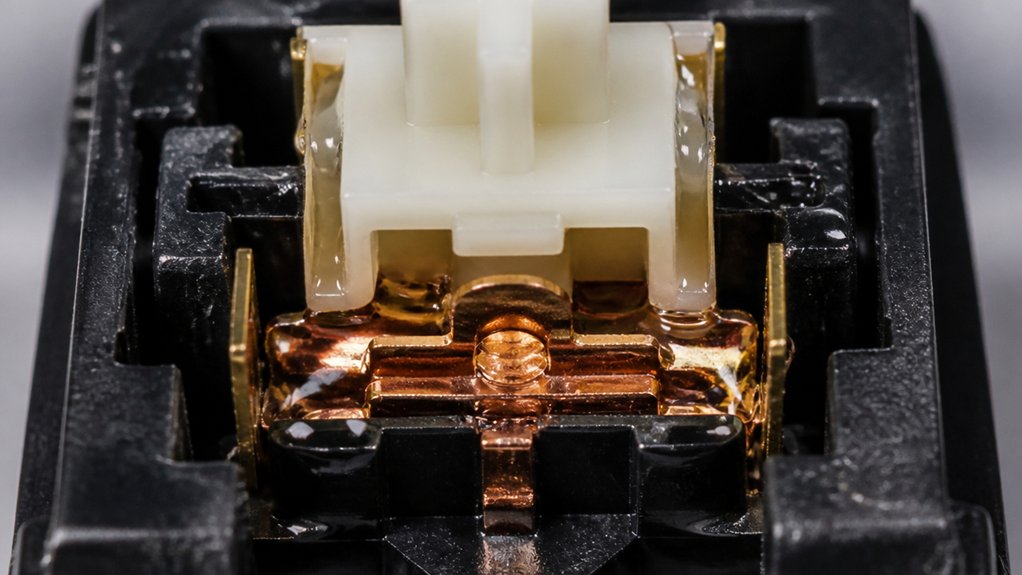
Selecting and applying the wrong lubricants can greatly impact your keyboard’s performance, so it’s essential to avoid common pitfalls.
When lubing the stem, don’t use high viscosity greases like Krytox 205g0 on stem legs, as they dampen the tactile bump and reduce feedback. Overlubing switches is a frequent mistake; using too much lube causes whitness and can make keystrokes sluggish or unresponsive.
Never apply lubricant directly on electrical contacts, as it can interfere with metal-to-metal conductivity, risking switch failure.
Avoid using oils like Krytox 105 or thin lubricants on switch housings or stems—they won’t reduce friction effectively and can migrate away from critical areas.
Refrain from bag lubing stems, which leads to uneven coverage and waste; save bag lubing for springs instead. Additionally, choosing the appropriate lubricant viscosity is crucial for maintaining optimal switch responsiveness and feel.
How to Test and Tweak Your Switch Lubing for the Best Feel?
Start by applying a small amount of lube and test the switch’s feel with key tester software to gauge smoothness and responsiveness. Observe how the switch behaves, then make incremental adjustments by adding a tiny bit more or less lubricant. Document your changes so you can refine your approach until you achieve the perfect balance of tactility and smoothness. For optimal results, consider the stabilizer design as it also impacts overall sound and feel during lubrication.
Determine Lubricant Amount
To find the ideal lubricant amount, begin with a tiny dab of lube—using a fine brush like size 00—and carefully apply thin, even coats to key contact points such as the slider rails and spring areas. Make sure to focus on small, precise amounts for a smoother feel without overdoing it. Test the switch feel and sound after lubing, then add small increments of lube if needed to fine-tune the smoothness. Additionally, considering switch consistency and how each component responds to lubrication can help achieve the best overall feel. Keep in mind:
- Use a light application to prevent sluggishness or dampened tactility.
- Focus only on switch components like rails and springs, avoiding excess on stem legs.
- Regularly test keypresses to find the balance between smoothness and tactility.
This approach guarantees your switches stay responsive while delivering peak feel.
Observe Switch Behavior
Carefully testing your switches after lubing is essential to guarantee you’re achieving the desired feel and sound. You should repeatedly press keys, feeling for reductions in scratchiness, noise, or dampened tactile bumps. Use switch tester software or manually press and release to identify sluggishness or unresponsiveness, which may signal overlubing or excessive high-viscosity lubricant. Begin with minimal lube, then add small amounts to sliders, spring tops, and bottoms, observing changes after each tweak. For tactile switches, prioritize low to medium viscosity lubricants like Tribosys 3203 to maintain bump feedback, avoiding excessive lube on the legs. For linear switches, higher viscosity greases like Krytox 205g0 improve smoothness but risk sluggishness. Regular testing guarantees consistent movement and peak switch feel. Additionally, consider actuation force and travel distance to fine-tune your switch’s responsiveness and accuracy during the lube process.
Make Incremental Adjustments
Making incremental adjustments when lubing switches guarantees you achieve the perfect balance between smoothness and tactility. Start with a minimal amount of lubricant and test your keyboard’s feel and sound before adding more.
This way, you can avoid sluggishness or dampening key response. Using high-quality tools like precision screwdrivers ensures precise application and avoids damage to delicate parts.
Here are key points to keep in mind:
- Use lower viscosity lubes (like Tribosys 3203) on tactile switches to preserve the bump, while medium or higher viscosity lubes (e.g., Krytox 205g0) can be tested gradually on linear switches.
- Apply thin coats primarily on sliders and spring contact areas in the housing and stem to make it easier to monitor subtle differences.
- Fine-tune feels by lubing specific parts separately, such as stem sides or rails, without overlubing critical tactile points.
Frequently Asked Questions
What Is the Best Lubricant for Switches?
The best lubricant for switches depends on your preference; use Tribosys 3203 for tactile, Krytox GPL 205g0 for linear, and Tribosys 3204 as a versatile option. For springs and clicky switches, choose low viscosity oils like Krytox GPL 105.
Can You Over Lube a Switch?
Yes, you can over-lube a switch. Applying too much causes sluggishness, dulls tactile feedback, and risks contamination. Start with a minimal amount, add more carefully, and avoid excessive lubrication to maintain responsiveness and proper switch function.
What Lube to Use for Clicky Switches?
You should use low-viscosity lubricants like Krytox GPL 105 for clicky switches. Apply sparingly to reduce spring ping and maintain the tactile and audible click, avoiding greases that can mute or dampen the switch’s characteristic sound.
Should a Good Lubricant Have High or Low Viscosity?
A good lubricant should have medium viscosity, providing a balance that maintains tactile feedback while reducing friction. High viscosity is better for linear switches, but for tactile switches, moderate levels prevent sluggishness and preserve the intended feel.



