
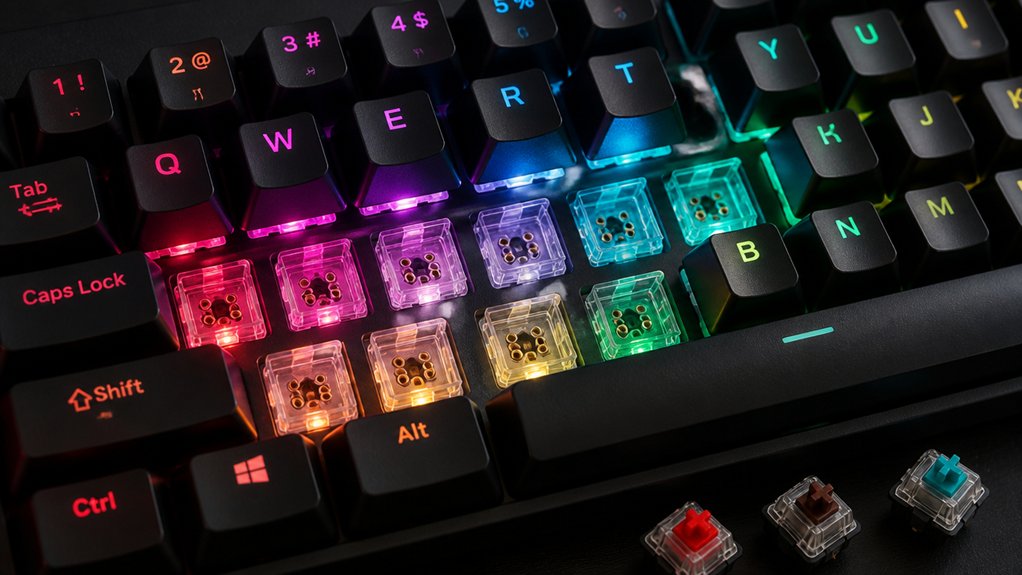
Hot-swap keyboard switches are easier because they let you remove and replace switches without soldering or needing special tools. You can simply press switches into sockets or pull them out using a switch puller, making upgrades, customization, and maintenance quick and straightforward. This saves time and reduces the risk of damaging your keyboard. If you want to learn how hot-swap systems work and their benefits, keep exploring for more details.
What Are Hot-Swap Keyboards and Why Are They Popular?
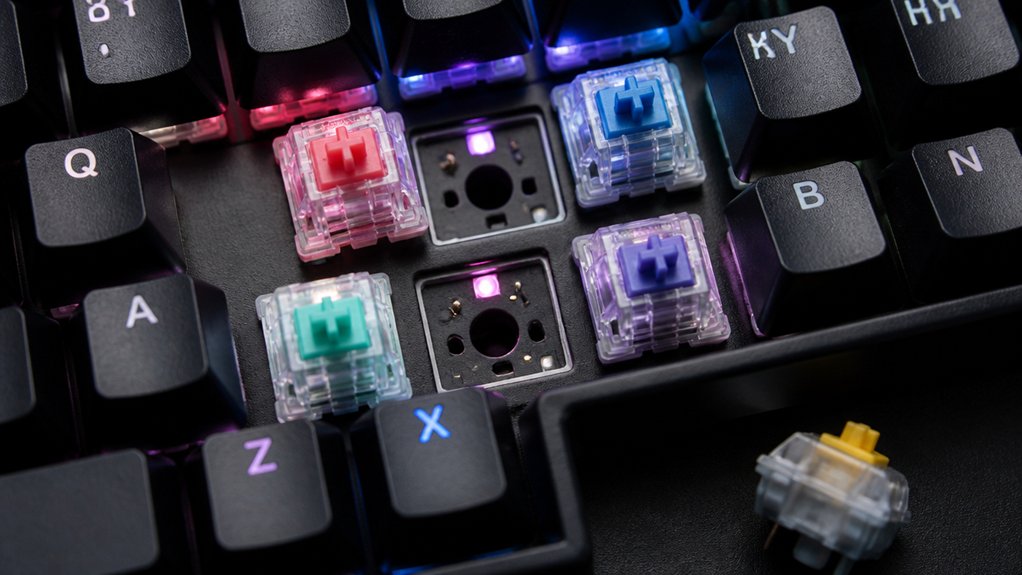
Ever wondered what makes hot-swap keyboards so popular among enthusiasts and casual users alike? These are hot-swap mechanical keyboards with PCBs that feature specialized hot-swap sockets, allowing you to insert or replace mechanical switches without soldering.
This design makes it easy to customize your keyboard by trying different switch types, supporting both 3-pin and 5-pin switches. With a switch puller, removing switches becomes quick and simple, making maintenance a breeze. You don’t need technical skills or soldering equipment, which saves time and effort.
Hot-swappable mechanical keyboards encourage personalization, letting you experiment with switch characteristics to match your typing style. Despite a higher initial cost, they’re cost-effective in the long run, offering flexibility and ease of use for everyone. Hot-swap PCB compatibility plays a crucial role in ensuring seamless switch swapping and reliable performance.
How Does Installing Hot-Swap Switches Differ From Soldering?
Installing hot-swap switches is especially simpler and faster than soldering because it involves just pressing the switch pins into dedicated PCB sockets. With hot-swap, you can instantly plug-and-play your switches without tools or heat. Soldering requires heating the pins with a soldering iron, melting solder, and permanently attaching switches. It’s also riskier, with potential heat damage or PCB pad issues. Additionally, hot-swap socket compatibility ensures better stability and ease of use for switch replacements.
It’s a significant advantage for those looking to customize or experiment with different switch types without the hassle of soldering.
Why Is Hot-Swapping Switches Faster and Simpler Than Soldering?

Hot-swapping switches eliminates the need for soldering, making switch replacement quick and easy with just a puller. This user-friendly setup simplifies maintenance and allows you to experiment with different switch types effortlessly. Additionally, many kits support hot-swappable sockets, enabling users to swap switches without soldering even during upgrades or repairs.
No Soldering Necessary
Because hot-swappable switches can be removed and installed directly into socketed PCB slots without any soldering, the process is markedly faster and simpler than traditional methods. You can replace or experiment with keyboard switches without the need for soldering irons or other special tools. A hot-swappable PCB allows users to easily customize their keyboard’s feel and sound profile by swapping out switches as desired. To change switches, all you need is a switch puller—no desoldering pump or flux required. Using switch switches without soldering saves time, eliminating the lengthy process of heating and cooling that comes with soldering a new one. This setup also reduces the risk of PCB damage often caused by improper soldering techniques. Overall, hot-swappable switches make customizing and maintaining your keyboard much more accessible—just pull, swap, and go!
Quick Switch Replacement
Ever wonder why hot-swapping switches is so much quicker and easier than soldering? It’s because of hot-swappable sockets, which allow mechanical switches without soldering tools or skills.
With a switch puller, you can remove or replace switches in seconds, without needing to heat the PCB or use desoldering pumps, preventing PCB damage or pad lifting. The hot-swap PCB uses spring-loaded metal clips to securely hold switches, enabling plug-and-play switch change.
This design means you don’t have to wait for soldered joints to cool or risk damaging delicate circuits. Instead, you can test different switch types or swap out switches effortlessly, making the entire process faster, safer, and more user-friendly. No technical barriers, just quick, simple switch replacement. Additionally, multi-device pairing capabilities in some kits make it convenient to switch between multiple setups without reprogramming.
User-Friendly Maintenance
Switching out keyboard switches becomes remarkably easier with hot-swappable designs, as you don’t need to turn off the keyboard or use special tools. Hot-swappable keyboard switches fit into dedicated sockets with spring-loaded metal clips, allowing you to replace them in seconds—no need for soldering.
All you need is a simple switch puller and gentle vertical pulling; no soldering skills required, making maintenance accessible for everyone. Without the risk of damaging the PCB or electrical components, hot-swapping enhances your user experience by simplifying switch replacements.
This method eliminates disassembly, special equipment, and time-consuming processes, enabling quick maintenance anywhere. Incorporating easy upgradeability features makes hot-swapping even more advantageous by allowing users to customize their keyboards effortlessly. Overall, hot-swap technology streamlines upkeep while preserving the integrity of your keyboard, making it far easier than traditional soldered replacements.
Are Hot-Swap Sockets Safe and Reliable for Regular Switch Changes?
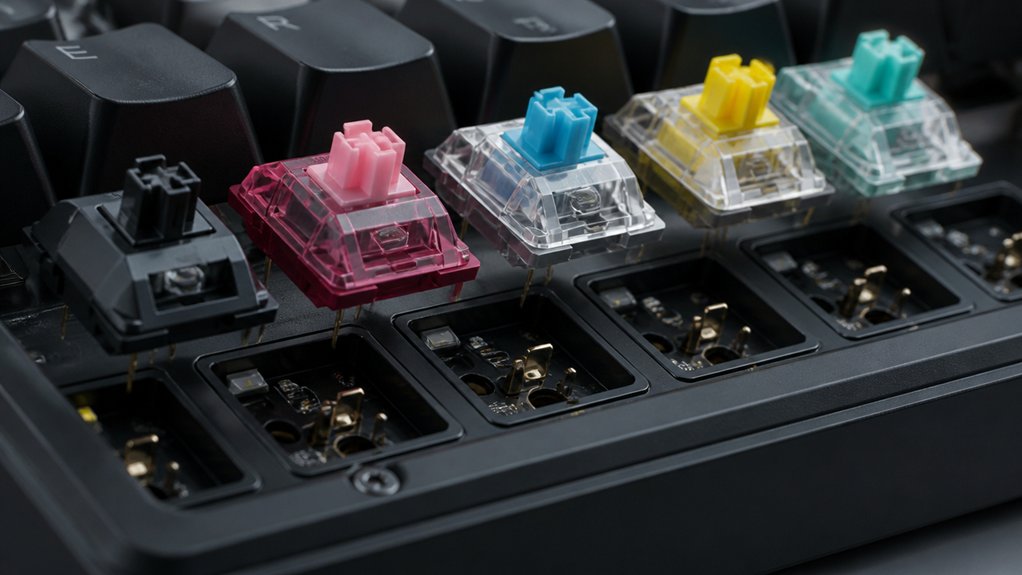
Hot-swap sockets are built to withstand frequent switch changes, but their durability depends on quality and proper handling. Repeatedly removing and inserting switches can wear out contacts and reduce reliable connection over time. Additionally, using high-quality switch pullers made from durable materials such as stainless steel or manganese steel can help prevent damage and extend the lifespan of the socket components material durability. If you’re not careful, static discharge and debris buildup may also cause damage or degrade performance.
Socket Durability and Lifespan
While hot-swap sockets offer the convenience of changing switches without soldering, their durability depends heavily on the socket type and quality.
Most hot-swap sockets are rated for 10,000 to 50,000 switch insertion and removal cycles, but high-quality Kailh sockets can last beyond that, with some Gateron v2 sockets claiming up to 50,000 cycles. Each switch insertion and removal tests the socket metal contacts’ ability to maintain a reliable electrical connection.
Frequent or improper switch pulls, even with a switch puller, can degrade socket durability and lead to poor contact over time. Dust and debris buildup inside the socket can also impair performance, emphasizing the importance of routine socket maintenance on your PCB to guarantee long-term reliability. Additionally, compatibility considerations such as socket pin count and layout can influence switch replacement ease and overall socket longevity.
Risk of Contact Damage
Although hot-swap sockets are designed to handle routine switch changes, they can be vulnerable to contact damage if not handled properly. The metal contacts inside hot-swap sockets rely on spring-loaded clips to secure switch pins, but frequent switch insertions and removals can cause contact wear over time. Using excessive plug/unplug force during switch puller use can bend or deform these contacts, leading to poor switch connectivity. To minimize damage, always insert and remove switches gently with a straight vertical motion. Dust, debris, or static electricity can also impact contact reliability, so cleaning the socket interface regularly is essential. Proper handling guarantees your hot-swap sockets remain reliable and extend the lifespan of your switch contacts. Regular maintenance helps prevent contact wear and ensures consistent performance over time.
What Troubleshooting Tips Help When Hot-Swapping Switches?
Ever wondered why some switches don’t work after you’ve swapped them out? Troubleshooting hot-swap keyboard switches involves a few simple steps.
First, always use a plastic switch puller for straight, vertical switch removal to avoid damaging the hot-swap socket contacts. Check the switch pins and socket for dust or debris; clean with compressed air or isopropyl alcohol to guarantee good electrical contact.
When plugging in a switch, avoid excessive force to prevent bending metal clips inside the hot-swap socket, which can affect connectivity. If a switch remains unresponsive, reseat it firmly.
Inspect for bent pins or socket wear that might hinder electrical contact with the PCB. Ground yourself before handling switches to prevent static damage, guaranteeing safe and effective switch hot-swapping.
Is Hot-Swapping Right for All Keyboard Types and Switches?
Not all keyboard types are suitable for hot-swapping, and understanding their limitations can save you from frustration. Hot-swappable keyboards mostly support MX-style mechanical switches, with many PCBs compatible with both 3-pin and 5-pin switches. However, some boards restrict switch compatibility, supporting only specific brands or types.
Soldered keyboards require desoldering for switch replacement, making customization more difficult. If you’re into the keyboard hobby, you’ll notice that hot-swap sockets generally suit standard layouts but may not accommodate advanced configurations like split spacebars or stepped keycaps.
Using a switch puller makes switch swaps easier, but durability and compatibility issues mean that hot-swapping isn’t ideal for all keyboard types. Heavy switch changers might prefer soldered options for long-term reliability. Additionally, build quality and the support for features like programmable firmware can influence whether hot-swapping is the best choice for your setup.
Frequently Asked Questions
Is a Hot-Swappable Keyboard Better?
A hot-swappable keyboard is better if you want easy customization and quick repairs without soldering. It lets you experiment with switch types, save time, and costs long-term, although it sacrifices some durability and stability compared to soldered switches.
What Are the Downsides of Hot-Swap?
The downsides of hot-swap include limited socket lifespan, potential wear and poor contact over time, risk of damage from frequent plugging, dust accumulation causing input issues, and decreased switch stability compared to soldered switches.
What Is a 96% Keyboard Missing?
A 96% keyboard misses a dedicated number pad, separate navigation keys, and some multimedia or macro keys. It combines these functions in a more compact layout, sacrificing dedicated sections for a smaller footprint and streamlined design.
Is Hot-Swap Good for Beginners?
Yes, hot-swap keyboards are great for beginners because they let you change switches easily without soldering or technical skills. You can experiment with different styles, save time, and avoid damaging your PCB, making customization simple and risk-free.
In Summary
Hot-swapping your keyboard switches makes customizing and maintaining your keyboard much easier than soldering. With simple, tool-free swaps, you can personalize your typing experience or fix issues faster. While it’s convenient and safe for regular changes, make sure your keyboard supports hot-swapping. Whether you’re a beginner or a seasoned enthusiast, hot-swapping streamlines switch upgrades and troubleshooting, saving you time and effort. It’s a smart choice if you want flexibility and ease in your keyboard setup.



