
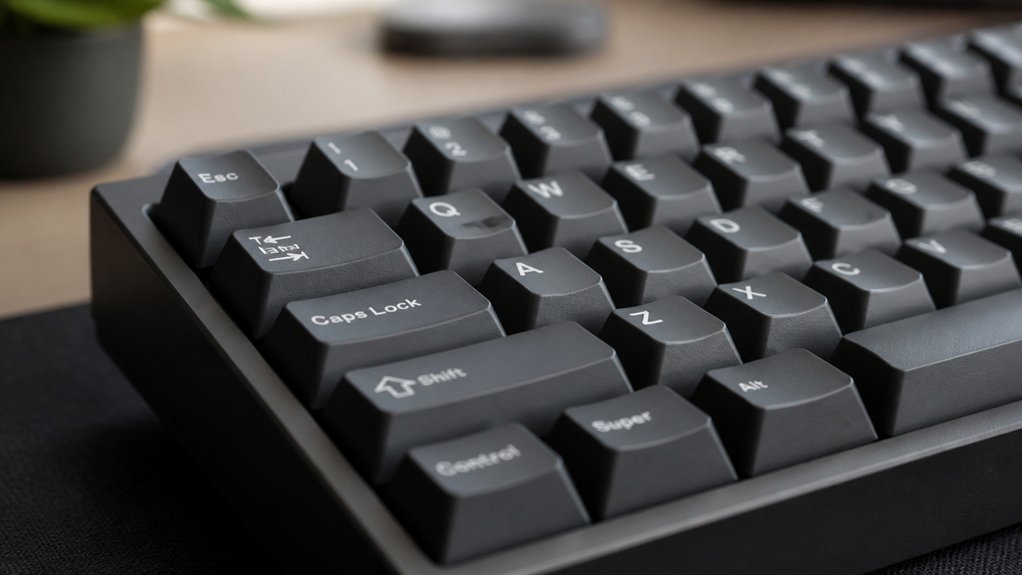
Cherry Profile keycaps offer you a sculpted, ergonomic design with medium-low height and concave tops, boosting typing comfort and speed while reducing finger fatigue. They fit Cherry MX-style switches and support various layouts like ANSI, ISO, full-size, and compact keyboards. Made from durable PBT or ABS with double-shot legends, they provide a satisfying “thocky” sound and lasting wear resistance. If you want to optimize your keyboard experience, understanding their materials, compatibility, and care will help you get the most.
Why Cherry Profile Keycaps Stand Out

What makes Cherry profile keycaps stand out is their thoughtful sculpted design with four distinct row heights averaging about 9.4mm tall, striking the perfect balance between comfort and typing speed.
Cherry profile keycaps feature a sculpted design with four row heights for optimal comfort and typing speed.
You’ll notice the medium-low height paired with concave tops, which not only guide your fingers naturally but also reduce finger fatigue during long sessions. This ergonomic balance helps improve typing accuracy, making Cherry profile keycaps a favorite among gamers and typists alike.
Crafted from durable PBT material, these keycaps resist shine and wear, ensuring longevity. The doubleshot legends keep their crisp appearance over time, avoiding fading.
Their sculpted profile offers a comfortable tactile feel and a satisfying “thocky” sound, giving you a premium typing experience that’s both functional and enjoyable.
How Cherry Profile Keycaps Boost Comfort and Typing Speed
Building on their ergonomic design, Cherry profile keycaps greatly enhance both comfort and typing speed. With their medium height and sculpted, angled tops, they fit your fingers naturally, reducing strain during long typing or gaming sessions.
You’ll notice improved accuracy and speed, thanks to the contoured rows that help differentiate keys easily.
Here’s how Cherry profile keycaps boost your typing experience:
- Medium height requires less finger travel, speeding up your keystrokes.
- Sculpted design supports better finger positioning for comfort.
- Ergonomic layout reduces fatigue during extended typing or gaming.
- Stable keycap shape promotes quick, precise fingertip gliding.
Cherry Profile Height and Shape Compared to Other Profiles

Although keycap profiles come in various shapes and heights, Cherry profile keycaps stand out with their medium-low sculpted design, measuring about 9.4mm tall. This ergonomic shape offers a comfortable typing experience with quicker finger travel and a satisfying thocky sound. When comparing Cherry profile to other mechanical keyboard keycaps, their distinct row sculpting contrasts uniform keycaps like DSA or XDA, which tend to be flatter and less differentiated. Below is a profile comparison of popular keycap sets by height and design style:
| Profile | Keycap’s Height | Design Type |
|---|---|---|
| Cherry | ~9.4mm | Sculpted |
| OEM | ~11.9mm | Sculpted |
| SA | ~16.5mm | Sculpted |
| DSA | ~7.6mm | Uniform |
| XDA | ~9.1mm | Uniform |
Choosing Cherry keycaps balances ergonomic shape with low profile keycaps for fast, accurate typing.
Best Keyboard Layouts and Switch Types for Cherry Profile Keycaps
You’ll want to pair Cherry profile keycaps with Cherry MX-style switches or their clones for the best fit. They work well on ANSI layouts and are compatible with full-size, tenkeyless, and 65% keyboards as long as the keycap set matches the layout and bottom row.
Keep in mind your keyboard’s layout size and switch type to guarantee proper compatibility and comfort.
Compatible Keyboard Layouts
Since Cherry profile keycaps feature a sculpted, ergonomic design, they work best with typing-focused keyboard layouts that emphasize key row differentiation, such as full-size, tenkeyless (TKL), 65%, and 60% compact form factors.
These keycaps are compatible with most mechanical switches featuring Cherry MX-style stems, including popular brands like Gateron and Kailh. You’ll find they fit well on both ANSI and ISO layouts, commonly used in pre-built keyboards and custom builds alike. Plus, Cherry profile keycaps easily accommodate hot-swappable and soldered switches without modifications.
Here are key compatible layout points:
- Full-size and TKL keyboards with standard 6.25u spacebars
- Compact 65% and 60% form factors supporting key row sculpting
- Both ANSI and ISO layout standards
- Hot-swappable or soldered Cherry MX-compatible mechanical switches
Ideal Switch Types
When choosing switches for Cherry profile keycaps, you’ll want to focus on Cherry MX-style mechanical switches and their popular clones like Gateron and Kailh to guarantee a perfect fit. These MX-compatible switches guarantee peak switch compatibility with Cherry profile keycaps’ medium height and sculpted row design.
Whether you’re using a full-size keyboard, tenkeyless, or compact layouts, these keycaps offer ergonomic typing through their balanced, sculpted contours. Their compatibility with standard MX-compatible bottom rows means you can easily pair them with most mechanical keyboards.
This profile strikes the perfect balance for those seeking comfort and accuracy, making it ideal for both gaming and typing setups. Choosing mechanical switches that align with your layout enhances the overall typing experience and preserves the keycaps’ ergonomic benefits.
Layout Size Considerations
Although Cherry profile keycaps work well across various keyboard sizes, they truly shine on compact layouts like 65% and 75%, as well as full-size boards. Their ergonomic sculpting and moderate keycap height enhance typing comfort without requiring excessive finger lifts.
Here’s what to keep in mind for layout size:
- Expect the best fit on ANSI layout keyboards, where keycap sizes and row sculpting promote ergonomic finger positioning.
- Cherry profile keycaps excel on 65% keyboards, balancing compactness with comfort.
- They also suit 75% keyboards, maintaining usability while saving desk space.
- Full-size mechanical keyboards benefit too, with compatibility across MX-compatible switches like Cherry MX, Gateron, and Kailh.
Choosing Cherry profile keycaps means enjoying efficient typing on both compact keyboards and full-size mechanical keyboards.
Choosing Material and Finish for Cherry Profile Keycaps
When choosing Cherry profile keycaps, you’ll want to take into account the material type, like durable PBT or more affordable ABS.
Each offers a different surface texture—PBT provides a matte feel that resists shine, while ABS tends to be smoother and can get glossy over time. Your choice affects not only the look but also how comfortably your fingers grip the keys during long typing sessions.
Material Types Overview
Selecting the right material and finish for your Cherry profile keycaps can greatly affect your typing experience and the durability of your keyboard. You’ll mainly choose between ABS and PBT keycap material and profile options.
Here’s what to know:
- ABS keycaps are affordable with a smoother texture but tend to wear and develop shine over time.
- PBT keycaps offer a durable, textured matte finish that resists shine, making them ideal for extended use.
- Thick PBT keycaps improve typing stability, reduce key wobble, and produce a satisfying thock sound.
- Double-shot molding guarantees durable legends that won’t fade, preserving clear key labels on both ABS and PBT sets.
Surface Texture Effects
Because the surface texture directly affects how your fingers interact with each key, choosing the right finish for your Cherry profile keycaps is essential. You’ll find keycaps made from ABS and PBT materials, with PBT favored for its textured, matte finish that resists developing a shiny surface over time.
This textured surface texture enhances typing feel by offering better grip and reducing finger slips compared to smooth or glossy finishes. Glossy Cherry profile keycaps, while sleek at first, often lose their appeal as finger oils create shine and degrade tactile feedback.
Opting for textured, matte finish keycaps not only maintains a consistent typing feel but also provides subtle tactile feedback, helping reduce finger fatigue and delivering a satisfying, quieter “thock” sound when typing.
Caring for Your Cherry Profile Keycaps
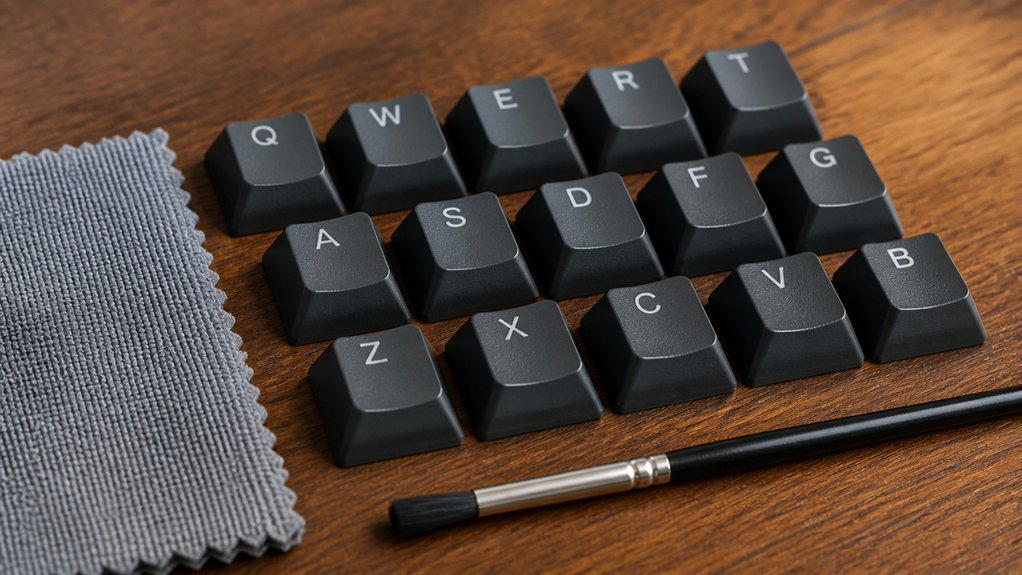
To keep your Cherry profile keycaps looking sharp and performing well, you should clean them regularly with a soft brush or microfiber cloth to gently remove dust and oils without harming their textured surfaces.
Here’s how to care for your keycaps effectively:
- Clean your Cherry profile keycaps often using a soft brush or microfiber cloth to avoid dust buildup.
- For deeper cleaning, soak keycaps in warm, soapy water and gently scrub with a soft brush; fully dry them before reinstalling.
- Avoid harsh chemicals or abrasive cleaners that can damage legends, especially on doubleshot or dye-sublimated keycaps.
- Store unused keycaps in a cool, dry place away from sunlight to prevent fading and warping.
Following these steps guarantees your keycaps stay vibrant and last longer.
Tips for Switching to Cherry Profile Keycaps
Maintaining your Cherry profile keycaps sets the foundation for enjoying their unique feel and performance. When switching, remember their lower height (around 9.4mm) and sculpted rows impact finger travel and require an adaptation period. This change optimizes typing accuracy and offers a comfortable typing experience suited for both gaming and work.
Ensure compatibility by verifying your keyboard supports Cherry MX-style switches and layout, including the bottom row. Testing keycaps before full use can help gauge sound and feel.
| Tip | Reason |
|---|---|
| Allow adaptation | Adjust muscle memory for finger travel |
| Check compatibility | Fit Cherry MX-style switches/layout |
| Test beforehand | Evaluate feel and sound for gaming/typing |
Where to Buy Great Cherry Profile Keycap Sets
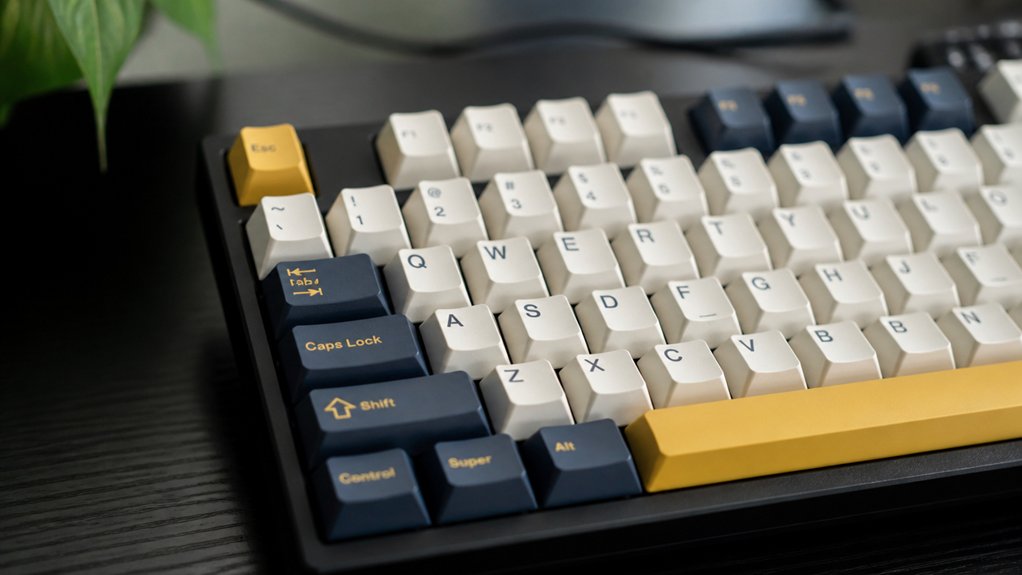
Wondering where to find great Cherry profile keycap sets? You’ll want to explore trusted mechanical keyboard retailers and active community group buys to get the best picks for your setup.
Here are four solid options to check out:
- Drop, KBDfans, and NovelKeys offer a wide range of PBT keycaps and ABS keycaps, compatible with Cherry MX-style switches.
- Group buys on Geekhack and r/mechmarket provide access to exclusive custom keycap sets and limited runs.
- Official GMK group buys and resellers like CandyKeys feature premium GMK keycap sets known for high-quality ABS legends.
- Budget-friendly brands Tai-Hao and YMDK supply durable PBT keycaps that fit various keyboard layouts perfectly.
Always verify compatibility with your keyboard layout and switch type before buying.
Frequently Asked Questions
Are Cherry Profile Keycaps Compatible With All Mechanical Keyboard Switches?
No, cherry profile keycaps aren’t compatible with all mechanical switches. They fit most Cherry MX-style stems but won’t work properly with switches that have different stems, like Alps or Topre. Check your switch type first.
Can Cherry Profile Keycaps Be Used for Gaming or Just Typing?
You can definitely use Cherry profile keycaps for gaming as well as typing. Their comfortable, low-profile design lets you react quickly and reduces finger fatigue, making them a versatile choice for both gaming and everyday use.
Do Cherry Profile Keycaps Affect Keyboard Sound Differently Than Other Profiles?
Yes, Cherry profile keycaps slightly change your keyboard’s sound, making it quieter and deeper compared to taller profiles like SA. You’ll notice a more muted, thock-y tone that many users find satisfying and less sharp.
How Durable Are Cherry Profile Keycaps Compared to OEM Profile Keycaps?
Cherry profile keycaps are generally just as durable as OEM keycaps since both use similar materials like PBT or ABS. You’ll notice durability depends more on material quality than profile shape, so choose accordingly for longevity.
Are Custom Legends or Designs Available for Cherry Profile Keycaps?
Yes, you can get custom legends or designs on Cherry profile keycaps. Many vendors offer personalized printing, dye-sublimation, or double-shot options, letting you create unique keycaps that suit your style and typing preferences.
In Summary
By choosing Cherry profile keycaps, you’re investing in comfort, style, and enhanced typing speed. Their unique height and shape fit well with various layouts and switch types, making them a versatile choice. Remember to pick the right material and finish for your needs, and care for your keycaps to keep them looking great. With these tips, switching to Cherry profile keycaps will be smooth and satisfying. You’re ready to upgrade your typing experience!



