
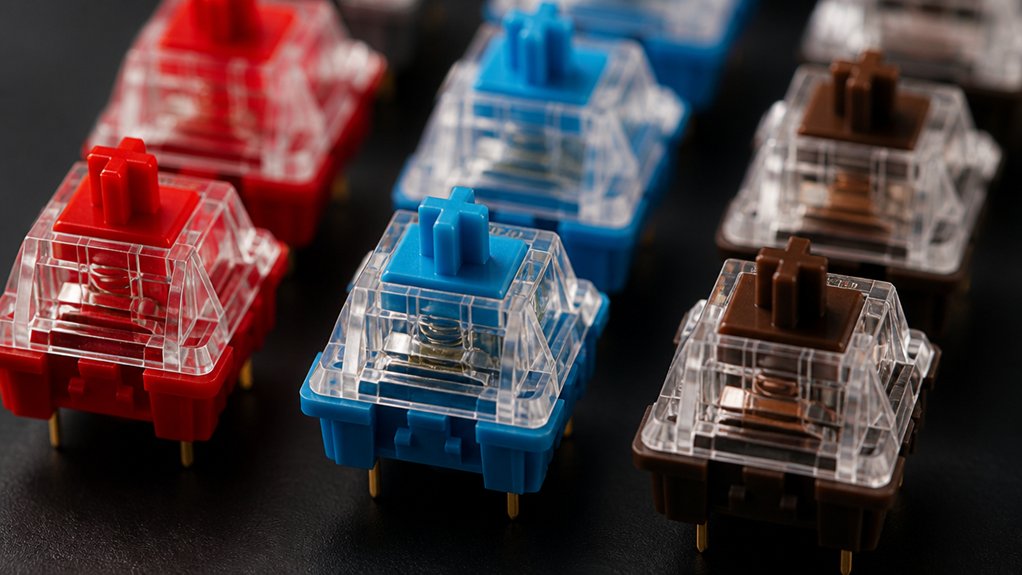
The best mechanical keyboard switch types depend on your typing style and preferences. If you want smooth, quiet keypresses, linear switches suit you well. For tactile feedback without loud clicks, tactile switches offer a balanced experience. Clicky switches provide loud, distinct clicks and strong feedback but may slow you down. Consider actuation force, travel distance, and noise when choosing. You’ll find tips on testing, customizing, and picking the perfect switch that fits your comfort and accuracy needs ahead.
What Are Mechanical Keyboard Switches and Why Do They Matter?
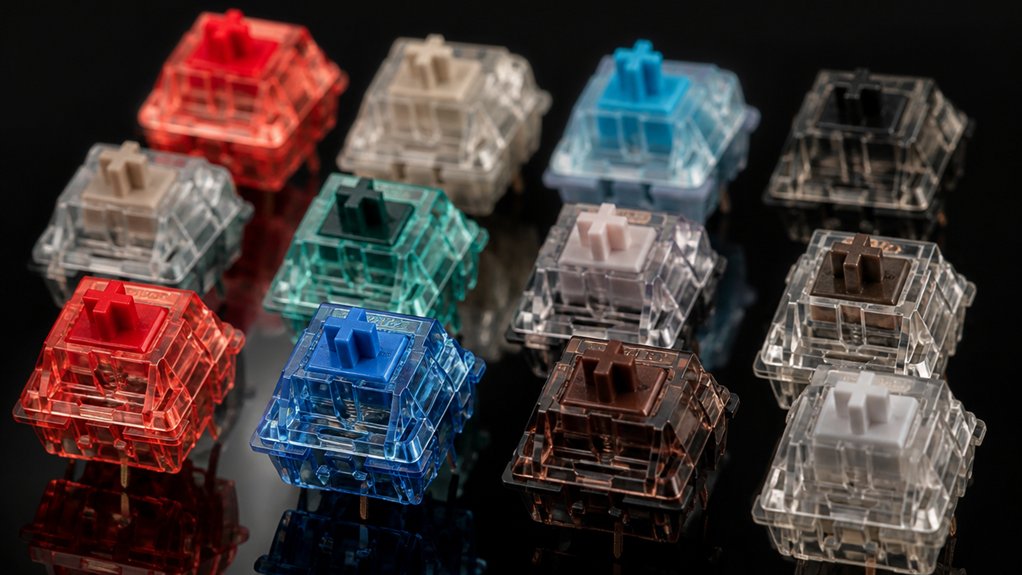
What makes mechanical keyboard switches so important? Mechanical Keyboard Switches are the heart of your keyboard, controlling how each key press feels and sounds.
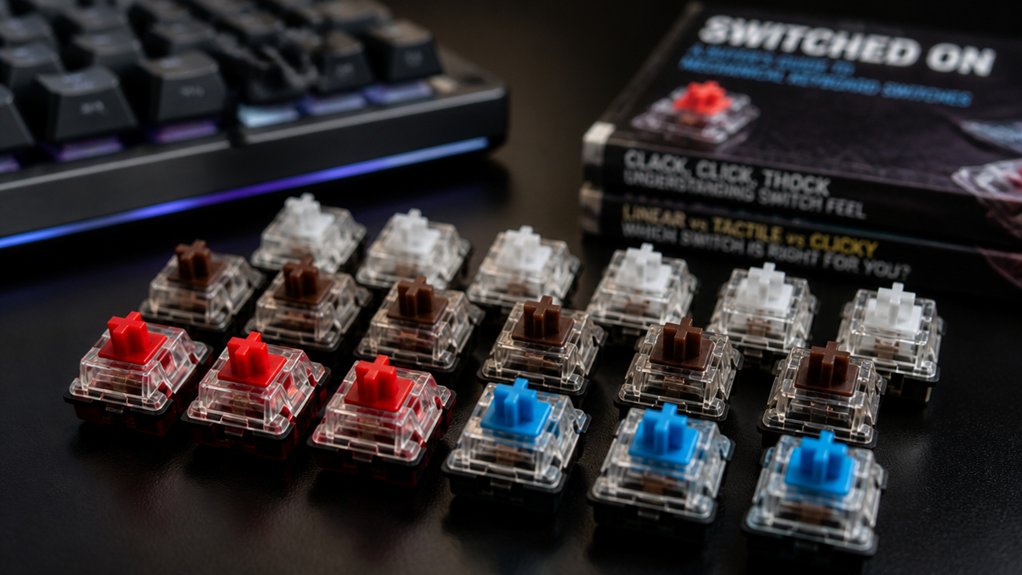
They come in three main types: tactile, linear, and clicky. Tactile switches give you noticeable tactile feedback without noise, helping improve typing accuracy by confirming key activation. Clicky switches combine that tactile bump with distinct sound characteristics, which some users love for their satisfying audible feedback.
Actuation force varies among these switches, affecting how much pressure you need to register a key press, which influences comfort and fatigue during long typing sessions. By choosing the right switch type, you tailor your typing experience to your needs, balancing speed, sound, and precision better than with membrane or hybrid alternatives.
How Mechanical Keyboard Linear Switches Offer Smooth, Fast Keypresses
You’ll notice linear switches give you smooth, consistent keypresses without any bumps or clicks, making each stroke feel fluid.
Their light, steady force curve lets you type or game quickly without extra effort or finger fatigue. This combination of speed and responsiveness keeps your fingers moving fast and accurately during long sessions.
Smooth Keypress Dynamics
Although many mechanical switches offer satisfying feedback, linear switches deliver smooth and fast keypresses without tactile bumps or clicks, making them ideal for fluid, uninterrupted typing or gaming. Linear switches provide a consistent feel along the entire keystroke, thanks to their smooth force curve that avoids resistance spikes.
Their typical actuation force ranges from light (~40g) to moderate (~60g), which helps reduce finger fatigue and supports faster typing speed. You’ll also benefit from quiet operation since there’s no click mechanism, resulting in near-silent keypresses.
With travel distances around 4.0mm and actuation near 2.0mm, linear switches enable rapid activation and quick resets. Popular options like Gateron Reds and Cherry MX Reds perfectly illustrate these smooth keystrokes and reliable dynamics that keep your fingers gliding effortlessly.
Speed And Responsiveness
Because linear mechanical switches eliminate tactile bumps, they deliver smooth and consistent keystrokes that help you type and game faster. Linear switches require low actuation force—often around 45g—so your fingers glide effortlessly, boosting speed and reducing fatigue during fast typing or competitive gaming. Their smooth keystrokes and minimal resistance enhance responsiveness, allowing quicker double taps and rapid inputs. Popular options like the Cherry MX Red offer reliable speed with a travel distance of about 4mm, balancing feel and performance.
| Switch Type | Actuation Force (g) | Travel Distance (mm) |
|---|---|---|
| Cherry MX Red | 45 | 4.0 |
| Gateron Blue Cheese V2 | 40 | 3.8 |
| Kailh Red | 45 | 3.6 |
| NovelKeys Cream | 55 | 4.0 |
| Outemu Red | 35 | 4.0 |
Consistent Force Curve
When you press a mechanical keyboard linear switch, the force you apply stays almost constant throughout the keystroke, creating a smooth and uninterrupted experience. This consistent force curve means there’s no tactile bump or click, letting your fingers glide with a smooth and consistent typing feel.
Linear switches typically have actuation forces between 40g and 60g, balancing light spring weight to guarantee speed without accidental presses. Their short pre-travel distance—usually around 2.0 to 2.3mm—and total travel of about 3.0 to 4.0mm optimize responsiveness. This combination reduces finger fatigue during long sessions while maintaining fast, fluid keypresses.
If you want a switch that offers quiet, fast, and reliable performance, linear switches with a well-designed force curve are an excellent choice.
Why Mechanical Keyboard Tactile Switches Balance Feedback and Quiet Typing
If you want reliable feedback without the noise of clicky keys, mechanical tactile switches are an ideal choice. These switches feature a tactile bump near the actuation point, giving you clear feedback that helps enhance typing accuracy.
Mechanical switches like Cherry MX Brown offer a balanced actuation force around 45g and moderate key travel, making your typing comfortable and precise. Unlike clicky switches, tactile switches remain quiet since they don’t produce the loud audible click, so they’re perfect for shared or office environments.
Factory lubing, as seen in models like the Akko V3 Cream Blue Pro, smooths keystrokes and improves switch stability while maintaining a quiet operation. This balance between tactile feedback and quietness lets you type confidently without disturbing those nearby.
What Makes Mechanical Keyboard Clicky Switches Loud and Responsive?
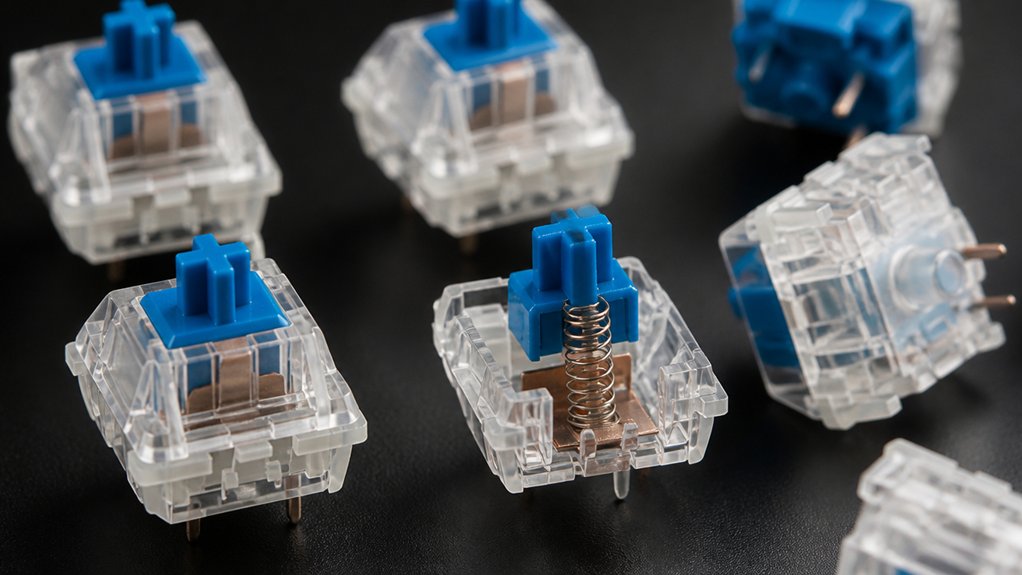
What makes clicky mechanical keyboard switches stand out is their unmistakable sound and responsive feel. You get immediate feedback thanks to the unique mechanism behind the clicky sound.
Clicky mechanical switches deliver immediate, tactile feedback with a distinct and unmistakable clicking sound.
Here’s why they’re so loud and tactile:
- A plastic piece strikes the housing at the tactile bump, producing a sharp audible click.
- A separate click jacket snaps during keypress, creating a crisp “click” that signals key actuation clearly.
- They require heavier actuation forces, giving the keys a deliberate, responsive feel.
- The audible click adds to louder noise levels, so expect more sound than quieter switches.
These features combine to give you satisfying feedback, but be aware the noise mightn’t suit quiet environments.
How to Choose the Best Switch Type for Your Typing Style
To find the best switch for your typing style, start by considering your typing speed and the kind of feedback you prefer.
Do you want quiet, smooth keystrokes or tactile clicks that help improve accuracy? Balancing sound and feel will help you pick a switch that suits your rhythm and environment.
Typing Speed Preferences
How do your typing speed and style influence the best mechanical switch for you? Choosing the right switch depends on how fast and precise you type.
Here are key points to keep in mind:
- If you’re a fast typist, linear switches with low actuation force and smooth travel offer quick, effortless keypresses.
- Tactile switches suit you if accuracy matters, as the noticeable bump at the actuation point confirms each keypress without bottoming out.
- Clicky switches provide strong feedback but may slow you down due to heavier actuation force and deliberate presses.
- Shorter travel distance generally boosts typing speed, making modern linear switches ideal for rapid, responsive typing.
Match your typing speed and style with these factors to find the perfect switch.
Sound And Feel
Why do sound and feel matter so much when choosing a mechanical keyboard switch? They directly impact your typing comfort and experience.
Linear switches offer smooth, consistent keystrokes with a near-silent sound profile, perfect if you want quiet, fast typing without tactile feedback.
If you prefer a noticeable bump, the best tactile switches provide that satisfying tactile feel, improving accuracy with moderate noise—ideal for long typing sessions.
Clicky ones combine this tactile bump with a loud, distinct click, great for feedback but potentially disruptive in shared spaces.
Mechanical switches’ travel distance and actuation force also affect feel and sound—shorter travel favors speed and quietness, while longer travel increases tactile sensation.
Choosing switches that match your typing style makes all the difference.
Key Switch Features That Affect Typing Comfort and Accuracy
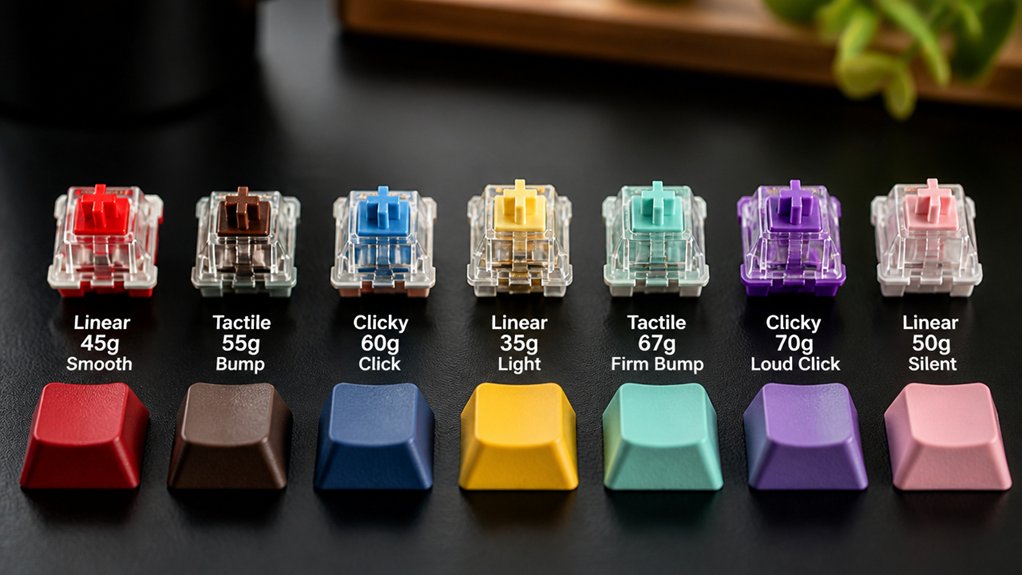
Although selecting a mechanical keyboard switch might seem straightforward, understanding key features like actuation force, travel distance, tactile feedback, noise level, and switch stability can greatly improve your typing comfort and accuracy.
Choosing the right mechanical switch involves understanding key factors to enhance typing comfort and precision.
Here’s what you need to know:
- Actuation force determines how much pressure is required to register a keypress; too heavy tires your fingers, while too light may cause errors.
- Travel distance affects how far keys move before registering or bottoming out, influencing typing speed and comfort.
- Tactile feedback, often from tactile bumps, helps confirm key presses without bottoming out, boosting typing accuracy.
- Noise level varies: linear switches are quiet, tactile switches moderate, and clicky switches loud—choose based on your environment.
Balancing these guarantees a switch that fits your typing style perfectly.
How to Test and Customize Mechanical Switches
When you want to find the perfect mechanical switch, testing and customization are key steps you can’t skip. Start by testing mechanical switches using a hot-swap keyboard, which lets you easily swap switches without soldering to compare actuation force and tactile feedback in real typing.
For more precise analysis, consider a test bench with force curve measurements. Factory lubrication varies; applying hand lubing can smooth keystrokes and reduce scratchiness. You can also use franken-switching—mixing stems, housings, and springs—to create a custom feel and sound.
Don’t forget to record sound samples with consistent setups to evaluate acoustic profiles, helping you pick switches suited for your environment. These methods guarantee your switch choice matches both your typing comfort and desired sound.
Where to Buy the Best Mechanical Switches and Read Honest Reviews
Wondering where to buy top-quality mechanical switches and find trustworthy reviews? You’ll want to explore specialist stores and communities to get the best switches and honest reviews based on actuation force, travel distance, and other key factors.
Here’s where to start:
- Check specialty retailers like MechMods and NDKBD for unique mechanical keyboards and rare switches available.
- Visit RTINGS.com and watch streams by NovelKeys or Alexotos for detailed, data-driven performance insights.
- Join Reddit and Discord communities for real-user feedback and lively discussions tailored to your preferences.
- Try hot-swap options like the CORSAIR K70 PRO MINI WIRELESS to experiment with switches easily before buying.
These resources help you make informed switch selections and enhance your mechanical keyboard experience.
Frequently Asked Questions
Which Switches Are Best for a Mechanical Keyboard?
You’ll want tactile switches like Gazzew Boba U4T for satisfying feedback or budget options like Akko V3 Cream Blue Pro for smooth, quiet typing. Linear switches suit gaming, while clicky ones are great if you love loud clicks.
What Type of Keyboard Switches Are the Best?
The best keyboard switches depend on what you want—choose linear if you want smooth, fast keys, tactile for noticeable feedback, or clicky if you like a loud, satisfying click. Match them to your typing style and environment.
Do Pro Gamers Use Linear or Tactile?
Pro gamers mostly use linear switches because they let you press keys smoothly and quickly without tactile bumps slowing you down. Sometimes, they pick light tactile switches for feedback, but linear types dominate competitive gaming.
What Is the Most Reliable Mechanical Switch?
You’ll find Cherry MX Brown and Black switches are among the most reliable, thanks to their durable materials and consistent performance. Hybrid electrostatic switches like Topre also offer excellent lifespan and smooth, dependable typing feel over time.
In Summary
Choosing the best mechanical keyboard switch comes down to your typing style and preferences. Whether you want smooth linear switches, tactile feedback, or loud clicky sounds, understanding their features helps you pick what feels right. Don’t hesitate to test different switches to find your perfect match, and customize for comfort and accuracy. With the right knowledge, you’ll boost both your typing experience and productivity, making every keystroke enjoyable.



