
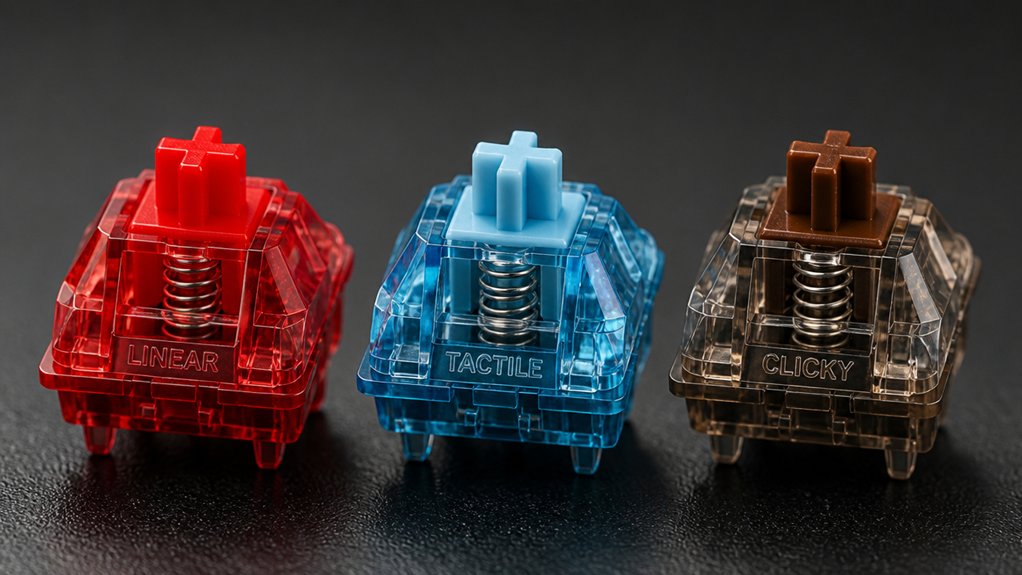
You choose different keyboard switch types to customize your typing feel, sound, and performance based on your needs. Linear switches offer smooth, quiet keystrokes perfect for fast gaming, while tactile switches give you physical feedback for more accurate typing without loud clicks. Clicky switches add an audible click for satisfying confirmation but can be noisy. Selecting the right switch also balances comfort and fatigue. Exploring these differences helps you find the ideal setup for work or play.
What Are the Main Types of Mechanical Keyboard Switches?
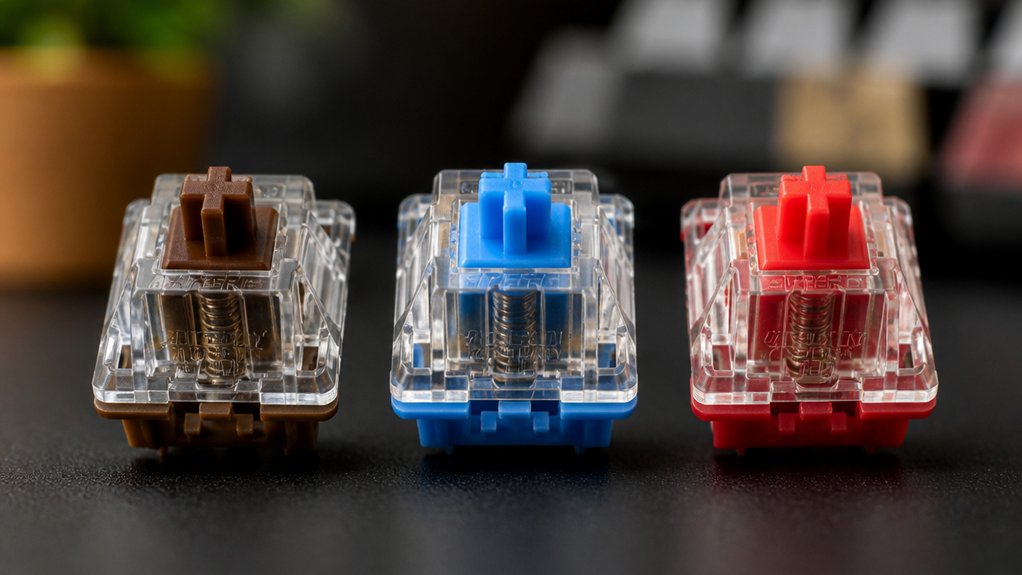
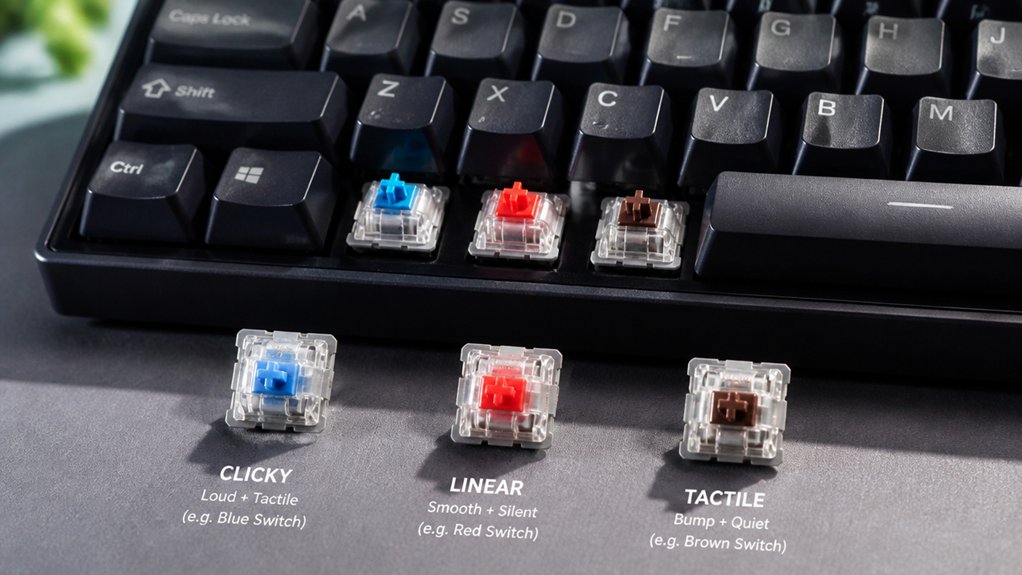
What kind of typing experience do you want from your mechanical keyboard? Mechanical keyboard switches mainly come in three key switch types, each shaping your typing experience differently.
Linear switches offer smooth, consistent keystrokes without any tactile bump or sound, ideal if you prefer minimal feedback. Tactile switches provide a physical bump at the actuation point, helping you feel each keypress without a loud click—perfect for boosting accuracy.
If you enjoy strong, audible feedback, clicky switches combine that tactile bump with a distinct clicking noise. Choosing among linear switches, tactile switches, and clicky switches depends on your preference for feedback and noise level, as well as whether you primarily use your keyboard for typing or gaming.
Understanding these options helps you pick the right mechanical keyboard switches for your style.
How Do Linear Switches Affect Typing and Gaming Performance?
You’ll notice linear switches offer smooth keystrokes that help you maintain fast, uninterrupted key presses, perfect for gaming responsiveness. They’re quieter than clicky switches, which means less noise in shared spaces or quiet environments.
While the lack of tactile feedback may affect typing accuracy for some, their quick actuation makes them a favorite for gamers.
Smooth Keystroke Benefits
How does a smooth keystroke impact your typing and gaming experience? Linear switches provide a smooth keystroke without any tactile bumps, letting you press keys quickly and consistently. This quiet operation means you won’t distract others around you while gaming or working.
When playing fast-paced games, linear switches allow rapid double-tapping and repeated keystrokes that can give you an edge. Because they typically require less force to actuate, these switches reduce finger fatigue during long sessions, keeping your hands comfortable.
Their straightforward feel also helps you build muscle memory and maintain accuracy, improving both typing speed and gameplay precision. Choosing linear switches means you get a seamless, quiet, and efficient keystroke experience tailored for performance and comfort.
Gaming Responsiveness Advantages
Although linear switches lack tactile bumps or clicks, they deliver smooth and consistent keystrokes that boost your gaming responsiveness. With a low actuation force—like the Cherry MX Red’s 45g—you’ll experience less finger fatigue and faster key presses, which is essential during intense gaming sessions.
The absence of tactile feedback means you can rapidly double-tap and time key presses precisely, enhancing your performance in competitive scenarios. Thanks to their smooth keystrokes and quick reset points, linear switches support efficient typing flow and reduced input latency.
Plus, their quiet operation minimizes distractions, helping you stay focused whether you’re in multiplayer matches or streaming. Choosing linear switches means you get a blend of speed, precision, and comfort ideal for both gaming and fast typing.
Noise Level Impact
What makes linear switches stand out in both typing and gaming is their exceptionally quiet operation. By eliminating tactile feedback and the audible click, they maintain a low noise level, perfect for distracted-free environments.
You’ll notice their smooth keystroke allows faster inputs, enhancing your speed and precision.
Keep in mind:
- The absence of tactile feedback can cause accidental key presses, which might affect typing accuracy but boost rapid gaming inputs.
- Low actuation force reduces finger fatigue, making long sessions more comfortable.
- Minimal noise level helps you focus better, especially during intense typing or competitive gaming.
Why Choose Tactile Mechanical Keyboard Switches for Accurate Typing?
You’ll find that tactile mechanical switches give you a clear bump when each key activates, helping you type with greater precision. This feedback reduces input errors by letting you know exactly when a keypress registers without bottoming out.
Choosing these switches means faster, more accurate typing with less strain and fewer mistakes.
Enhanced Typing Precision
How can tactile mechanical keyboard switches boost your typing precision? By offering a distinct tactile bump at the actuation point, these switches provide clear key feedback that lets you know exactly when a keystroke registers.
This feedback enhances typing accuracy without forcing you to bottom out each key.
Tactile switches use a moderate actuation force, which helps you avoid accidental presses and maintain steady, deliberate keystrokes. Compared to linear switches, their subtle feedback supports a consistent rhythm, improving overall typing speed and control.
Consider these benefits of tactile switches for enhanced typing precision:
- Noticeable tactile bump confirms key actuation without extra force
- Moderate actuation force balances responsiveness and control
- Quiet feedback suitable for focused, precise typing environments
Reduced Input Errors
Along with boosting your typing precision, tactile mechanical keyboard switches also help reduce input errors. These switches provide a noticeable bump at the actuation point, giving you clear tactile feedback when a keypress registers. This physical sensation confirms actuation without needing to fully press the key, so you avoid accidental key double presses or missed strokes.
Unlike linear switches, tactile switches let you feel exactly when a key activates, improving your typing accuracy by minimizing unclear keystrokes. The moderate force required guarantees you don’t trigger keys unintentionally while staying comfortable during long sessions. By feeling the bump, you can maintain a confident rhythm and reduce mistakes, making tactile mechanical keyboards ideal for tasks where accurate and efficient typing matters.
When Do Clicky Switches Improve Your Typing Experience?
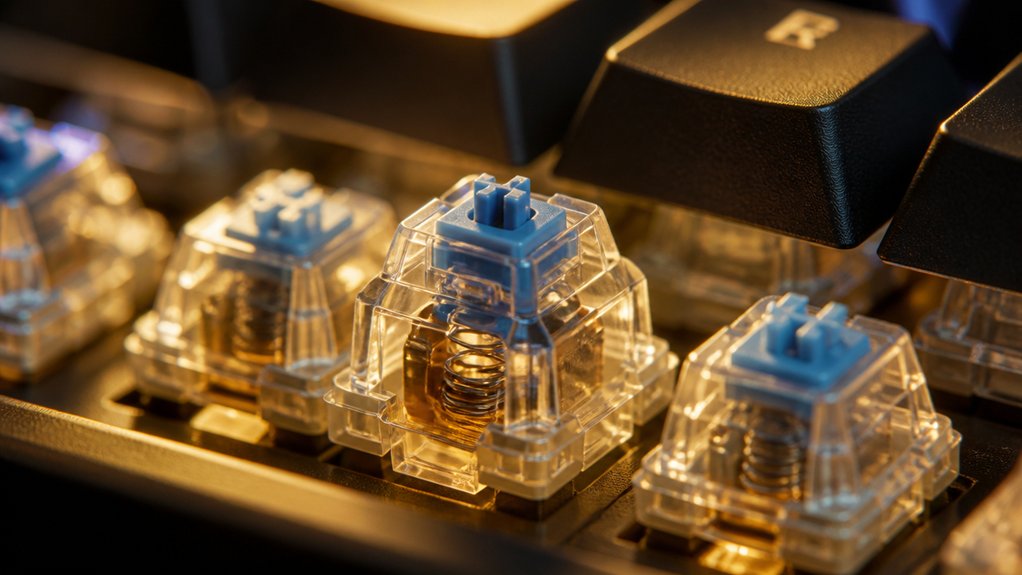
When does choosing clicky switches enhance your typing experience? Clicky switches like Cherry MX Blue offer tactile feedback and an audible click sound that provide clear keystroke confirmation.
This distinct feedback helps improve your typing accuracy by letting you know each keypress is registered, minimizing errors. You’ll especially appreciate them if you work in personal or quiet environments where sound isn’t disruptive.
Consider these benefits of clicky switches:
- Enhanced typing rhythm and speed due to satisfying tactile feedback
- Improved confidence through audible keystroke confirmation
- Better error reduction by clearly signaling key activation
How Actuation Force Affects Typing Comfort and Fatigue
Clicky switches provide satisfying tactile feedback, but the force needed to press keys plays an equally important role in your typing experience. Actuation force affects typing comfort and fatigue—lighter forces (like 45g on Cherry MX Reds) reduce finger strain but may cause more errors, while heavier forces (60g on Cherry MX Blacks) offer resistance but increase fatigue. Mechanical switches with moderate force (55g Cherry MX Browns) balance comfort and control. You can also optimize your typing comfort by customizing actuation force through spring swaps tailored to your typing style.
| Switch Type | Actuation Force (g) | Typing Comfort |
|---|---|---|
| Cherry MX Red | 45 | Low fatigue, lighter |
| Cherry MX Brown | 55 | Balanced comfort |
| Cherry MX Black | 60 | Higher fatigue, precise |
How Switch Noise Affects Your Typing Environment
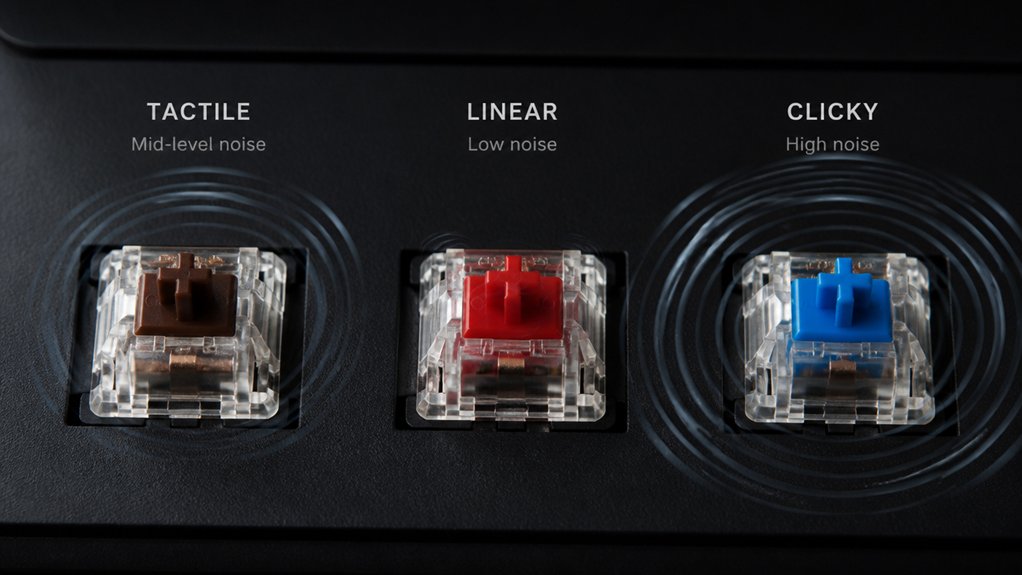
You’ll notice that switch noise can make a big difference in shared spaces, with clicky switches standing out the most.
If you work in a quiet office or library, quieter alternatives like linear or silent switches can keep distractions low. Choosing the right switch noise level helps maintain comfort and respect your typing environment.
Noise Levels By Switch
How loud your keyboard sounds can greatly impact your typing environment. Different mechanical switch types produce varying noise levels, affecting your comfort and focus.
Clicky switches, known for their distinct click sound, can be distracting, especially in quiet spaces. If you want tactile feedback without loud clicks, tactile switches provide a balanced typing experience.
For a quiet keyboard, linear switches are the best option due to their smooth, silent keystrokes.
To help you choose, consider:
- Clicky switches offer audible feedback but generate more noise.
- Tactile switches reduce noise while maintaining feedback.
- Linear switches and silent variants minimize noise with lower actuation force.
Choosing the right switch means balancing noise preferences with typing feel to create a comfortable workspace.
Impact On Shared Spaces
Wondering what impact your keyboard switches have on a shared workspace? Mechanical switches vary widely in noise, influencing comfort and concentration around you. Loud click sound switches like Cherry MX Blue can disrupt coworkers, while tactile feedback switches such as Cherry MX Brown offer quieter typing, balancing feel and noise. Linear switches provide minimal sound, ideal for noise-sensitive shared areas.
| Switch Type | Noise Impact |
|---|---|
| Clicky (MX Blue) | Loud, disruptive click |
| Tactile (MX Brown) | Moderate, subtle bump |
| Linear (MX Red) | Minimal, quiet typing |
Choosing the right switches helps maintain a peaceful shared environment without sacrificing typing satisfaction, promoting focus for everyone.
Choosing Quiet Alternatives
Looking for quieter keyboard switches can make a big difference in maintaining a comfortable typing environment. Choosing quiet alternatives means finding the right balance between sound reduction and typing feel.
If you want tactile feedback without audible clicks, tactile switches like Cherry MX Brown are great. For a silent switch experience, silent variants such as Cherry MX Silent Black minimize noise with built-in dampening. Linear switches offer the quietest keyboard option since they operate without tactile feedback or sound.
Consider these points when choosing quiet alternatives:
- Tactile feedback without audible clicks helps maintain typing accuracy while reducing noise.
- Silent switches combine smooth keypresses with dampened sound for shared environments.
- Linear switches offer the least noise but lack tactile bumps.
Selecting the right quiet keyboard lets you work comfortably without disturbing others.
Can You Mix Different Switch Types for Optimal Performance?
Can mixing different keyboard switch types really boost your typing experience? Absolutely. By mixing different switch types, you tailor tactile feedback and actuation force to specific keys, enhancing both comfort and typing speed.
For example, many users opt for tactile or clicky key switches on alphanumeric keys for precision, while lighter linear switches on modifiers reduce finger fatigue. Others assign heavier switches to rarely pressed keys like Escape or Enter to prevent accidental presses.
These custom mixed switch configurations balance sound and feel based on how you type. However, keep in mind that varying switch types can cause inconsistency in key feel and sound, which might disrupt your flow.
Also, building such setups often requires soldering, making experimentation challenging but rewarding if done carefully.
Key Switch Brands and Compatibility Considerations
Choosing the right key switches isn’t just about type and feel; the brand and compatibility matter a lot too. Brands like Cherry MX, Gateron switches, and Kailh switches each offer unique feedback and durability, but you need to pay attention to compatibility. The switch stem design, typically MX-style, must match your keycaps for a proper fit. Also, confirm your keyboard’s PCB supports your chosen switch brand and type.
Consider these points:
- Cherry MX sets the standard, while Gateron and Kailh provide smooth, often more affordable alternatives.
- Some brands offer hot-swappable switches, though that’s a feature of your keyboard, not just the switch.
- Compatibility guarantees easy installation and peak performance without soldering headaches or fitting issues.
Understanding these factors helps you choose the best switch for your setup.
How Hot-Swappable Switches Simplify Changing Keys

While traditional mechanical keyboards require soldering to swap switches, hot-swappable keyboards let you change switches quickly and easily without any technical hassle. With hot-swappable mechanical keyboards, you don’t need specialized tools or skills—just pull out the old switches and press in new ones.
This convenience lets you experiment with different types of mechanical switches, like linear, tactile, or clicky, to find the key feel that suits you best. Since these keyboards use universal sockets compatible with brands like Cherry MX, Gateron, and Kailh, you enjoy broad customization options.
Hot-swappability also protects your keyboard’s PCB, so you can mix and match switches or repair them without worry. It’s a perfect feature if you want flexible, user-friendly switch customization.
How Custom Keycaps Affect Switch Compatibility
After exploring how hot-swappable switches let you tailor your typing experience, it’s important to take into account how custom keycaps play a role in switch compatibility.
Custom keycaps are essential for optimizing switch compatibility and enhancing your typing experience.
Custom keycaps must fit the switch stem type, typically Cherry MX-style stems, to guarantee a secure and proper mount. Beyond fit, keycap materials like ABS or PBT affect durability and the texture under your fingers, influencing the overall feel. The keycap profile also shapes your typing comfort and sound without changing switch mechanics.
Consider these factors when choosing custom keycaps:
- Stem compatibility: Cherry MX-style stems vs. other types
- Keycap materials: ABS for smoothness, PBT for durability
- Keycap profile: sculpted, uniform, or ergonomic shapes
Paying attention to compatibility helps you get the most from both your switch and custom keycaps.
Which Mechanical Keyboard Switch Types Are Best for Gaming and Work?
Wondering which mechanical keyboard switches suit your gaming and work needs best?
For gaming, linear switches like Cherry MX Red or CORSAIR OPX excel with smooth keystrokes, fast actuation (around 1.0-1.2mm), and low noise, letting you press keys rapidly without distraction.
When typing or coding, tactile switches such as Cherry MX Brown offer a satisfying bump at 2.0mm actuation distance and moderate actuation force (~40-55g), improving accuracy without loud clicks. Clicky switches like Cherry MX Blue provide both tactile feel and audible feedback, ideal for typing but less suited for quiet workspaces.
You might also consider heavier tactile switches for precision or mixed switch setups to blend gaming responsiveness with typing comfort, balancing actuation force and feedback depending on your needs.
Frequently Asked Questions
Which Type of Keyboard Switch Is Best?
The best keyboard switch depends on your needs: choose linear for smooth gaming, tactile for quiet typing with feedback, or clicky if you want audible confirmation and don’t mind noise. Try testers to find your perfect match.
Are Some Switch Types Better for Typing?
Yes, tactile and clicky switches often feel better for typing since you get physical or audible feedback confirming each keystroke. Linear switches can be smoother but might lack the precision some typists prefer. Choose what feels best!
Do Pro Gamers Use Linear or Tactile?
Pro gamers mostly use linear switches like Cherry MX Reds because you get smooth, fast key presses without tactile bumps slowing you down. This lets you react quickly and avoid finger fatigue during intense gaming sessions.
Do Gamers Prefer Membrane or Mechanical?
You’ll find gamers overwhelmingly prefer mechanical keyboards over membrane ones because mechanical switches offer better tactile feedback, faster response, durability, and precision. This helps you perform better in-game and enjoy a more reliable, satisfying typing experience.
In Summary
Choosing the right mechanical keyboard switch comes down to your personal needs and preferences. Whether you want smooth linear switches for gaming, tactile feedback for accurate typing, or clicky switches for satisfying sound, understanding actuation force and compatibility matters. Hot-swappable options make it easy to experiment, and custom keycaps add style without sacrificing function. By selecting the right switch type, you’ll boost comfort, performance, and enjoyment in both work and play.



