
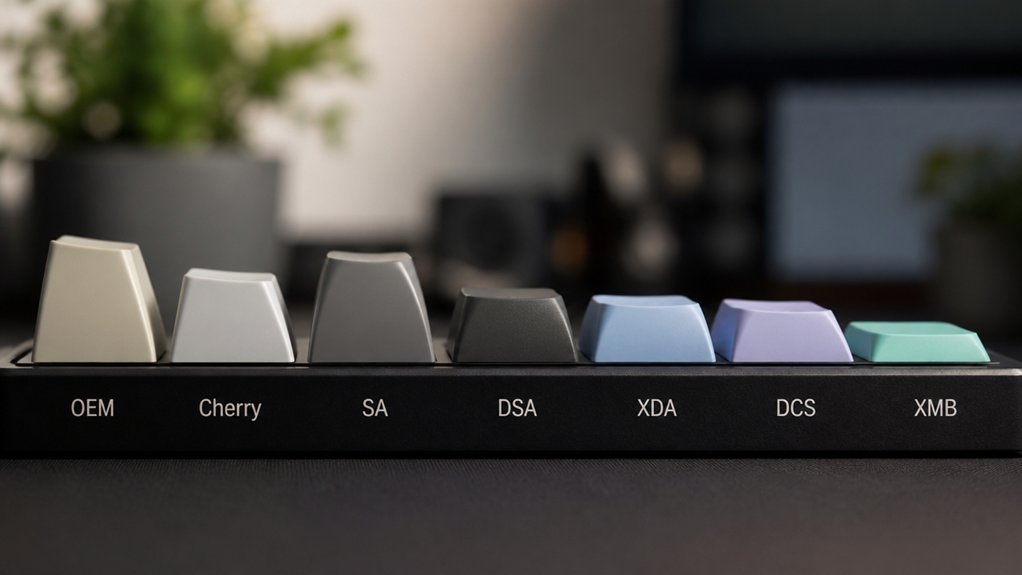
You’ll find that keycap profiles shape how comfortable and precise your typing feels. Profiles like OEM offer a balanced, sculpted design for everyday comfort, while Cherry’s shorter height reduces finger fatigue, ideal for gaming. Low-profile options, such as DSA and XDA, provide uniform shapes to boost typing speed and reduce strain. Choosing the right profile depends on your style and needs, and exploring these seven popular profiles will help you type more comfortably and efficiently.
What Are Keycap Profiles And Why Do They Matter?
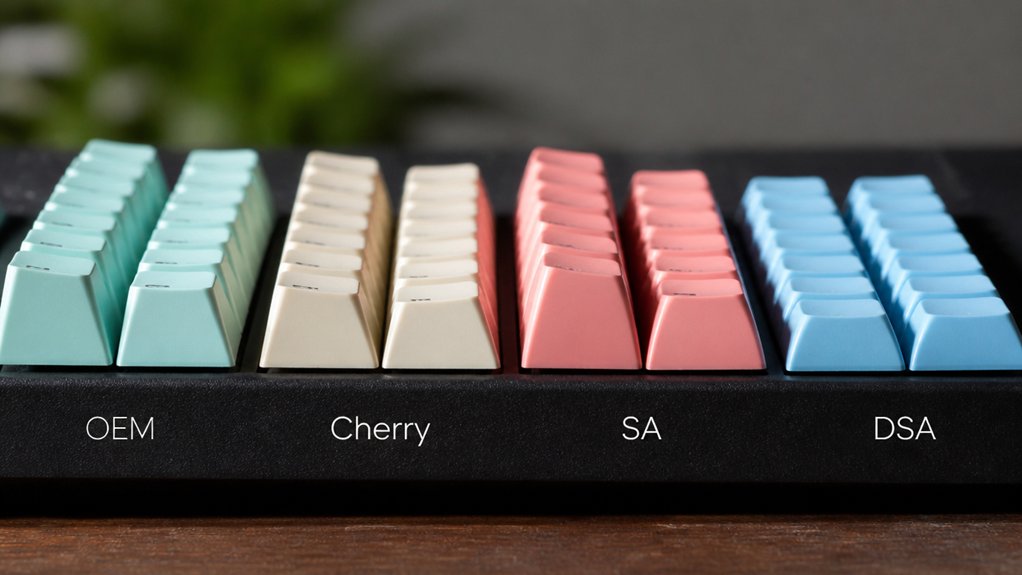
What exactly are keycap profiles, and why should you care about them? Keycap profiles define the shape, keycap height, and contour of each key, directly shaping your typing feel.
Sculpted profiles like SA offer varying heights and angles by row, supporting an ergonomic design that guides your fingers naturally to reduce finger fatigue. In contrast, uniform profiles keep the same height and shape across all rows, enabling faster typing and easier keycap rearrangement but less tactile feedback.
Popular options—SA profile (tall), OEM profile (medium), and Cherry profile (shorter)—cater to different ergonomic preferences and typing styles. Choosing the right keycap profile matters because it influences not only speed and accuracy but also typing comfort, helping you avoid strain during extended use.
How Keycap Height Affects Your Typing Comfort
Your choice of keycap height directly impacts how comfortably your fingers travel across the keyboard. Taller keycaps can offer satisfying feedback but may cause more finger and wrist strain over time.
Finding the right height that matches your hand size and typing habits can greatly improve your overall ergonomics and comfort.
Impact Of Keycap Height
Although keycap height might seem like a minor detail, it plays a crucial role in how comfortable your typing experience feels. Keycap height directly impacts finger travel distance, which influences typing comfort and finger fatigue.
Tall profiles, like the SA profile at around 16.5mm, provide a sculpted keycap feel with distinct tactile feedback but can increase finger lift and strain over time. In contrast, low-profile keycaps, including Cherry profile keycaps at approximately 9.4mm, reduce finger travel, helping you type faster and with less fatigue.
The OEM profile sits in the middle at 11.9mm, offering a balanced combination of comfort and tactile feedback. Choosing the right keycap height means considering how much finger movement you prefer to maximize comfort during extended typing sessions.
Typing Ergonomics And Comfort
Since keycap height directly influences finger movement and wrist position, it plays a vital role in your typing comfort and overall ergonomics. Sculpted rows in keycap profiles like OEM and Cherry guide your fingers naturally, reducing strain and enhancing typing comfort.
Taller keycaps, such as the SA profile, offer a distinct feel but may increase finger travel, risking fatigue if your wrist support is inadequate. Alternatively, lower profile and uniform profiles like DSA and XDA minimize finger movement and wrist elevation, promoting better typing ergonomics.
Choosing a keycap height that matches your hand size and typing style helps prevent repetitive strain during long sessions. By understanding how keycap height impacts your typing, you can select profiles that maximize comfort and reduce injury risk.
Sculpted Vs. Uniform Keycaps: What’s Right For You?
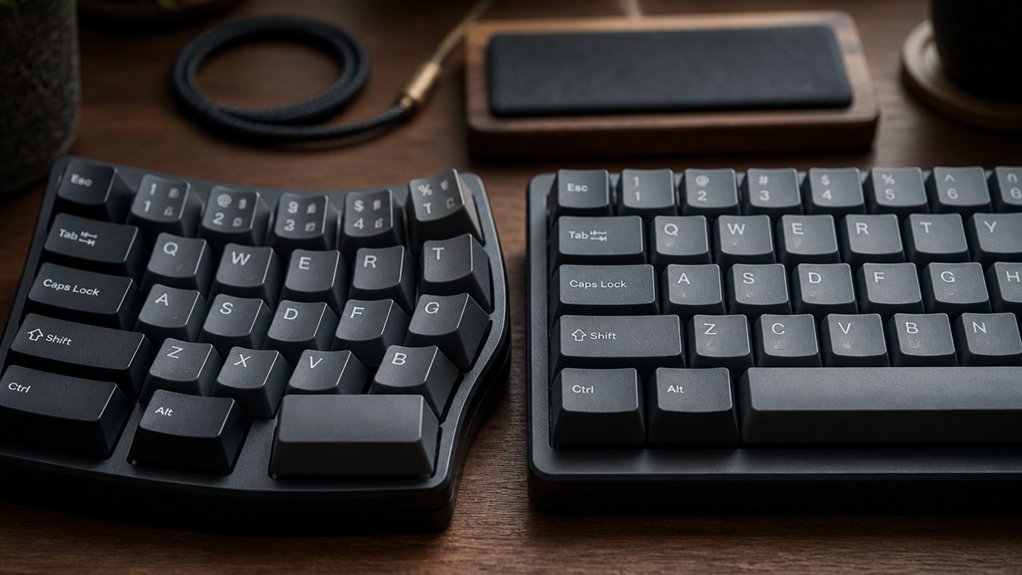
How do you decide between sculpted and uniform keycaps when aiming for the most comfortable typing experience?
Sculpted keycap profiles, like OEM, have varying heights and shapes per row that align with your finger placement, boosting typing accuracy and offering ergonomic comfort. However, they require higher finger lifts, which might increase finger fatigue over long sessions.
On the other hand, uniform profiles such as XDA keep the same height and shape across all rows, creating a flat surface that encourages faster typing speed and easier fingertip gliding. While uniform keycaps reduce strain and allow flexible keycap customization, they provide less tactile feedback for finger positioning.
Ultimately, choosing sculpted or uniform keycaps depends on whether you value precision and comfort or speed and flexibility in your mechanical typing setup.
How To Choose The Right Keycap Profile For Your Needs
When choosing a keycap profile, consider your typing style and how it impacts your comfort and speed.
Pay attention to ergonomics, making sure the profile supports your hand size and typing habits. Also, double-check your keyboard’s layout and switch compatibility to avoid any fit issues.
Typing Style Considerations
Although many factors influence your typing experience, choosing a keycap profile that matches your style directly affects comfort and speed.
If you type fast, you’ll likely benefit from lower or uniform profiles like Cherry, DSA, or XDA, which reduce finger travel and enable quicker key presses. On the other hand, if accuracy and finger differentiation are priorities, taller, sculpted profiles such as SA or MT3 provide distinct key shapes that guide your fingers naturally.
Medium-height profiles like OEM strike a balance, offering ergonomic comfort through moderate finger lift and tactile feedback, ideal for longer sessions. Sculpted profiles help improve typing accuracy by varying row heights to fit finger reach, while uniform profiles support smooth fingertip gliding and ease keycap reshuffling for custom layouts. Your typing style should steer your choice of keycap profiles.
Ergonomics And Comfort
Choosing the right keycap profile can greatly improve your typing comfort and reduce strain during long sessions.
When focusing on ergonomics, consider these key factors:
- Sculpted design profiles like Cherry and OEM vary row heights to guide finger placement naturally, enhancing your typing experience and reducing wrist fatigue.
- Low profile keycaps such as Cherry and DSA minimize finger travel, boosting typing comfort for extended use.
- Uniform key profiles like DSA and XDA maintain consistent height across rows, letting your fingertips glide easily and lowering finger repositioning strain.
- High-profile keycaps like SA offer tactile differentiation but may increase finger travel, which can cause discomfort without proper wrist support.
Match keycap profiles to your hand size and typing style for the best balance of comfort and ergonomics.
Compatibility And Layout
Because keycap profiles vary in shape and fit, you need to guarantee they’re compatible with your keyboard’s layout and switch type for peak performance. First, confirm the compatibility with your keyboard’s layout—be it full-size, tenkeyless, or 65%—to secure proper fit.
Next, match the keycap profile to your switch type, like Cherry MX, for secure mounting and consistent feel. Sculpted row shape profiles, such as OEM profile keycaps and Cherry, offer ergonomic row-specific contours but limit keycap reshuffling. In contrast, uniform profiles like DSA allow flexible keycap reshuffling and suit custom layouts or non-standard setups.
Don’t overlook unique keys like thumb clusters; select compatible keycaps within your chosen profile to maintain comfort and aesthetics on your mechanical keyboards.
Why The OEM Keycap Profile Is Popular For Everyday Use
When you type for long periods, the OEM keycap profile offers a comfortable balance of height and shape that helps reduce finger strain. OEM keycaps feature a medium height of around 11.9mm, sculpted rows, and angled tops, making them ideal for comfortable typing and everyday use.
The OEM keycap’s medium height and sculpted shape reduce finger strain for comfortable, long typing sessions.
Here’s why you might prefer the OEM profile:
- Its medium height cuts finger strain during extended sessions without needing wrist support.
- Sculpted rows naturally guide your fingers, boosting typing accuracy and speed.
- Angled tops provide a familiar feel that suits both typing and casual gaming.
- OEM keycaps’ wide availability on pre-built keyboards guarantees easy access and replacement.
This balanced design keeps you comfortable while enhancing typing accuracy, perfect for daily use.
Why Cherry Keycap Profile Excels In Gaming And Comfort
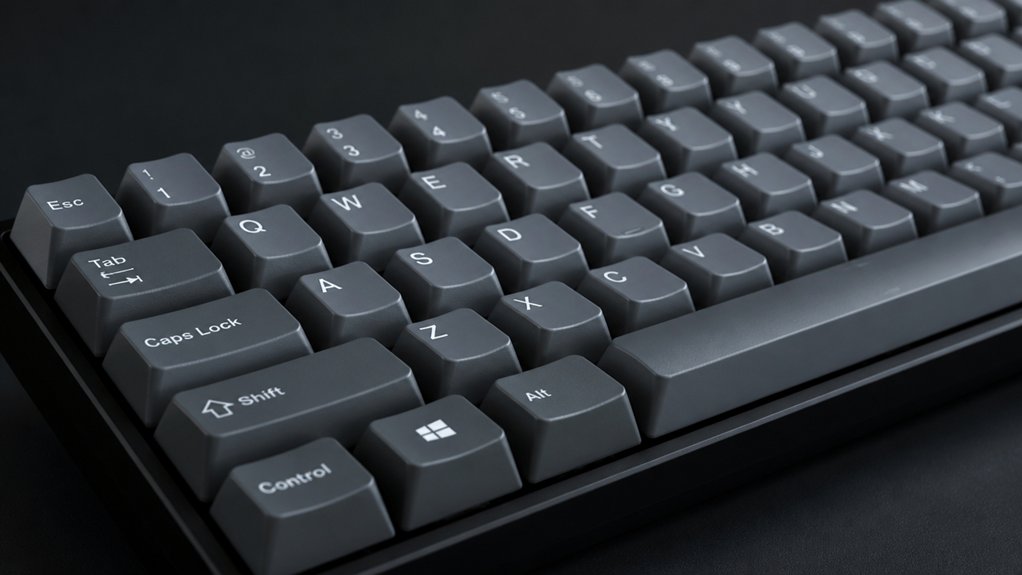
Although it’s shorter than OEM, the Cherry keycap profile gives you a lower, more ergonomic typing position that substantially reduces finger fatigue during long gaming sessions. Its sculpted rows and angled tops guide your fingers to the right spots, boosting accuracy and allowing quicker keypresses—perfect for gaming.
The Cherry keycap profile strikes a balance between tactile feedback and travel distance, so you get satisfying keypresses without straining your hands. Designed to pair seamlessly with Cherry MX switches, these keycaps enhance responsiveness, helping you stay sharp in competitive play.
This profile’s compact design promotes faster key actuation and lasting comfort, making it a top choice if you want performance and endurance during marathon gaming sessions.
When To Choose Low-Profile Keycaps Like DSA And XDA?
Why should you consider low-profile keycaps like DSA and XDA for your keyboard? These profiles offer uniform row heights and flat, concave tops that boost typing speed and comfort.
You’ll enjoy a consistent key feel that supports ergonomic fingertip gliding, helping reduce finger strain during long typing sessions.
Here’s when to choose low-profile keycaps like DSA and XDA:
- You want to increase typing speed with minimal finger height adjustment.
- You prioritize ergonomics to reduce strain in extended use.
- You prefer a consistent, uniform key feel across all rows.
- Your keyboard features custom layouts needing flexible keycap placement.
DSA and XDA are perfect for anyone seeking a sleek, ergonomic setup that enhances comfort and performance.
Frequently Asked Questions
What Is the Best Profile for a Mechanical Keyboard?
The best profile for your mechanical keyboard is the Cherry profile. It balances speed, accuracy, and comfort, reducing finger fatigue during long typing sessions. You’ll enjoy its ergonomic sculpted shape and moderate height for lasting comfort.
Is OEM or Cherry Profile Better for Typing?
You’ll find Cherry profile better for typing if you want less finger fatigue and quicker, more comfortable sessions. But if you prefer a taller key shape to help orient your fingers, OEM might suit you more.
What Keyboard Profile Is Best for Typing?
You’ll find Cherry profile keycaps best for typing—they balance comfort, accuracy, and speed with their ergonomic sculpting and shorter height. They reduce finger fatigue and let you type faster without sacrificing precision or wrist comfort.
Which Mechanical Key Is Best for Typing?
You’ll find tactile switches like Cherry MX Browns best for typing since they offer feedback without loud clicks. They help you type accurately and comfortably, reducing fatigue during long sessions, especially if you prefer responsive but quiet keys.
In Summary
Choosing the right keycap profile can seriously boost your typing comfort and efficiency. Whether you prefer sculpted or uniform shapes, high or low profiles, understanding how keycap height and shape affect your fingers makes all the difference. If you’re gaming or typing all day, profiles like Cherry or OEM might suit you best. Don’t hesitate to try different profiles—finding your perfect fit will make every keystroke feel just right.



