
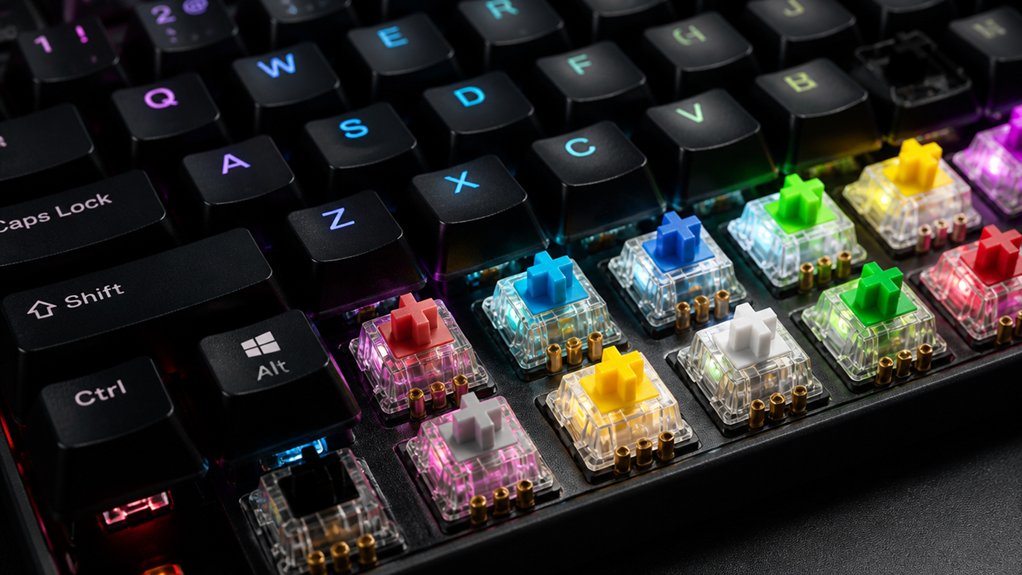
To find the best mechanical keyboard switch continuity tests, focus on reliable tools like digital multimeters set to continuity mode, force testers, and automated test rigs. You should perform resistance checks during switch actuation, verify travel distances, and monitor contact stability over repeated cycles. Proper calibration and visual inspection are essential for accurate results. Keep in mind, maintaining consistent performance involves ongoing testing—continue exploring to discover the top methods for ensuring switch durability.
Why Test Mechanical Switches for Continuity and Durability
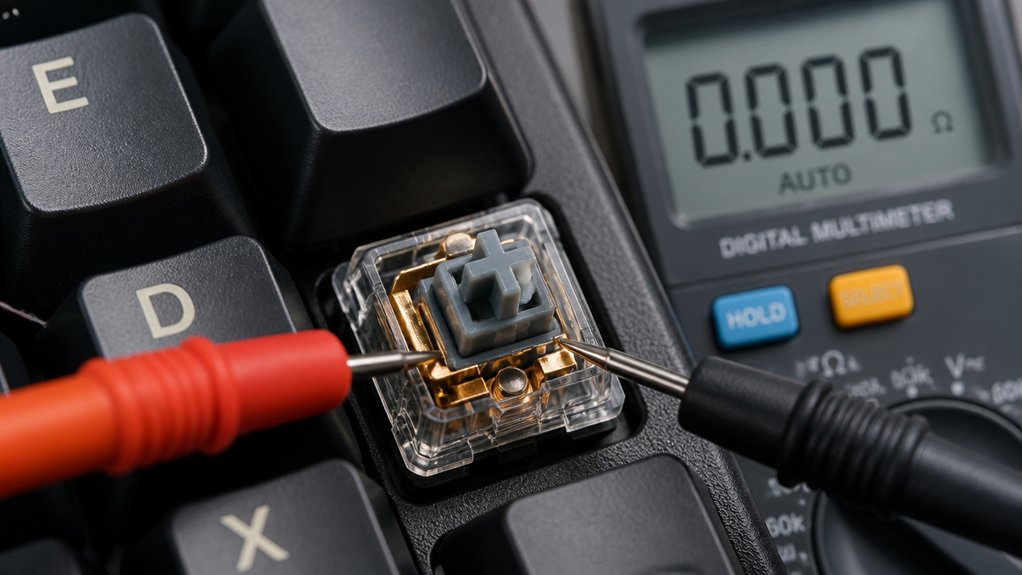
Testing mechanical switches for continuity and durability is essential because it directly impacts the reliability and performance of your keyboard. Mechanical switches are the core of your typing experience, and ensuring they function properly prevents input errors and key failures. Continuity testing detects broken traces, misplaced pins, or faulty solder joints early, avoiding intermittent keypress issues or total signal loss. Durability tests simulate countless key presses, revealing switches that may lose tactile feel or become mushy over time. Using specialized fixtures and firmware, like Elecrow’s PCBA tester, streamlines these assessments—saving you time and increasing accuracy. Additionally, verifying switch contact points ensures consistent electrical connection, which is crucial for maintaining long-term performance. By verifying switch continuity and durability, you improve your keyboard’s dependability, reduce maintenance, and build confidence in its long-term performance.
Essential Tools for Switch Continuity and Actuation Measurement
To accurately measure switch continuity and actuation, you’ll need reliable tools like force testers and analyzers. Calipers help gauge travel distances, but their manual nature can affect consistency. Utilizing auto-ranging multimeters can enhance measurement accuracy by automatically selecting the appropriate range, reducing human error. Proper calibration and maintenance of these instruments guarantee precise and dependable test results.
Precision Testing Instruments
Precision testing instruments are essential for accurately evaluating the performance and reliability of mechanical keyboard switches. To test the durability, use tools like the Mecmesin force tester, which measures the force curve, capturing actuation and bottom-out forces with high consistency. Additionally, programmable soldering stations with precise temperature control can ensure the integrity of switch solder joints during repair or modification processes, benefiting from features like digital displays and temperature memory. a 1-4 word phrase
Calibration and Maintenance
Regular calibration and maintenance of your measurement tools are essential for guaranteeing accurate switch assessments. Calibration guarantees your force testers, like the Mecmesin, and continuity testers, such as the Beagle 480 USB analyzer, provide reliable readings of actuation force and electrical response.
Periodically check probe alignment and clean contacts to prevent measurement errors caused by debris or oxidation. Using specialized fixtures, like Elecrow’s keyboard PCBA tester, helps maintain consistent pressure and proper connections during continuity testing.
Calibration routines should include verifying actuation force against standardized weights, as manual methods can be unreliable with small key travel (~2.3mm). Regularly reassess your equipment’s performance through visual inspections and electronic checks to guarantee long-term accuracy in detecting switch electrical continuity and mechanical behavior. Additionally, ensuring your PCB holder stability minimizes unwanted movement during testing, leading to more precise results.
How to Perform a Basic Switch Continuity Test
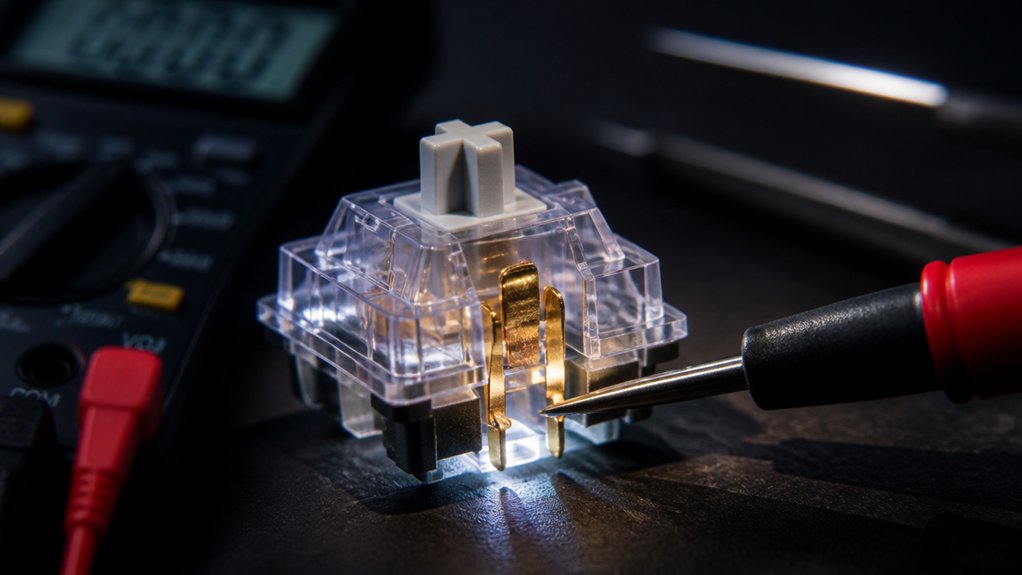
Performing a basic switch continuity test is a straightforward way to verify your mechanical keyboard switches are functioning properly. You’ll need a multimeter set to continuity or resistance mode.
Place the switch leads or PCB contact points under test probes and press the switch. If the switch is working, the multimeter should show continuity or a low resistance reading only when pressed.
During testing, watch the PCBA tester interface; a color change confirms proper electrical connection. If no change occurs, the switch may have a fault or broken trace.
Always visually inspect the switch for broken pins or misaligned contacts. This simple electrical test helps identify faulty or damaged switches before assembly, saving time and ensuring your mechanical keyboard performs reliably.
In addition, using compatible tools such as a reliable multimeter, enhances accuracy and safety during your testing process.
Measuring Actuation Force Consistently With Digital Force Gauges
To get reliable actuation force measurements, you need to calibrate your digital force gauge regularly to guarantee accuracy. A switch type classification can influence the measurement outcomes, so understanding it helps in interpreting the results correctly. Using a consistent testing setup—control keypress speed and alignment—helps minimize variability. Following standardized techniques will give you precise, repeatable results that accurately reflect switch performance.
Calibration for Accuracy
Accurate calibration of digital force gauges is essential for reliably measuring actuation forces in mechanical keyboard switches. Proper calibration guarantees consistent results, critical when actuation force typically ranges around 40-60 gf. A detailed understanding of switch specifications can help ensure your measurements are precise and tailored to the specific switch types you’re testing.
To achieve this, you should:
- Regularly calibrate your force tester to correct sensor drift and account for environmental factors.
- Use a standardized test bench with a digital force gauge for repeatable, objective comparisons.
- Avoid manual weight placement or caliper measurements, which can introduce errors due to small travel distances and low forces.
Consistent Testing Techniques
Ensuring consistent measurement of actuation force with digital force gauges requires meticulous attention to setup and technique.
When you test a switch, make sure the gauge probe is precisely aligned with the center of the switch stem to prevent variability from stem wobble or angle. Use a calibrated digital force tester, like the Mecmesin force gauge, to accurately capture key force metrics such as initial, actuation, peak tactile, and bottom-out forces in grams-force (gf).
Automated testing setups can help reduce human error and improve repeatability across multiple switches, ensuring results are comparable.
Including actuation distance (pre-travel) in your test report provides a more detailed understanding of switch feel, allowing for objective evaluation and consistent testing techniques that enhance the reliability of your switch performance comparisons.
How to Check Travel Distance and Pre-Travel Accuracy
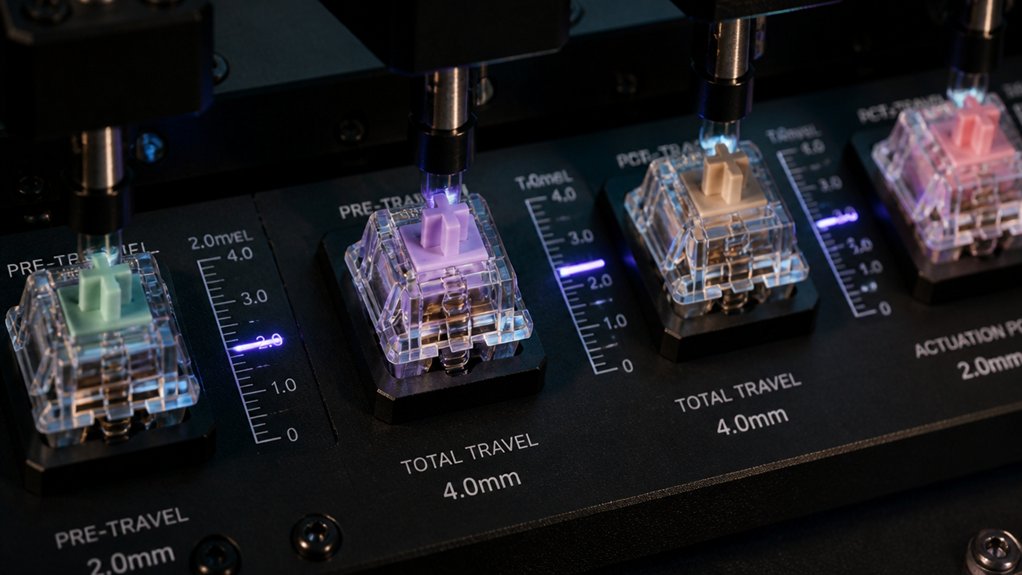
Ever wonder how to precisely measure a switch’s travel distance and actuation point? Accurate measurement is key, especially since benchmarks like the Gazzew Boba U4T switch have a pre-travel of 2.3 mm and total bottom-out travel of 3.1 mm. To do this effectively: 1. Use calipers carefully to gauge the key travel distance, but be aware of human error. 2. Employ standardized test benches, such as the Mecmesin force tester, to measure both force curves and travel distance precisely. 3. Connect the switch to the PCB or PCBA to verify actuation points through electrical continuity and visual indicators. 4. Consider the switch types and performance characteristics to better understand how different switches might behave during testing. These steps help confirm your switch’s travel distance and pre-travel accuracy, ensuring consistent and reliable performance.
Spotting Switch Failures Using Continuity and Resistance Checks
Spotting switch failures hinges on performing thorough continuity and resistance checks. Using a multimeter or specialized keyboard test tool, you can verify electrical connectivity in switches, detecting broken circuits by confirming current flow or lack thereof.
A properly functioning switch shows near-zero resistance when pressed (creating a closed circuit), while a failed switch displays infinite resistance, indicating an open circuit. Consistent continuity across all switch pins and contacts guarantees reliable key registration and prevents intermittent keys.
Resistance measurements help identify issues like high contact resistance or partial failures, which mightn’t be obvious visually. Combining electrical continuity and resistance checks allows you to quickly find defective switches caused by damaged traces, misaligned contacts, or soldering faults, assuring only reliable switches remain in your keyboard. Additionally, tools with magnetic features facilitate quick and secure switch openings, streamlining the testing process.
How to Accelerate Switch Durability Testing for Long-Term Results
To speed up switch durability testing, you should employ automated fatigue machines that simulate repeated key presses at high speeds. Using high-frequency actuation methods guarantees you gather long-term data in much less time while maintaining consistency. Incorporating electrical monitoring and additional wear assessments helps you track degradation accurately during accelerated cycles. Additionally, selecting switches with high durability ratings like up to 50 million keystrokes ensures the switches can withstand rapid testing without premature failure.
Automated Testing Solutions
Automated testing solutions have revolutionized how we evaluate mechanical keyboard switches, greatly speeding up durability assessments.
With automated multimeter-based test tools integrated into test rigs, you can achieve precise measurements of trace resistance and circuit continuity, catching intermittent switch failures more reliably.
To maximize efficiency, focus on:
- Leveraging firmware and color-coded interfaces from automated fixtures like Elecrow’s to quickly identify connectivity issues.
- Implementing multi-million keystroke fatigue testing with dedicated actuators that simulate long-term use consistently.
- Using automated actuation systems to apply precise force (~50g) and measure travel distance, reducing manual errors.
These solutions enable you to gather standardized, reliable data faster, increasing your sample size and ensuring long-term switch durability insight.
High-Crequency Actuation Methods
High-frequency actuation methods accelerate switch durability testing by employing automated mechanical actuators that press keys at rates far exceeding typical human typing speeds. This rapid cycling simulates millions of keypresses within weeks or months, enabling thorough evaluation of tactile degradation and spring fatigue.
Specialized fatigue machines can perform tens of thousands to millions of actuations daily, providing a realistic picture of long-term durability. Consistent force application and precise actuation depth guarantee repeatability and minimize human error, overcoming the challenges of tiny weight and caliper-based methods.
Electronic continuity testers integrated with these rigs monitor the switch’s electrical response throughout high-frequency cycles, detecting contact inconsistencies or failures indicative of wear.
While accelerated testing offers valuable insights, real-world durability still depends on factors like user behavior and environment.
Troubleshooting Inconsistent or Faulty Switches
When you encounter inconsistent or faulty switches on a mechanical keyboard, troubleshooting begins with verifying their electrical connections.
To do this effectively:
- Use a multimeter or specialized keyboard PCBA test tool to check continuity, pinpointing broken or inconsistent switch circuits.
- Press the switch while observing Elecrow’s test fixture for color changes, which indicate proper connections or potential issues.
- Conduct visual inspections alongside continuity tests to spot physical defects such as misaligned traces or damaged components.
If there’s no color change or irregular signals during testing, it signals faulty or intermittent switch contacts that need cleaning or replacement.
Regular PCBA testing plays a vital role in maintaining reliable switch connectivity, reducing input errors, and enhancing the overall performance and durability of your mechanical keyboards.
Interpreting Test Results to Choose Durability and High-Quality Switches
Interpreting test results is essential for selecting switches that will stand up to extended use and deliver consistent performance. Continuity tests reveal whether circuit connections remain intact, indicating switch reliability.
Look for stable switches that show low and consistent trace resistance and uninterrupted circuit continuity during testing. These traits highlight durability and reliable actuation over time. Pay attention to color-coded pass/fail indicators from specialized fixtures, like Elecrow’s, as they highlight defective or unstable contacts.
Combining electrical continuity results with physical inspection helps identify manufacturing defects, such as misaligned traces or damaged pins, which could shorten switch lifespan. Switches that pass continuity tests early are more likely to provide consistent input signals and avoid erratic behavior, ensuring long-term performance.
Best Practices to Maintain Switch Continuity Over Time
Maintaining switch continuity over time starts with regular electrical testing to catch contact degradation early. This helps you identify issues before they affect typing experience.
Regular electrical testing ensures early detection of contact issues, maintaining consistent switch performance over time.
To keep switches reliable, focus on these practices:
- Use a multimeter or specialized keyboard test tool regularly to monitor contact health.
- Keep your PCB clean and free of dust and debris, especially around the dustproof stem, to prevent intermittent connections.
- Inspect switches visually for physical defects like broken components or misaligned traces, and consider applying factory pre-lubed switches or appropriate lubrication to reduce wear and maintain stable actuation.
Minimizing stem wobble with dustproof stems and stable housings also preserves consistent electrical contact during prolonged use, ensuring long-lasting switch continuity.
Frequently Asked Questions
What Are the Common Causes of Switch Discontinuity During Testing?
You often encounter switch discontinuity due to dirt, debris, or corrosion blocking connections, a faulty solder joint, or a damaged membrane pin, which hinders proper electrical flow during testing, causing inconsistent or false readings.
How Do Environmental Factors Affect Switch Continuity Measurement Accuracy?
Environmental factors like temperature, humidity, and dust can greatly impact switch continuity measurements. You should guarantee a stable, clean environment; temperature fluctuations may cause materials to expand or contract, leading to inaccurate readings during testing.
Can Testing Methods Damage or Degrade Mechanical Switches?
Testing methods generally won’t damage or degrade mechanical switches if you use proper, gentle tools and avoid excessive pressure. However, aggressive testing or using unprofessional devices could cause wear or harm, so always handle switches carefully during inspections.
What Are the Limitations of Digital Force Gauges in Switch Testing?
Digital force gauges may lack precision for tiny switch components, have limited sensitivity at low forces, and can be affected by user error or calibration issues, which could lead to inaccurate readings and limitations in reliably testing mechanical keyboard switches.
How Often Should Switch Continuity Tests Be Repeated for Reliable Results?
You should repeat switch continuity tests regularly, ideally every few months, to guarantee ongoing reliability. Frequent testing helps catch any degradation or failure early, maintaining peak keyboard performance and preventing potential issues caused by switch malfunction over time.
In Summary
Regularly testing your mechanical switches guarantees they stay reliable and durable over time. By using the right tools and following proper procedures, you can catch issues early and choose high-quality switches that last longer. Keep an eye on continuity, actuation force, and travel distance to maintain peak performance. Staying proactive with these tests helps you enjoy a consistent typing experience and extend the lifespan of your keyboard.



