
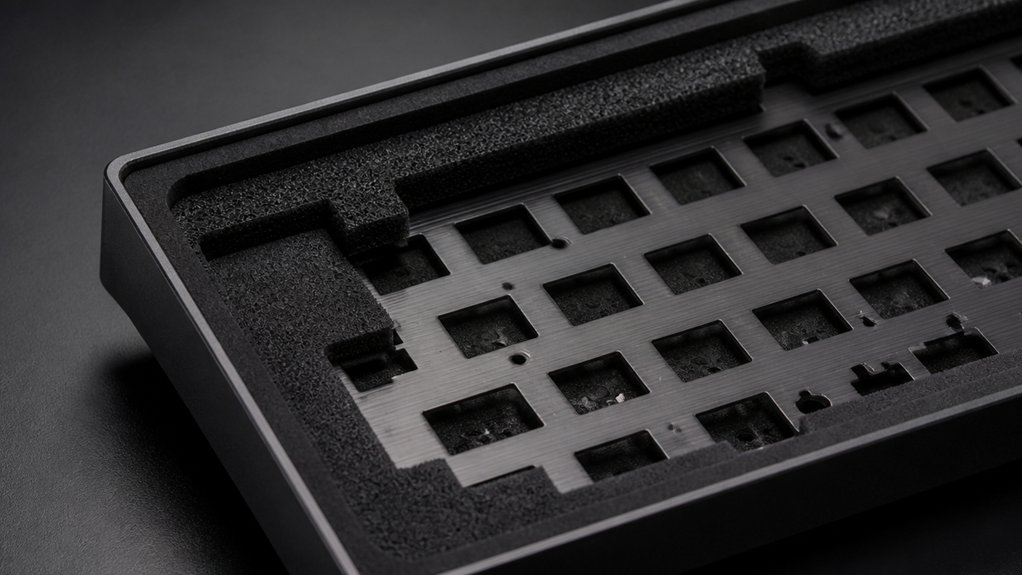
To soundproof your mechanical keyboard housing, start by lubricating switch components and stabilizers with Krytox 205g0 to reduce rattling and buzz. Add foam or damping mats inside the case to absorb vibrations and echoes, and fill hollow spaces with sound-absorbing materials like foam or silicone. To further cut desk noise, use thick mats or anti-vibration pads beneath your keyboard. Continuing will help you uncover more detailed techniques to create a quieter typing environment.
How to Identify and Fix Main Noise Sources Inside Your Keyboard
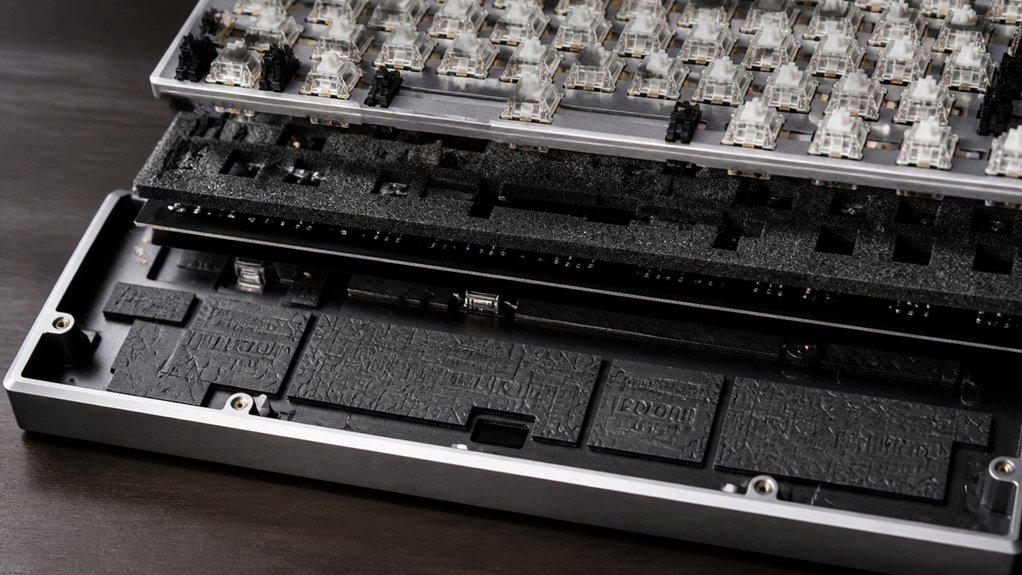
Ever wonder where your mechanical keyboard’s noise really comes from? It often starts inside the switch, where parts like the switch housing and stabilizers create rattles.
Mechanical keyboard noise mainly originates from the switch housing and stabilizers causing rattles.
To fix this, inspect stabilizers for unlubricated metal bars or loose stems; lubricating switches with Krytox 205g0 or clipping plastic feet can reduce rattling. Check for gaps in the switch housing that cause plastic-on-plastic friction—filming switches or filling gaps stabilizes internal parts and cuts noise.
Bottoming out also contributes to keyboard noise—install O-rings or silicone pads on stems to cushion impacts. Inside the keyboard case, hollow cavities or loose screws amplify sound—adding foam inside, like plate foam or non-conductive damping materials, absorbs vibrations. Using foam dampeners designed for keyboard acoustics can further `modify sound character` and reduce resonance.
These adjustments directly address the main noise sources inside your keyboard.
How to Use Materials and Techniques to Dampen Vibrations and Echoes
To effectively dampen vibrations and reduce echoes inside your mechanical keyboard, incorporating materials and techniques can make a big difference. Place multiple layers of dense foam—such as acoustic foam or neoprene—between the PCB and keyboard case to absorb vibrations and cut internal echo. Inside hollow cases, use damping mats or bitumen sheets to minimize resonance and sound amplification. Installing gasket mounts with Poron or silicone gaskets can isolate keypress vibrations and prevent sound transmission. Fill voids with sound-absorbing materials like shelf liner foam or silicone to break up echo chambers. Additionally, remove unnecessary screws to eliminate rattling. Considering the foam density and thickness options can further optimize sound dampening effectiveness.
How to Minimize Desk Reflection and External Vibrations That Amplify Noise
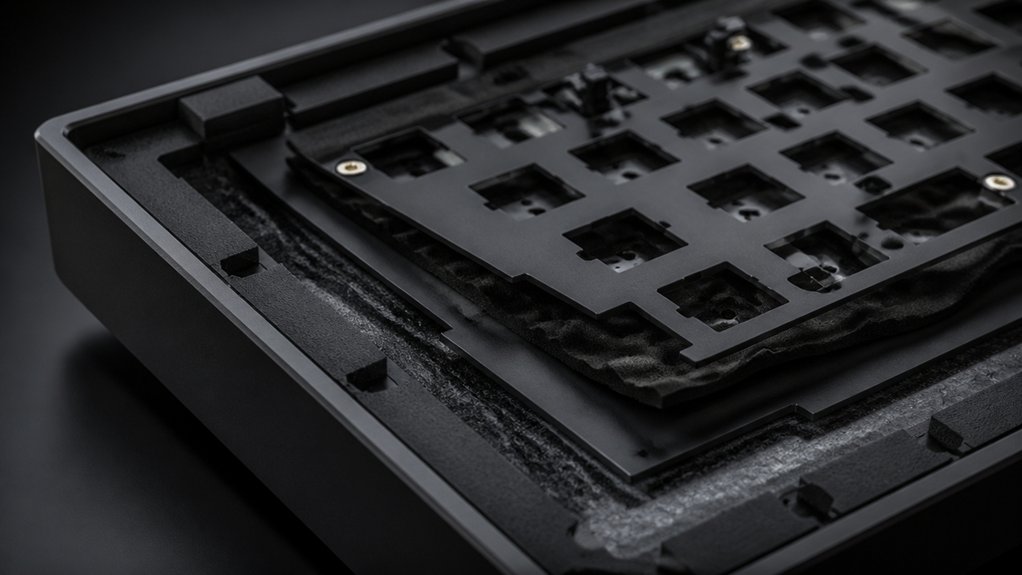
External reflections and vibrations from your desk can greatly amplify the noise produced by your mechanical keyboard. To minimize this, place a thick desk mat or large mousepad made of soft foam or felt underneath your keyboard. This helps absorb sound reflection and dampen vibrations, reducing resonance and echo. Using a dense rubber or foam layer, such as those found in desk mat sets, can further enhance vibration dampening and soundproofing. Secure your keyboard feet with silicone pads or foam strips to decouple the keyboard from the desk and prevent vibrations from transmitting. Avoid hollow or glass desks, as they amplify noise through resonance and metallic sounds. Using dense layers like neoprene or felt beneath the keyboard further dampens vibrations and sound reflection. A simple towel or DIY felt layer can also offer a low-cost way to minimize desk vibrational effects and improve overall soundproofing.
Frequently Asked Questions
Can Adding Foam Inside the Keyboard Void the Warranty?
Adding foam inside your keyboard can void the warranty if it causes damage or alters the original structure. Always check your warranty terms before modifying your keyboard, and consider using non-invasive soundproofing methods to avoid risking coverage.
Which Materials Are Best for Soundproofing a Keyboard Housing?
You should use foam or rubber, as they absorb vibrations effectively, and dense materials like mass-loaded vinyl or acoustic panels can block sound transmission. Combining these options with your keyboard housing provides the best soundproofing results.
How Often Should I Check and Tighten Screws for Optimal Soundproofing?
You should check and tighten screws every few weeks to guarantee ideal soundproofing. Regular maintenance prevents vibrations and loose parts, keeping your keyboard quiet and secure, especially if you notice any rattling or increased noise over time.
Will Replacing Keycaps Affect the Noise Reduction?
Replacing keycaps can affect sound reduction, especially if you choose thicker or dampened options. Thicker keycaps absorb more sound, reducing noise, while thinner ones may increase typing noise and diminish soundproofing effectiveness. Consider your noise reduction goals.
Are There Any Risks of Damaging Mechanical Parts When Soundproofing?
Yes, you might damage mechanical parts if you’re too rough or use improper materials during soundproofing. Be gentle, follow instructions carefully, and use appropriate insulation to prevent harm and maintain your keyboard’s performance.



