

You can reduce keyboard noise by switching to thicker PBT keycaps over 1.3mm, as they absorb vibrations for deeper, quieter “thock” sounds. Opt for profiles like SA or MT3, which produce deeper resonance and lower high-pitched clicks. Ensuring a tight fit of keycaps on switch stems also minimizes rattling. Using artisan resin caps or adding sound dampening mods can further quiet your setup. Keep exploring to discover more effective keycap modifications for quieter typing.
How Keycap Material and Thickness Influence Keyboard Noise
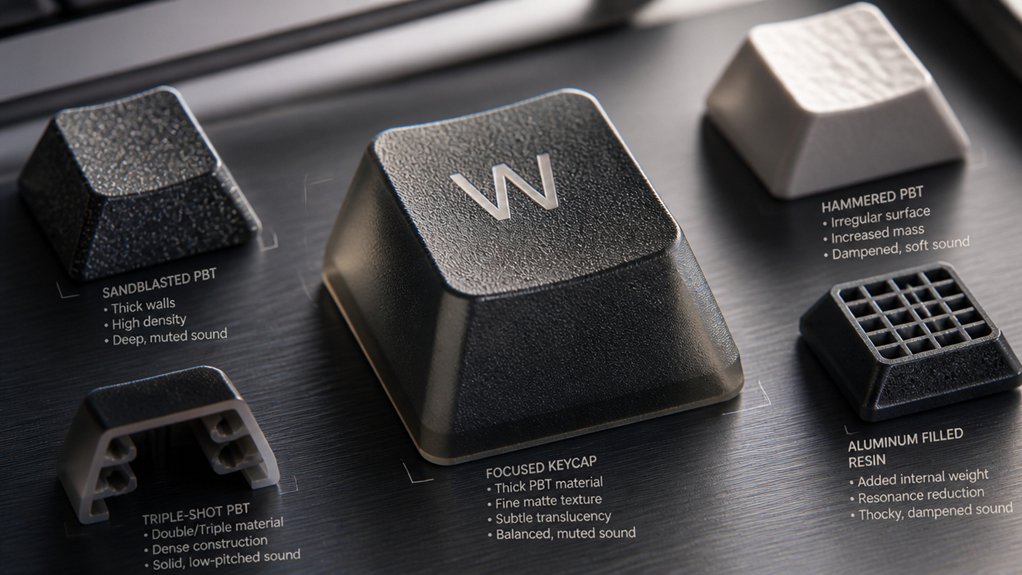
The materials and thickness of your keycaps play a crucial role in shaping your keyboard’s sound profile. Light, thin keycaps typically produce lighter, sharper sounds with higher-frequency resonances, increasing keyboard noise.
ABS keycaps, being lighter and glossy, reflect vibrations more and generate a louder, snappier typing sound. In contrast, PBT keycaps offer a deeper, more muted sound, creating a calmer sound signature.
Thicker caps, generally over 1.3–1.5mm, absorb more vibration, resulting in a lower-frequency “thock” that many find more satisfying for typing. Conversely, thinner keycaps less than 1mm tend to amplify vibrations, producing a brighter, more piercing tone.
Therefore, choosing the right combination of keycap material and thickness directly influences your keyboard’s noise level, feel, and overall sound signature.
Explore Different Keycap Profiles and Textures for Better Sound Control
Choosing the right keycap profile and texture can greatly influence your keyboard’s sound profile. Different keycap profiles create distinct sound signatures: Cherry profile keycaps, with their shorter, curved design, produce softer and less sharp typing sounds, while taller, rounded SA profiles generate a deeper resonance that alters the keyboard’s overall tone. Using durable double-shot keycaps made from high-quality PBT plastic not only ensures long-lasting legends but also contributes to a sound dampening effect, making your typing quieter and more pleasant. Textured keycaps, especially those made from PBT plastic, tend to absorb vibrations better than smooth ABS keycaps, resulting in muted, less sharp sounds. Thicker keycaps, often found in taller profiles, help absorb and reflect sound waves, making your typing quieter and more resonant—what many call a “thockier” sound. Combining the right profile and textured keycap choices can dramatically improve sound control and overall typing comfort.
Thick vs. Thin Keycaps: Which Is Quieter?
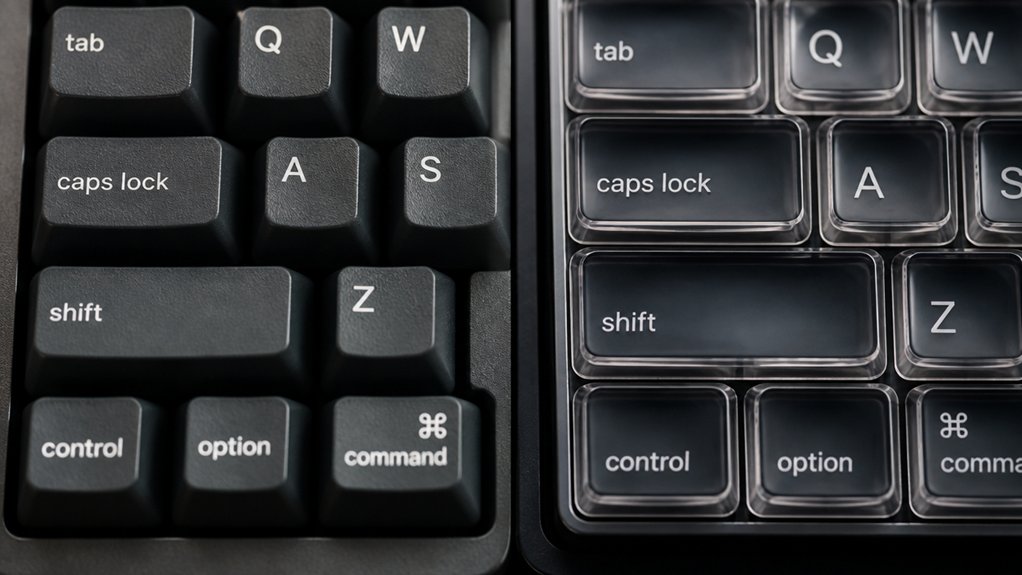
When it comes to minimizing keyboard noise, the thickness of your keycaps plays a significant role. Thick keycaps, typically over 1.3mm to 1.5mm, produce a deeper, more muted “thock” sound that reduces the high-pitched noise common with thin keys. Thin keycaps, under 1mm, tend to create sharper, higher-frequency “click” sounds, increasing typing noise. PBT caps, often used for thick keycaps, absorb sound and dampen vibrations more effectively than thin ABS keycaps, making your mechanical keyboard quieter. Dense materials combined with thickness enhance sound dampening even further. If you want a quieter typing experience, thick, high-quality PBT keycaps are your best bet, providing both acoustical benefits and long-lasting durability. Additionally, material durability influences how well the keycaps retain sound-dampening properties over time, ensuring a consistently quieter experience.
Choosing Durable, Sound-Absorbing Keycaps for Long-Lasting Quietness
Opting for durable, sound-absorbing keycaps guarantees your keyboard remains quiet and reliable over time. Thick PBT keycaps, usually over 1.5mm, better absorb vibrations, producing a deeper “thock” that dampens noise. PBT, made from Polybutylene Terephthalate, offers superior durability and resists shine, maintaining consistent sound profile and typing feel. Double shot or dye-sublimated PBT keycaps prevent legend fading, ensuring long-term appearance and sound consistency. Choosing profile types like SA or MT3, which are taller and rounded, further reduces high-pitched noise. Additionally, double-shot molding techniques significantly enhance the long-term durability and sound absorption qualities of the keycaps.
Practical Tips to Minimize Keyboard Clicks and Rattling
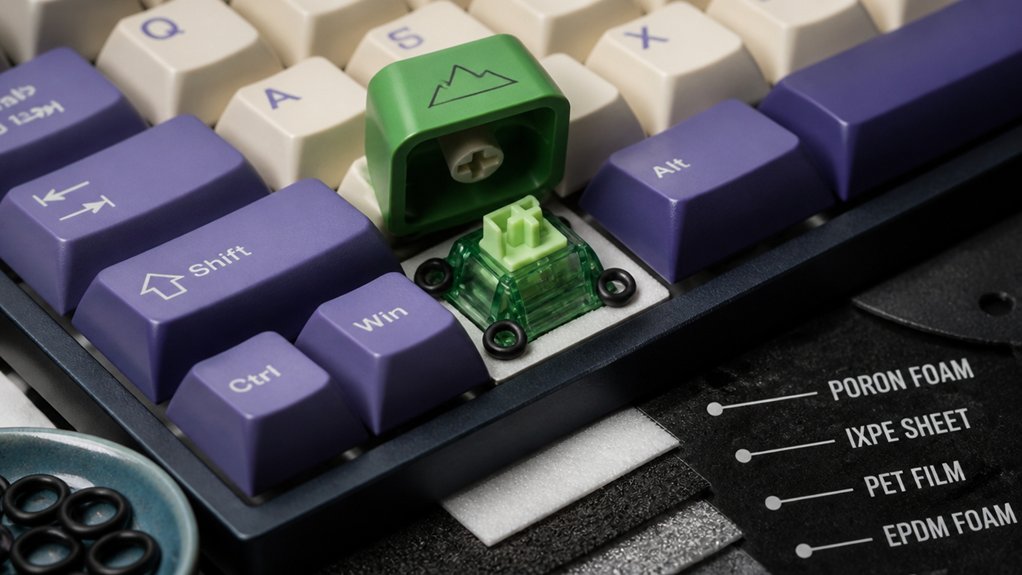
To effectively reduce keyboard clicks and rattling, paying attention to the fit and maintenance of your keycaps is essential. Make certain your keycaps fit tightly on the switch stems to prevent looseness that causes rattling noises during typing.
Ensure tight keycap fit and regular maintenance to minimize rattling and achieve quieter typing.
Thicker PBT keycaps (over 1.3mm) help dampen sound by absorbing vibration and reducing high-pitched clicks often made with thin ABS keycaps. Choosing keycap profiles like SA or MT3 creates a deeper sound, minimizing sharp rattles.
Consider replacing some keys with artisans resin keycaps, adding mass to dampen sound transmission on noisy keys. Regularly clean and check the keycap stems and switch tops to remove debris, decreasing wobble and noise. Incorporating proper materials, such as high-quality PBT with anti-grease coatings, can also contribute to a quieter typing experience.
These steps help make your typing quieter with minimal rattling, enhancing the overall acoustics of your keyboard.
Frequently Asked Questions
How to Reduce Keyboard Typing Noise?
To reduce keyboard typing noise, switch to thicker PBT keycaps with profiles like SA or MT3, add O-rings under your keycaps, and guarantee your switches are well lubricated, all of which dampen sound and soften bottom-out impact.
Can Keycaps Make a Keyboard Quieter?
Yes, keycaps can make your keyboard quieter. Thicker, heavier, and matte PBT keycaps dampen vibrations and produce a deeper sound, reducing noise considerably compared to thinner, glossy ABS keycaps, creating a more muted typing experience for you.
How to Mod a Keyboard to Be Quieter?
You can mod your keyboard to be quieter by replacing thin ABS keycaps with thicker PBT ones, installing O-rings, lubing stabilizers, and adding internal foam. These steps dampen sound and create a softer, more muted typing experience.
Do Gamers Prefer Membrane or Mechanical?
You prefer mechanical keyboards because they offer better tactile feedback, durability, and faster responses, which improve your gaming accuracy. Although membrane keyboards are quieter and cheaper, most serious gamers choose mechanical ones for their performance advantages and customization options.



