
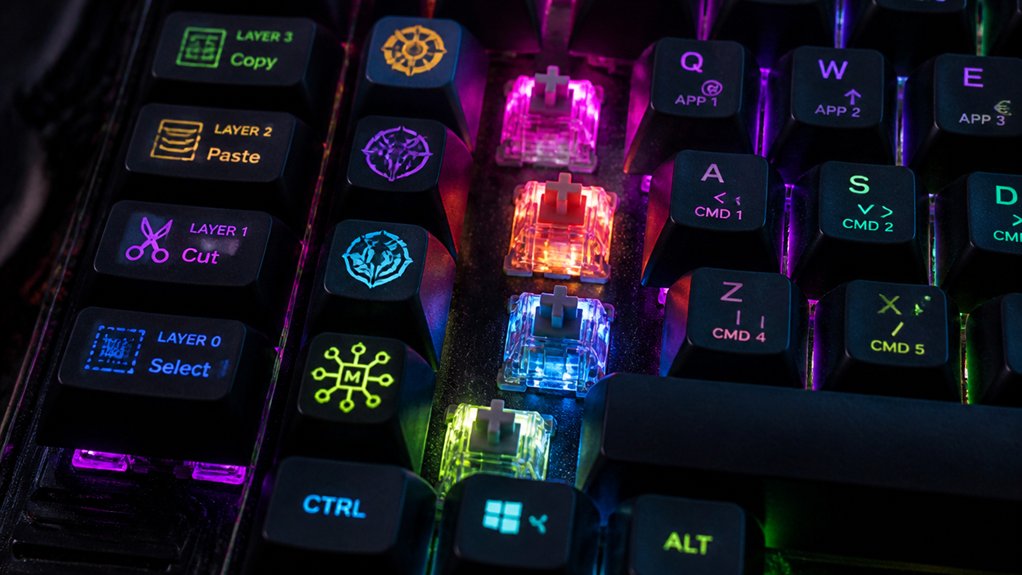
To create complex macros on your mechanical keyboard, start by ensuring your firmware supports scripting options like QMK or VIAL for customization. Plan your sequences carefully, incorporating macro layers, modifiers, and delays for reliability. Use conditional logic and memory features to make dynamic responses, and test everything in a safe environment. Optimize speed for your software and keep detailed backups of your configurations. Stay with us to discover all the expert tips for mastering macro creation.
Understand Firmware Compatibility and Scripting Options
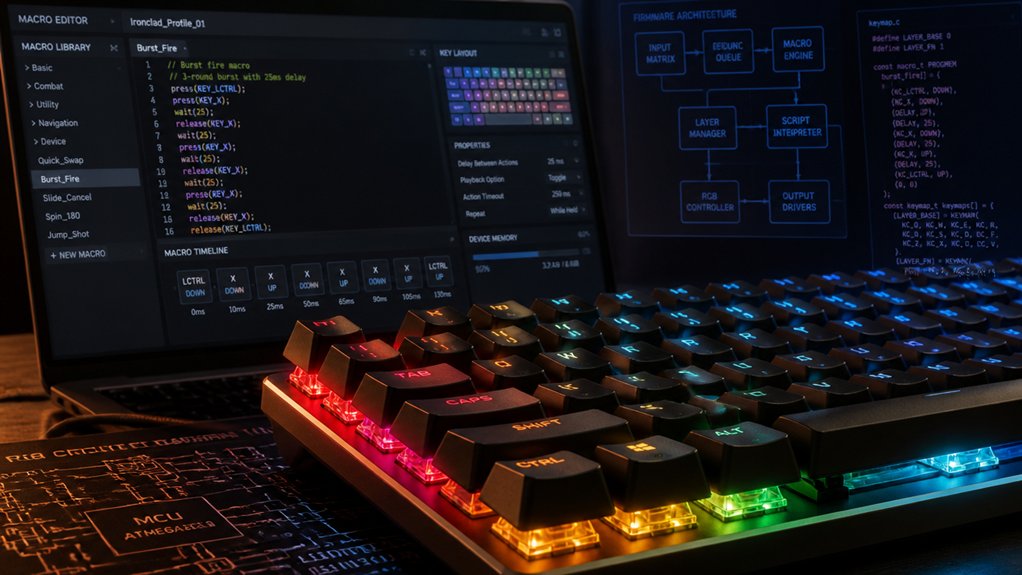
Understanding firmware compatibility and scripting options is essential for maximizing your mechanical keyboard’s macro capabilities. Your firmware, like QMK or VIAL, determines how flexible your macros can be. QMK offers precise control, allowing you to program complex macro sequences with custom keycodes, conditional logic, and layered macros. VIAL builds on QMK’s foundation with a user-friendly graphical interface, enabling real-time macro creation and modification without reflashing your firmware. Keep in mind, firmware compatibility with your keyboard’s hardware—such as Bluetooth or USB types—and the availability of programmable macro keys affect what macros you can implement. Additionally, firmware support for custom features like advanced keymap layers and scripting options can significantly enhance your macro capabilities. Arduino-based firmware frameworks like Kaleidoscope further expand options by supporting plugins for specialized macros. Choosing the right firmware guarantees you maximize macro functionality without technical limitations.
Plan and Design Ergonomic Macro Sequences for Reliability
Designing ergonomic macro sequences is essential for guaranteeing both reliability and comfort during extended use. You should assign macros to easily reachable macro keys or thumb keys, reducing finger strain and enabling faster executing complex commands. Incorporate programmable shortcut building into your macro design process to streamline workflows and improve efficiency. Plan sequences with logical steps, adding appropriate delays so commands register reliably across different software. Use layered macro profiles and FN-key modifiers to maintain ergonomic posture, limiting hand repositioning during multi-step tasks. Always test your macros in real scenarios to confirm consistency and responsiveness, adjusting key sequences or timings as needed. To enhance long-term usability, incorporate ergonomic principles such as alternating finger usage and minimizing repetitive motions. This approach guarantees your mechanical keyboard remains both efficient and comfortable, saving time while reducing fatigue.
Add Conditional Logic and Memory to Create Dynamic Macros

Adding conditional logic and memory makes your macros more flexible and responsive. You can program macros to respond differently based on layer states, key combinations, or previous inputs. This technique enhances the complexity of your macros, allowing for more advanced customization and seamless task automation. This approach lets you create dynamic sequences that adapt to your workflow in real time.
Implementing Conditional Commands
Implementing conditional commands in your macros allows for more versatile and intelligent keyboard behaviors. Using programmable firmware like QMK or VIAL, you can incorporate custom keycodes and if-else statements to make macros respond to real-time input or states. Memory variables enable macros to recall previous actions or toggle functions, adapting dynamically to how you work.
Advanced macros can check modifier keys or layer statuses to send different commands depending on your current context. Using firmware event loops gives you the ability to monitor and react to specific key events, enabling complex workflows. Hot-swappable switches support further customization, allowing for easy switch changes to tailor your setup as your macro needs evolve.
Combining these techniques with layering and secondary keys lets you create macros that activate different functions based on circumstances, making your keyboard smarter and more efficient.
Using Stored Macro Memory
Using stored macro memory enhances the flexibility of your custom macros by enabling them to recall previous keypresses or states dynamically. This allows your macros to respond intelligently based on stored key information, making automation more adaptable. For example, you can utilize hot-swap PCBs to easily reconfigure switch functions without soldering, which complements the dynamic nature of stored commands in your macros. With advanced firmware like QMK or Kaleidoscope, you can incorporate conditional logic—such as “if-then” structures—based on stored macro memory, guiding different actions depending on previous keypresses or mode layers. Plugins like Kaleidoscope Redial leverage macro memory to repeat the last pressed key, facilitating context-aware automation.
However, careful programming is essential to track key states accurately and prevent unwanted or repetitive outputs. Using stored macro memory, you can build layered workflows and dynamic command chaining that greatly elevate your macro’s sophistication.
Creating Adaptive Macro Sequences
Creating adaptive macro sequences involves designing macros that can change their behavior based on real-time input or stored states. By using conditional macro programming with firmware like QMK or Kaleidoscope, you can make macros respond to key states, modifiers, or user variables, adding flexibility.
Incorporate memory functions to track recent key presses, enabling dynamic repetitions or context-specific actions. This allows your macros to react intelligently without pre-recording every possibility. Advanced users can utilize event loop hooks or custom event handlers to detect input sequences and adapt instantly.
Additionally, considering switch compatibility options can ensure your custom macros work seamlessly across various switch types and firmness, enhancing overall customization and user experience.
GUIs like VIAL simplify creating these macros, but more complex logic may require firmware code customization. Achieve smarter, more responsive macros by leveraging firmware features in your adaptive macro sequences.
Use Firmware Layers and Modifier Keys for Advanced Customization
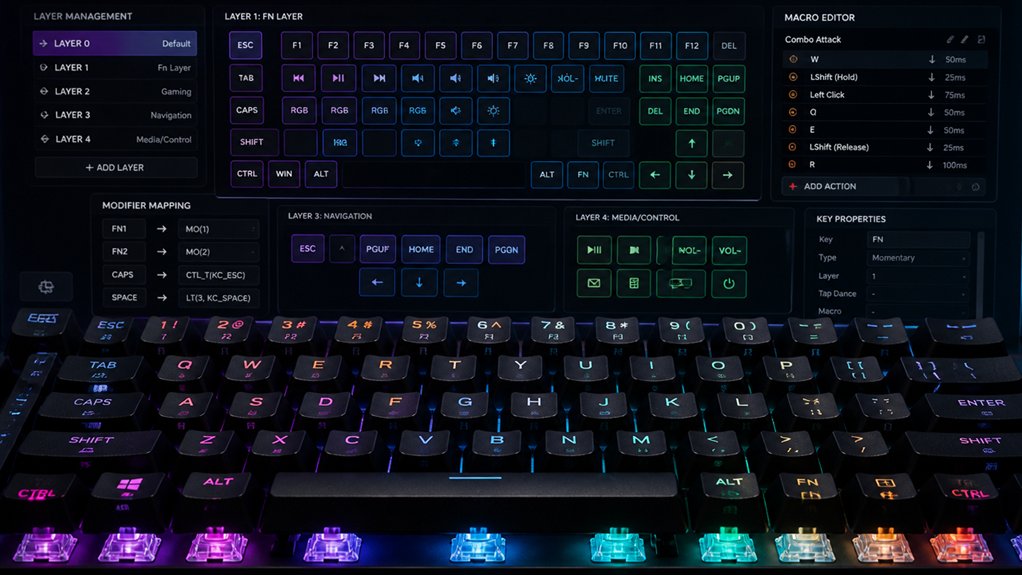
By leveraging firmware layers and modifier keys, you can greatly expand the functionality of your mechanical keyboard without adding extra physical keys. Firmware layers let you assign multiple functions to the same key, switching between layers to access different macros or commands. Hot-swap compatibility also makes it easy to customize your switches without soldering. Modifier keys like Shift, Ctrl, or Fn, combined with layers, enable complex combos and multi-step sequences with minimal effort. Advanced firmware such as QMK and VIAL supports toggling and momentary layer switches for seamless shifts—perfect for switching between gaming and productivity. Using layers to isolate macros prevents accidental triggers by separating different functions. Modifier and layer combos can also incorporate delays and conditional logic, giving you fine-tuned control over macro execution for even more complex customization.
Test and Refine Your Macros in a Safe Environment
Testing your macros in a safe environment before deploying them guarantees you avoid unintended commands that could interfere with important work or gaming. You should always test macros outside critical applications to prevent errors from automating repetitive tasks.
Always test macros outside critical apps to prevent errors damaging important work or gaming.
Use dedicated macro keys or macro editors like QMK or HexDrive to verify sequences and timings. Start simple—test basic commands first, then gradually add complexity with delays or additional steps, ensuring stability.
Employ debugging features or LEDs on your keyboard to monitor macro triggers and confirm correct execution without conflicts. Regularly backup your macro configurations and iterate adjustments based on real-world feedback. This process helps you refine your macros, ensuring they perform flawlessly and don’t disrupt essential tasks.
Additionally, understanding the firmware support options available for your microcontroller can help you troubleshoot and optimize macro performance effectively.
Optimize Macro Speed and Precision Across Programs
To achieve ideal macro performance across different programs, fine-tuning your macro speed and precision is essential. Use firmware like QMK or VIAL, which support adjustable key delay and repeat settings, to tailor macro execution for gaming or office software. Incorporate precise delay commands between key presses to prevent input overlap or missed actions in programs like Excel or Adobe Suite. Testing and customizing your macros directly within target programs helps identify the best timing for consistent performance. Additionally, understanding switch type classifications such as linear, tactile, and clicky, can help you choose the right mechanical switches that match your typing rhythm and response preferences.
Document and Backup Your Macro Settings for Easy Troubleshooting
To troubleshoot issues quickly, make sure you regularly save backup files of your macro profiles using your keyboard’s software. Document each macro’s purpose, key sequence, and steps in a separate file or spreadsheet for easy reference.
Additionally, keep versioned backups and store copies in the cloud to restore settings effortlessly when needed. Utilizing USB-C connectors with reliable and durable material properties can also ensure your setup remains consistent and less prone to hardware issues.
Save Backup Files
Regularly exporting and saving your macro profiles using your keyboard’s dedicated software, such as HexDrive or Redragon Macro Manager, guarantees that you can quickly recover your settings after updates or system issues.
Saving backup files guarantees your macro configurations remain intact, even if your system crashes or files get corrupted.
To maximize protection:
- Keep versioned backups of your macro profiles and configuration files
- Store backups on external drives or in cloud storage
- Document notes explaining macro functions alongside backup files
- Schedule periodic backups after significant changes
- Test restore backup files across different machines for compatibility
These practices help you avoid frustration by securing your custom setups, enabling smooth recovery, and preventing workflow disruptions caused by firmware or software mismatches.
Use Cloud Storage
Storing your macro configuration files in cloud services like Google Drive or Dropbox guarantees you can access and restore your settings across multiple devices with ease. By regularly backing up your macro configuration files, you prevent losing your customizations from hardware failures or accidental deletions. Cloud storage also enables quick restore of settings, so you can seamlessly continue your work. Use versioning to track changes and revert to previous macro setups when troubleshooting complex sequences. Keep detailed notes about each macro’s purpose and triggers in cloud-based documents to streamline debugging. Additionally, share your macro backup files via cloud links with collaborators or community members for support. Visualize your macro files arranged as:
| Macro Files | Notes | Troubleshooting Tools |
|---|---|---|
| Backup 1 | Setup | Version history |
| Backup 2 | Debug | Restore points |
Document Step Sequences
Documenting your macro step sequences is essential for easy troubleshooting and accurate replication. You should record each step carefully, noting key presses, delays, and any modifier keys involved. Proper documentation helps you identify issues quickly and guarantees you can recreate the macro accurately.
Use dedicated software’s macro editor, like HexDrive or Redragon, to export and save configuration files regularly, providing a backup if software or hardware changes occur. Organize your macros with descriptive names so you can easily locate and modify them later.
Keep a detailed log of any updates to macro timings, repeat settings, or assigned keys in a separate document or spreadsheet. Also, record your software and firmware versions to prevent unexpected issues caused by inconsistencies. Proper documentation simplifies complex macro management.
Frequently Asked Questions
Are Macros Illegal?
You might wonder if macros are illegal. They’re usually fine for productivity, but in multiplayer games, using them can violate rules, risking account suspensions or bans. Always check game and platform policies before using macros.
How to Create Macros on Your Keyboard?
You create macros by activating your keyboard’s macro record mode or using software. Record keystrokes and mouse actions, add delays if needed, assign macros to keys, and save profiles for different applications or games to streamline your workflow.
What Are Good Keyboard Macros?
Good keyboard macros automate multi-step tasks like complex formulas or gaming combos, reducing errors. They combine keystrokes, delays, and conditionals, often via secondary layers or FN keys, ensuring seamless productivity and gaming performance without disrupting your typing flow.
Can Keyboard Macros Be Detected?
Yes, keyboard macros can be detected, especially in online gaming. Anti-cheat systems analyze timing patterns and monitor hardware signals, so using predictable or scripted macros risks account bans. To avoid detection, add randomness and human-like timing.
In Summary
By following these tips, you’ll release the full potential of your mechanical keyboard. Planning, testing, and customizing your macros guarantees a seamless experience tailored to your needs. Don’t forget to document your settings for easy troubleshooting and backups. With patience and practice, you’ll create complex, reliable macros that boost your efficiency and make your setup truly your own. Happy macro creating!



