
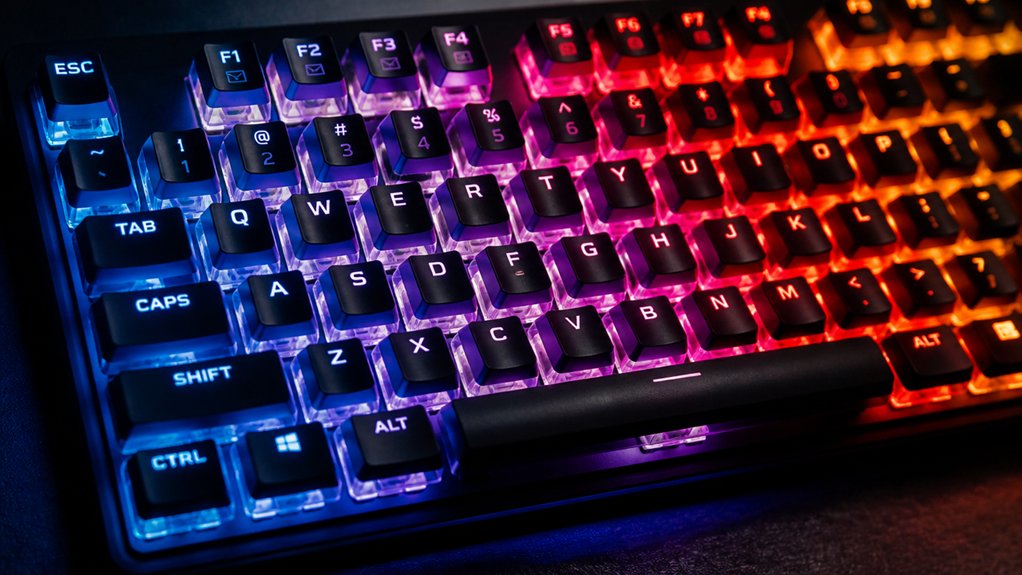
RGB lighting is perfect for keyboards because it offers vibrant, customizable illumination that boosts visibility and enhances style. With over 16 million colors, you can personalize your setup to match your mood, game, or workspace, making key identification easier in low light. It also provides interactive feedback, dynamic effects, and synchronization with games or music. If you want to unleash the full potential of RGB lighting, keep exploring how you can tailor it to your needs.
What Is RGB Lighting and Why Is It Perfect for Keyboards?
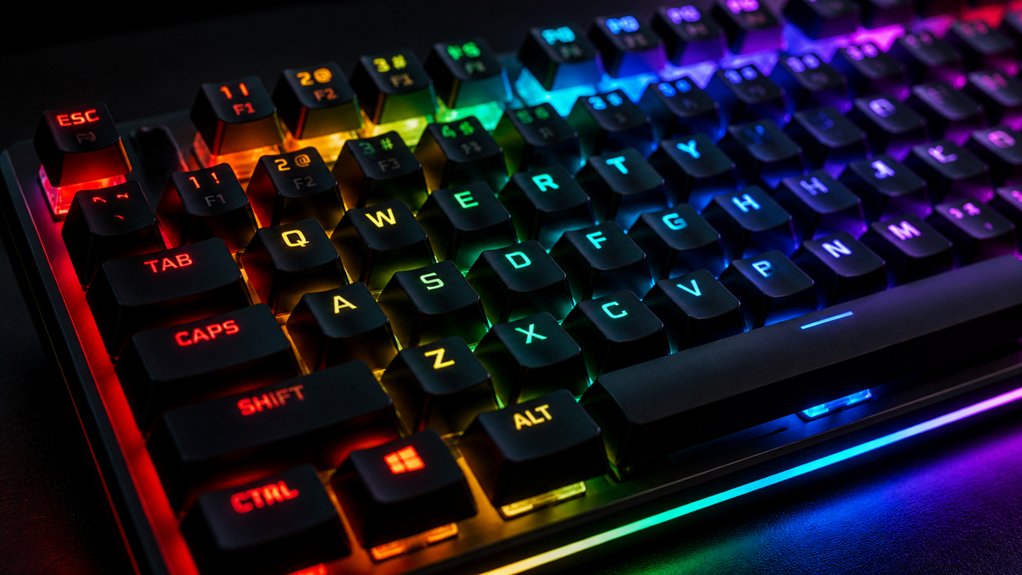
Have you ever wondered how RGB lighting transforms a simple keyboard into a dynamic, personalized device? RGB lights offer over 16 million colors, giving you endless customization options. Many RGB strips also feature music sync capabilities, allowing your lighting to respond to sound in your environment. With per-key RGB lighting, you can assign individual colors to each key or zone, making your keyboard uniquely yours. This not only boosts aesthetic appeal but also enhances functionality, especially during typing in the dark. Advanced software lets you synchronize lighting effects with games, music, or other peripherals, creating immersive visual experiences. RGB lighting can highlight essential gaming keys like WASD, improving reaction times and gameplay. It combines beauty with practical benefits, making your keyboard both visually striking and easier to use in various environments.
How Can You Customize RGB Lighting Effects on Mechanical Keyboards?
Wondering how to bring your mechanical keyboard’s RGB lighting to life? You can do this easily with dedicated RGB software like Corsair iCUE, Keychron Launcher, or Redragon’s apps. These tools let you customize lighting profiles that control individual keys or entire zones, letting you create vibrant effects tailored to your style.
You can design reactive effects that flash or breathe when you press keys, adding both visual flair and functional feedback. Many high-end keyboards have onboard memory to store these profiles, so your settings stay even when you switch devices.
Plus, advanced software allows you to create macros that trigger specific lighting changes based on game events or system activities, giving you full control over your keyboard’s RGB customization features.
What Are the Different Types of RGB Effects? Static, Reactive, and Dynamic Modes
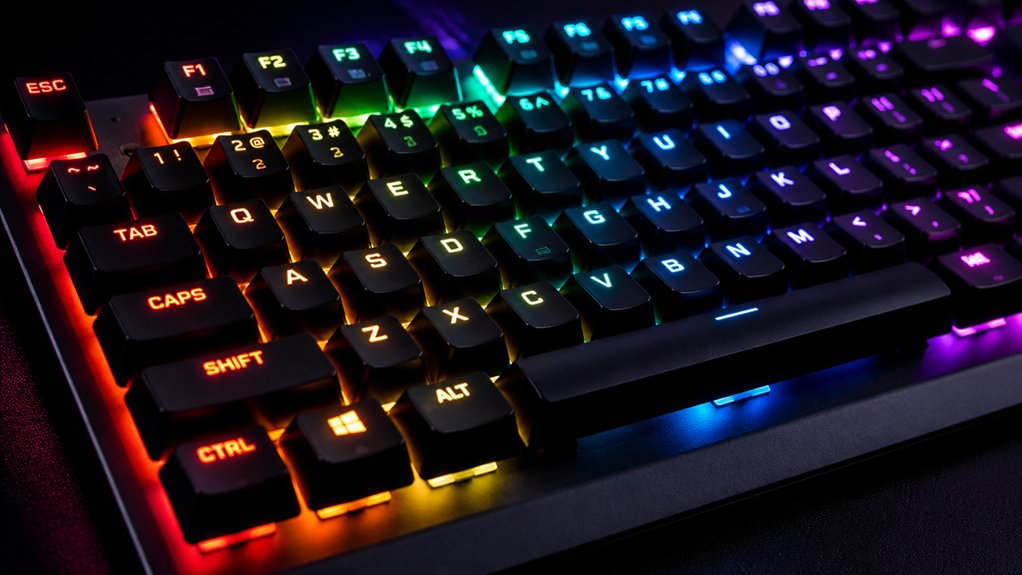
Are you curious about the various ways RGB lighting can enhance your keyboard experience? RGB backlighting offers three main lighting effects. Static mode keeps all keys illuminated with a single, steady color, making it simple and effective for visibility and style. Reactive mode adds interactivity by flashing or changing color briefly when you press keys, providing visual feedback and a lively feel. Dynamic mode displays flowing or shifting lighting effects, often cycling through multiple colors and patterns, creating an engaging visual. Additionally, the choice of PBT keycaps with shine-through legends can significantly impact the brightness and clarity of these effects, ensuring vibrant and consistent illumination across your keyboard. With advanced RGB software like Corsair iCUE or SignalRGB, you can customize each effect per key or zone or sync them with in-game actions or music. These effects help you personalize your keyboard and boost immersion with responsive and vibrant lighting.
Why Is Per-Key RGB Lighting Useful for Gaming and Productivity?
Per-key RGB lighting boosts both gaming and productivity by giving you precise control over individual key colors. With customizable per-key RGB lighting, you can highlight important keys like WASD or your favorite shortcuts, improving reaction times and accuracy.
For gaming, this means easier access to vital controls and visual cues synced with in-game events, enhancing responsiveness. In productivity, assign different colors to frequently used commands or shortcuts to faster identify them, reducing errors and saving time.
The ability to create multiple profiles allows seamless switching between settings tailored for different games or software. Plus, fine-tuning brightness and contrast per key can reduce eye strain during long sessions. Overall, per-key RGB lighting elevates your experience by blending functionality with visual customization. Additionally, hot-swap compatibility enables easy switch replacement without soldering, allowing quick customization and maintenance of your keyboard’s lighting and switch setup.
How Does RGB Software Help You Personalize and Sync Lighting Profiles?
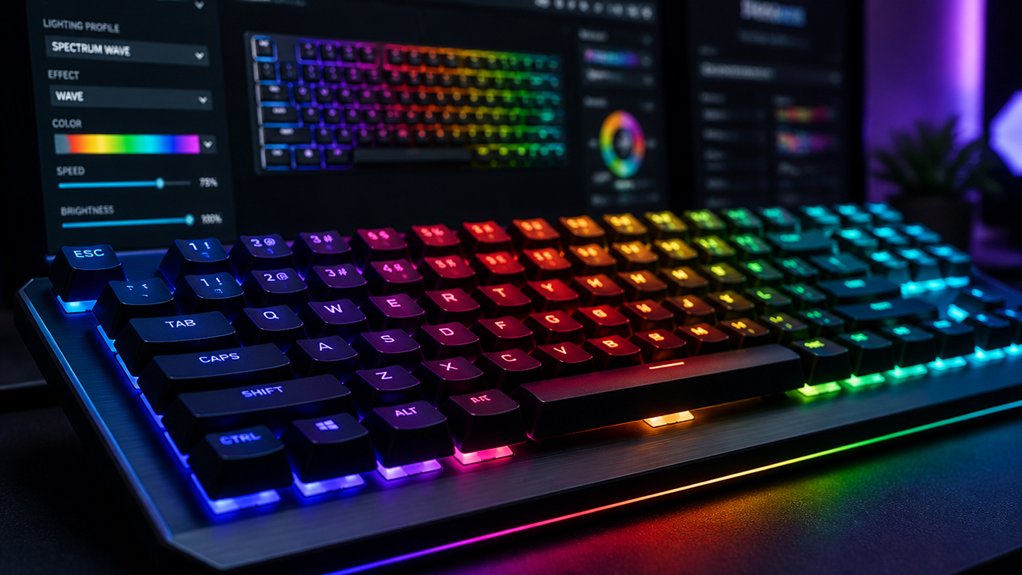
Have you ever wanted to create a cohesive lighting setup across all your gaming peripherals and devices? RGB software makes that possible by offering customizable lighting options. With these programs, you can assign specific colors and dynamic effects to individual keys or zones, tailoring the look to your style.
Advanced RGB software like Corsair iCUE or Keychron Launcher supports synchronization, allowing your lighting profiles to work seamlessly across multiple devices, creating an immersive environment. Many RGB suites also provide pre-built effects that respond to game actions, music, or system alerts, enhancing both aesthetics and practical feedback.
Plus, you can save and switch between multiple profiles stored on the keyboard or within the software, ensuring consistent customization no matter where you game or work. Incorporating RGB control options from PCBs and smart lighting systems can further expand your customization possibilities.
What Are Tips for Creating Stunning RGB Effects and Profiles?
To create stunning RGB effects and profiles, start by choosing vibrant color schemes that catch the eye. Experiment with dynamic lighting effects like reactive flashes, color waves, and ambient glows to add visual interest. Personalize your setup with unique profiles for different modes and occasions to make your keyboard truly stand out. Pay attention to LED slot compatibility and housing transparency to optimize the lighting quality and achieve the desired effects.
Choose Vibrant Color Schemes
| Key Zone | Color Scheme | Effect Type |
|---|---|---|
| WASD | Contrasting colors | Gradient fade |
| Media | Vibrant RGB | Reactive flashes |
| Function | Complementary colors | Static highlights |
| Arrow keys | Bright hues | Pulsing effect |
| Number pad | Different colors | Wave pattern |
Vibrant RGB schemes keep your RGB LED keyboard engaging and functional. A well-designed keycap profile can further enhance your lighting effects by ensuring accurate backlighting and minimal light bleed.
Use Dynamic Lighting Effects
Building on vibrant color schemes, creating stunning RGB effects involves mixing and matching dynamic animations that respond to your keyboard activity and system events.
With per-key RGB customization, you can assign dynamic lighting effects that shift with key presses or system triggers, making your setup both functional and eye-catching.
Fully customizable options allow you to layer multiple lighting effects, like reactive flashes combined with flowing color waves, for complex profiles.
Synchronize these effects with gameplay or music rhythms to boost immersion and visual appeal.
Adjust brightness and progression speeds carefully to prevent glare and maintain smooth animations.
Save multiple profiles with distinct lighting schemes, enabling quick toggles for different moods or tasks, elevating your keyboard’s visual impact while keeping control at your fingertips.
A variety of customization options and compatible LEDs can help you achieve the perfect dynamic effects for your keyboard.
Personalize With Unique Profiles
Personalizing your keyboard with unique profiles starts by leveraging per-key RGB customization software like Corsair iCUE or Keychron Launcher, which allows you to assign specific colors and effects for keys or zones. You can also explore advanced color consistency standards to ensure vivid, uniform lighting across your keycaps. The best RGB keyboards support this flexibility, enabling you to craft distinct lighting profiles tailored to your needs.
Set up macros to automate lighting changes during gameplay or work tasks, further enhancing functionality. Create lighting profiles that highlight important keys—like gaming WASD or productivity shortcuts—so they stand out for quick access.
Experiment with dynamic effects such as reactive lighting or wave patterns to add personality. Save multiple profiles with different color schemes and brightness levels, then switch seamlessly based on environment or task, ensuring your setup is both functional and stylish.
How Does RGB Lighting Improve Visibility and Key Recognition in Low Light?
Have you ever struggled to see your keyboard clearly in dim lighting? RGB lighting addresses this by illuminating keys with customizable brightness and colors, making it easier to see keys without straining your eyes.
RGB lighting makes your keyboard easier to see in low light, reducing eye strain and enhancing visibility.
Per-key RGB lighting allows you to highlight important or frequently used keys, improving key recognition and reducing mistakes when typing in low light.
Dynamic lighting effects, like reactive flashes or color changes upon key presses, give instant visual feedback, helping you quickly identify pressed keys.
With millions of color options, you can create color-coded setups that group keys by function, boosting productivity.
Adjustable RGB brightness guarantees peak illumination, providing enough light to see the keys clearly without causing eye fatigue during long gaming or working sessions.
Additionally, transparent housings not only enhance the aesthetic appeal but also help maximize the brightness and effectiveness of RGB lighting, ensuring bright and vivid key illumination.
What Should You Consider When Choosing an RGB Mechanical Keyboard?
When choosing an RGB mechanical keyboard, it’s essential to take into account how well it supports customization and ease of use.
The best RGB mechanical keyboards offer intuitive software like Corsair iCUE or Keychron Launcher for seamless lighting adjustments and syncing effects across devices. Prioritize models with per-key lighting or multi-zone RGB to give you precise control over colors and effects, boosting both aesthetics and functionality.
Consider switch types—linear, tactile, or clicky—that suit your typing and gaming style while matching RGB features. Connectivity is key; wired keyboards provide low latency and consistent performance.
Additionally, look for built-in features like onboard memory to save custom profiles, dedicated media controls, and programmable macro keys to enhance your overall user experience.
- Effortless customization with intuitive software
- Stunning per-key or multi-zone RGB control
- Switch types matching your tactile preference
- Reliable wired connection for minimal latency
- Onboard memory for saving personalized profiles
How Do You Troubleshoot Common RGB Lighting Issues?
If your keyboard’s lighting isn’t working properly, start by making sure your RGB software is up to date to prevent compatibility issues.
Check your connection type—whether wired or wireless—and confirm it’s stable, as loose or interfering connections can cause problems.
If the lighting is still inconsistent, reset profiles or inspect hardware components like LEDs or circuit connections for damage.
Software Compatibility Problems
Software compatibility issues are a common cause of RGB lighting troubles on your keyboard. If your Corsair K100 RGB or other RGB Gaming keyboards aren’t lighting up correctly, check that your RGB software is updated to the latest version. Outdated software can cause profile loading problems and sync glitches.
Try disconnecting and reconnecting your keyboard, then restart your RGB software to refresh settings. Make sure no conflicting RGB management programs, like SignalRGB, are running simultaneously.
Also, verify that your keyboard’s firmware is current; outdated firmware can prevent lighting effects from working properly. If per-key lighting customization fails, reset the keyboard to factory defaults and re-import your profiles.
Staying vigilant with updates and avoiding conflicting software keeps your RGB lighting flawless.
Hardware Connection Issues
Ensuring a secure connection is essential for your keyboard’s RGB lighting to work correctly. Check that your keyboard is properly connected via USB or the wireless receiver—loose or faulty cables often cause RGB lighting issues. If you’re using a USB-C cable, make sure it’s firmly plugged in and free from damage.
Confirm that the lighting software, like Keychron Launcher or Corsair iCUE, is installed, updated, and recognizes the keyboard to control lighting settings effectively. Be mindful of any conflicting software or outdated drivers; updating or reinstalling them can resolve interference.
If problems persist, reset your keyboard’s lighting settings or firmware to default to eliminate glitches. Also, verify that your wireless keyboard has enough power, as low battery levels can reduce or disable RGB lighting.
How Can You Improve Your RGB Setup and Maximize Its Effectiveness?
Wondering how to make your RGB setup truly stand out and serve your needs efficiently? To maximize your RGB lighting, leverage advanced software like Corsair iCUE or SignalRGB for custom per-key RGB lighting. This allows you to synchronize effects across devices and craft tailored lighting profiles that match your workflow or gaming style.
Focus on optimizing lighting placement by assigning colors to highlight essential keys, boosting visibility during intense moments. Incorporate reactive lighting effects, such as flashes on key presses or game events, to increase interactivity and immersion. Experiment with layering multiple RGB effects and adjusting brightness directly to strike a perfect balance between aesthetics and clarity — avoiding eye strain.
Saving profiles to onboard memory guarantees consistency across setups, making your RGB experience seamless and impressive.
How to Integrate RGB Lighting With Your Other Peripherals and Desk Setup
To create a cohesive and visually striking setup, you need to synchronize your RGB lighting across all peripherals and desk accessories. Use software like Corsair iCUE or SignalRGB to synchronize RGB lighting effects, creating a unified aesthetic.
Customize per-key RGB lighting on your keyboard to match your PC components and desk accessories, boosting your setup’s cohesiveness. Take advantage of lighting profiles that sync with music or game actions for immersive experiences.
Choose peripherals supporting wide RGB color palettes and multiple lighting zones to allow fine-tuned synchronization and vibrant, consistent lighting.
Proper cable management and well-placed USB hubs help maintain a clean look, ensuring the visual flow isn’t disrupted.
Consistent RGB effects across devices create an integrated, dynamic workspace that highlights your personal style.
How Can You Save Battery Life When Using RGB Lighting on Wireless Keyboards?
To extend your wireless keyboard’s battery life, you can activate battery saver modes and limit flashy lighting effects.
Reducing brightness and choosing static or minimal lighting options also make a big difference. These simple adjustments help you enjoy RGB features without draining your battery quickly.
Utilize Battery Saver Modes
Activating battery saver modes on your wireless RGB keyboard is one of the most effective ways to extend its battery life. These modes dim or turn off RGB lighting when the keyboard is idle, conserving energy.
You can also set RGB lighting to activate only during key presses or specific times, reducing unnecessary power drain. Disabling per-key RGB effects and limiting lighting zones further helps preserve battery life.
Many wireless RGB keyboards come with software to adjust brightness levels, allowing you to balance aesthetics with efficiency. When battery life is critical, turning off RGB lighting entirely is the most effective tactic.
- Feel confident knowing you’re making your battery last longer
- Enjoy uninterrupted work sessions without unexpected shutdowns
- Keep your wireless RGB setup sleek and efficient
- Maximize the lifespan of your keyboard’s power source
- Confidently work, game, or browse longer without interruption
Limit Lighting Effects
Limiting lighting effects on your wireless RGB keyboard is a straightforward way to conserve battery life. Reducing the number of active RGB zones decreases power consumption, so fewer lighting effects mean longer use between charges.
Instead of dynamic or flashing patterns, opt for static or minimal lighting effects to save energy. Lowering the brightness level of the RGB lighting also makes a significant impact on battery drain during wireless use.
Disabling per-key RGB lighting in favor of simpler backlighting modes can extend the keyboard’s uptime, especially during long sessions. When not in use, turning off the RGB lighting completely or setting auto-off timers guarantees the keyboard isn’t wasting power.
Frequently Asked Questions
What Is the Best Color for RGB Keyboard?
The best color for your RGB keyboard depends on your preference and use. Blue offers calming visibility, red boosts alertness for gaming, and white provides clear, neutral lighting, allowing you to customize for comfort and style effortlessly.
Does RGB Affect Keyboard Performance?
RGB lighting doesn’t affect your keyboard’s performance notably. Modern models maintain low latency and responsiveness, even with extensive lighting effects, and high-end keyboards guarantee that RGB features won’t cause input delays or slow down your gaming or typing.
Why Are Gamers so Obsessed With RGB?
Gamers are obsessed with RGB because it personalizes their setups, enhances gameplay with better key visibility, and creates an immersive, stylish environment. It also boosts reaction times, simplifies macro execution, and builds a sense of community around shared aesthetics.
Is RGB Good for Your Eyes?
RGB lighting can be good for your eyes if you adjust brightness and effects properly. You can reduce glare, highlight important keys, and dim or turn off lights during long use to minimize eye strain and discomfort.
In Summary
RGB lighting truly transforms your keyboard experience, offering endless customization for style, functionality, and immersion. With the ability to personalize effects, sync with your setup, and enhance productivity or gaming, it’s easy to see why RGB is a perfect fit. Just remember to troubleshoot when needed and optimize your settings for the best use. Embrace the vibrant possibilities and make your keyboard uniquely yours—your setup, your rules.



