
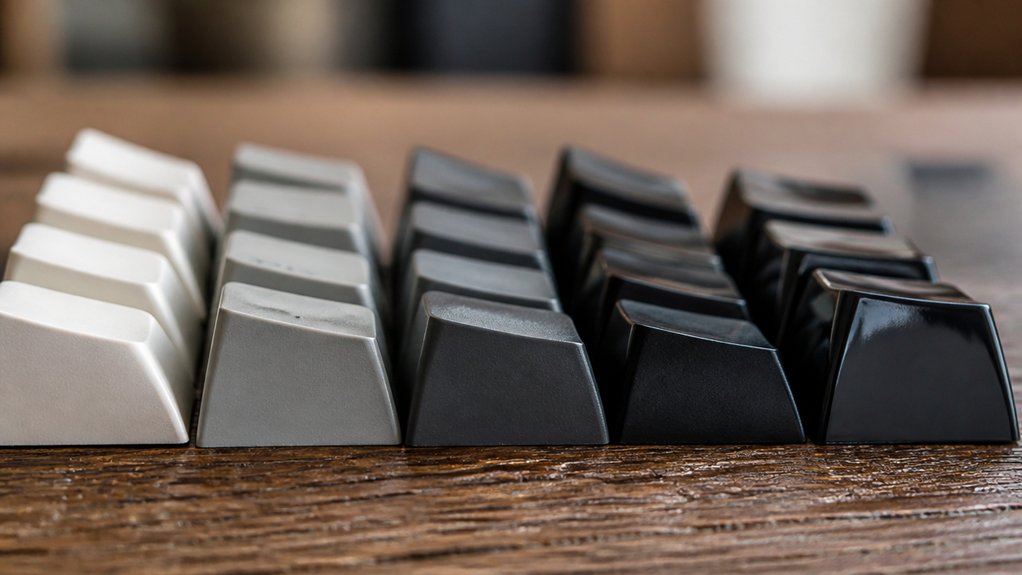
To choose keycap profiles for fast typing, focus on balancing finger travel and tactile guidance. Shorter, sculpted profiles like Cherry reduce finger extension and guide your fingers, boosting speed and accuracy. Uniform profiles such as DSA offer smooth, consistent key height for steady rhythm but lack row guidance. Consider your hand size and typing style—smaller hands benefit from lower caps, while touch typists may prefer uniformity. Trying different profiles helps you find your ideal comfort and pace. You’ll discover how various profiles impact your typing style and accuracy.
How Keycap Profiles Affect Typing Speed and Accuracy

Although the choice of keycap profile might seem minor, it directly impacts your typing speed and accuracy. Lower-profile keycaps like the Cherry profile (9.4mm) and OEM profile (11.9mm) reduce finger travel distance, letting you type faster with less effort.
Sculpted profiles, which vary in row height, improve accuracy by guiding your fingers to the right keys and reducing mistakes. On the other hand, a uniform profile such as the DSA profile (7.6mm) offers consistent key heights, enabling smooth finger gliding that supports faster typing, though with less tactile feedback.
Taller profiles can slow you down due to extended finger reach. Picking a keycap profile that balances comfortable finger travel distance and clear key differentiation can greatly enhance both your typing speed and accuracy.
Why Shorter, Sculpted Keycaps Help You Type Faster
You’ll notice shorter, sculpted keycaps reduce the distance your fingers travel, letting you move faster between keys.
The varying heights and angles of each row naturally guide your fingers, cutting down on effort and mistakes. This design helps you type quicker while staying comfortable and accurate.
Reduced Finger Travel
When you choose shorter keycap profiles like Cherry, your fingers don’t have to travel as far vertically, letting you press keys faster with less effort. This reduced finger extension directly decreases finger travel, boosting your typing speed and reducing fatigue during extended sessions.
Compared to medium-height profiles like OEM, which require more finger lift, Cherry profile keycaps help you maintain a quicker, more efficient typing rhythm. Sculpted keycaps further enhance this effect by naturally guiding your fingers, minimizing wasted lateral movement.
Enhanced Key Row Sculpting
Shorter keycap profiles like Cherry don’t just reduce finger travel—they also enhance the natural sculpting of key rows to speed up your typing. Their sculpted profile closely matches your fingers’ natural flexion, guiding your fingers across sculpted rows with precision, boosting typing speed and accuracy.
Compared to taller keycap profiles, Cherry’s moderate 9.4mm keycap height cuts down finger travel distance, letting you move faster and reduce finger fatigue. Medium height options like OEM or KAT balance fast actuation with ergonomic design, supporting sustained typing performance.
While uniform low-profile caps allow quick gliding, they lack the tactile sculpted rows that help you find keys by feel. Choosing keycap profiles with enhanced sculpting improves reach and reduces awkward finger extension, keeping your hands comfortable during fast typing sessions.
Popular Keycap Profiles for Fast Typing Compared (Cherry, MOA, OEM)

When choosing keycap profiles, you’ll notice height plays a big role in typing comfort and speed. Cherry’s medium height and sculpted design reduce finger travel, while OEM keycaps are taller with milder sculpting for a more familiar feel.
MOA stands out with its uniform height, helping you maintain consistent finger positioning during fast typing.
Profile Height Differences
Although keycap height might seem subtle, it considerably affects your typing speed and comfort.
Among popular keycap profiles, Cherry stands out with its medium height (~9.4mm) and mild sculpting, striking a balance that enhances typing speed and finger comfort. OEM keycaps are taller (~11.9mm) with gentle sculpting, which can guide your fingers but might slow ultra-fast typing due to extra finger travel.
On the other hand, MOA keycaps offer a uniform profile around 40mm in height, promoting consistent key levels to maintain a steady typing rhythm. Compared to the taller OEM, the shorter Cherry profile reduces finger extension and fatigue, making it easier for you to type quickly and comfortably over long sessions.
Understanding these height differences helps you pick the best profile for your typing style.
Typing Comfort Comparison
Understanding the differences in keycap height sets the stage for comparing how Cherry, MOA, and OEM profiles feel during fast typing.
Among popular keycap profiles, the Cherry profile stands out with its lower height and sculpted design, promoting ergonomic keycaps that reduce finger extension and enhance comfortable finger movement. OEM profile offers a slightly taller option with mildly sculpted rows, balancing typing comfort and speed as your fingers travel quickly across keys.
MOA profile, featuring uniform keycaps at a consistent height, supports steady finger positioning, which can improve accuracy after you adapt.
While all three prioritize ergonomics, Cherry and OEM’s sculpted design better guides finger placement for faster typing, whereas MOA’s uniform keycap heights aid in consistent keypress depth, boosting overall typing comfort depending on your style.
How Uniform Keycap Profiles Improve Typing Consistency
If you want to type faster and more accurately, uniform keycap profiles like DSA and XDA can make a big difference. Their flat design keeps finger travel distance consistent, helping you build muscle memory and maintain typing consistency. Because each key shares the same height and shape, you won’t need to adjust finger angles across rows, which supports faster typing and reduced fatigue. Plus, uniform keycap profiles simplify custom layouts by allowing easy rearrangement without changing the feel, boosting your typing speed on Dvorak or Colemak setups.
| Profile | Height (mm) | Benefit |
|---|---|---|
| DSA | 7.6 | Flat design, versatile |
| XDA | 8.5 | Smooth fingertip glide |
| OEM | 9.1 | Sculpted rows |
| SA | 12 | Tall, sculpted |
| Cherry | 9 | Moderate sculpting |
Uniform profiles promote consistent keystroke rhythm essential for fast typing.
Choosing Keycap Profiles for Hand Size and Typing Style
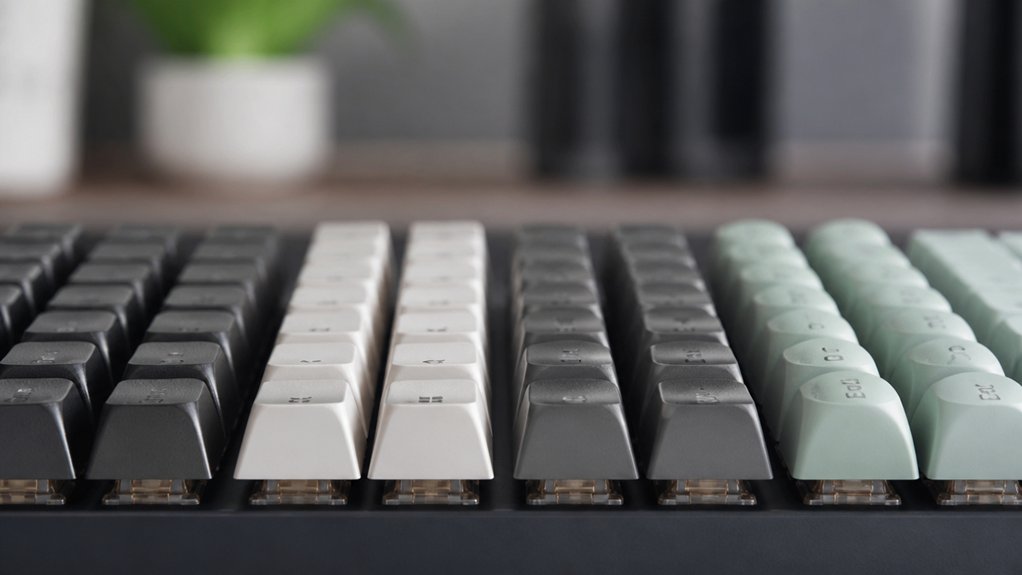
When selecting keycap profiles, your hand size and typing style play an essential role in comfort and performance. If you have smaller hands, low profile keycaps like the Cherry profile reduce finger extension and fatigue, boosting typing comfort during fast sessions.
Medium-height sculpted keycaps such as the OEM profile suit a range of hand sizes and support various typing styles with minimal adjustment. Sculpted keycaps like Cherry guide finger movement, enhancing accuracy and comfort if your typing style involves more finger lifting.
On the other hand, uniform keycaps, which have consistent height across rows, favor touch typists who want rapid, fluid keypresses without changing finger height. By matching keycap profiles to your hand size and typing style, you’ll optimize typing speed and reduce strain effectively.
Testing and Adapting Keycap Profiles to Boost Typing Speed
Though switching keycap profiles can feel unfamiliar at first, testing options like Cherry and OEM helps you find the right balance between comfort and typing speed.
Start by testing keycaps with moderate sculpted keycaps as they offer efficient key travel without excessive finger extension. If you want to boost typing speed, adapt to low profile or uniform profiles like DSA, which reduce finger movement.
Tall profiles like the SA profile require more finger extension and an adaptation period of several days, so expect initial slower typing speed. Trying trial sets or borrowing keycaps helps you gauge typing comfort before committing.
Sculpted keycaps with smooth spherical tops, like KAT, also improve finger gliding and reduce fatigue, enhancing your overall typing speed and comfort.
Frequently Asked Questions
What Keycap Profile Is Best for Typing Speed?
You’ll find low or medium-height keycaps like Cherry and OEM best for typing speed because they reduce finger travel and help accuracy. Uniform profiles like DSA also support fast, consistent typing by keeping key heights even and low.
Is OEM or Cherry Profile Better for Typing?
Cherry profile is better for typing if you want faster, more comfortable key presses with less finger travel. You’ll likely feel less fatigue and type more accurately compared to OEM’s taller, less ergonomic design.
Is ABS or PBT Better?
You’ll prefer PBT for fast typing since it’s more durable, resists shine, and maintains grip better than ABS. ABS feels slicker initially but wears faster, which can hurt your speed and consistency over time.
Is Moa or Cherry Better?
You’ll find Cherry keycaps better for fast typing because their medium-height, sculpted profile guides your fingers naturally, reducing effort and boosting accuracy. Moa’s uniform height feels consistent but demands more adjustment and finger strength.
In Summary
Choosing the right keycap profile can seriously boost your typing speed and accuracy. Shorter, sculpted keycaps like Cherry help your fingers glide effortlessly, while uniform profiles offer consistent feel for steady typing. Think about your hand size and style when picking profiles—what works for others might not work for you. Don’t be afraid to test different options and adapt until you find the one that feels just right. With the right keycaps, you’ll type faster and more comfortably every time.



