

How often you should lubricate your mechanical keyboard switches depends on your usage and environment. Heavy users, like gamers or power typists, should re-lube every 6 to 12 months to maintain smoothness and responsiveness, while lighter users can go 12 to 24 months. Signs like scratchiness, noise, or uneven resistance indicate it’s time for a touch-up. Using high-quality lubricants and proper techniques can extend intervals even further—if you want to learn more, keep exploring!
How Often Should You Lube Your Mechanical Switches Based on Usage?
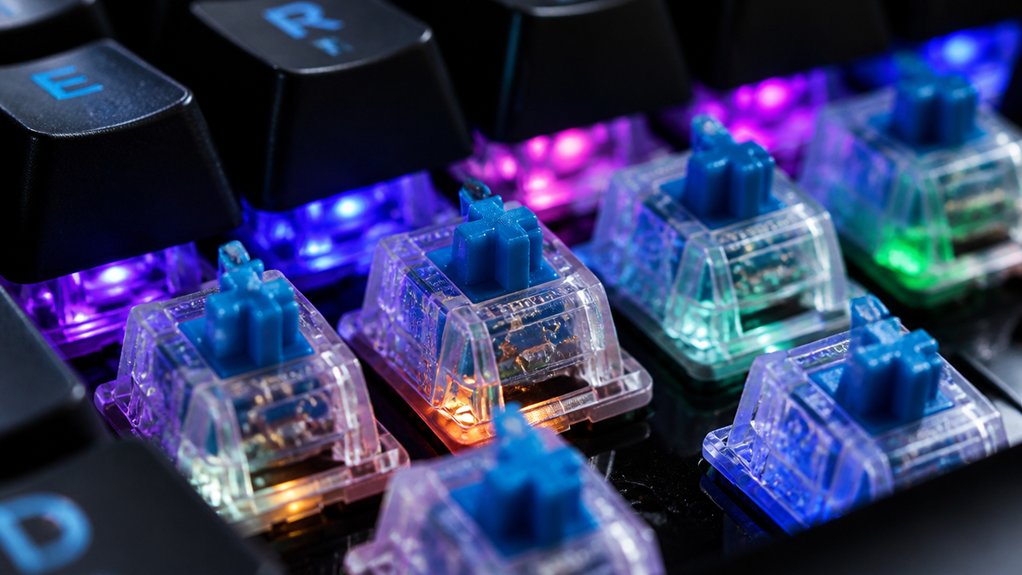
How often you should lube your mechanical switches depends largely on how frequently you use your keyboard. If you’re into gaming or heavy typing, your lubricant wears out faster, so lubed switches need re-lubing every 6 to 12 months to keep them smooth. For regular users, a 12 to 24-month interval is enough, especially if you notice increased noise or scratchiness. Proper maintenance, including cleaning and making certain your lubricant stays effective, can extend the lifespan of your switches and delay re-lubing. Application technique is also crucial to ensure an even, effective coat of lubricant without excess buildup. Keep an eye on how your keyboard feels; if your switches start rattling or feeling less crisp, it’s time to reapply lubricant. Regularly check the performance of your mechanical keyboard switches to guarantee peak, smooth typing or gaming experiences.
Why Regular Lubrication Is Important for Keyboard Performance
Regular lubrication keeps your keyboard switches operating smoothly and prevents them from feeling gritty or scratchy. It also helps extend the lifespan of your switches by reducing wear and tear. Keeping switches pre-lubed or refreshing their lubricant periodically ensures consistent sound quality and feel during use. When you maintain proper lubrication, your keyboard stays quieter, more comfortable, and consistently performs like new.
Enhances Key Smoothness
Lubrication is key to keeping your keyboard switches smooth and responsive. When you apply a quality lubricant to the internal components, it reduces friction between the switch stem and housing, allowing for fluid keypresses.
Regular lubrication guarantees your switches feel consistent and prevents scratchiness over time. Here are some benefits:
- Minimizes spring ping and rattling, improving acoustics
- Softens tactile bumps, enhancing typing comfort
- Maintains responsiveness by reducing wear and tear
- Preserves the switch’s smooth travel, preventing uneven resistance
Prolongs Switch Longevity
Have you ever wondered why your keyboard switches start to feel less smooth over time? Regular lubrication is key to extending your mechanical keyboard’s switch longevity. By reducing friction and wear inside the switches, lubrication keeps components like stems and springs operating efficiently.
High-quality greases such as Krytox GPL 205g0 can last 12 to 24 months, which delays the need for re-lubing. Without routine maintenance, increased friction accelerates component degradation, causing scratchiness and performance issues.
Proper lubrication also prevents imperfections from creating noise and micro-vibrations that speed up switch wear. When you consistently lubricate and clean your keyboard, you guarantee stable responsiveness and longevity, preserving the smoothness and overall performance of your switches for years longer than neglecting maintenance.
How Usage Intensity Affects Lubricant Wear and Reapplication Needs
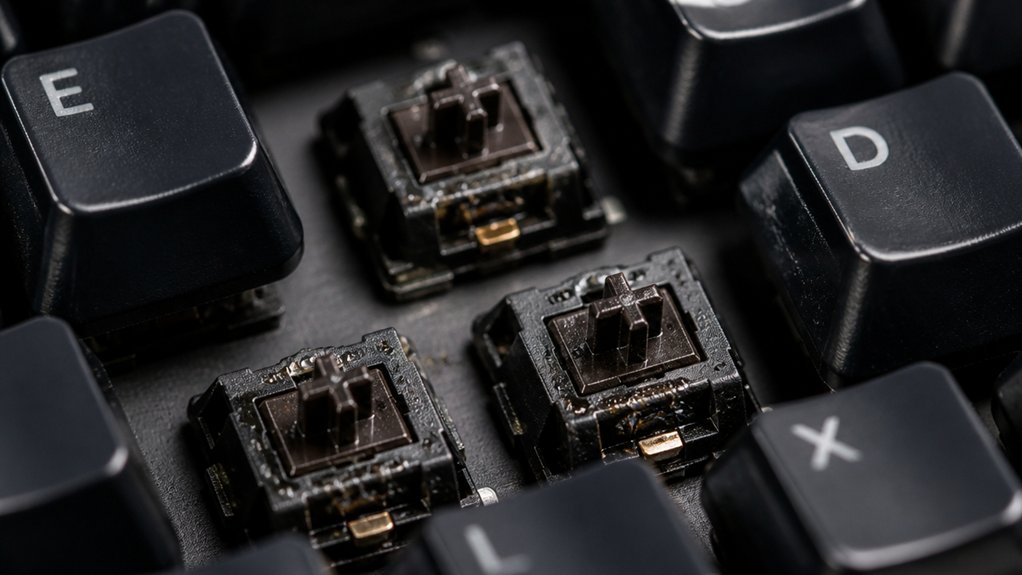
The frequency of use directly impacts how quickly keyboard lubricants wear down, especially during intensive keystroke activity. Heavy users, like gamers or power typists, often face lubricant degradation within 6 to 12 months due to constant friction from rapid keystrokes, which shortens lubricant lifespan and requires more frequent re-lubing. Our knowledge of factory pre-lubrication indicates that well-lubricated switches tend to maintain their smoothness longer, but heavy usage can accelerate breakdown despite these features. Average users typically see their lubricated switches remain smooth for 12 to 24 months before noise and friction increase. Higher usage speeds up lubricant breakdown on springs and stem rails, while environmental factors like dust and humidity can further accelerate wear. Regularly monitoring switch feel and sound helps identify when re-lubing is needed, especially for heavy users. Here’s a quick overview:
Heavy use accelerates lubricant wear, needing frequent re-lubing within 6 to 12 months.
- Heavy users experience quicker lubricant degradation.
- Lubricant lifespan shortens with intensive keystrokes.
- Springs and stems wear faster under heavy use.
- External factors can hasten lubricant breakdown.
How to Tell When Your Switch Needs Re-Lubing : Signs to Watch For
Ever notice your keyboard feeling less smooth or sounding louder than usual? These are signs your lubed keyboard might need re-lubing. Increased scratchiness or rough key presses indicate lubricant degradation, which reduces smoothness.
If you hear louder rattling or higher-pitched clicks, it’s a clear sign the lubricant has broken down, impacting sound and feel. Uneven resistance during typing suggests lubricant has worn off on certain switch parts, causing inconsistent key response.
A mushy or sluggish keystroke signals the lubricant is no longer functioning properly, leading to increased friction. If you haven’t re-lubed your switches in 12–24 months under typical use, it’s time to inspect them. Regular maintenance with professional lubing stations can help extend switch life and maintain optimal performance.
Recognizing these signs helps maintain peak switch performance and typing experience, guiding you when to re-lube before issues worsen.
Factors That Affect How Frequently You Should Re-Lube
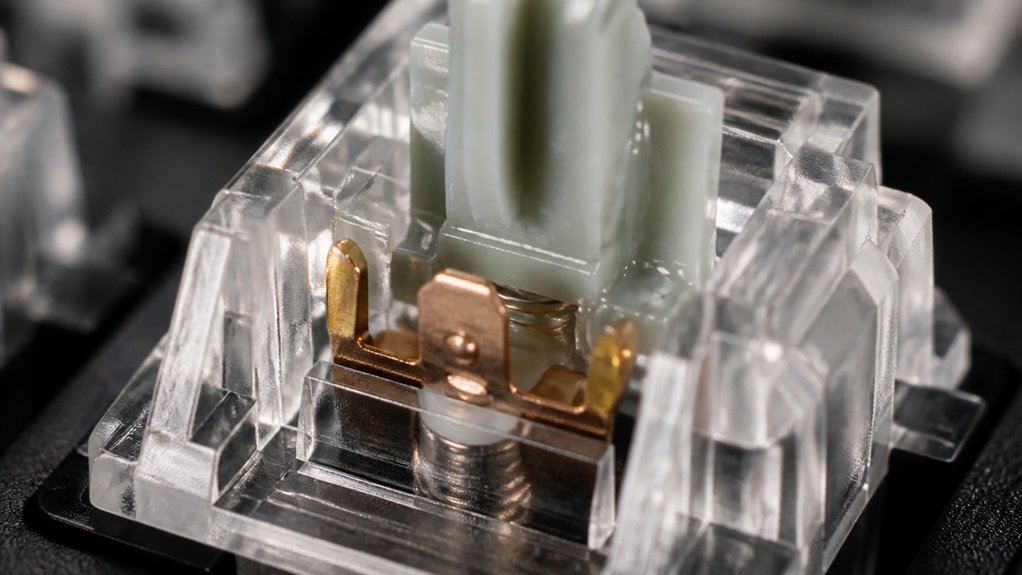
How often you need to re-lube your switches depends on how heavily you use your keyboard and the environmental conditions around you. A temperature-resistant lubricant can help maintain consistent performance even in varying climates. If you’re a gamer or typist, you’ll likely need to re-lube every 6 to 12 months, while occasional users can go longer. Factors like dust, humidity, and the switch design also influence how quickly the lubricant breaks down and how often maintenance is required.
Usage Intensity Levels
Your keyboard’s usage intensity directly impacts how often you need to re-lube your switches. Heavy users, like gamers and power typists, should lubing their mechanical switches every 6 to 12 months because frequent keystrokes wear down lubricant faster.
Moderate users with everyday typing habits can typically go 12 to 24 months before noticing performance issues. The frequency of re-lube also depends on these factors:
- Keystroke rate: Higher keystroke volumes accelerate lubricant wear.
- Type of lubricant: Grease-based lubing stays effective longer than silicone oils.
- Switch design: Sealed switches retain lubrication better.
- Usage environment: Dust, humidity, and temperature can shorten lubricant lifespan.
Adjust your re-lube schedule based on these usage intensity levels for peak performance.
Environmental Conditions Impact
Environmental conditions play a significant role in determining how often you should re-lube your keyboard switches. High humidity and dusty environments speed up lubricant degradation by attracting environmental contaminants like dust, pet hair, and smoke, which can break down the lubricant faster.
Exposure to heat can thin the lubricant, reducing its effectiveness and shortening the re-lubing interval. In cleaner, climate-controlled spaces, lubricant tends to last 12 to 24 months, but in harsher environments, it may need re-lubing every 6 to 12 months.
Monitoring environmental factors helps you decide when to re-lube, ensuring peak switch performance and longevity. Considering alloy composition and the presence of impurities can also impact how quickly lubricants break down, especially in environments with higher levels of impurities or corrosive elements.
When and How Often to Re-Lube Your Switches for Best Results
Determining the right time to re-lube your switches depends on usage habits and the signs of wear you notice. A thorough understanding of switch materials and construction, such as housing materials and spring quality, can help you anticipate when maintenance is needed. If you’re a heavy user, such as a gamer or typist, you may need to re-lube every 6 to 12 months to maintain smoothness. Less frequent users can go longer, around 12 to 24 months. Watching for these signs helps you decide:
Re-lube timing depends on usage and wear signs like scratchiness and noise.
- Scratchier feel during key presses
- Increased rattling or clicking noises
- Uneven resistance when pressing keys
- Reduced overall smoothness
Using high-quality lubricant, like Krytox GPL 205g0, can extend the re-lube interval, especially if dust and environmental factors are controlled. Regularly evaluating your switches lets you optimize re-lubing frequency for best results.
How Environmental Conditions Impact Switch Lubricant Longevity

Environmental conditions play a crucial role in how long keyboard switch lubricants last. High humidity accelerates lubricant breakdown and encourages dust and debris to build up inside switches, reducing lubricant effectiveness faster.
Dusty or dirty environments increase friction within switches, causing the lubricant to wear out more quickly and requiring more frequent re-lubing. Extreme temperature fluctuations can alter lubricant viscosity, leading to accelerated degradation or drying out, which shortens the lubricant lifespan.
Switch housings that are well-sealed help preserve lubricant by minimizing exposure to environmental contaminants, extending its effectiveness. Conversely, keyboards used in harsh, uncontrolled environments tend to need more frequent lubrication, as environmental stressors compromise switch smoothness.
Properly managing these conditions can greatly prolong the interval between re-lubing sessions.
What Mistakes to Avoid When Re-Lubing Your Switches
Re-lubing your switches correctly is essential for maintaining peak performance, but it’s easy to make mistakes that can worsen their feel and function.
To avoid issues, keep these points in mind:
- Don’t use excess lubricant, as it causes sluggish, mushy keystrokes and reduces tactility.
- Never lubricate contact leaves, since this can lead to intermittent keypress failures and poor electrical contact.
- Apply thin, even coats of lube on tactile switches for consistent feel; rushing hampers proper distribution.
- Avoid lubing clicky switch mechanisms extensively, which can dampen their distinct tactile and audible feedback.
- Be mindful of the durability, as improper lubrication or excess lube can impact the switch’s lifespan and long-term performance.
Always clean any accidental excess lubricant with isopropyl alcohol to guarantee reliable actuation and keep your switches performing at their best.
How to Test and Monitor Your Switch Performance Over Time
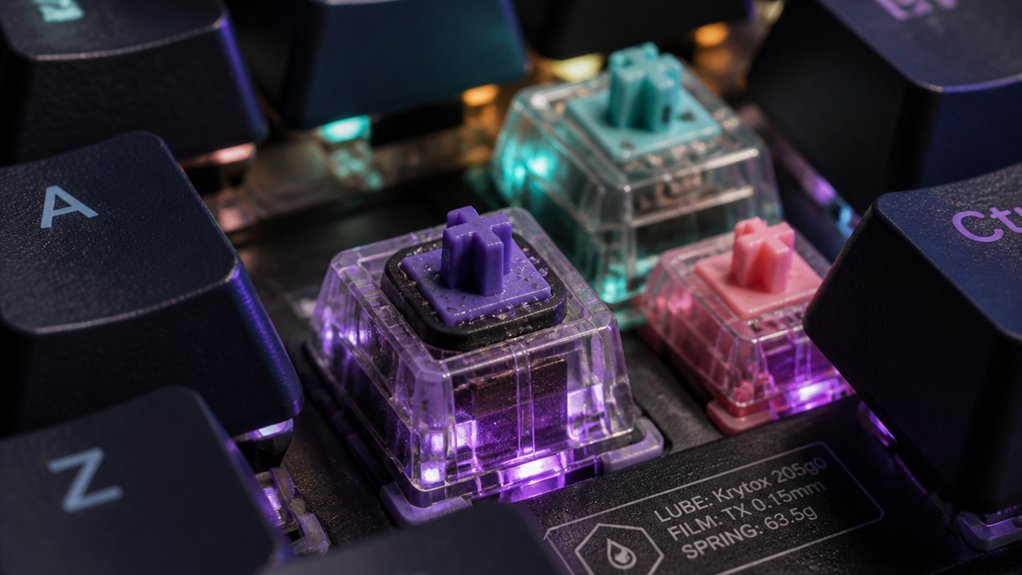
To keep your switches performing well, start by regularly checking for changes in resistance and responsiveness using key tester software. Listen for shifts in noise levels, like louder rattling or harsher sounds, which can signal lubricant breakdown. Also, pay attention to how your keys feel over time—if they become stiffer or mushier, it’s time to re-lubricate or clean. Regular testing with switch comparison charts can help you identify these issues early and maintain optimal performance.
Observe Key Resistance Changes
Regularly observing your keyboard switches for resistance changes is essential to maintaining peak performance. Over time, lubrication wear can cause increased keystroke force, diminished tactile feedback, and inconsistent feel.
To monitor this, press keys gently and note any scratchiness or resistance buildup. Use key tester software to check responsiveness and identify delays or unregistered inputs, indicating lubrication deterioration. Also, listen for increased noise like clicking or rattling, which suggests reduced lubrication effectiveness.
Additionally, inspect the stem and housing contact areas for dried or insufficient lubricant, preventing early performance issues. By following these steps, you can effectively track signs of wear before they impact your typing experience. Regular testing with switch testers can help you gauge how much lubrication has worn off and decide when to lubricate or replace switches.
Listen for Noise Variations
Have you noticed your keyboard producing louder or more rattling noises over time? Pay attention to sound variations, as they indicate wear in lubrication. If you hear increased scratchiness, harsh clicking, or rattling, it’s time to re-lube your switches. Regularly compare current sounds to a baseline recording or your memory of a newly lubed keyboard. Subtle changes in sound or feel often point to lubrication degradation. Use key tester software or perform typing tests to monitor smoothness and noise levels. Environmental factors like dust and humidity can speed up noise changes, so periodic inspections are essential.
| Signs of Lubrication Wear | Indicators |
|---|---|
| Louder noises | Rattling or harsh clicks |
| Increased scratchiness | Uneven sound |
| Inconsistent feedback | Need to re-lube |
| Rattling sounds | Degeneration of sound |
| Decreased smoothness | Tactile feedback loss |
Conduct Periodic Function Tests
Conducting periodic function tests allows you to catch signs of lubricant degradation before they become noticeable during regular use. Regular tactile assessments and auditory checks help you identify increased switch resistance, rattling, or scratchiness, indicating possible lubricant issues.
Using key tester software periodically can reveal unresponsive or sluggish keys caused by dried lubricant or friction buildup inside switches. Monitoring your keyboard’s feel every 6 to 12 months helps determine if re-lubing is needed, especially with heavy use.
Visual inspections after switch removal can spot dried or dirty lubricant on stems and housings that impair movement. By tracking changes in keystroke smoothness, noise, and tactile feedback, you proactively maintain switch performance and prevent deterioration over time.
Do Different Lubricants Require Different Re-Lube Intervals?
Do different lubricants truly require distinct re-lube intervals? Yes. The type of switch lube impacts how often you’ll need to re-lube.
Grease-based lubricants, like Krytox GPL 205G0, last longer—generally 2 to 4+ years—requiring less frequent re-lube. Silicone oils and lower-quality lubes degrade faster, needing reapplication every 6 to 12 months to maintain smoothness.
For linear and tactile switches, lubricants formulated specifically for tactile switches like Tribosys 3203 may need more frequent re-lubing to preserve tactility. High-viscosity greases provide durable lubrication for stabilizers and springs, extending maintenance intervals.
Tips to Extend the Lifespan of Your Switch Lubrication
To maximize the lifespan of your switch lubrication, regular maintenance is key. Keep your switches in good shape by following these tips:
- Clean your keyboard with compressed air and soft brushes every few months to prevent dust from degrading the lubricant and shortening its lifespan.
- Use high-quality, grease-based lubricants like Krytox GPL 205g0, which can extend lubrication effectiveness up to 3–4 years.
- Protect your keyboard from dust, humidity, and temperature fluctuations with covers and controlled storage, maintaining lube consistency.
- Avoid excessive keystroke force; lighter use reduces friction wear, helping the lubricant last 12 to 24 months or longer. Reapply only when smoothness or feedback diminishes.
Re-Lubing During Heavy Gaming or Typing Seasons : How Often?
During heavy gaming or intense typing seasons, re-lubing your mechanical switches every 6 to 12 months is essential to maintain their smooth feel and responsiveness. The increased keystroke frequency accelerates lubricant degradation, leading to noticeable scratchiness, louder noise, and decreased switch consistency.
Regularly monitoring key feel and sound can help identify when it’s time to re-lube, especially if you notice keys feeling rougher or spring pinging. Using high-quality lubricants like Krytox GPL 205g0 can extend the re-lubing interval closer to 12 months, even with heavy use.
Combining re-lube with regular cleaning minimizes dust buildup and friction, ultimately prolonging your switch’s lifespan and preserving peak performance during peak gaming or typing periods.
How to Maintain Top Key Feel and Sound With Regular Re-Lube
You should keep an eye on signs like scratchiness, noise, or uneven resistance to know when it’s time to re-lubricate your switches.
Regular cleaning with compressed air and soft brushes helps maintain the lubricant’s effectiveness, ensuring your keyboard stays smooth and responsive.
Just be careful not to over-apply lubricant, as too much can muffle keys and alter their feel.
Signs of Deterioration
Regularly inspecting your switches can help catch signs of deterioration early enough to maintain ideal key feel and sound.
Look out for these indicators:
- Increased scratchiness during keystrokes, signaling lubricant degradation.
- Louder or more pronounced rattling noises, which suggest reduced lubrication or worn components.
- Uneven key resistance, with some keys feeling stiffer or looser, affecting tactile feedback.
- Changes in sound, shifting from smooth “thock” to higher-pitched spring ping or scratchy keystrokes.
Recognizing these signs prevents prolonged discomfort and switch wear.
If you notice any of these issues, re-lubrication can restore proper key feel and sound. Avoid over-lubing, as excess lubricant can lead to sluggish, mushy keystrokes.
Cleaning and Re-Lubing Schedule
Maintaining your keyboard switches involves more than just re-lubing when problems arise; a consistent cleaning routine can greatly extend the lifespan of your lubricant and keep your keys feeling smooth and sounding satisfying.
For the lubing process, aim to re-lube every 6 to 24 months, depending on usage. Heavy users like gamers or typists may need a re-lube every 6 to 12 months for peak performance. Regular cleaning with compressed air and soft brushes every few months helps remove dust and debris, prolonging lubricant effectiveness. Use keyboard covers when idle to minimize dust buildup.
Signs that you need cleaning and re-lubing include scratchy keys, increased noise, or uneven resistance. Following this schedule helps maintain top key feel and sound on your mechanical keyboards.
The Benefits of Regular Switch Cleaning on Lubricant Durability
Cleaning your mechanical keyboard switches regularly can greatly boost the longevity of your lubricant. When you remove dust and debris through cleaning, you prevent them from causing friction and displacing the lubricant. This keeps switches feeling smooth and prevents noise or scratchiness from developing prematurely.
Proper cleaning with tools like compressed air and soft brushes helps maintain the lubricant’s effectiveness, extending its lifespan considerably—often from 12-24 months to as long as that, or longer. Using keyboard covers when idle minimizes dust buildup, preserving switch quality.
Regular maintenance also allows you to spot signs of dry or discolored lubricant, so re-lubrication can be done before performance degrades.
Benefits:
- Removes dust and debris from switches
- Prevents lubricant drying or displacement
- Extends lubricant lifespan
- Maintains peak switch performance
Expert Tips for Smart and Effective Mechanical Switch Maintenance
To keep your switches feeling smooth and sounding quiet, adopting some expert strategies can make a big difference. First, choose lubricant quality carefully—high-grade greases like Krytox GPL 205g0 last longer and effectively reduce switch noise.
Regular re-lubrication is essential, especially if you notice increased scratchy key feel or noise, which signals the need for re-lubing. Don’t wait until switches become unpleasant; proactive maintenance prevents uneven resistance and rattling.
Keep your switches clean with compressed air and gentle brushing every few months to extend lubricant lifespan. If you type heavily or game frequently, consider re-lubing every 6 to 12 months. Proper maintenance helps guarantee your keyboard remains smooth, quiet, and comfortable to type on over time.
Frequently Asked Questions
Do Mechanical Keyboards Need to Be Lubricated?
Mechanical keyboards don’t need frequent lubrication, but you should consider it when switches feel scratchy, noisy, or less smooth. Regularly assess your typing experience, and lubricate only when you notice increased friction or sound issues.
Can I Use WD-40 as Keyboard Lube?
No, you shouldn’t use WD-40 as keyboard lube. It’s a solvent that can damage switch components, cause sticking, and evaporate quickly. Instead, opt for specialized lubricants like Krytox or Tribosys for smooth, lasting performance.
Can You Over Lube Keyboard Switches?
Yes, you can over-lube keyboard switches. Applying too much lubricant causes sluggishness, dampens sound, interferes with contacts, and reduces tactile feedback. Use thin, even coats and test frequently to avoid over-application.
Does Lubing Switches Make It Sound Deeper?
Yes, lubing switches makes them sound deeper by reducing friction and dampening high-frequency noise. When you apply lubricant properly, it smooths keystrokes and enhances the overall, richer sound profile without muffling or dulling the feel.



