

To check switch smoothness after lubing, press each switch slowly and evenly through full travel while paying attention to resistance and feel. Listen for any spring ping or noises, and compare lubed switches with unlubed ones to notice improvements. Watch for sticking or stiffness during keypresses, especially in the middle of the travel. If you notice inconsistencies, re-lubing or adjusting may help—continue exploring for more tips to perfect your switches.
Why Testing Switch Feel Matters Before Reassembling
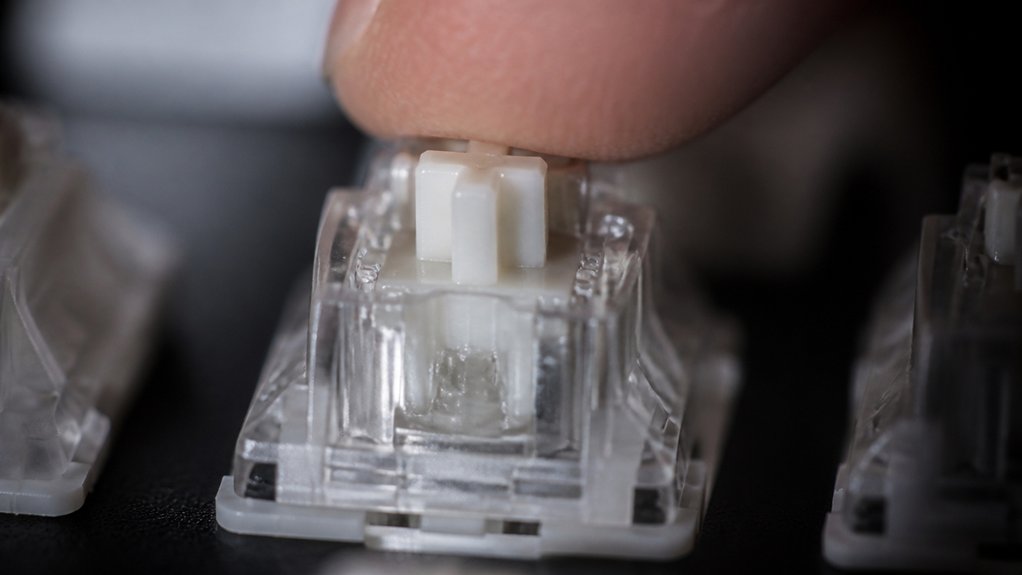
Testing switch feel before reassembling is essential because it allows you to catch any uneven or excessive lubricant application early on.
When lubing tactile switches, you want to verify the lubricant isn’t overapplied, which can reduce tactile feedback or linearize the switch. Checking the switch’s smoothness helps you identify if the lubing spring coils are evenly coated and functioning correctly. Press the stem to test spring lubing, making sure the feel is consistent and spring ping is minimized.
This early assessment gives you the chance to make adjustments before fully reassembling, saving time and effort. Maintaining material compatibility across your switches guarantees a better overall typing experience and preserves the tactile “bump” while avoiding over-lubing that can diminish responsiveness.
Preparing Your Workspace for Accurate Switch Evaluation
Set up your workspace in a well-lit area free of distractions to guarantee you can accurately assess switch smoothness. Keep your testing station organized with lubed switches in batches for easy comparison. A quiet environment helps you listen for any imperfections like spring ping or scratchiness. Additionally, maintaining consistent lubrication technique during testing ensures reliable and comparable results.
Clear, Well-Lit Area
To accurately evaluate your switch’s smoothness, creating a bright and evenly lit workspace is essential. Proper lighting helps you see subtle movements and inspect the switch housing clearly. Use a daylight-balanced LED lamp or natural sunlight to minimize shadows and color distortion. Additionally, utilizing transparent acrylic stations can further enhance visibility during the inspection process. Keep your area tidy to prevent distractions and focus on tactile feedback. Make sure you have enough space to comfortably press and manipulate the mechanical switch.
Here are steps to optimize your workspace:
- Position your light source to avoid glare on transparent or translucent switch housing.
- Use consistent lighting to clearly see spring coils and internal components.
- Keep the surface clean and clutter-free for easier inspection.
- Arrange tools and accessories within reach, without obstructing your view or movements.
Minimize External Interruptions
Even though your workspace may be well-lit and organized, external distractions can still affect your ability to accurately evaluate switch smoothness. Make sure your environment is quiet, with minimal ambient noise, so you can clearly hear and feel the tactile switches’ feedback. A durability rating ensures that your switches will maintain smoothness over time, providing consistent feedback during testing. Cleansing your hands beforehand helps prevent grease or dirt from skewing the switch feel or acoustics. Use a stable surface for pressing and releasing switches, avoiding any movement that could distort perception. Minimize vibrations from nearby keyboards or machinery that could interfere with tactile assessment. Good lighting is essential to visually inspect the switch housing and stem for smooth movement without obstruction during testing. By controlling these external factors, you guarantee a more precise evaluation of your mechanical keyboard’s switch smoothness.
Organized Switch Testing Station
Creating an organized switch testing station helps you obtain consistent and accurate evaluations of each key’s smoothness. A tidy, well-lit workspace minimizes dust and distractions, making it easier to notice differences in spring ping and areas of friction. Additionally, ensuring your workspace is free of dust and debris prevents particles from affecting the sound profile of your switches during testing. Follow these steps:
- Use a dedicated surface with a switch tester or keyboard mount to hold switches securely, guaranteeing consistent key presses.
- Keep essential tools like a keycap puller and stabilizer nearby for repeatable evaluations.
- Conduct tests in a quiet, controlled environment to accurately assess acoustics and listen for spring ping or roughness.
- Have a notebook or digital tool ready to log observations, comparing lubed linear switches effectively over multiple tests.
This setup guarantees you focus on the feel and sound, refining your switch tuning process.
How to Physically Feel for Consistent Resistance in Switches
To check switch smoothness physically, gently press the stem and feel for consistent resistance throughout the entire travel.
Focus on the smoothness of the movement and the force needed, noting any fluctuations or rough spots. Comparing multiple switches helps spot variations and confirms that lubrication is effective.
Consistent Key Press Resistance
When checking for consistent key press resistance, it’s essential to press each switch slowly and evenly, paying close attention to the feel throughout the entire key travel. This helps you detect variations in resistance and guarantee a uniform typing experience. A helpful technique is to compare switches using a switch tester, ensuring that each one exhibits a similar smoothness and force profile. To do this effectively: 1. Press each lubed switch carefully, feeling for smooth, consistent resistance. 2. Compare multiple switches side-by-side for uniform force feedback and smoothness. 3. Watch for any rough spots or sudden changes indicating uneven lubrication. 4. Use steady finger pressure and apply lube evenly to achieve a consistent resistance across switches. Focusing on even coating and applying lube properly helps maintain consistency. Regular testing guarantees all switches have a fluid keystroke, minimizing tactile unevenness and optimizing overall switch performance.
Smoothness Across Stroke Range
Feeling for consistent resistance across the switch stroke involves gently pressing the stem from top to bottom, paying close attention to the smoothness throughout. Focus on lubing these areas, especially the slider rails and stem legs, because uneven lubing here can cause fluctuating friction and affect smoothness. A well-lubricated switch will exhibit minimal variation in resistance and feel more uniform overall. Use a steady, gentle force to detect any bumps or irregularities, which may indicate insufficient or uneven lubrication. Compare the feel across multiple switches from the same batch to guarantee consistency; variations often point to lubing inconsistencies. Listen for any spring ping or unwanted noise changes during the stroke, as these can influence perceived smoothness and highlight areas where lubing needs adjustment. Achieving uniform resistance along the entire stroke range is key to a satisfying, smooth keystroke.
Detecting Variations in Force
Press the switch stem gradually and with steady pressure to detect any irregularities or fluctuations in resistance. As you do, pay close attention to the force needed to press the switch. If the force varies, it could mean uneven lubing or debris affecting smoothness.
To assess force consistency, try these steps:
- Press the switch multiple times to see if resistance stays stable.
- Compare multiple switches side-by-side for subtle differences in force.
- Feel for bumps or scratchiness that indicate inconsistent lubrication.
- Check tactile switches for a crisp, consistent bump without unexpected resistance spikes.
- Using switch films can help identify and reduce wobble and ensure a more uniform feel across switches.
Maintaining force consistency guarantees smoothness, making it easier to identify uneven lubing or debris that disrupts switch feel. Repeating this process helps you achieve a uniform, satisfying typing experience.
Listening for Spring Ping and Noises to Gauge Quality
Listening closely for spring ping and unusual noises is a simple yet effective way to gauge a switch’s quality after lubing. When you press the switch, pay attention to any high-pitched ringing sounds, known as spring ping, which often come from unlubed or under-lubed springs. A well-lubed spring should produce little to no pinging, indicating effective lubrication and noise reduction. Additionally, consistency in sound across multiple keystrokes can signal proper switch lubrication and smooth operation. If you notice scratchy or inconsistent noises when pressing or releasing, it could mean the lubricant isn’t evenly applied or insufficient on the stem legs or slider rails. Specifically, lubing the ends of the spring coils can help diminish spring ping. Comparing these sounds to an unlubed baseline switch can confirm if your lubing efforts improve acoustic smoothness and overall switch quality.
Compare Lubed and Unlubed Switches to Spot the Difference
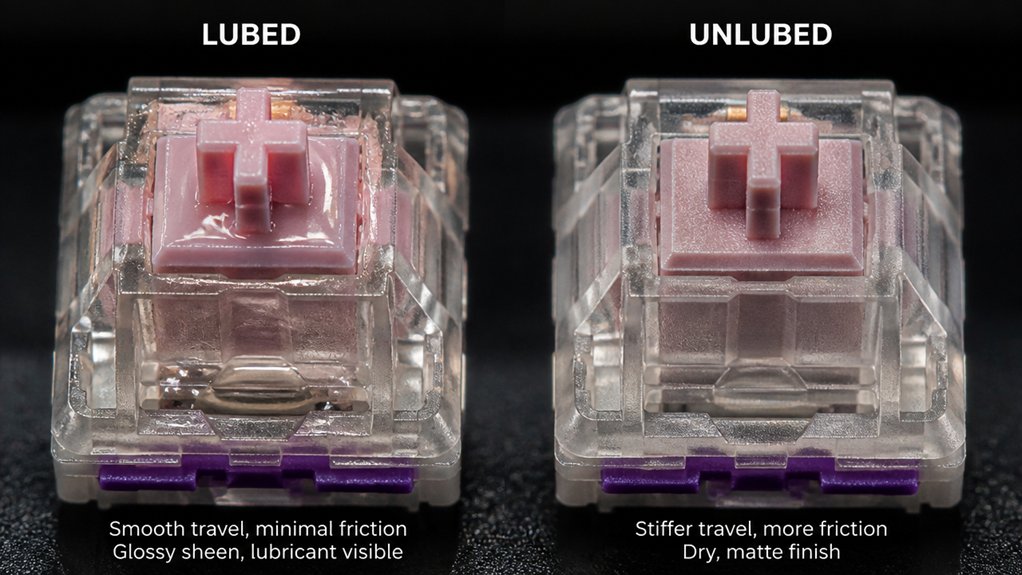
To accurately compare lubed and unlubed switches, you should directly feel and listen for differences during multiple actuations.
As a keyboard enthusiast, you can notice how a switch needs an actuation force effect improves smoothness from lube.
To spot the difference:
- Press both switches repeatedly to feel for reduced scratchiness and resistance.
- Listen for quieter, smoother sounds in the lubed switch.
- Alternate between switches to assess keystroke consistency and resistance.
- Use the unlubed switch as a baseline to judge if the lube improved slider rail and spring smoothness without losing tactile feedback.
Check for Sticking or Stiffness During Key Travel
When checking for sticking or stiffness during key travel, take your time to press the key slowly and evenly from top to bottom. Pay close attention to the middle travel area, where slider rails and stem legs interact, since insufficient or uneven lube here often causes stiffness. If you feel resistance, open the switch and inspect for uneven lube or missing spots. Test multiple times to see if stiffness persists or is isolated, especially in clicky switches. Proper lubing should give a consistent feel without hesitation. Use this table to understand common issues:
| Issue | Cause | Solution |
|---|---|---|
| Stiffness in middle travel | Insufficient or uneven lube | Reapply enough lube |
| Sticky parts | Old or contaminated lube | Clean and re-lube |
| Resistance only sometimes | Inconsistent lubing | Evenly redistribute lube |
| Overall resistance | Inadequate lubing | Re-lube thoroughly |
Troubleshoot and Fine-Tune Your Lubing for Better Feel
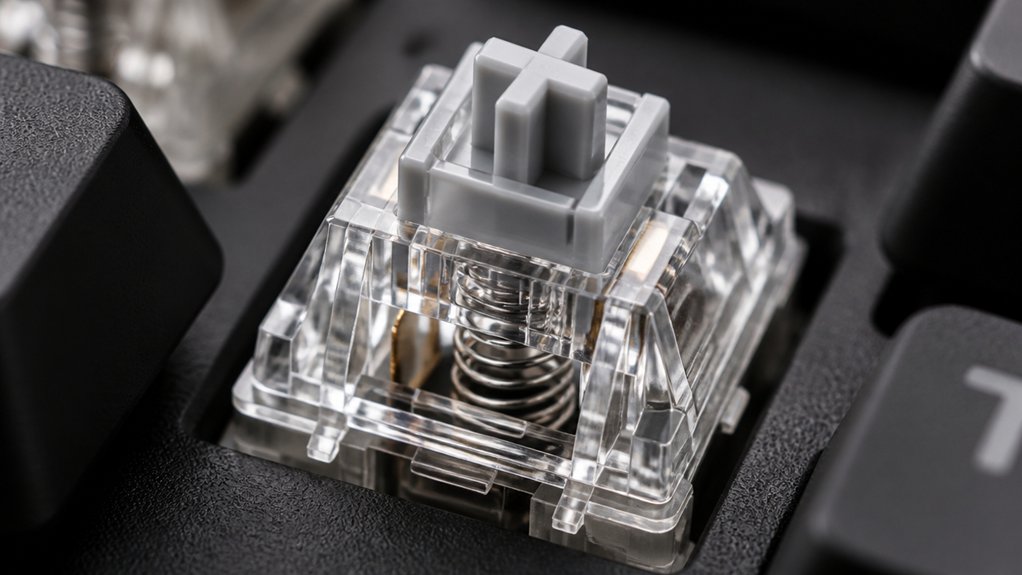
Fine-tuning your lubing process can greatly enhance switch smoothness and overall feel.
First, test your switch by pressing the stem repeatedly, checking for reduced scratchiness and more consistent keystrokes. Second, compare lubed switches against an unlubed baseline to spot areas that may be overly lubed or need more, ensuring it’s done properly.
Third, listen for the sound of spring ping or scratchiness—less noise indicates effective lubrication on springs and slider rails.
Fourth, if tactile feedback becomes muted, carefully reduce lubricant on the stem legs or leaf. Use a fine brush for minimal additional lube on friction points but avoid excess, which can cause sluggish keypresses.
Frequently Asked Questions
What Happens When You Over Lube Switches?
When you over lube switches, you cause sluggish, mushy feeling, dull the tactile bump, and attract dirt, leading to inconsistent key presses, increased resistance, and reduced switch responsiveness. It also risks over-dampening spring noise and overall performance.
Does Lubing Switches Make It Quieter?
Yes, lubing switches can make them quieter by reducing friction and dampening spring ping. However, it doesn’t eliminate all switch noise, and over-lubing might muffle tactile feedback or cause unwanted sound changes, so apply it carefully for best results.
How Often Do You Need to Re-Lube Switches?
You typically don’t need to re-lube switches often, maybe every few years, unless they feel scratchy, noisy, or inconsistent. Environmental factors and heavy use can speed up the need for re-lubbing, so keep testing periodically.
What Happens if You Lube Clicky Switches?
If you lube clicky switches, you’ll likely reduce or mute their signature click sound, making them feel smoother and softer. However, too much lubrication diminishes the tactile feedback and sharpness, compromising the switches’ crisp, satisfying click.



