

Common lubrication mistakes include using the wrong type or viscosity of lubricant, over-lubricating, or applying too little. Neglecting to clean switches before lubricating can trap dirt and debris, causing issues later. Avoid applying lubricant on electrical contacts or housing walls, and don’t use too much, as it can dull switch feel and attract dust. If you keep these tips in mind, you’ll improve your switch performance and longevity; learn more to get it just right.
Understanding Proper Keyboard Switch Lubrication
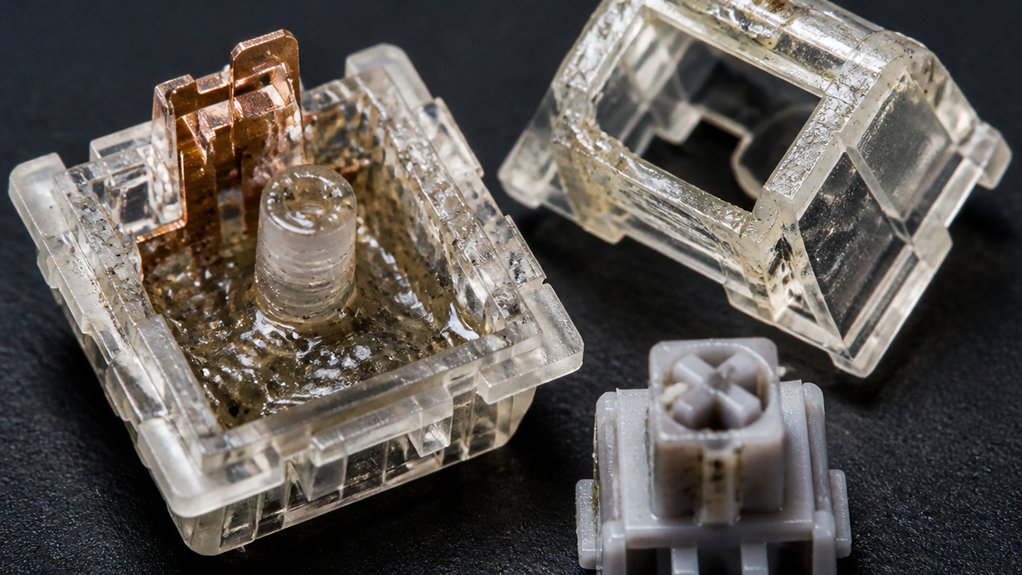
To guarantee your keyboard switches perform smoothly and last longer, understanding proper lubrication techniques is essential. The key is selecting the right lubricant, such as a thin grease or light oil formulated for plastic and metal contact.
Proper lubrication involves applying the lubricant precisely to slider rails and spring surfaces, avoiding excess on electrical contacts, which can impair switch function.
Applying too little lubricant leads to increased friction, causing scratchy keystrokes and faster switch wear. Conversely, over-lubricating can result in sluggish key travel, muffled sound, and contamination inside the switch.
The application of lubricants must be meticulous to strike a balance—enough for smooth movement but not so much that it hampers tactile feedback. Testing the switches in a keyboard setup guarantees you achieve the desired sound and feel. Additionally, using application tools like tiny brushes or stem holders ensures even coverage and prevents excess buildup.
Signals You’re Using the Wrong Lubricant in Your Switches
Ever wondered if you’re using the right lubricant inside your switches? If your switches feel sluggish or lack the desired sound dampening, you might’ve the wrong lubricant. An incorrect viscosity can cause slow key response or muffled acoustics, signaling a mismatch.
Additionally, using lubricants not designed for plastic or metal parts can lead to chemical degradation, swelling, or stickiness over time. If your switches develop inconsistent actuation or increased noise, it could be due to lubricant contamination or mixing incompatible types, which trigger chemical breakdown and reduce lubricity.
Another sign is lubricant breakdown under high temperature or load, resulting in increased friction or switch failure. Pay close attention to these signals to guarantee you’re using the appropriate lubricant for material compatibility and optimal performance and longevity.
How Over-Lubricating Makes Your Keyboard Feel Worse
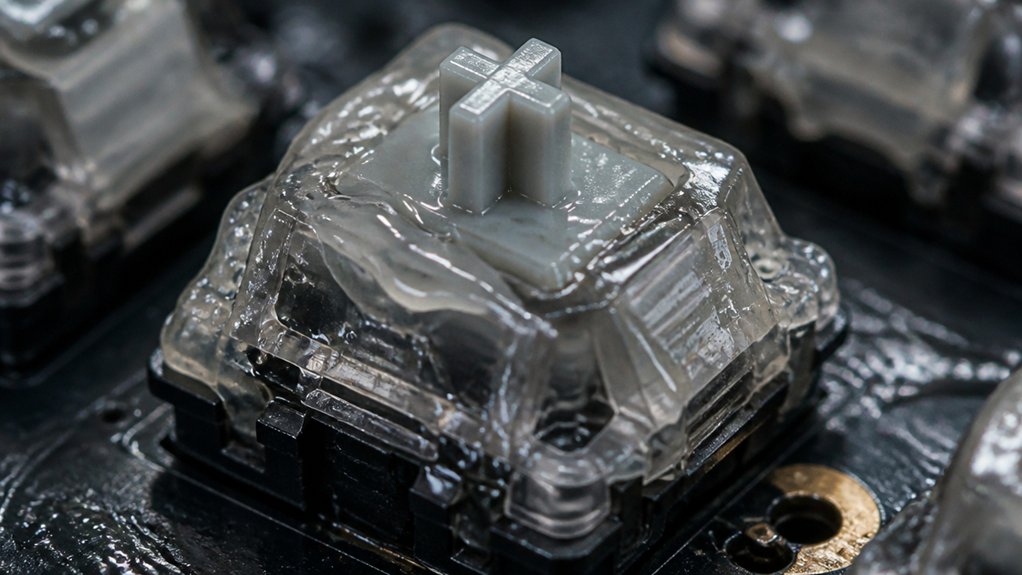
Applying too much lubricant inside your switches can backfire, making your keyboard feel sluggish and unresponsive. Over-lubrication creates excess friction inside the switch housing, resulting in a sticky, hindered key press that reduces responsiveness. It also raises internal pressure and heat, which can degrade switch components over time, leading to slower resets and inconsistent actuation. Additionally, excess lubricant attracts dust and debris, causing switches to become gummy and increasing risk of long-term wear or failure. Proper application, such as using preferable lubrication techniques, can help prevent these issues. Over-lubrication muffles the switch’s natural tactile feedback and sound, making keys feel dull or mushy instead of crisp and smooth. To avoid this, use manufacturer-recommended amounts or minimal lubrication. Proper control of the lubricant quantity guarantees peak switch feel and longevity without the drawbacks of excessive wear or increased friction.
Which Parts of Your Switch Should and Shouldn’t Be Lubed
When lubing your switch, focus on the slider rails and spring to reduce friction and noise.
Avoid applying lubricant to the contacts, stem leaves, and the switch housing walls, as this can impair performance and attract dust.
Keep your lubrication thin and targeted to guarantee smooth, responsive keypresses without sacrificing functionality.
Parts Needing Regular Lubrication
To guarantee your switch performs smoothly, focus on lubricating the parts that reduce friction without interfering with electrical contacts.
Proper lubrication targets areas like the slider rails, spring, and stem to enhance smoothness and operating feel.
Be careful not to over-lubricate, as excess can cause sluggish keypresses and dust buildup.
Key parts needing regular lubrication include:
- Slider rails for consistent movement
- Spring to minimize ping and noise
- Stem for smooth actuation
Avoid applying lubricant on contact points or plastic housing walls, as this can dampen switch sound and alter the tactile experience.
Proper lubrication guarantees smooth, reliable operation without compromising electrical performance or sound, especially when using factory pre-lubricated switches that are designed for immediate use.
Components to Avoid Lubricating
It’s crucial to avoid lubricating certain parts of your switch to maintain proper functionality.
Common lubrication mistakes include applying lubricant to the metal contacts or leaf springs, which can interfere with electrical conductivity and cause switch malfunction.
The components to avoid lubricating are the switch housing edges and sliders that contact the stem’s legs, as excess lubricant can cause stickiness or sluggish keypresses.
Also, over-lubricating the springs inside the switch can lead to inconsistent return force and slow spring rebound, negatively impacting typing feel.
To guarantee peak performance, use a thin lubricant specifically designed for switch parts. Avoid thick or heavy greases on moving components, as they can cause binding or alter sound profiles, compromising both feel and sound.
Applying the Right Amount: Tips for Consistent Switch Lubrication
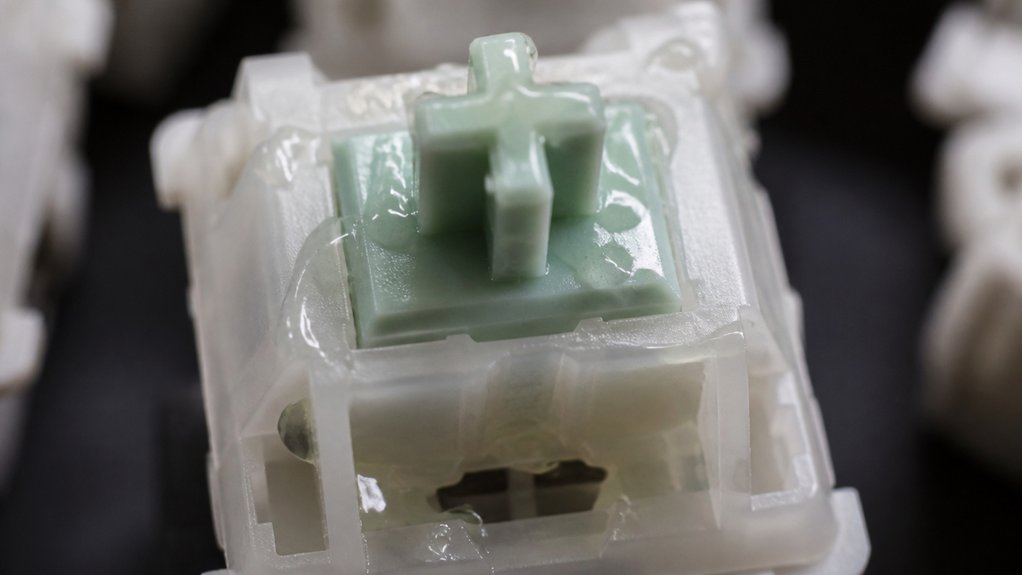
Achieving the right amount of lubrication is essential for consistent switch performance, as both over- and under-lubricating can cause issues. To maintain proper balance, focus on common lubrication best practices and consistent application.
Proper lubrication balance ensures reliable, smooth switch performance without issues.
Use small tools like fine brushes or syringes to control the amount of lubricant, preventing excess build-up or dryness. Develop a standardized routine for each batch, including how much to apply and how long to wait before testing.
Regularly test your switches after lubing, making adjustments to avoid sluggishness or noise. Keep these tips in mind:
- Measure lubricant carefully for each component
- Apply thin, even coats on springs, sliders, and housings
- Track your routine for consistent application across switches
- Consider the materials of switch films, which can influence lubrication needs and overall switch feel
This approach guarantees smooth, reliable keystrokes every time.
Why Uneven Lubrication Causes Inconsistent Feel and Sound
When lubricant is uneven, some parts of the switch move more smoothly than others, creating inconsistent tactile feedback.
Too much lubricant can make keys feel sluggish or cause rattle, while too little leads to scratchy or uneven sounds. Maintaining even, precise lubrication guarantees a uniform feel and sound for all switches.
Impacts of Insufficient Lubrication
Uneven lubrication on mechanical switch components causes significant issues with feel and sound consistency. When you have insufficient lubrication, friction increases, making switches feel scratchy and produce unpredictable sounds. Uneven lubricant distribution leads to variable resistance, so some keys feel sluggish while others are overly light. Proper application of stabilizer and switch lubrication is essential to prevent these issues and ensure a smooth, rattle-free typing experience. Without proper lubricant thickness, metal parts contact directly, accelerating wear and degrading switch performance. You might notice higher noise levels and rattling due to micro-vibrations from unprotected surfaces. The uneven application also results in inconsistent tactile feedback, undermining your typing experience.
- Sluggish, stiff keys in some spots
- Overly light, wobbly keys in others
- Increased wear and noise over time
Effects of Excess Lubrication
Applying too much lubricant on switches can backfire by creating various issues that compromise their performance. Excess lubrication often leads to increased friction, making key presses feel sluggish and mushy. Poor lubrication or uneven application results in inconsistent sound and feel, with some keys sounding dull while others remain sharp.
The excess lubricant can attract dirt and dust inside the switch housing, accelerating damage to the machine over time. It also alters tactile feedback by softening the tactile bump or click, reducing the overall typing feel. Moreover, buildup around the slider or springs causes uneven actuation points, leading to an unreliable typing experience. Using proper application techniques ensures the switch remains reliable and maintains optimal performance.
In short, excessive lubrication damages the switch’s reliability and feel, making proper application essential for peak performance.
How Dust and Contaminants Damage Your Switch Lubrication
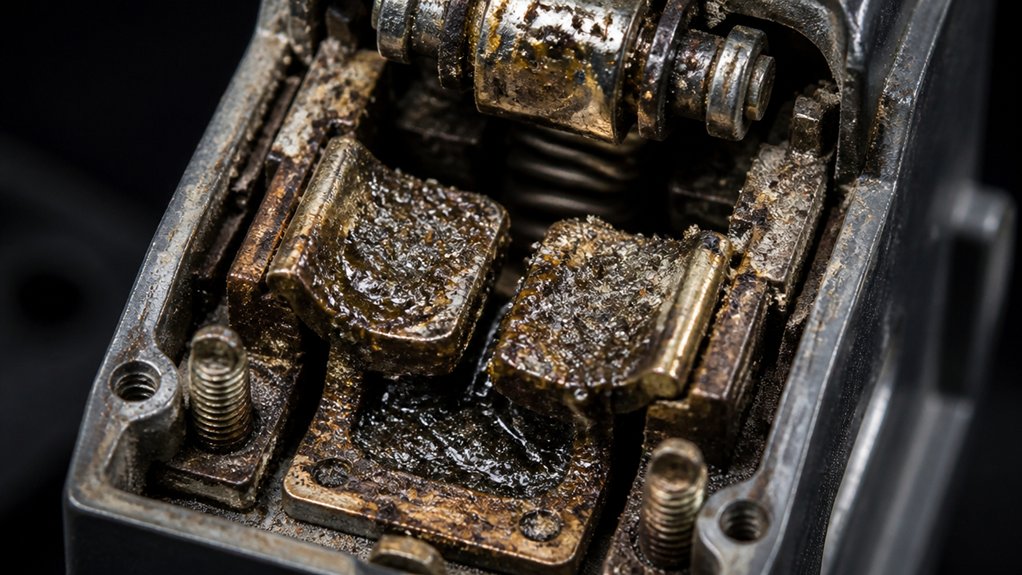
Dust and other contaminants can quickly sabotage your switch lubrication by turning a smooth, clean slide into a gritty and abrasive surface.
When dust, dirt, or debris settle onto the lubricant, they cause abrasive wear, reducing switch lifespan and smoothness. Contaminants trapped inside the switch, often due to improper sealing or inadequate cleaning, degrade lubricant quality and increase friction, making keypresses inconsistent.
Over-applying silicone oils or greases attracts airborne particles, forming a gritty, ineffective film that damages contacts and sliders.
Using non-sealed lubricant storage or neglecting to clean work areas invites moisture and debris, leading to rust and oxidation inside switch housings. Material durability is crucial to withstand such environmental factors and ensure long-lasting lubrication.
To prevent this, keep your workspace clean, store lubricants properly, and apply minimal amounts to avoid contamination buildup.
Best Storage and Selection Habits for Your Keyboard Lubricants
Proper storage and careful selection of your keyboard lubricants are essential to maintaining their quality and ensuring peak switch performance. Store lubricants in clean, dry, sealed storage containers to prevent dust, moisture, and debris from contaminating the lubricant, which can cause Common Lubrication Problems.
Always label your containers with details like the type of lubricant, viscosity, and intended application to avoid mixing incompatible products that could chemically break down or reduce effectiveness. Use color-coded or shape-coded labels for quick identification, ensuring you select the right lubricant for each component.
Keep each lubricant in a designated container to prevent cross-contamination, and use dedicated applicators. Following manufacturer recommendations and community-approved guides helps you choose the best lubricant for your keyboard, maximizing smoothness and durability. Additionally, understanding the materials employed in switch construction can guide you towards selecting lubricants that work best with specific switch types to avoid damage or performance issues.
Common Lubrication Mistakes and How to Fix Them
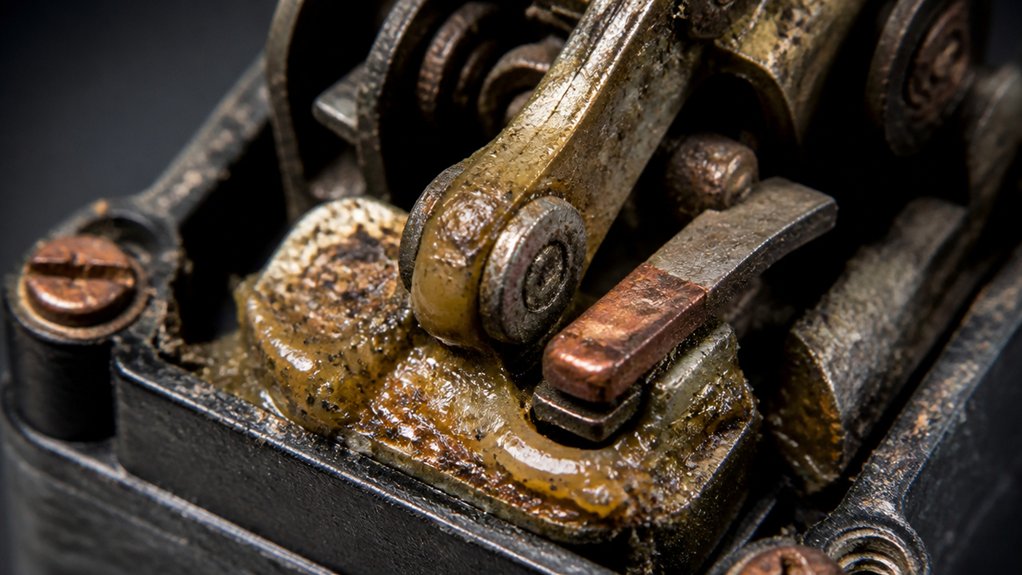
When lubricating switches, mistakes can easily compromise their performance and longevity. Over-lubricating can cause sluggish responses and higher operating temperatures, similar to bearings failing from excess oil.
Applying too little oil leads to increased wear, scratching, or inconsistent keystrokes because of inadequate lubrication. Using the wrong oil or an inconsistent formula can break down switch components, degrading performance.
Contaminated or dirty lubricant introduces friction and uneven sound, accelerating wear and causing rough keystrokes. Additionally, uneven application or too much lubricant results in inconsistent feel and sound between switches.
To fix these issues, make sure you use the correct, clean oil, apply it evenly, and avoid over- or under-lubricating. Precise, measured lubrication helps maintain smooth, consistent actuation and prolongs switch life.
How to Keep Your Switch Lubrication Effortless and Effective
Keeping your switch lubrication effortless and effective starts with using the right tools and techniques. Good lubrication management means applying the correct type and amount of lubricant designed for mechanical switches, preventing common mistakes like over-lubrication that causes sluggish keys or under-lubrication that results in scratchiness.
Use precise tools such as fine brushes or microliter droppers to guarantee even, thin coats, avoiding excess buildup that traps dirt and hampers performance. Always clean switches thoroughly before lubing to remove contaminants that can degrade lubrication.
Test your lubed switches in a keyboard rather than an opener to accurately assess sound and tactile feel. Following these steps helps you maintain effective lubrication, reducing errors and assuring smoother, quieter switches with less effort over time.
Summary: Tips for Successful Keyboard Switch Lubrication
To guarantee your switch lubrication is successful, choose the right lubricant designed for switches, like Krytox or Tribosys oils, and apply it carefully.
Maintain a clean workspace to prevent contamination and use precise tools for even, controlled application.
Always test your lubricated switches on your keyboard to accurately evaluate sound and feel.
Proper Lubricant Selection
Choosing the right lubricant is essential for achieving ideal keyboard switch performance. You need to focus on proper lubricant selection to guarantee smooth, responsive actuation without sluggishness.
Use lubricant types specifically designed for mechanical switches, such as thin or medium viscosity greases and oils. Avoid mixing incompatible lubricants—combining thick pastes with thin oils can cause chemical breakdown, harming switch longevity.
Pay attention to viscosity; select lubricants that don’t dampen tactile feedback or muffle the click sound.
To keep things consistent, use clean, dedicated tools and containers labeled for each lubricant type. Follow recommended brands or community-tested formulations to get the best results.
- Stick to appropriate lubricant types
- Never mix incompatible lubricants
- Follow trusted recommendations
Precise Application Techniques
Accurate application of lubricant makes a significant difference in switch performance and longevity. To succeed, you need a proactive approach to your lubrication program, emphasizing precision and control.
Use specialized fine-tipped brushes or precision applicators to focus lubricant exactly on moving switch components, avoiding contact with the contacts or housing. Measure lubricant output carefully, aiming for the minimum effective amount—about a 5–10 micron thick film—before applying.
Over-lubrication can cause sluggish keystrokes and muffled sounds, so applying sparingly and uniformly is key. Remember, the goal is to enhance performance without compromising electrical conductivity, so avoid lubricating contact leaves.
Consistent cleaning and preparation also help guarantee even absorption and maximize durability. Understanding the importance of precise application techniques streamlines your process and delivers peak switch performance.
Clean Workspace Practices
Maintaining a clean workspace is essential for successful keyboard switch lubrication because even tiny particles can compromise performance and durability. To guarantee this, practice *clean workspace practices* by keeping all components, tools, and work surfaces free from dust, dirt, and oils. Use lint-free cloths and clean gloves to prevent transferring skin oils or debris onto switch parts during the process.
Organize parts in dedicated containers or trays with clear labels to keep lubricants and components separate, avoiding cross-contamination. Additionally, thoroughly clean switches before applying lubricant, removing old grease and debris with suitable solvents.
Working in a well-lit, static-free environment with minimal airflow further reduces airborne particles, allowing for precise and consistent application of lubricant, ultimately leading to better switch performance.
Frequently Asked Questions
What Are the Common Problems With Lubrication?
You often encounter problems with lubrication when you over-apply or use incorrect lubricants, causing sluggish keys, noise, or damage. Contaminants and uneven application also lead to erratic switch behavior and reduced performance, disrupting your typing experience.
What Is the Best Lubricant for Switches?
You should use specialized lubricants like Krytox GPL 205 Grade 0 for linear switches and Krytox GPL 105 for tactile switches. They’re thermally stable, compatible with plastics and metals, and have the right viscosity to reduce friction without dampening the feel.
Which Are the Three Main Factors to Consider When Choosing a Lubricant?
When choosing a lubricant, you should consider its viscosity, thermal stability, and compatibility with switch materials. These factors guarantee smooth operation, withstand heat, and prevent chemical reactions, helping you maintain switch performance and extend its lifespan effectively.
Does Lubing Switch Make a Difference?
Lubing switches definitely makes a difference by making keystrokes smoother and quieter. Proper application enhances sound quality and feels, but too much or too little lubricant can negatively impact your typing experience. Get it right for the best results.



