
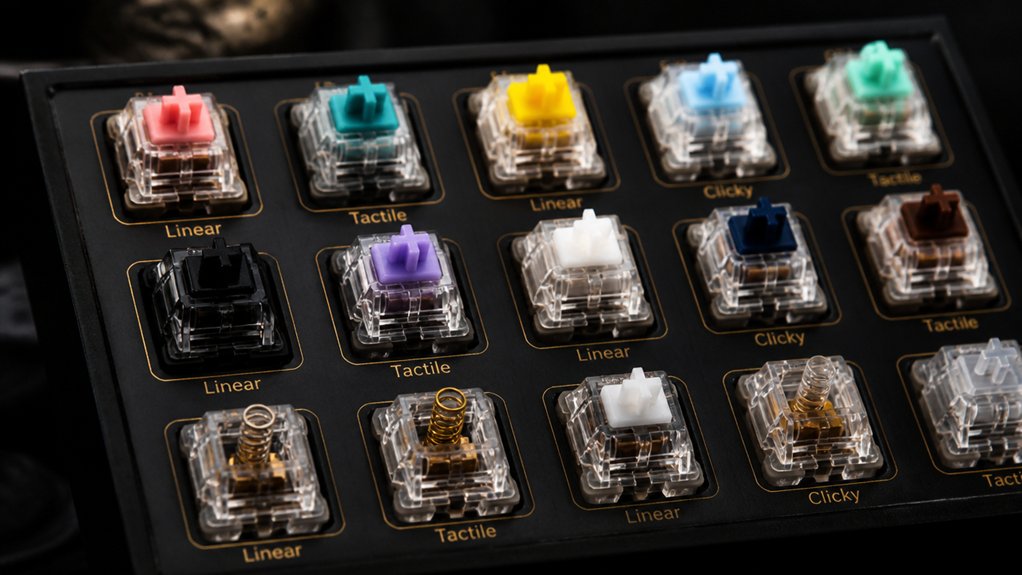
You’ll want keyboard switches that boost speed, accuracy, and keep noise low to dominate competitive gaming and clear voice chat. Pros often prefer linear switches like Cherry MX Reds for smooth, fast key presses with low actuation force and near-silent operation. Others choose tactile switches for balanced feedback and quiet precision. Clicky switches are usually avoided due to distracting noise. Durable, hot-swappable switches let you customize feel and maintain peak performance. Keep exploring to optimize your switch choice for gaming and streaming.
How Switch Feel Affects Speed and Accuracy in Pro Gaming

How does the feel of a keyboard switch impact your speed and accuracy in pro gaming?
Linear switches like Cherry MX Red have a low actuation force, usually around 35-45g, allowing you to press keys quickly without resistance. Their smooth keystrokes and absence of tactile bumps reduce finger fatigue, letting you maintain rapid input during intense gameplay. This seamless feel shortens your reaction time, essential in fast-paced esports.
In contrast, tactile switches provide subtle feedback, helping you confirm actuation without noise, which improves accuracy in strategy or MMO games where precision matters. Both types usually have a short actuation distance, about 1.1 mm, minimizing input delay.
Choosing the right switch feel directly influences how fast and accurately you perform in competitive scenarios.
Why Pros Prefer Linear Switches for Competitive Play
When you’re gaming competitively, every millisecond counts, and linear switches give you that edge with their smooth, consistent feel and lightning-fast response.
You’ll value the silent operation too, which helps you stay focused without distracting clicks or microphone noise.
Let’s explore why these features make linear switches the top choice for pros.
Speed And Responsiveness
Why do competitive gamers often choose linear switches like Cherry MX Red and Kailh Speed Silver? It’s all about speed and responsiveness.
Linear switches offer smooth travel without tactile bumps, letting you execute fast key presses and rapid keystrokes effortlessly. Their light actuation force, usually around 35-45g, reduces finger fatigue, so you can maintain peak performance during intense competitive gaming sessions.
Without tactile or audible feedback, linear switches keep distractions to a minimum, helping you stay focused and react quicker. The near-silent operation also prevents noise from interfering with your communication or streaming setup.
Plus, hot-swappable linear switch keyboards let you customize actuation force and travel distance, so you can fine-tune your setup for maximum responsiveness and comfort.
Consistent Keystroke Feel
Although tactile switches offer feedback, many pros trust linear switches for their consistent keystroke feel, which lets you maintain fast, fluid inputs without interruptions. Linear switches deliver a smooth keystroke without tactile bumps, enabling quicker key presses and releases essential in competitive play.
Their constant, typically lighter actuation force—around 45g—helps reduce finger fatigue during long sessions, keeping your fingers agile and responsive. Popular options like Cherry MX Red and Gateron Yellow exemplify this balance by offering short travel distances and low resistance, so you can rapidly execute repeated inputs with precision.
This consistency minimizes accidental delays and maximizes your in-game performance, making linear switches preferred among pros seeking a reliable, fatigue-free typing experience that supports relentless gameplay.
Silent Operation Benefits
Since every millisecond counts in competitive gaming, pros lean toward linear switches like Cherry MX Red or OPX for their silent operation, which keeps distractions to a minimum and helps you stay fully focused.
Linear switches deliver smooth, consistent keystrokes with a light actuation force—usually around 45g—so you can press a key quickly without tiring your fingers.
Unlike tactile or clicky switches, these don’t produce an audible click or bump, preventing interruptions in intense play or voice communication. The silent nature of linear switches also avoids picking up on microphones, ensuring your team hears you clearly.
Why Pros Choose Tactile Switches for Balanced Feedback
When you choose tactile switches like Cherry MX Brown, you get precise physical feedback that sharpens your typing accuracy without adding distracting noise. The defining tactile bump at the actuation point provides a clear signal when your keypress registers, helping you avoid accidental inputs. This makes tactile switches ideal for balanced gaming and typing performance.
These mechanical keyboard switches typically offer a moderate actuation force of 45-55g, giving you the perfect blend of control and speed. Because tactile switches deliver noticeable feedback quietly, they’re favored by pros who need responsiveness without loud clicks.
If you want a switch that enhances your typing accuracy through distinct physical feedback without sacrificing a quiet experience, tactile switches strike the perfect balance for professional use.
Why Clicky Switches Are Rare in Pro Gaming Setups
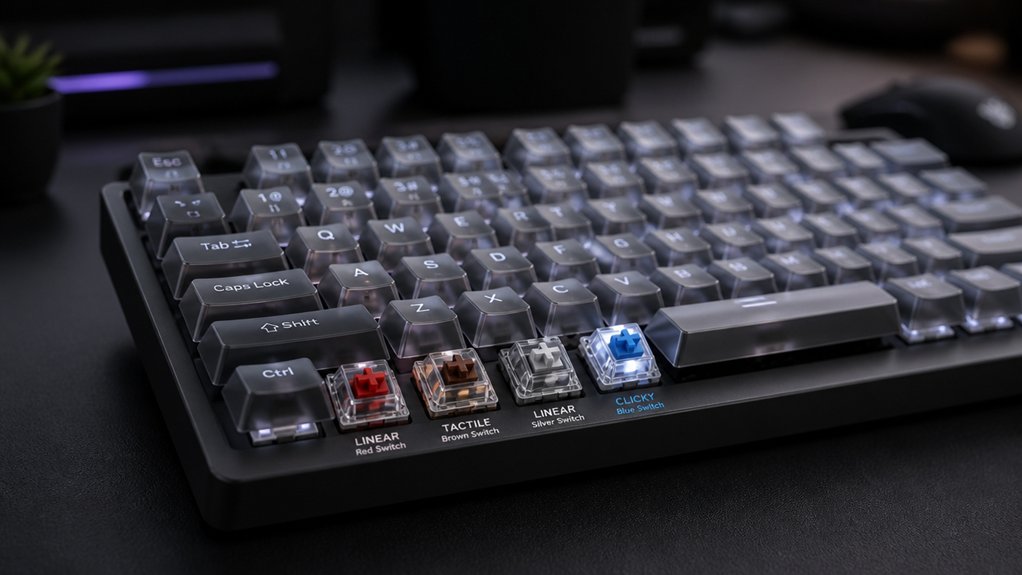
While clicky switches offer satisfying tactile and audible feedback, their loud clicks can quickly become a distraction in professional gaming environments. You’ll find that the loud audible click interrupts focus and can interfere with team communication or streaming microphones.
Professional gaming spaces often emphasize noise minimization, and clicky switches just don’t fit that requirement. Their heavy actuation force slows down rapid key presses, which can hurt your reaction times during intense gameplay.
Plus, the extra force and click mechanism contribute to finger fatigue over extended sessions, making clicky switches less comfortable than linear or tactile options. If you’re aiming for peak performance and quieter operation, it’s clear why clicky switches are rarely favored in pro gaming setups.
Balancing Typing Comfort and Gaming Needs in Switch Choices
Loud clicky switches may disrupt your focus and communication, but choosing the right switch type doesn’t have to mean sacrificing comfort or performance. Finding the perfect balance between typing comfort and gaming needs is key.
Many pros favor tactile switches like Cherry MX Brown for their subtle bump and quiet feedback, which helps accuracy without noise. Meanwhile, light linear switches such as Cherry MX Red excel in fast, smooth key presses, reducing fatigue during intense gaming.
You can optimize your setup by:
- Using tactile switches for alphanumeric keys to enhance typing comfort and precision.
- Equipping gaming keys (like WASD) with light linear switches to maximize responsiveness.
- Considering hybrid or silent tactile switches as a middle ground for both gaming and typing demands.
This blend guarantees you don’t compromise on speed or comfort.
Why Noise Profiles Matter for Pros and Streamers

Because clear communication is essential during competitive play and streaming, pros and streamers avoid noisy clicky switches that can disrupt conversations and audio quality. You’ll find they often prefer linear switches for their near-silent noise profile or tactile switches that offer quiet feedback without loud clicks. Excessive switch noise can distract teammates and viewers, lowering overall experience.
| Switch Type | Noise Profile | Pro Streamer Benefit |
|---|---|---|
| Clicky Switches | Loud and clicky | Generally avoided to prevent audio disruption |
| Linear Switches | Silent or near-silent | Clear voice chat, less background noise |
| Tactile Switches | Quiet tactile bump | Balanced feedback and reduced noise |
Choosing the right switches matters, and lubricating them further reduces unwanted noise for the cleanest audio on stream.
Pro Streamers on Switch Noise and Voice Chat
How does switch noise affect your voice chat during streams? If your mechanical keyboard uses clicky switches, those loud, distinct clicks can easily disrupt your audio clarity.
Clicky keyboard switches can cause loud clicks that disrupt the clarity of your voice chat during streams.
Many pro streamers avoid these switches to keep their voice chat crisp. Instead, they lean towards:
- Linear switches for near-silent keystrokes that don’t compete with your mic.
- Tactile switches, offering quiet feedback so you stay accurate without noise interference.
- Hot-swap keyboards, allowing you to test various switches and find the perfect fit for both feel and audio quality.
Choosing the right switch matters because noisy keys can trigger audience complaints and force you to rely heavily on noise gates or audio filters.
Prioritize quieter switches to keep your voice chat clean and your streams professional.
Why Switch Durability Matters for Pro Gamers
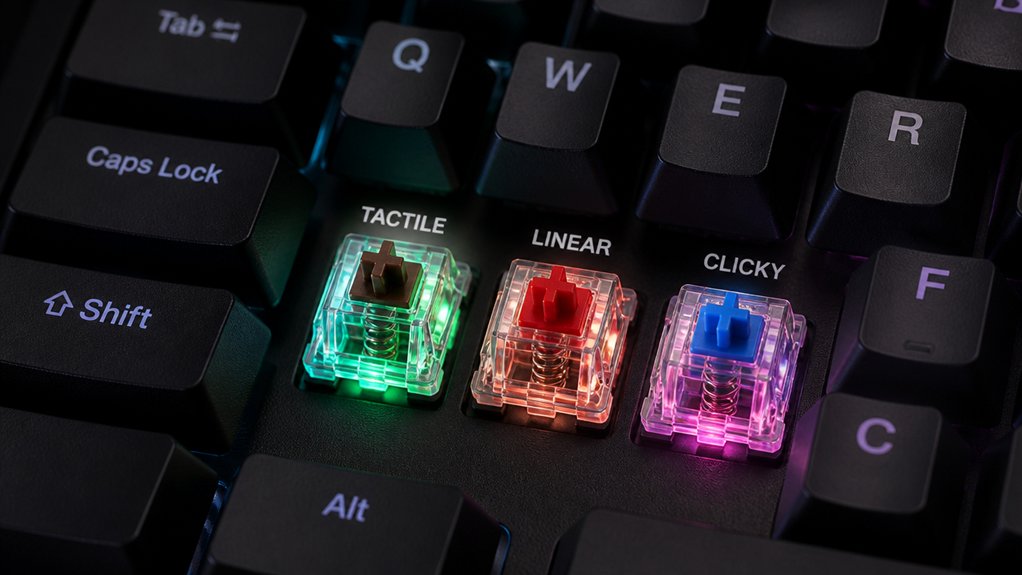
When you’re competing at a pro level, your keyboard’s switches need to handle intense, nonstop keystrokes without missing a beat. That’s why durability is essential for pro gamers—you need mechanical switches built to last through millions of presses.
High-quality linear switches, known for smooth and consistent key switch actuation, endure rapid, repeated presses much better than others. Switches with sturdy metal contact leaves and reinforced housings maintain responsiveness and tactile feel, preventing failures that could cost you vital moments.
Durable switches also reduce maintenance and replacement frequency, letting you stay focused on your performance instead of hardware problems. Choosing mechanical switches designed for durability guarantees reliability and longevity—two must-haves for anyone serious about competitive gaming.
How Hot-Swap Keyboards Help Pro Gamers Customize Switches
With a hot-swap keyboard, you can quickly swap out switches without any soldering, making customization easy and hassle-free. This lets you optimize performance by choosing switches that fit your play style and reduce fatigue during long sessions.
Plus, you get a personalized typing experience tailored exactly to your needs.
Switch Swapping Convenience
Although customizing your keyboard switches used to require soldering skills and multiple keyboards, hot-swap keyboards let you quickly swap out mechanical switches without any hassle. As a pro gamer, switch swapping lets you tailor switch feel to every gaming scenario or typing need.
For example, you can mix linear switches on your primary gaming keys for speed and tactile switches on your typing keys for accuracy—all in one keyboard. The popular CORSAIR K70 PRO MINI WIRELESS makes customizing switches a breeze.
Here’s why switch swapping convenience matters:
- You can effortlessly customize switches to reduce finger fatigue during long sessions.
- It’s simple to experiment with different switch types for the exact feel and sound you want.
- You avoid buying multiple keyboards, saving both money and desk space.
Hot-swap keyboards put customization power directly in your hands.
Performance Optimization Benefits
Because your keyboard’s feel directly impacts your performance, hot-swap keyboards like the CORSAIR K70 PRO MINI WIRELESS let you quickly test different switch types to find the perfect balance between speed and accuracy.
With hot-swap mechanical keyboards, you can effortlessly swap linear switches for smooth, fast keypresses or tactile ones for precise feedback. Adjusting actuation forces and travel distance helps you reduce finger fatigue and improve responsiveness during long gaming sessions.
You can even create mixed setups—linear on movement keys and tactile on modifiers—to optimize control. This flexibility lets you tailor your keyboard to evolving game metas and personal needs, ensuring you stay competitive by maximizing comfort and input precision without the hassle of soldering or buying multiple keyboards.
Personalized Typing Experience
How do pro gamers achieve the perfect typing feel tailored to their unique playstyles? Hot-swap keyboards let you customize your mechanical keyboard switch setup without soldering. You can quickly try different switches to match exactly what you need for gaming and typing.
Here’s why pros love it:
- Swap linear switches on gaming keys for lightning-fast, smooth inputs.
- Use tactile switches on typing keys for precise feedback and accuracy.
- Mix and match switches anytime to adjust for comfort, sound, or performance.
Hot-swap keyboards empower you to continuously refine your setup based on personal preference. This flexibility means you don’t waste time or money buying new keyboards — just change switches to get the feel that fits your evolving playstyle perfectly.
How to Choose the Best Switch for Pro Gaming
When selecting the best switch for pro gaming, you’ll want to focus on speed and responsiveness. Linear switches like Cherry MX Reds or Kailh Speed Silver are top choices due to their smooth keystrokes and low actuation force, allowing rapid key presses. Tactile switches offer feedback for accuracy but come with slightly higher actuation force. Using hot-swap keyboards lets you easily test and swap switches, refining your setup without hassle.
| Switch Type | Actuation Force (g) | Ideal Use |
|---|---|---|
| Cherry MX Reds | 45 | Fast, smooth linear |
| Kailh Speed Silver | 40 | Ultra-fast linear |
| Cherry MX Browns | 55 | Tactile, accurate input |
| Hot-swap Keyboards | N/A | Easy switch customization |
Frequently Asked Questions
Which Type of Keyboard Switch Is Best?
The best keyboard switch type depends on your needs. You’ll want light linear switches for fast, smooth gaming or tactile switches if you prefer feedback for accuracy. Choose based on feel, noise, and how you use your keyboard.
What Switches Do Pro Players Use?
Pro players use light linear switches, like Cherry MX Reds, for fast, smooth keystrokes. Some prefer tactile switches for subtle feedback. They avoid loud clicky switches and often choose hot-swappable keyboards to customize their feel.
Do Pro Gamers Use Linear or Tactile?
Pro gamers mostly use linear switches because they’re smooth, fast, and quiet, helping you react quickly without fatigue. You might prefer tactile if you want feedback, but linear’s speed wins in most competitive games.
What Are the Most Popular Keyboard Switches?
You’ll find Kailh Silent Brown switches most popular, followed by Gateron Yellow linears and Kailh BOX White clicky switches. These choices balance smoothness, feedback, and quietness, matching most pros’ needs for performance and comfort.
In Summary
When choosing your keyboard switch, know that pros lean toward linear switches for speed and tactile ones for balanced feedback. Clicky switches? They’re less common due to noise. You’ll want a switch that fits both gaming and typing comfort while staying durable through intense use. Consider hot-swap keyboards to customize easily. Ultimately, picking the right switch helps you boost performance and enjoy every game session, no matter your style.



