
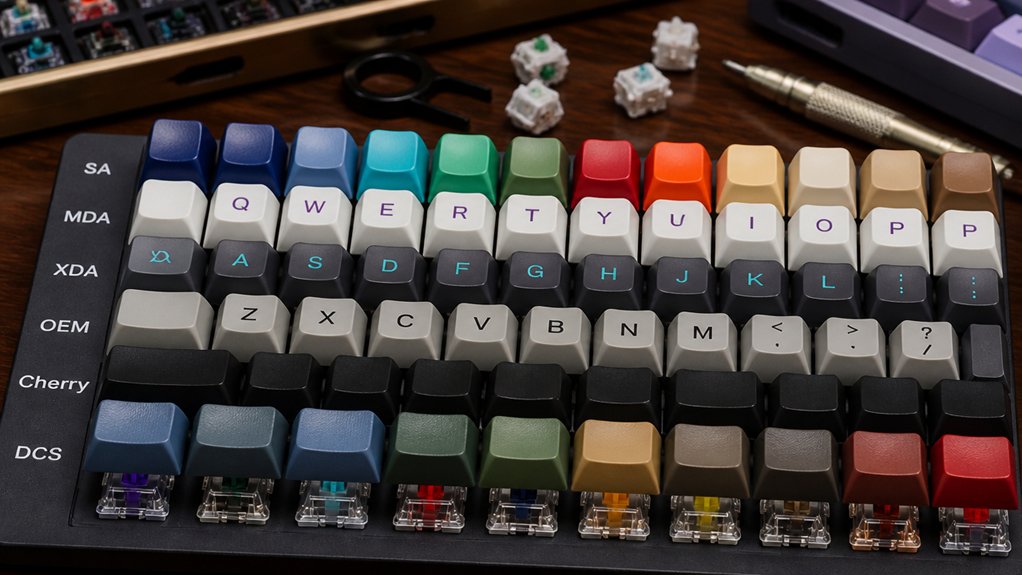
To match keycap profiles to your switches, first confirm your switch stem type—MX-style needs cross stems for compatible keycaps. Then, pick keycap height and shape that suit your switch: medium or high for standard MX, low-profile for slim switches. Decide between sculpted profiles if you want ergonomic comfort or uniform profiles for consistent key shape. Test the keycaps on your switches to check fit, feel, and sound. Keep exploring these tips to optimize your typing experience.
How Keycap Profiles Affect Typing on Different Switch Types

When you choose keycaps, their profile must match your switch type to guarantee the best typing experience. MX switches, with their cross-shaped stem types, support the widest range of profiles including Cherry profile, OEM profiles, and uniform profile keycaps.
Sculpted keycaps like Cherry or OEM enhance typing feel by guiding your fingers naturally across varied row heights, which is ideal for tactile and clicky switches. On the other hand, uniform profile keycaps provide consistent shape and height, improving accuracy especially on linear switches.
Low-profile keycaps, such as Lamé or FMX profiles, specifically complement low-profile switches, ensuring proper key travel and reducing finger fatigue. Using incompatible profiles with your switches can lead to poor fitment, diminished typing feel, and unreliable switch actuation.
Check Switch Stem Compatibility Before Choosing Keycaps
How do you make sure your new keycaps fit perfectly? Start by checking your keyboard switches’ stem design. Most Cherry MX-style switches use a cross stem, making them compatible with MX-compatible keycaps. However, proprietary switches like Logitech Romer-G or Razer optical need specific keycap models for their unique keycap stem sockets. Also, low-profile switches demand low-profile keycaps; standard caps won’t sit or function properly on them. Always verify keycap compatibility to avoid issues like wobble or keys not registering. Here’s a quick compatibility guide:
| Switch Type | Stem Design / Socket |
|---|---|
| Cherry MX-style | Cross stem (+) |
| MX-compatible keycaps | Cross stem compatible |
| Proprietary switches | Custom keycap sockets |
| Low-profile switches | Low-profile keycap socket |
Match these to guarantee flawless fit and function.
Find the Right Keycap Height and Shape for Your Switch Feel
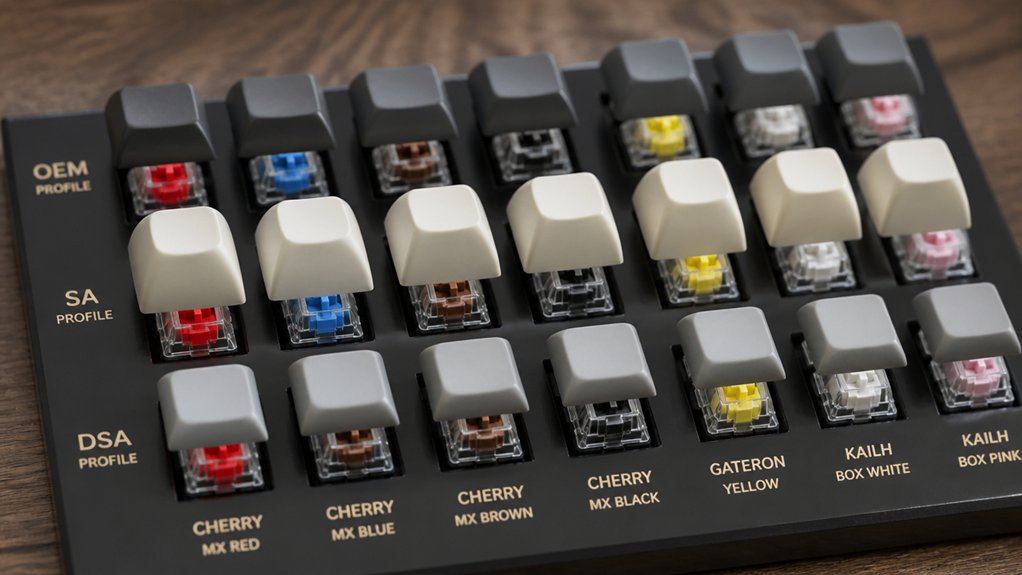
After confirming your keycaps fit your switch stems, focus on matching keycap height and shape to improve your typing feel. For MX switches, choose keycap height suited for your switch type: standard MX switches pair well with medium to high-profile keycaps like Cherry or OEM, while low-profile switches need specifically designed low-profile keycaps.
Consider how the shape affects your typing experience:
- Sculpted keycaps offer ergonomic design with row-specific angles, ideal for tactile switches to support natural finger placement.
- Uniform profile keycaps maintain consistent height and shape, complementing linear switches by encouraging smooth, even strokes.
- Cylindrical tops ease finger guidance on tactile switches, while spherical or flat tops match the smoother feedback of linear switches.
Matching keycap profiles thoughtfully enhances switch compatibility and overall typing experience.
Choose Sculpted or Uniform Keycap Profiles Based on Your Typing Style
Deciding between sculpted and uniform keycap profiles depends largely on your typing style and preferences. If you value ergonomic comfort and precise finger placement, a sculpted profile like the Cherry profile offers varying row shapes and keycap height to reduce strain. On the other hand, if you prefer adaptability and a consistent feel, uniform profiles such as DSA or XDA keep the same keycap height across rows, simplifying customization.
| Keycap Profile | Typing Style |
|---|---|
| Sculpted (Cherry) | Ergonomic, precise finger guidance |
| Uniform (DSA) | Flexible, minimalist, easy reconfiguration |
| Uniform (XDA) | Consistent key feel, modern look |
Choosing the right profile tailors your keyboard to your needs, enhancing comfort and accuracy.
Test Keycap Profiles With Switches for Comfort and Sound
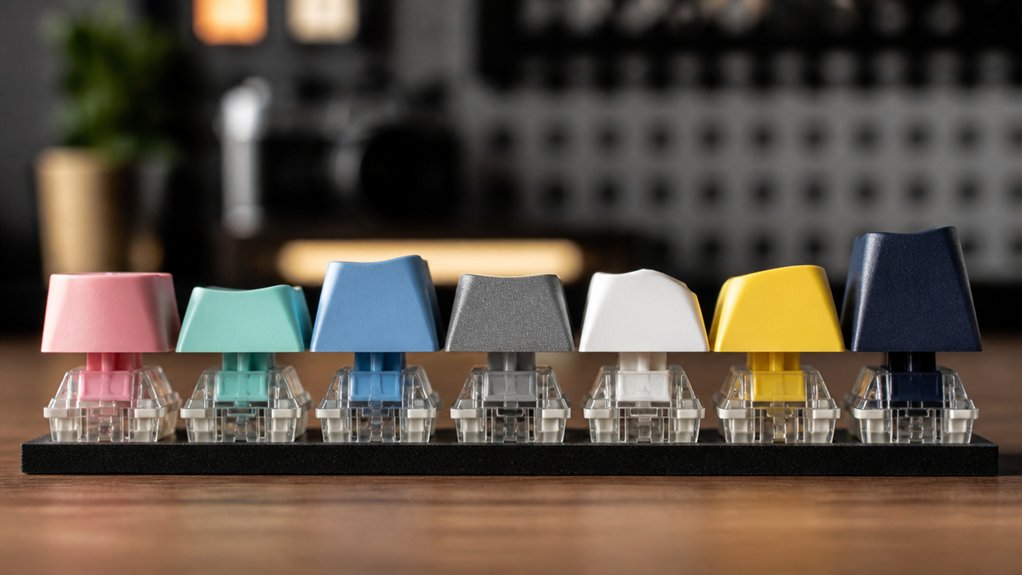
Why settle for guesswork when you can test keycap profiles directly on your switches? Trying out keycap profiles, like sculpted or OEMPBT keycaps, helps you find the best typing comfort by matching row heights and finger placement to your MX switches.
Pay close attention to switch compatibility, especially if you’re using low-profile switches, which need dedicated low-profile keycaps to guarantee proper sound characteristics and feel.
Focus on these key points when testing:
- Confirm MX-style stems fit securely without wobbling.
- Assess typing comfort by evaluating sculpted profiles’ ergonomic benefits.
- Listen for sound differences influenced by keycap shape and material.
Testing under real typing conditions maximizes comfort and sound satisfaction, avoiding mismatched profiles and awkward finger positioning.
Frequently Asked Questions
How Do Keycap Materials Influence Typing Noise and Feel?
Keycap materials influence typing noise and feel by affecting sound sharpness and key texture. You’ll notice PBT feels sturdier and sounds softer, while ABS tends to be smoother but louder and may develop shine over time.
Can Keycap Legends Affect Visibility Under Different Lighting?
Yes, keycap legends can affect visibility depending on lighting. You’ll find that high-contrast, backlit legends improve readability in low light, while translucent or shine-through designs enhance visibility with RGB lighting, making your typing experience much clearer.
Are There Keycap Profiles Designed for Gaming Versus Typing?
Yes, you’ll find keycap profiles like DSA and SA tailored for gaming or typing; gaming profiles often focus on comfort and quick key recognition, while typing profiles emphasize ergonomics and finger positioning to improve your accuracy and speed.
How Do Temperature Changes Affect Keycap Durability?
Temperature changes can cause your keycaps to expand or contract, leading to potential warping or brittleness over time. To keep them durable, avoid extreme heat or cold and store your keyboard in a stable environment.
What Maintenance Is Needed to Keep Keycaps in Good Condition?
You should regularly clean your keycaps with mild soap and water, avoid harsh chemicals, and keep them away from direct sunlight. Removing them occasionally helps prevent dirt buildup and maintains their color and texture for longer use.
In Summary
Choosing the right keycap profile for your switches can greatly improve your typing comfort and experience. Always check stem compatibility first, then consider the height and shape that suit your switch feel. Decide between sculpted or uniform profiles based on how you type, and don’t hesitate to test different options for sound and comfort. By matching keycaps thoughtfully, you’ll enjoy a smoother, more satisfying keyboard performance every time you type.



