

Using compressed air for your keyboard helps you quickly remove dust, crumbs, and debris from tiny crevices and under keys without contact or moisture. It improves responsiveness, prevents buildup that can cause sticking or malfunction, and extends your keyboard’s lifespan. Proper technique guarantees safety and effectiveness, making cleaning easier and more thorough. Keep exploring to discover all the best tips and methods to keep your keyboard in top shape for longer.
How Does Compressed Air Clean Your Keyboard?

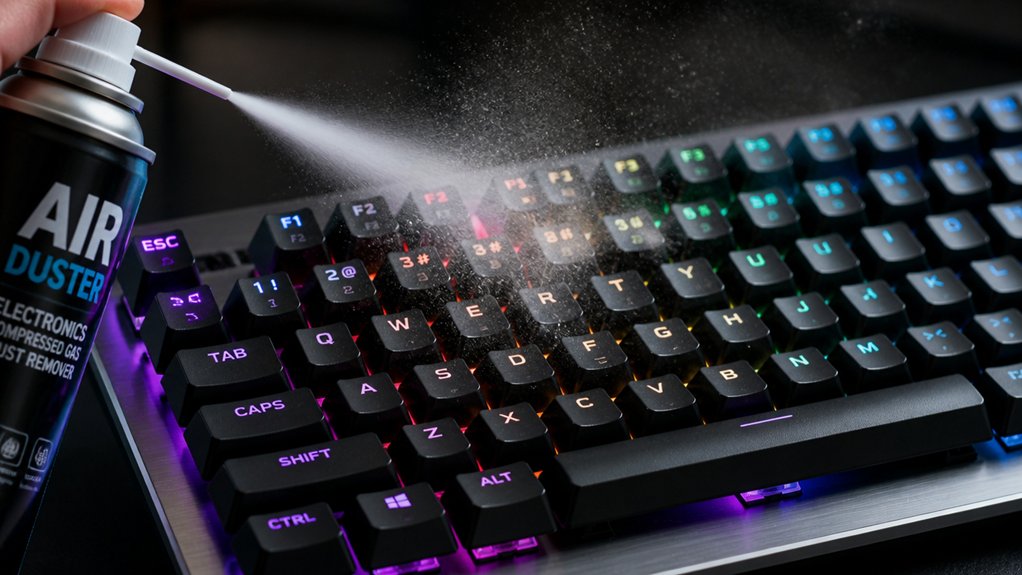
Have you ever wondered how compressed air effectively cleans your keyboard? When you use compressed air, it blows out dust and debris from the tiny crevices between and beneath the keys without physically touching them.
By delivering short bursts of pressurized air, it targets areas that brushes or wipes can’t easily reach. These quick bursts dislodge crumbs, hair, and fluff lodged under the keycaps, helping your keys move smoothly and respond better.
The strong blowing force penetrates deep beneath keycaps and into mechanical switches, removing stubborn dust buildup that can impact performance. Plus, using compressed air prevents damage to delicate components because it cleans without moisture or abrasive contact—when you apply it properly, it’s a safe, efficient way to keep your keyboard clean and functioning at its best. Regular use of ozone-safe formulas ensures an environmentally friendly cleaning process that doesn’t harm the atmosphere or your device.
Choosing the Best Air Duster for Electronics
When selecting an air duster for electronics, it’s important to take into account the type of propellant used, as nonflammable options like HFC-134a are safer indoors. Reusable electric dusters can save you money in the long run and reduce waste, but traditional canned options vary in purity and residue, which can impact the safety and longevity of your devices. Always choose tools that provide precise control and minimize the risk of moisture or static damage to your devices.
Propellant Type and Safety
Choosing the right air duster for electronics depends heavily on the type of propellant it contains, as safety and performance are directly influenced by this factor. Using compressed air with a safe, nonflammable liquid propellant like HFC-134a minimizes fire risks and protects your keyboard.
Here’s what you should consider:
- Nonflammable propellants—like HFC-134a or HFO-1234ze—offer safer cleaning options and reduce health hazards.
- Flammable options, such as HFC-152a, increase fire risk and should generally be avoided for electronics.
- Industrial-grade dusters without bitterants or additives prevent harmful residues that could damage delicate components.
- Choosing a duster with proper propellants guarantees you safely dislodge dust without risking moisture buildup or component damage from liquid propellants, especially since propellant safety is crucial for preserving electronic integrity.
Reusability and Cost Efficiency
Opting for a reusable air duster can greatly improve cost efficiency and reduce waste compared to disposable aerosol cans. With compressed air, you get a source of reusable airflow that doesn’t require repeated purchases of canned propellant. Electric and mechanical dusters eliminate the recurring expense of single-use aerosol cans while providing consistent, adjustable airflow perfect for delicate electronics like keyboards. Canned compressed air, though convenient, becomes expensive with frequent use and often includes additives like bitterants that can leave residue. Refillable air dusters with chrome trigger sprayers allow precise air control and markedly cut waste, making them more environmentally friendly. Investing in a reusable airflow device not only saves you money in the long run but also minimizes environmental impact by reducing the need for disposable cans. Additionally, choosing eco-conscious options supports sustainability efforts and aligns with environmentally responsible practices.
Step-by-Step: Safely Using Compressed Air on Your Keyboard

Before you start cleaning your keyboard with compressed air, always unplug and power it off to prevent electrical damage.
To remove dust effectively, follow these steps:
- Invert your keyboard and gently shake it to loosen loose debris.
- Hold the compressed air can upright, keeping a safe distance of 10-15 cm from the keys, and spray in short 3-5 second bursts from different angles.
- Avoid prolonged spraying or holding the can upside down, which can cause frost buildup or moisture.
- Use anti-static bristles when necessary to prevent static discharge and ensure sensitive electronic components remain protected.
Performing these steps guarantees you safely remove dust without pushing debris further inside.
Always spray in a well-ventilated area to reduce airborne dust inhalation and to prevent the compressed air from cooling the can internally.
Tips for Preventing Dust Buildup in Your Keyboard
Maintaining a regular cleaning routine helps keep dust and debris from accumulating in your keyboard. Keeping your hands clean and using protective covers also reduces the amount of dirt that settles inside. Additionally, using an anti-static mat for electronics repair can prevent static buildup that might attract dust particles. Small habits like these can make a big difference in keeping your keyboard tidy and functioning smoothly.
Regular Cleaning Routine
Regularly using short bursts of compressed air is an effective way to keep dust and debris from accumulating inside your keyboard, preventing potential performance issues.
To maximize cleaning, you should:
- Invert your keyboard and gently shake it to remove larger dust particles before using compressed air.
- Use compressed air outside or in well-ventilated areas to prevent indoor dust from spreading.
- Pair compressed air with a soft-bristled brush to loosen stubborn dirt lodged between keys.
- Choose a static brush material that minimizes electrostatic discharge and protects sensitive components during cleaning.
These steps help dislodge dust particles early, reducing buildup and grime that can impair your keyboard’s functionality.
Maintaining a consistent cleaning routine guarantees your keyboard stays dust-free, prolonging its lifespan and keeping it working smoothly.
Keep Hands Clean
Keeping your hands clean while using your keyboard is essential to prevent dirt and oils from transferring onto the keys, which can lead to grime buildup over time.
Using compressed air regularly helps keep your keyboard surfaces free of dust and debris, reducing the chance of dirt transferring to your fingers. Short bursts of compressed air effectively dislodge particles stuck between tightly spaced keys, preventing dust from adhering to your hands during typing.
This not only keeps your hands cleaner but also maintains smoother key function, minimizing frustration and effort. Combining compressed air cleaning with occasional wiping of key tops guarantees fewer contaminants reach your skin.
Staying proactive with this approach helps you maintain better hand hygiene and prolongs your keyboard’s lifespan with less grime buildup.
Use Protective Covers
Using protective covers can greatly reduce dust, crumbs, and debris from settling into your keyboard’s gaps and internal parts. By acting as a physical barrier, these covers prevent buildup and make using compressed air more effective.
To maximize protection, consider these tips:
- Select a transparent silicone or plastic cover that fits snugly without obstructing key visibility.
- Regularly remove and wash your cover to eliminate allergens and maintain hygiene.
- Pair covers with using compressed air to target dust particles that manage to bypass the barrier.
These steps help keep dust at bay, reduce key sticking, and extend your keyboard’s lifespan. Protective covers are a simple yet powerful way to maintain peak performance while minimizing deep cleanings.
Common Mistakes to Avoid When Cleaning With Compressed Air
When cleaning your keyboard with compressed air, it is crucial to avoid common mistakes that can cause damage or reduce effectiveness. One mistake is tilting the can upside down, which ejects liquid propellant that can cause frost damage and condensation on delicate components. Avoid long, continuous sprays, as these cool the can and decrease spray force while increasing moisture inside your keyboard. Also, resist spinning the keyboard fans; always stop them before spraying to prevent electrical damage. Keep the nozzle about 10-15 cm away to prevent blowing dust deeper into crevices or dislodging keys. Additionally, be aware that some heat-sensitive components can be affected by improper use of compressed air, so taking extra caution can prolong the lifespan of your keyboard.
Why Using a Soft Brush With Compressed Air Boosts Results
A soft brush complements compressed air by loosening stubborn dust and debris that stubbornly cling between and beneath keys. This initial step makes compressed use more effective at clearing out particles.
A soft brush loosens dust and debris, enhancing the effectiveness of compressed air cleaning.
By gently dislodging dirt, the soft bristles prevent damage to delicate keyboard components while reaching areas compressed air might miss or push debris deeper.
Here’s how combining both tools enhances cleaning:
- Loosens tough grime, reducing the need for multiple compressed bursts.
- Clears sticky residues and adhesive build-up that compressed air alone can’t remove.
- Minimizes moisture buildup by limiting extended use, protecting your keyboard.
- The use of microfiber cloths can help trap and remove any remaining dust without dispersing it into the air.
Using a soft brush first guarantees you get a thorough clean, making every blast of compressed air more efficient and effective, especially when tackling heavily used keyboards.
How Regular Use of Compressed Air Can Extend Your Keyboard’s Life
Regularly blowing compressed air across your keyboard prevents dirt, crumbs, and debris from accumulating in hard-to-reach areas, which helps maintain ideal key responsiveness. Using compressed air effectively removes grime that can cause keys to stick or become unresponsive, guaranteeing smooth operation over time. A sturdy and stable holder can maximize the effectiveness of cleaning by securing the keyboard in place during maintenance. This routine cleaning approach reduces the buildup of particles that can trap moisture, lowering the risk of corrosion and electrical issues. By keeping dust away from internal switches and circuits, compressed air use preserves the keyboard’s hygienic condition and extends its overall lifespan.
Regular maintenance with compressed air also safeguards delicate electronic components from particulate contamination, improving durability and reliability. Incorporating this simple step into your routine helps guarantee your keyboard remains responsive, clean, and longer-lasting.
Alternatives to Canned Air for Keyboard Cleaning
If you want to clean your keyboard without canned air, electric air dusters are a great reusable option that offer adjustable airflow.
You can also use air compressors—just make sure to include inline dryers to prevent moisture damage. For lighter cleaning, bulbs or manual dusters work, but they mightn’t be as effective for stubborn debris.
Using Air Compressors Safely
Using air compressors for keyboard cleaning can be effective, but it requires careful safety measures to prevent damage. The key is managing high pressure and moisture to avoid harming sensitive electronics.
To do this safely, consider these tips:
- Use an inline dryer or moisture filter to remove water vapor from the compressed air, preventing moisture buildup.
- Turn off fan rotation physically before cleaning to avoid generating damaging electrical currents.
- Practice short, controlled bursts of air to reduce moisture condensation and prevent blowing dust further inside the keyboard.
Mechanical Duster Alternatives
Are mechanical dusters a viable alternative to canned air for keyboard cleaning? Yes, they’re a reusable, chemical-free option that offers lower air pressure—around 60-70% less than canned air.
While they produce less force, they can effectively clean dust from keyboards and other sensitive electronics, especially when paired with a soft brush. Mechanical dusters excel at reaching hard-to-reach places without risking the cooling or moisture issues associated with liquefied propellants.
They operate quieter than compressors, although they can still reach about 90 dB, which is suitable for quiet environments. Plus, they don’t contain harmful propellants, making them safer for both your health and the environment.
Post-Cleaning Tips to Keep Your Keyboard in Top Shape
After you’ve finished cleaning your keyboard with compressed air, it’s important to take simple steps to keep it in top condition.
First, store your keyboard in a dust-free environment or cover it to prevent new debris from settling. Second, avoid eating near your keyboard, since crumbs and spills can cause keys to stick or malfunction.
Third, regularly use short bursts of compressed air at an angle, which helps dislodge stubborn particles that brushing alone might miss. Combining compressed air with gentle brushing can further remove debris and prevent buildup.
Quick Tricks to Keep Your Keyboard Clean and Dust-Free
Maintaining a clean keyboard doesn’t have to be complicated; simple tricks can keep dust and debris at bay. Use canned air with short, controlled bursts aimed at different angles between keys to effectively remove dust and crumbs without risking damage.
Before spraying, invert your keyboard and gently shake it to loosen loose debris, making the cleaning even more effective. Always hold the canned air upright to prevent liquid propellant from escaping, which could cause moisture and harm delicate keys.
Regularly using compressed air prevents grime buildup that might interfere with your keyboard’s performance and key responsiveness. For stubborn dirt in crevices, combine the canned air with a soft brush for a deeper clean.
These quick tricks help keep your keyboard dust-free and functioning smoothly.
Frequently Asked Questions
Should You Use Compressed Air to Clean a Keyboard?
Yes, you should use compressed air to clean your keyboard because it effectively removes dust and debris from hard-to-reach spots without damaging delicate parts, especially when used in controlled bursts alongside a soft brush for thorough cleaning.
What Are the Advantages of Compressed Air?
The advantages of compressed air include efficiently removing dust and debris from tight spaces without damage, reaching hard-to-access areas, reducing grime buildup, and providing a quick, affordable, and safe cleaning solution tailored for electronics, including your keyboard.
Are Air Dusters Worth It?
Yes, air dusters are worth it because they quickly and safely dislodge dust from your keyboard without physical contact, prevent moisture buildup, and help maintain cleanliness, which improves performance and extends your keyboard’s lifespan effectively.
Is It Safe to Use Compressed Air on a PC?
Yes, it’s safe to use compressed air on a PC if you turn it off and unplug it first. Use short bursts from a safe distance, avoid tilting the can, and stop fans beforehand to prevent damage.
In Summary
Using compressed air is a simple, effective way to keep your keyboard clean and functioning smoothly. It helps remove dust and debris without causing damage, extending the life of your device. By choosing the right tool and following proper techniques, you can maintain a dust-free keyboard effortlessly. Regular use not only improves performance but also prevents long-term problems. Make cleaning a quick routine to guarantee your keyboard stays in top shape, giving you a better computing experience.



