

Using alcohol wipes to clean your keyboard is highly effective because they contain at least 70% isopropyl alcohol, which quickly kills germs, viruses, and fungi. They physically remove dirt and grime while inactivating pathogens within seconds, reducing the risk of spreading illnesses. The rapid evaporation prevents moisture damage, and anti-static features protect your electronic components. If you want to know how to clean safely and efficiently, keep exploring the best techniques and tips.
Why Disinfecting Your Keyboard With Alcohol Wipes Matters
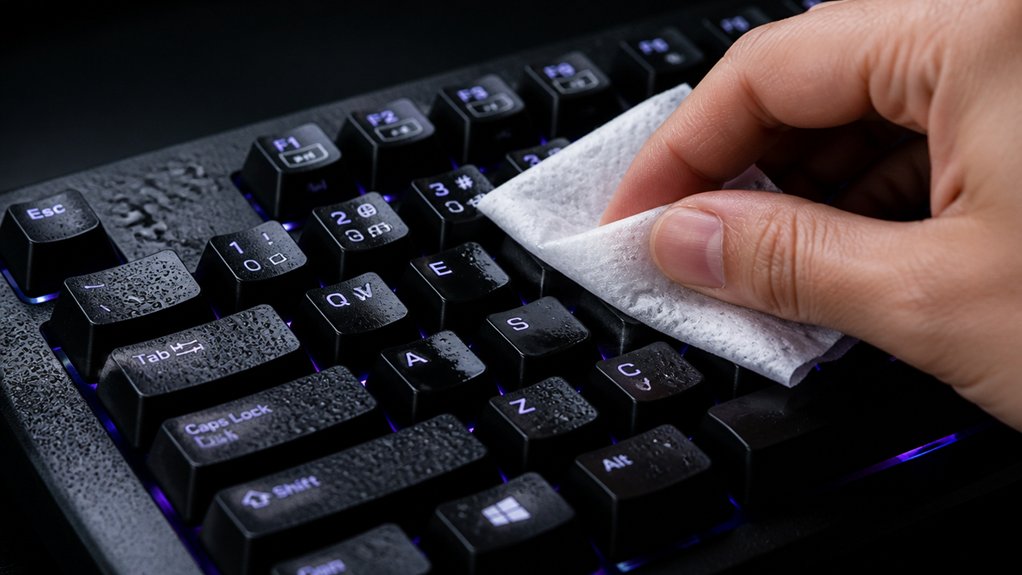
Disinfecting your keyboard with alcohol wipes matters because it helps eliminate harmful bacteria and viruses that linger on frequently touched surfaces. Using alcohol wipes containing 70% isopropyl alcohol effectively kills germs on your keyboard, promoting better hygiene.
Regular disinfection prevents the buildup of microbes, reducing the risk of infections, especially in shared or public spaces. Alcohol evaporates quickly, leaving no residue, making it a safe and convenient choice for cleaning electronics without damage.
How Alcohol Wipes Kill Germs and Reduce the Spread of Viruses
Alcohol wipes contain at least 70% isopropyl alcohol, which dissolves the protective membranes of many germs and viruses. This speeds up the disinfection process, killing pathogens quickly and effectively. Proper use of alcohol wipes ensures fast evaporation and minimal residue, making them safe and efficient for cleaning keyboards. Additionally, the formulation’s residue-free properties help prevent sticky deposits that could impact keyboard performance or harbor additional contaminants. Regular use helps reduce surface microbes and lowers the chance of virus transmission through your keyboard.
Effective Germ Elimination
Because alcohol wipes contain isopropyl alcohol, they quickly and effectively kill germs on keyboard surfaces. The isopropyl dissolves the lipid membranes of bacteria and viruses, leading to their rapid inactivation. A residue-free formula ensures that no sticky or oily residues are left behind, maintaining the keyboard’s surface integrity. When you use alcohol wipes, you’re engaging in effective germ elimination, as they target a broad spectrum of pathogens, including cold, flu, and coronavirus particles. This process happens within seconds, ensuring those invisible microbes don’t stick around to infect or spread to other users. Plus, since alcohol evaporates rapidly without leaving residue, your keyboard remains dry and safe from moisture damage. Regular use of alcohol wipes provides a reliable method for reducing harmful microbes, making your workspace healthier and safer without extensive effort.
Rapid Disinfection Action
When you wipe your keyboard with alcohol wipes, the isopropyl alcohol rapidly denatures proteins and disrupts the lipid membranes of germs, leading to their swift death. This process, known as rapid disinfection, is highly effective due to the 70% concentration of alcohol, which balances penetration and evaporation. The alcohol quickly penetrates microbial cells and destroys their essential structures, killing bacteria and viruses within seconds. Anti-static properties in some cleaning products can further protect delicate electronics during disinfection. Key benefits include: 1. Fast removal of pathogens, reducing infectious risk quickly. 2. Effective against many viruses, including influenza and coronaviruses. 3. Leaves no residue thanks to quick evaporation, preventing damage to your electronic devices. Using alcohol wipes with the right concentration guarantees rapid disinfection in just moments.
Surface Microorganism Reduction
The rapid evaporation of alcohol after wiping surfaces guarantees that germs are not just moved around but are effectively inactivated or destroyed. When you use alcohol wipes on your keyboard, the isopropyl alcohol denatures proteins and destroys the lipid membranes of bacteria and viruses, killing them efficiently. This process both physically removes dirt and organic debris harboring germs and chemically inactivates pathogens. Here’s how it works: A moisture-free formula ensures that no residual moisture is left behind that could cause corrosion or short circuits on electronic components.
| Step | Action | Effect |
|---|---|---|
| Wiping with alcohol wipes | Physical removal of dirt and microbes | Surface is cleaner and safer |
| Alcohol contact | Denaturation of microbial proteins | Germs are neutralized |
| Evaporation | Residue-free disinfection | No moisture damage, quick clean-up |
The Advantages of Using Isopropyl Alcohol for Keyboard Cleaning
Using isopropyl alcohol to clean your keyboard offers effective disinfection, killing germs quickly and thoroughly. It evaporates fast, reducing the risk of moisture damage, and is gentle on most materials when used correctly. This makes it a safe and efficient choice for maintaining your keyboard’s cleanliness and functionality. Additionally, the anti-static properties of isopropyl alcohol help prevent electrostatic buildup during cleaning.
Effective Disinfectant Properties
Isopropyl alcohol with an alcohol concentration of 70% or higher is highly effective at killing bacteria, viruses, and fungi on keyboard surfaces, making it a reliable disinfectant. Its antiseptic properties guarantee you’re reducing the spread of germs in high-touch areas, promoting better hygiene.
When cleaning your keyboard, alcohol’s effectiveness is unmatched.
Here are three key advantages of using alcohol for cleaning:
- It rapidly kills germs, including common pathogens found on keyboards.
- Alcohol evaporates quickly without residue, preventing moisture damage.
- It effectively removes sticky residues that can harbor microbes, improving both cleanliness and key functionality.
Choosing alcohol for cleaning guarantees a thorough disinfectant action, keeping your keyboard safe and hygienic.
Quick Evaporation Rate
Because it evaporates quickly, isopropyl alcohol minimizes moisture exposure to your keyboard’s electronic components. Its rapid evaporation rate guarantees you don’t have to wait long before using your keyboard again.
When you use alcohol to clean, the isopropyl quickly dries, preventing liquid from seeping into sensitive parts and causing damage or corrosion. This fast drying also means you can disinfect and clean in one easy step, without worrying about leftover moisture.
Plus, the quick evaporation leaves no residue, keeping your keyboard looking pristine and functioning properly. Whether you’re cleaning spills or routine disinfecting, isopropyl’s swift evaporation makes the process safer, more efficient, and less disruptive to your workflow.
Gentle on Most Materials
Gentle cleaning is essential to preserve the integrity of your keyboard’s materials, and isopropyl alcohol proves to be a safe choice. When you use it to clean your keyboard, you can gently wipe surfaces without risking damage.
Isopropyl alcohol, especially at 70% or higher, evaporates quickly and leaves no residue, reducing moisture damage to internal components. It’s effective as an antiseptic and antibacterial agent, making your device safer to use.
Here are three reasons why isopropyl alcohol is gentle on most materials:
- It cleans without abrasive effects that can wear down key legends or surface coatings.
- It minimizes the risk of damaging plastics like ABS or PBT.
- Controlled use avoids sticky residue buildup, keeping your keyboard smooth and comfortable.
How to Safely Use Alcohol Wipes on Your Keyboard
Before using alcohol wipes on your keyboard, make sure it’s powered off and unplugged to prevent any electrical risks or damage. Use alcohol wipes lightly dampened with 70% isopropyl alcohol, avoiding excess moisture. Gently wipe the surface and keycaps, steering clear of scrubbing to protect key legends from fading. For stubborn dirt or tight spaces, opt for a cotton swab lightly moistened with alcohol, controlling the application precisely. After cleaning, allow your keyboard to sit and dry completely within a few minutes before reconnecting or powering on to prevent residual moisture issues. Additionally, ensuring the cleaning process aligns with material compatibility guidelines helps avoid damaging sensitive components.
Are Alcohol Wipes Better Than Other Cleaning Methods?
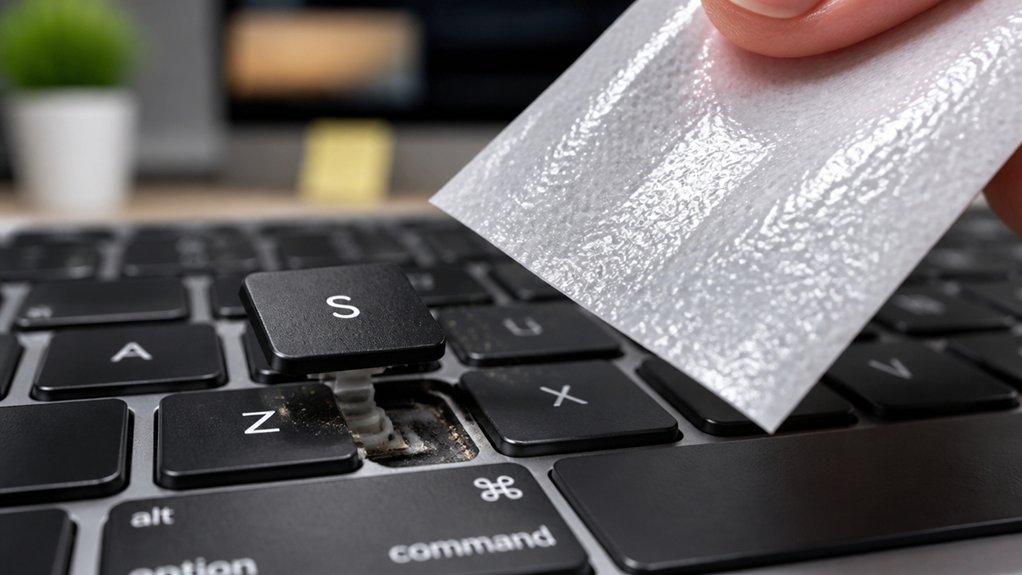
Are alcohol wipes truly the best choice for cleaning your keyboard compared to other methods? These wipes, often containing 70% rubbing alcohol, disinfect effectively and evaporate quickly without leaving residue, reducing moisture damage.
They also remove stubborn grime and oils better than dry microfiber cloths or compressed air. When you want to clean my laptop keyboard, alcohol wipes are convenient and efficient. However, for gentler cleaning, consider options like soft cloths or specialized cleaners to prevent key legend fading or plastics becoming brittle.
Here are three reasons alcohol wipes can be superior:
- They kill bacteria and viruses more effectively than water-only methods.
- They minimize moisture buildup, protecting internal components.
- They clean grime better than dry or less potent options.
Tips to Avoid Damaging Key Legends and Plastics With Alcohol
While alcohol wipes are effective for cleaning keyboards, it’s important to use them carefully to prevent damage to key legends and plastics.
When using alcohol, opt for a 70% concentration to minimize the risk of staining or fading the printed characters. Always apply alcohol on a slightly damp microfiber cloth or cotton swab instead of pouring or spraying directly, which helps control liquid exposure and prevents seepage into internal components. Microfiber cloths can lift dust, oils, and fingerprints efficiently without scratching delicate surfaces. Avoid rubbing or scrubbing the key legends to prevent fading or peeling over time.
If you have a mechanical keyboard, choose one with durable keycaps like PBT or ABS, as acrylic plastics are more prone to damage.
After cleaning, dry the area immediately to prevent residue buildup or deformation.
Incorporating Alcohol Wipes Into Your Regular Keyboard Maintenance
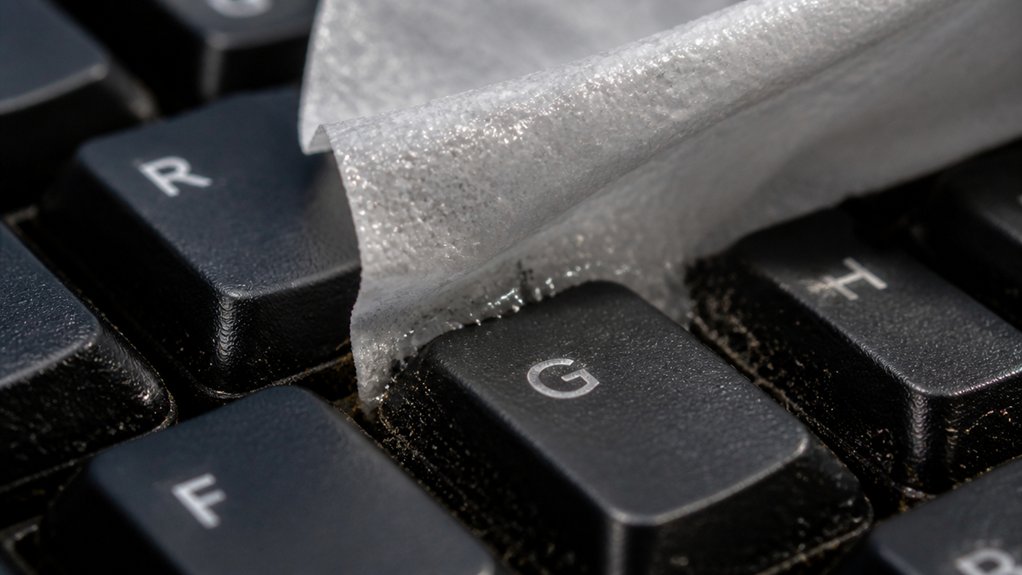
Incorporating alcohol wipes into your regular keyboard maintenance is a simple and effective way to keep your device clean and hygienic. Regular cleaning with alcohol wipes, about once a week or month depending on usage, helps prevent grime buildup and keeps keys functioning properly. Alcohol wipes enable precise cleaning around and between keys, tackling stubborn dirt and oils without risking excess moisture seeping into the internal components. To maximize benefits, use 70% isopropyl alcohol wipes for quick disinfection, focus on areas with visible dirt or fingerprints, and avoid excessive scrubbing to prevent damage to delicate plastics. Additionally, choosing a proper static control environment can further enhance the longevity of your electronics while maintaining cleanliness. This routine supports a professional, clean appearance and extends your keyboard’s lifespan by reducing harmful debris and microbes. Incorporate these steps into your regular cleaning to maintain top performance.
Common Mistakes When Cleaning With Alcohol Wipes : And How to Avoid Them
Cleaning with alcohol wipes requires careful attention to avoid common mistakes that can damage your keyboard.
First, never apply alcohol wipes directly onto the keys, as excess moisture can seep underneath and cause damage internal components or sticky residues. Use gentle motions instead.
Pay attention to the concentration of your alcohol wipes; stick to those with 70% or less to prevent plastic brittleness and fading of key legends. Avoid vigorous scrubbing, which can deform keycaps or remove printed characters prematurely.
Always power off and unplug your device before cleaning to reduce electrical risks. Limit alcohol wipe use to occasional cleanings and supplement with cotton swabs or microfiber cloths for delicate areas. These steps help prevent unnecessary harm during your keyboard maintenance. Additionally, opt for safe cleaning practices, such as using appropriate tools and avoiding excessive liquid, to protect the longevity of the keyboard’s components.
How Often Should You Use Alcohol Wipes for a Hygienic Keyboard?
How often you should use alcohol wipes on your keyboard depends on your usage habits and hygiene needs. If you use your keyboard daily or eat nearby, cleaning with alcohol wipes weekly keeps it germ-free.
For lighter use, once a month might suffice to maintain hygiene standards. Regular cleaning with alcohol wipes helps eliminate bacteria and viruses from frequent contact.
However, avoid overdoing it, as excessive use can fade key legends or cause stickiness. To stay balanced, consider these tips:
- Use alcohol wipes weekly if your keyboard sees heavy use.
- Employ quick daily cleaning with a damp microfiber cloth for regular maintenance.
- Deep clean under keycaps with alcohol wipes on mechanical keyboards periodically.
Additionally, be mindful of sound calibration and microphone placement, as excessive cleaning can affect acoustic testing accuracy if not done carefully.
Following this schedule guarantees your keyboard stays clean without damage.
Combining Alcohol Wipes With Other Cleaning Tools for Optimal Results
For the best cleaning results, it’s essential to combine alcohol wipes with other tools to target different areas of your keyboard effectively. Use compressed air first to blow away loose dust and debris from between the keys.
Combine alcohol wipes with compressed air for thorough, safe keyboard cleaning.
Then, wipe the surface with alcohol wipes to disinfect and remove grime. For detailed spots underneath the keys, dip a cotton swab in isopropyl alcohol and carefully reach those hard-to-clean areas.
To prevent excess moisture from seeping into internal components, follow up with a microfiber cloth to gently dry and buff the surface.
Incorporating alcohol wipes into your routine with these tools enhances hygiene while protecting your keyboard’s longevity. Together, these methods guarantee a thorough, safe, and effective cleaning process.
Frequently Asked Questions
What Is the Best Thing to Clean a Keyboard With?
You should use a soft, lint-free microfiber cloth dampened slightly with isopropyl alcohol or water. For detailed cleaning, cotton swabs dipped in alcohol work well, and compressed air helps remove debris without risking moisture damage.
Does 91% Isopropyl Alcohol Damage Electronics?
Yes, 91% isopropyl alcohol can damage electronics if used improperly. It may cause plastics to become brittle or stained, and damage printed legends or backlighting if it seeps under keys or is applied excessively.
Can Isopropyl Alcohol Damage a Keyboard?
Yes, isopropyl alcohol can damage keyboards if used improperly. You should avoid excessive application, prevent liquid from seeping inside, and use a soft cloth or cotton swab to minimize risks of plastic damage or fading.
What Are the Best Wipes for Cleaning Keyboards?
The best wipes for cleaning keyboards are those containing 70% isopropyl alcohol, which disinfects effectively without damaging surfaces. Choose brand-reliable, slightly damp wipes without bleach or harsh chemicals to keep your keyboard clean, safe, and functioning well.
In Summary
Using alcohol wipes to clean your keyboard is an effective way to eliminate germs and reduce virus spread. They’re quick, convenient, and safe when used properly. Incorporate them regularly into your cleaning routine to maintain a hygienic workspace. Just be sure to avoid common mistakes and combine them with other cleaning methods for best results. Staying consistent with this simple practice helps keep your keyboard clean, safe, and functioning smoothly.



